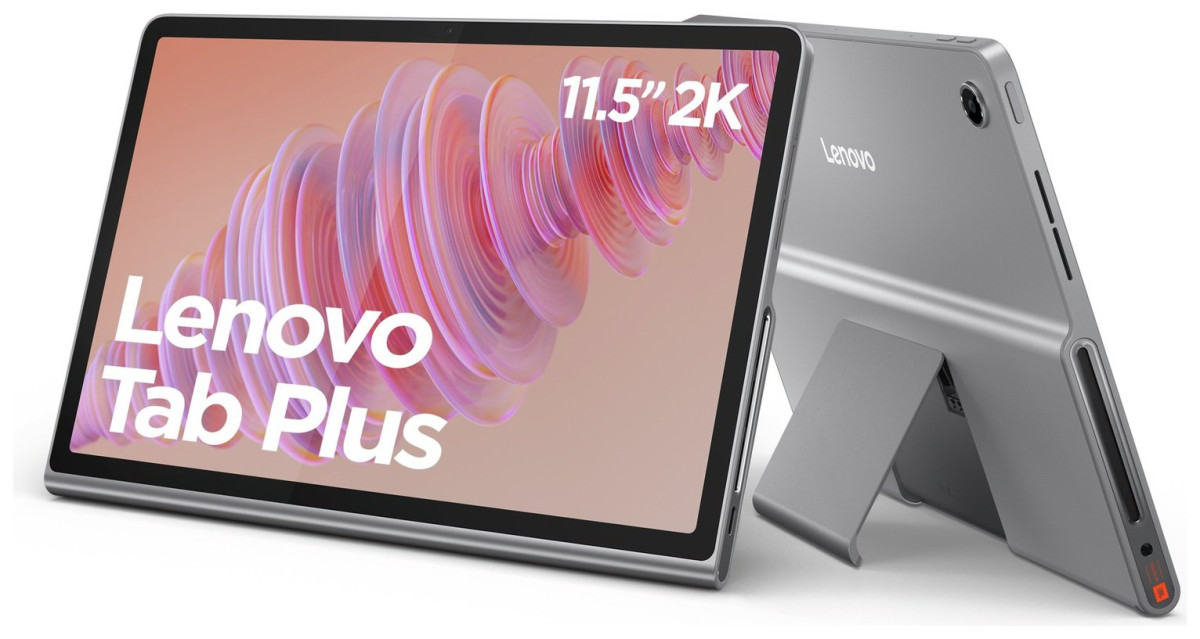
Lenovo Idea Tab
LENOVO
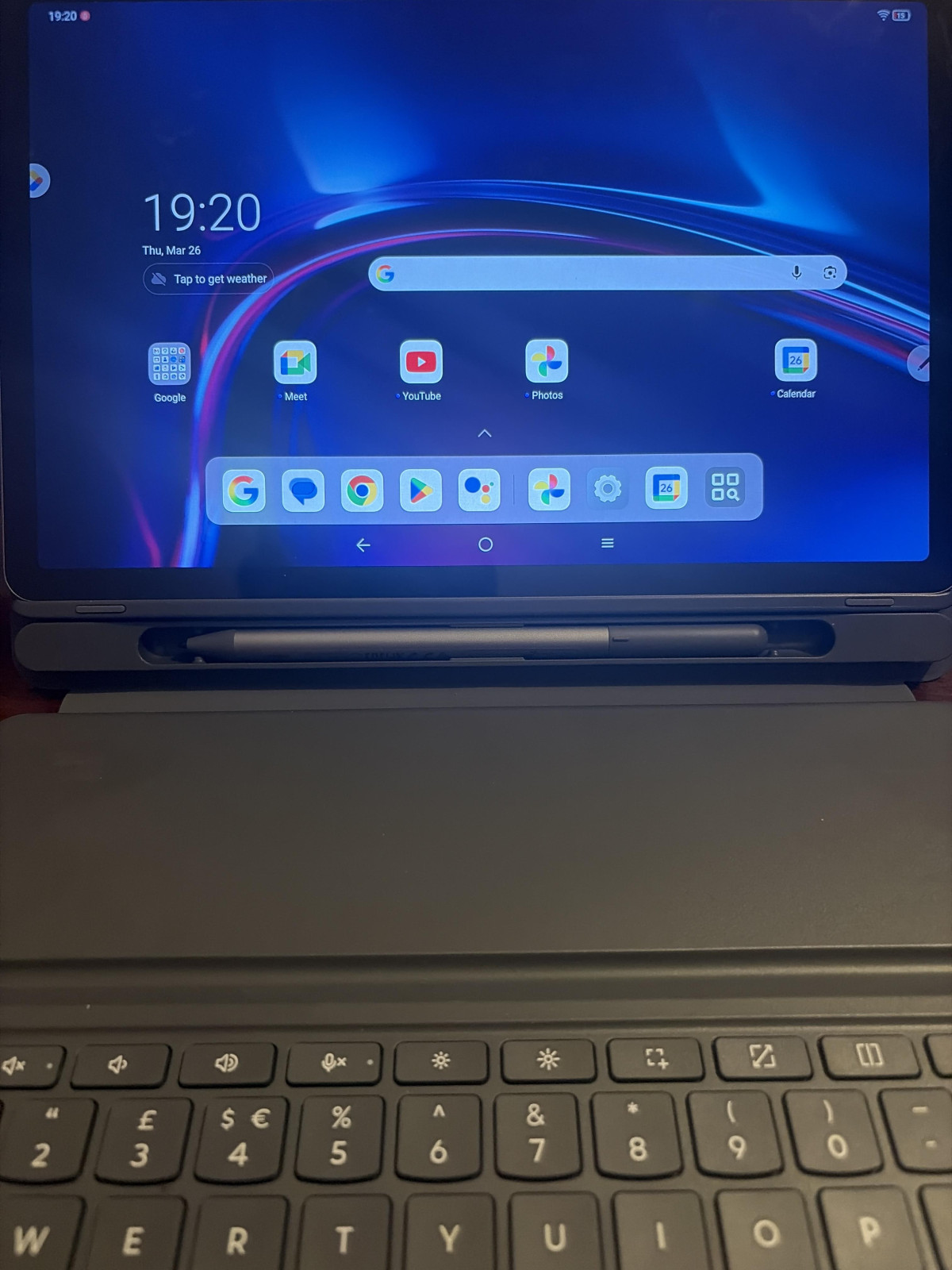
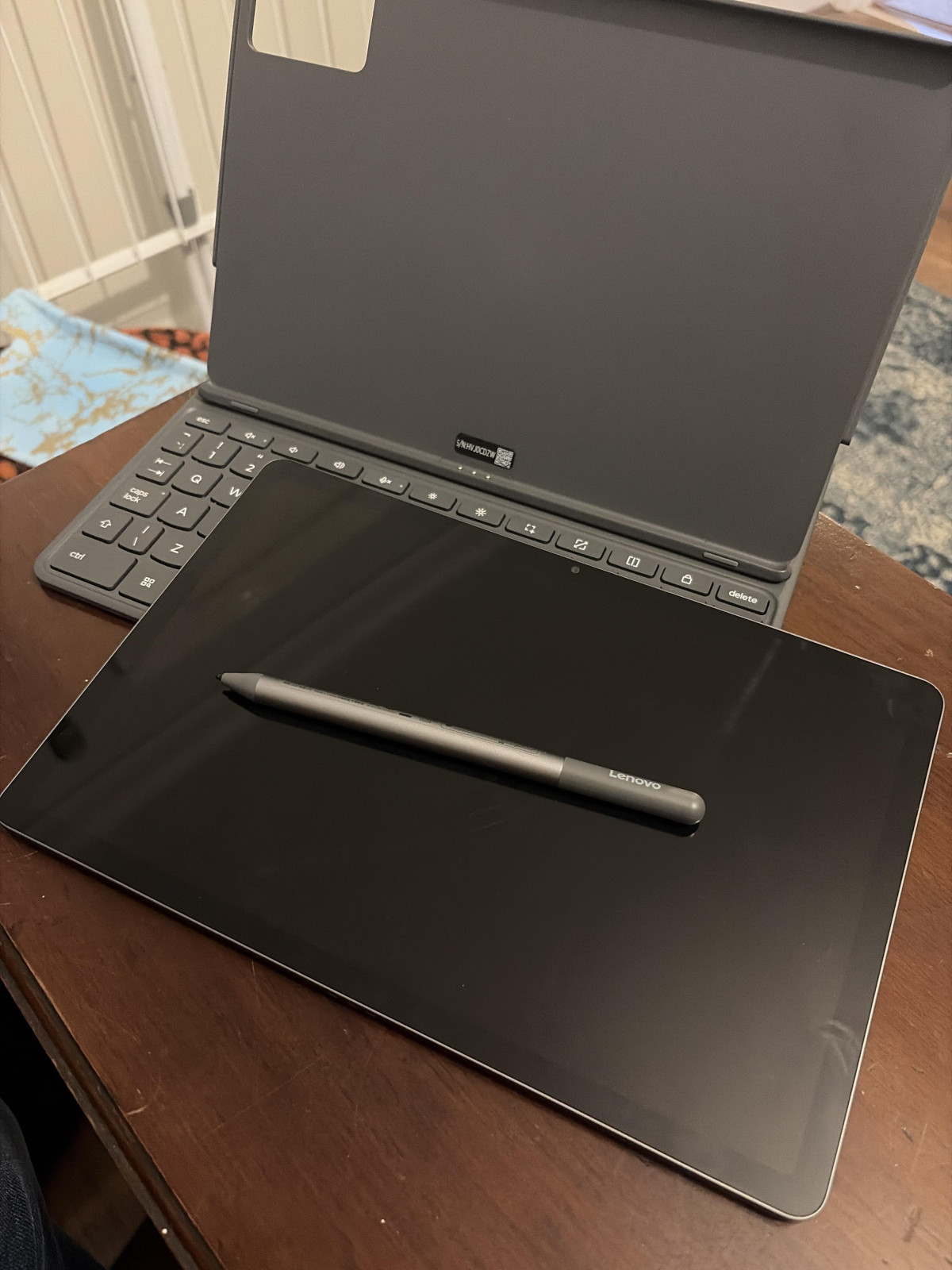


Setting the Scene: What This Tablet Is Actually Trying to Do
Not every tablet needs to be a laptop replacement. Some just need to survive a school term, a Netflix binge, and a stack of lecture notes without costing as much as a new phone. That's the lane the Lenovo Idea Tab 11 Inch 128GB Wi-Fi Tablet occupies, and it's a lane with a lot of traffic — cheap tablets are easy to find, good cheap tablets are not.
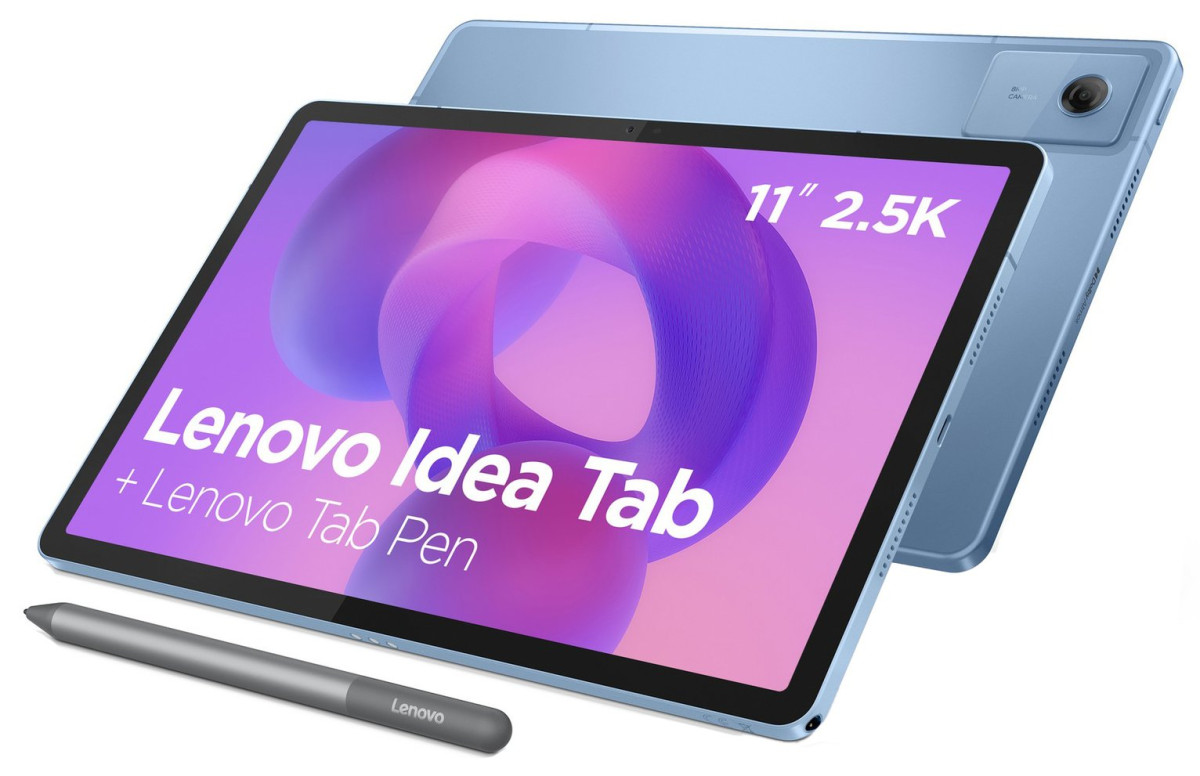
What makes this one worth a closer look is that Lenovo has bundled in a pressure-sensitive pen at no extra cost, paired it with a display that punches well above its price bracket, and layered on a set of AI shortcuts aimed squarely at students and note-takers. The question this review answers is whether those additions amount to a genuinely useful package, or just a longer features list on the box.
Design and Build: Plastic, But Not Cheap-Feeling Plastic
At 6.99mm thick and 480g, this is a slim, light slate that won't strain your wrist during an hour of reading in bed or drag your bag down on the commute. For context, that's thinner than most mainstream tablets on the market and light enough to hold one-handed for extended periods, which matters more than people expect when a tablet is being used for note-taking rather than just propped on a stand.
The body leans on plastic rather than the machined aluminum you'd find on pricier tablets, and that's the right trade-off at this price — it keeps weight down and cost low. Reviewers who've handled it describe the finish as clean and well-assembled rather than flexy or hollow-feeling, and independent testing of this generation's Idea Tab line has generally described the build as sturdy and consistent, not a corner-cut budget shell. It won't fool anyone into thinking it's a premium slab, but it also doesn't creak or flex when you pick it up, which is the more practical measure of "does this feel cheap."
A few physical details are worth flagging before you buy
- Fingerprint-resistant coating — the screen resists smudges and light scratches better than a bare glass panel, useful if this is going straight into a school bag without a case.
- Facial recognition unlock — there's no physical fingerprint sensor, so face unlock is your fast-access method. It's convenient in good lighting but, like most camera-based unlock systems at this price, less reliable in the dark.
- Headphone jack placement — independent hands-on coverage has flagged that the 3.5mm jack sits in an unusual bottom-corner position, which can feel a little awkward if you're using wired headphones while holding the tablet in landscape for video.
- Two colourways — this listing covers the blue variant, with grey also available if that suits your style better.
The Display: This Is Where the Idea Tab Earns Its Keep
If there's one component that punches above the price tag here, it's the screen. This is an 11-inch IPS panel running at 2560 x 1600 resolution — a pixel density high enough that text stays crisp and images look properly detailed rather than soft or blocky, which is not something you can take for granted on a budget tablet. Combine that with a 90Hz refresh rate, and everyday interactions — scrolling through a webpage, swiping through a gallery, dragging a note-taking app around the screen — feel noticeably smoother than the 60Hz panels that are still the norm at this price point.
Independent reviewers who've tested this generation of Idea Tab consistently single out the display as the standout feature, praising it as sharp, vibrant, and easily bright enough for comfortable indoor use, while noting that outdoor visibility under direct sunlight is more limited — a fair trade-off given the price. The other consistent callout across independent testing is viewing angles: brightness and contrast noticeably drop off when the screen is viewed from the side, so this isn't the tablet to hand around a room for group movie-watching. Used solo, held in front of you, it's a genuinely strong panel.
A few practical extras round out the display package
- Multi-touch support for standard pinch-to-zoom gestures across photos, maps, and documents.
- Simultaneous multi-language display detection, which automatically adjusts as you switch input languages mid-typing — a small but genuinely handy touch for bilingual users or language learners.
- IPS technology, which is the reason colours and contrast hold up reasonably well even when you're not looking at the screen dead-on (relative to cheaper TN-style panels, even if wide-angle performance still isn't a strong suit here).
Performance: A Mid-Tier Chip That Knows Its Job
Under the hood sits a MediaTek Dimensity 6300, an octa-core processor built on an efficient 6-nanometre manufacturing process, paired here with 8GB of RAM. In plain terms: this is not a chip built for demanding 3D games or heavy video editing, and it doesn't pretend to be. What it's built for — and what independent benchmarking consistently shows it handling well — is the day-to-day workload a student or casual user actually throws at a tablet: web browsing, video streaming, note-taking apps, video calls, social media, and light multitasking between two or three apps.
Independent chipset testing puts the Dimensity 6300 solidly in the "capable, not flashy" bracket. Its CPU cores handle general tasks and everyday multitasking comfortably, though its graphics performance is the more noticeable limiting factor — reviewers who've pushed this generation of Idea Tab with heavier creative apps or 3D games describe performance as usable but not swift, and gaming is an area where testers have consistently said they'd like to see more headroom. If your use case is genuinely "watch lectures, take notes, browse, stream," you won't notice the ceiling. If you're hoping to run demanding mobile games at high settings, this isn't the chip for it.
The 8GB of RAM in this configuration is a meaningful upgrade over entry-level tablets that ship with 3-4GB, and it's the difference between an app reloading from scratch every time you switch back to it versus it staying live in the background. Combined with Android 15 out of the box, the software experience should feel current rather than dated at launch.
Storage That Won't Box You In
128GB of internal storage is a comfortable starting point for a tablet in this class — enough for a substantial app library, offline video downloads, and a healthy library of notes and photos without constant housekeeping. What makes it more flexible still is the microSD card slot, which supports cards up to 2TB. That's an enormous ceiling for expansion, and it means you can treat the internal 128GB as space for apps and system files while offloading movies, music, or backed-up documents to a cheap memory card as your needs grow. For students accumulating years of lecture recordings, PDFs, and saved notes, that expandability is genuinely useful rather than a spec-sheet afterthought.
The Lenovo Tab Pen and AI Note-Taking Tools
This is the feature that separates the Idea Tab from a generic budget slate, and it deserves proper attention. The included Lenovo Tab Pen isn't a bolt-on accessory you buy separately — it's in the box, and Lenovo specifically highlights a 40% improvement in input latency over the previous generation, meaning the gap between the pen tip touching the screen and the line actually appearing is shorter. In practice, that translates to writing and drawing that feels closer to pen-on-paper rather than the laggy, rubbery sensation older budget styluses are known for.
The pen is built to work across a small ecosystem of apps rather than being locked to one:
Lenovo Notepad
the native note-taking app, enhanced with AI tools (more below).
Nebo
geared toward structured writing and diagrams, useful for students organising notes by subject or converting handwriting to typed text.
Squid
aimed at freeform note-taking, better suited to sketching or unstructured brainstorming.
MyScript Calculator
lets you handwrite a maths equation and have it solved in real time, a small but genuinely clever touch for students working through problem sets.
Layered on top of the pen experience are Lenovo's AI features
- AI Note — inside the Notepad app, this can extend a thought you've started writing, tidy up messy handwritten or typed notes, and generate a summary of the key points from a longer note. For revision-heavy students, that summarisation function in particular has real time-saving value.
- Circle to Search — long-press the home button, circle anything on the screen with a finger or the pen, and the tablet searches or translates it instantly without needing to switch apps or copy-paste text. It's a small interaction, but it removes friction from the kind of quick lookups that happen constantly during study sessions or while reading.
None of these AI tools will replace a dedicated writing assistant or research tool, but as a layer built directly into the note-taking workflow, they add genuine convenience rather than feeling like marketing filler.
Battery Life and Charging: Good Endurance, One Annoying Catch
Lenovo rates the Idea Tab for up to 14 hours of battery life depending on usage, with a more specific benchmark of around 12 hours of continuous YouTube playback. Translated into real habits, that's comfortably enough for a full day of lectures, note-taking, and evening streaming without needing to hunt for a charger — most users will likely be topping up every two to three days under moderate, mixed use rather than charging nightly out of necessity.
Charging itself supports PD (Power Delivery) fast charging, with the tablet requiring a charger rated between 10W and 20W output.
The battery is also rated for 1,000 charge cycles, which is a solid figure for longevity — at even a charge every two days, that translates to years of use before you'd expect to see meaningful capacity degradation, well beyond the typical ownership window for a budget tablet.
Audio: Quad Speakers Do More Than the Spec Sheet Suggests
Four built-in speakers tuned with Dolby Atmos processing sit in a tablet segment where dual, front-firing speakers are still common and single bottom-firing speakers aren't unheard of. The practical benefit of a quad speaker layout is stereo separation that actually holds up when the tablet is held in landscape — sound doesn't collapse into mono or feel lopsided depending on which hand is covering which speaker grille, a common annoyance on cheaper tablets. Independent reviews of this generation consistently point to audio as one of the tablet's stronger, more pleasant surprises for the price, particularly for video content and music where stereo width adds noticeable immersion. It's not going to replace a dedicated speaker or a good pair of headphones, but for a tablet used for lecture playback, YouTube, or casual music listening, it's a clear step up from bare-minimum tablet audio.
Cameras: Present, But Secondary to the Experience
The Idea Tab includes a 5-megapixel front-facing camera and an 8-megapixel rear camera. Neither is the headline feature here, and that's the correct expectation to set — tablet cameras exist mainly for video calls and the occasional document scan, not photography. The front camera is more than adequate for Zoom, Teams, or Google Meet calls, which the tablet supports through the standard Google Play Store app library. The rear camera can handle basic photo capture or scanning a printed page in a pinch, but this isn't a device anyone should be buying with photography in mind.
Connectivity and Everyday Practicality
Beyond the headline features, the Idea Tab covers the connectivity basics without cutting corners in ways that would hurt daily use:
- Wi-Fi and Bluetooth for wireless connections to routers, headphones, keyboards, and speakers.
- USB-C port for charging and wired data transfer — a modern standard that also means many existing USB-C cables and accessories will work fine.
- 3.5mm headphone jack — increasingly rare on phones, still genuinely useful on a tablet, letting you use wired headphones without needing a dongle or worrying about Bluetooth latency during video calls.
- Built-in microphone for calls and voice input.
- Optional parental safety mode, a welcome inclusion for families setting this up as a shared or kids' device, letting a primary user restrict content and usage without needing a third-party app.
Who This Tablet Is Genuinely Built For
This tablet is a strong fit if you are
- A student who takes handwritten or hybrid notes. The bundled pen, low input latency, and AI summarisation tools are the standout value proposition here — you're not paying extra for a stylus as an afterthought.
- Someone who mainly streams, browses, and reads. The display and speakers are genuinely enjoyable for media consumption, and the battery comfortably covers a full day of that kind of use.
- A budget-conscious buyer upgrading from an older or entry-level tablet. The jump in display quality, RAM, and storage over true entry-level tablets will be immediately noticeable.
- A parent looking for a shared family or kids' tablet, thanks to the parental safety mode and comfortably light build.
It's a less natural fit if you are
- A mobile gamer chasing high frame rates or graphically demanding titles. The Dimensity 6300's GPU is the tablet's clearest performance ceiling, and reviewers consistently flag gaming as the area where it feels most budget-tier.
- Someone who regularly shows tablet content to a group. The display's narrow viewing angles mean this is best used solo, held in front of you, rather than passed around or watched from the side.
- A creative professional needing serious multitasking or heavy editing power. 8GB of RAM and a mid-tier chipset are fine for casual creative apps, but this isn't a device for professional-grade video or design work.
- Anyone without a spare USB charger at home. The missing charging plug is a genuine inconvenience if you don't already own a compatible one.
How It Stacks Up Against the Obvious Alternatives
The most natural comparison in this price bracket is the Samsung Galaxy Tab A9+, a similarly sized, similarly priced Android tablet that competes directly for the same budget-conscious buyer.
| Lenovo Idea Tab 11" 128GB | Samsung Galaxy Tab A9+ | |
|---|---|---|
| Display | 11" IPS, 2560 x 1600, 90Hz | 11" TFT, 1920 x 1200, 90Hz |
| Bundled Stylus | Yes — Lenovo Tab Pen included | No — no pen support |
| Processor | MediaTek Dimensity 6300 | Qualcomm Snapdragon 695 |
| RAM (this configuration) | 8GB | Varies by configuration, commonly 4GB |
| Speakers | Quad speakers with Dolby Atmos | Quad speakers |
| Charger in Box | Not included | Included on some editions |
The pattern that emerges is fairly clear-cut. The Lenovo pulls ahead decisively on display sharpness, thanks to its notably higher resolution panel, and it's the only one of the two that bundles a genuinely usable stylus at no extra cost — a meaningful differentiator for students or note-takers. Independent side-by-side testing has also found the Lenovo pulling ahead on overall processing benchmarks in like-for-like RAM configurations, giving it a slight edge for multitasking. The Samsung name carries its own weight for buyers who prioritise brand ecosystem and familiarity, and some configurations include a charger in the box, removing that one Lenovo inconvenience. But feature-for-feature at a comparable price, the Idea Tab's combination of sharper screen and bundled pen is difficult for the Galaxy Tab A9+ to match without stepping up to a pricier tier.
It's also worth knowing that Lenovo sells a step-up model in the same family — often branded as the Idea Tab Pro or Idea Tab Plus — with a larger display and different chipset. If screen real estate matters more to you than portability, or if you specifically want the biggest canvas for handwriting, it's worth a glance before you commit, though it typically comes at a higher price and with its own trade-offs.
The Honest Picture: Strengths and Trade-Offs
The case for this tablet rests almost entirely on value alignment — it delivers a sharper, smoother display than tablets at this price usually offer, throws in a genuinely responsive pen rather than treating it as a premium upsell, and backs both with speakers that make video and music feel more immersive than expected. The AI note tools, while not revolutionary, integrate cleanly into a workflow a student would actually use, rather than existing as a checkbox feature buried in a settings menu. Battery life comfortably covers a full day of mixed use, and the expandable storage means you're unlikely to run out of room even as your library of notes, downloads, and apps grows over time.
Against that, the compromises are the ones you'd expect from a budget device, plus one avoidable annoyance. The MediaTek Dimensity 6300's graphics performance is the clearest ceiling — this is not a tablet for gamers chasing smooth frame rates in demanding titles. The display's narrow viewing angles limit it to solo or close-up use rather than group viewing. And the decision to ship without a charging plug, while framed as an environmental choice, is a genuine inconvenience for anyone without a spare USB-A charger already at home — it's a cost and a step you'll need to plan for before this tablet works out of the box. Some Argos customer feedback has also pointed to a degree of pre-installed bloatware and an initial setup process that isn't always instant, worth being mentally prepared for on first power-up.
The Verdict
For its price point, the Lenovo Idea Tab 11 Inch 128GB delivers a genuinely well-balanced package, and it does so without hiding its limitations. If your priority list starts with "sharp screen," "usable pen included," and "good battery life for a full day of study or streaming," this tablet checks every one of those boxes convincingly, and it does it while undercutting what you'd typically pay for a comparable display and stylus combination elsewhere. Students, casual streamers, and anyone upgrading from an aging or entry-level tablet will get real, everyday value here.
Where it falls short is equally clear: don't buy this expecting a gaming tablet, don't expect to share the screen comfortably across a room, and budget in the cost — or the hassle — of sourcing your own USB charging plug before it arrives. Buyers who can live within those boundaries will find this one of the more complete budget tablet packages available at this price, precisely because the pen and display aren't afterthoughts bolted onto a forgettable slate — they're the reasons to choose it in the first place.
What People Say
157 commentsPerfect tablet for someone who hasn't had 1 in yrs
Bought this just before I went on holiday as a back up for my phone that was playing up. Haven't had a tablet in years and after much research (too much?) I settled on this one. You always take more notice of negative reviews than positive, but for me this exceeded my expectations!
The pen is way better than I thought it would be and I'm so glad I got this combo of tablet and pen. I've wanted to have a go at digital art for a while and yes you can't rest your hand on the tablet but for me starting out this again exceeded my expectations.
Despite not really having much to compare it to (other than phones) it loads fast, apps open quickly, haven't noticed much time delay between opening stuff, processing, etc. I can have multiple apps open at once and its been fine.
There's a slot for storage card which is good but so far processing and storage seems good. Display is nice and crisp.
Never had a Lenovo before so took me a wile to figure out how to get a picture gallery I actually liked (google to the rescue as always)
The battery also seems really good too obviously it drains faster the more apps you have open or streaming stuff etc. but on holiday I charged this maybe once every couple of days.
It's a decent size, I was looking at smaller tablets, but since replacing my phone which is now bigger than my old one I'm glad I got this as I'll treat it like a laptop with my Bluetooth keyboard etc.
All the updates and security stuff seem good so far too as with all tech (I don't replace something til it's broken) stuff seems to go out of date very fast part of my research was trying to find something not too expensive but with some longevity so only time will tell for that!
Haven't had any issues connecting it to anything but haven't used it to its full capacity yet (chrome casting or any of that.) but after a week of using it on holiday it was perfect for music, Spotify, watching Netflix, various apps etc., looking at emails. I would rate this if you're after just a general tablet. Thinking of buying my dad this to replace his old one.
Only downsides and a small nit pick is the way to close all apps you have open is tricky. You have to pull and hold from the bottom which is similar to opening the menu for all your apps. This annoyed me no end at the beginning til I got the hang of it. Not sure if my dad will be able to figure this out!
Fantastic value
I've been using this Lenovo Idea Tab 11-inch (Grey, 128GB) for a few weeks now, and honestly, it's brilliant for the price.
What I Love ❤️
The Screen is Gorgeous: Seriously, the display is so clear. Watching Netflix or YouTube on this thing is a treat—the colours really pop, and the 11-inch size is perfect (not too big, not too small). It makes all my photos and videos look fantastic.
The Tab Pen Included! This is what sold me, and it was worth it. The pen is surprisingly good for note-taking, sketching, and just generally navigating. It feels natural to write with, and it's perfect for quickly marking up PDFs for work/school. Big thumbs up for including it in the box!
Speedy and Smooth: Everything just feels quick. Opening apps, switching between tasks, browsing... it all runs smoothly. I haven't had any annoying lag, which is a massive relief.
Decent Sound: The speakers are nice and loud, and they use Dolby Atmos, which makes a difference when you're watching a movie.
Anything to Note? 📝
No Charger in the Box: Just a heads up, like many new tablets, it doesn't come with the power brick, just the USB-C cable. You'll need your own standard USB-C charger (a 20W one is best for fast charging).
It's a Tablet, Not a Laptop: Don't expect it to replace your main computer, but for browsing, streaming, and light work with the pen, it’s excellent. (I do plan on buying the keyboard case separately for emails!)
Final Verdict
If you want a fantastic Android tablet that’s perfect for streaming, reading, and getting creative or productive with the pen, just buy it. It’s great value for money and a massive step up from cheaper, basic tablets.
Would I recommend this product? Yes
Great for learning digital drawing (beginner-frien
General:
I really like this tablet. It’s my first one, so I may be a bit biased, but it’s doing exactly what I wanted. I bought it specifically to learn digital drawing and it’s been great for that so far.
Use case:
I’m mainly using it as a drawing pad with a basic app (SketchBook). I may try other apps later, but for now it suits my needs perfectly. I haven’t used it much for anything else, so I can’t comment on wider performance.
Software / setup:
There are some Lenovo apps suggested during setup, but I chose not to install most of them. Because of that, I didn’t end up with loads of unwanted apps. I did still remove or disable a few preinstalled ones, but overall it wasn’t difficult to customise. I’d recommend just paying attention during setup and declining anything you don’t need.
Design / feel:
The size and weight are ideal for using in bed or on the sofa. Comfortable to hold for longer sessions. I also bought a protective case, which I’d recommend for peace of mind.
Pen:
The included pen works well, but the battery only lasted a couple of days before the notification said it needed replacing (likely just a basic starter battery). I’ve replaced it with better AAAA batteries and also ordered a rechargeable pen as an upgrade, as I don’t want to keep replacing batteries.
Overall:
Great value if you’re looking for a simple, portable tablet for drawing and learning.
Great Value Everyday Tablet - Smooth and Reliable.
I’ve been using the Lenovo IdeaPad 11 tablet for about two weeks now, and overall I’d give it a solid 4 stars.
First impressions were really good—the tablet feels well-built and surprisingly premium for the price. It’s lightweight and easy to hold for long periods, whether I’m browsing, watching videos, or reading. The display is bright and clear enough for everyday use, and streaming content looks great on it.
Performance has been smooth for most of what I use it for. Apps open quickly, and I haven’t had any major lag when switching between tasks like YouTube, email, and light browsing. It’s not a powerhouse, but it handles casual use comfortably, which is exactly what I needed.
Battery life has also been a nice surprise. I can easily get through a full day of moderate use without needing to recharge, which makes it great for travel or just moving around the house without worrying about cables.
There are a couple of small drawbacks, though. The speakers are decent but not very rich, and the camera quality is just okay—fine for video calls but nothing more. Also, it can slow down a bit if I push it with too many apps open at once.
Overall, after two weeks of use, I’m really happy with it. It’s a reliable, affordable tablet that covers all the basics well, with just a few minor compromises that are easy to live with.
No data ability. Return not straightforward. Puts
Absolutely no way of using Data for this tablet.
It has a slot, but this is for extra memory. Not a sim card. I even tried to apply esim but it wouldn't do it.
This tablet can only connect to WiFi. I've had many much older tablets and every tablet I've had since at least 2010 has had an ability to use A SIM card for data. Not this one.
There is no wording at all in the Argos advert or elsewhere that says this cannot use data. So I assumed that like all previous tablets I've ever had it could. I think this is a reasonable assumption.
I returned and was refunded in shop but had to be basically "interviewed" as to why I didn't know it couldn't take a sim card before refund given. The customer service person was doing thier job so no hate but it has strongly taught me not to buy audio visual electronics without having a good look at item in store or unless I'm 100% sure exactly all features and capabilities.
I ended up getting a Chinese unknown manafacturer 12 inch tablet from Amazon for same price with case and stylus and so far it works great with far less hassle in returning it within 30 days without being interviewed first. I can't recommend buying electronics from Argos. Not clear and returns not straightforward.
Good display and smooth performance.
The tablet has a good, crisp display with vibrant colours. It performs very well for everyday tasks like using messaging apps, watching movies, and browsing the internet, with no lag, buttery smooth transitions, and a decent battery life. The screen size is big enough to comfortably use two apps side-by-side, if need be. The build quality is impressive, and the tablet feels sturdy and sleek in the hand with a comfortable weight. Personally, the shade of blue also looks really nice.
The included pen leaves a bit to be desired, however. The performance is decent for regular notetaking and gestures, but the lack of a magnetic attachment feature means that one needs to be careful not to misplace the pen altogether. This feels like something that could have been better at the same price point. The lack of a built-in rechargeable battery also means that one should have a few spare AAAA batteries on hand - would have been nicer if it at least had a built-in battery that could be recharged by plugging in a USB-C charger. If buying a different model of Lenovo's tablet pens separately, do make sure it is compatible with the tablet!
Super value Fire HD10 replacement.
I was looking for a replacement for my ageing Fire HD10 and this fitted the bill. Lots of internal storage, and a space for an SD card ( for my music collection and photos.) It flies. The included stylus works wonderfully if I want to make notes or documents How it understands my awful, erratic handwriting, I don't know. Setup was easy, it installed al my streaming apps in seconds and thanks to my Google account, passwords, passkeys and so on were easy. It uses a password or facial recognition, but is missing a fingerprint reader. As I'll be using it mainly for entertainment at home, I'm OK with it's security. Sound is pretty good, but I am pairing it with a Bluetooth speaker for better volume and quality. The screen is 11", so a bit bigger but thinner than the Fire tablet. There was a discount via Argos when I purchased it, which made it cheaper than a new Fire HD10, and not locked in to Amazon, so there are way more apps available to it. Great value and a neat piece of kit.
Excellent batter and performance
I recently purchased a Lenovo tablet from Argos and have been very pleased with it so far. The tablet offers excellent value for money, with a clear and responsive touchscreen that makes browsing the internet, watching videos, and using apps enjoyable.
The battery life is impressive and easily lasts through a full day of regular use. The display quality is bright and sharp, making it great for streaming films and reading. The tablet is also lightweight and comfortable to hold for extended periods.
Setting up the device was quick and straightforward, and the performance has been smooth with minimal lag. The speakers provide decent sound quality, and the storage capacity is suitable for everyday needs.
Overall, I would recommend this Lenovo tablet to anyone looking for an affordable and reliable device for entertainment, browsing, and everyday tasks. Purchasing it from Argos was convenient, and the tablet has met my expectations.
Great for the price
I was pleasantly surprised by the performance of this tablet for the price. It arrived with Android 15 installed and automatically updated to the latest (Android 16) version when switched on for the first time. Having logged in to my Google account, all my photos, calendars, etc. from my phone sync across. It pairs with my bluetooth keyboard and mouse, which when connected it goes into PC mode and provides a very PC like experience. When connected to a powered usb hub it allows access to external usb drvices for easy data transfer while still charging the tablet. Really a very versatile piece of kit for the price and would probably be worth considering instead of a laptop for web browsing, emails, social media, etc.
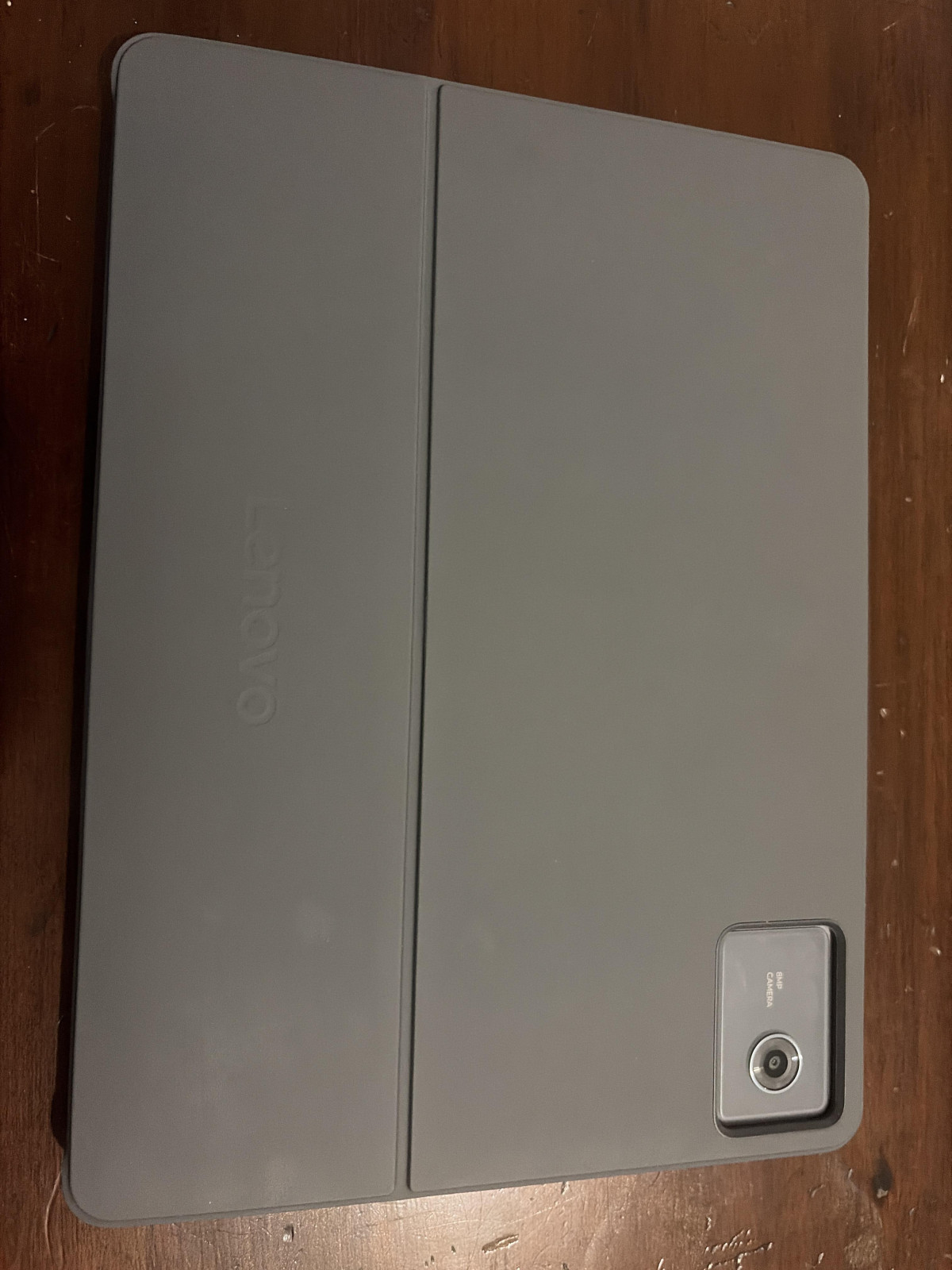
I would highly recommend also getting the folio case for convenience since it acts as a stand and protects the tablet when not in use.
BUY IT NOW
I’ve been using the Lenovo IdeaPad Tablet for a few weeks now, and it has completely changed my daily workflow. As someone who constantly jumps between frantic note-taking and binge-watching Netflix, I needed something versatile—and this delivers.
The 11-inch 2K display is the standout feature for me. The colors are vibrant, and the 90Hz refresh rate makes scrolling through long documents feel buttery smooth. Unlike other tablets in this price range, the build quality feels premium and sturdy, not 'plasticky.'
What I love most:
• Battery Life: I easily get a full day of use (around 10 hours) without reaching for the charger.
• Multitasking: The split-screen feature works flawlessly, allowing me to keep my emails open while I work on a presentation.
• Audio: The quad-speaker setup with Dolby Atmos is surprisingly loud and clear for such a slim device
Features overall happiness rating
It's a smashing tablet for the price I would honestly say it's better than an apple iPad as they r 300 and this is half the price only got for streaming in work and now I use it for everything else debating upgrading to the newest one as it's dearer than an ipad but all the specs r better and the screen display is delightful overall works like a dream for streaming and social media also downloaded hitman bloodmoney on it thinking it would lag and freeze and to my suprise it works very well hasn't crashed once and the frame rate is great then only downside (not really a downside only thing I could point out wouldn't count it as a flaw) the battery is great but I feel like it could be improved but overall review I'd give it a 4.6 out of 5
Lenovo Idea Tab 11
Have used iPads for years, however, decided that getting an Android Tablet would be a good idea - already use PC windows, Apple iOS, Mobile Android, so, keeps me in touch. Looking at what’s popular/available, Samsung and Lenovo seemed the best choice. Samsung seemed logical as it would link to my mobile, however, reviews, pricing, features made the Lenovo stand out. Have had the Lenovo for a good few weeks and am extremely happy with my choice, definitely best value and handles beautifully. Have ‘siphoned off’ a fair bit of my iPad usage to the Lenovo as you don't get stifled by the ioS like iPads. Personally, can see myself using Lenovo for the future and winding down my iPads(I have four). Great unit, great value and it works for me!
Good tablet but too much bloatware and Android 17
I bought this as a replacement for a 5 year-old Lenovo tablet that's still working well except it won't upgrade past Android 10 so some apps have stopped working. The product quality is good, performance seems to be good, and this was also a good price (on offer). My only complaints are that Lenovo have stuffed it full of bloatware, so I'm having to delete dozens of apps and games that I never wanted , and that the user interface has changed a lot, even since Android 15 on my phone, which is nearly identical to Android 10. That's making it more difficult to use than expected so I'm actually still using my old tablet a lot of the time. Why change (so much, in just two Android versions) what wasn't broken?
Top hardware at a great price
Top quality tablet, as you will expect from Lenovo, at a very decent price. The Tab Pen is fantastic for drawing or handwriting in the notes application and in the web browser text inputs, as your handwriting is transformed automatically to text in these. Processor and RAM memory are way more than enough for any applications you will use in a tablet, making the whole interface very fluid and sensitive, all this rounding up in a great user experience. Also, the device comes with modern Android version and only just the basic apps you may need and a couple of Lenovo, not full of bloatware like other brands do with their devices. Definitely will recommend this tablet over the other ones of the same range.
Great iPad alternative
My daughter love's this for note taking.
Much cheaper than an iPad, considering that it comes with a pen and the Nemo app is excellent at recognising handwriting and converting it into text. Then it is easy to transfer it to another computer or cloud with the click of a button. Nice dual cameras on it as well.
Also a beautiful screen and lots of handy apps.
It is an Android tablet of course but you can still use all of the usual Office apps and YouTube etc.
Bought a lovely little case for it on Amazon as well. A keyboard for it only costs about £20 which is a lot cheaper than the Apple equivalent.
Might be difficult to return to the store though so do your research on it before buying it.
Great for the price
Not a top-end tablet by any means, but cheaper than a large Amazon Fire HD (which has far less memory, storage and performance) works out to be a good deal.
Use it for general browsing, email, streaming (decent picture, very good Dolby audio) and e-reading (prefer the display to my much smaller B&W Kindle).
Don't use the stylus at all, but may do in future for Japanese kana (and for notes). Probably a good idea to get the bundle with keyboard if doing a lot of typing though.
Overall recommended if you can get it in a sale. If at RRP though, there are probably better tablets from Honor, Xiaomi, OnePlus et al, with added features and higher resolution...
Different compared to Samsung
Argos ask me to write a review 1 day after I received it, still setting it up but mostly there now, its totally different from my old faithful tab S5E by Samsung so I can only compare it to that. Heavier, wider screen, some odd built in apps like next, lots of games, quite a bit of software not required really, not really tested for speed but Internet app says 345mbs upload which isn't bad for wireless. I haven't had time to get used to it yet, compared to Samsung it feels odd but I'll get used to it, pen may be useful but never had reason to use one, we'll see. Argos should be asking for a review after 4 weeks not 1 day sorry 😐
A remarkably good tablet for the price.
I upgraded to this Tablet, and find this to be very useful. It has a lovely 11 inch screen, with high pixel count, and it works well. The upgrade process is largely automatic - just connect your old tablet with a USB-C cable and most if not all settings are copied, and most applications are installed. Performance is good for a table at this price, and there's a very nice Pen for more precise work. Recommended. Battery capacity is a bit less than my old Tab 10, not sure why Lenovo haven't matched this. However for my relatively low level of use I don't have to charge frequently. Maybe once per week.
Great tablet
I recently purchased this tablet recently and I must say, it has exceeded my expectations. The user experience is seamless, and the device performs flawlessly. The design is both elegant and functional, making it a pleasure to use. The screen quality is outstanding, providing clear and vibrant visuals. The battery life is impressive, allowing me to use it for extended periods without needing a recharge. The overall performance is exceptional, and I have no complaints whatsoever. I highly recommend this tablet to anyone in need of a reliable and efficient device. It has truly been a worthwhile investment.
Great tablet, works well with keyboard case
Bought to run my business on the road where I wanted a slightly larger screen then my phone.
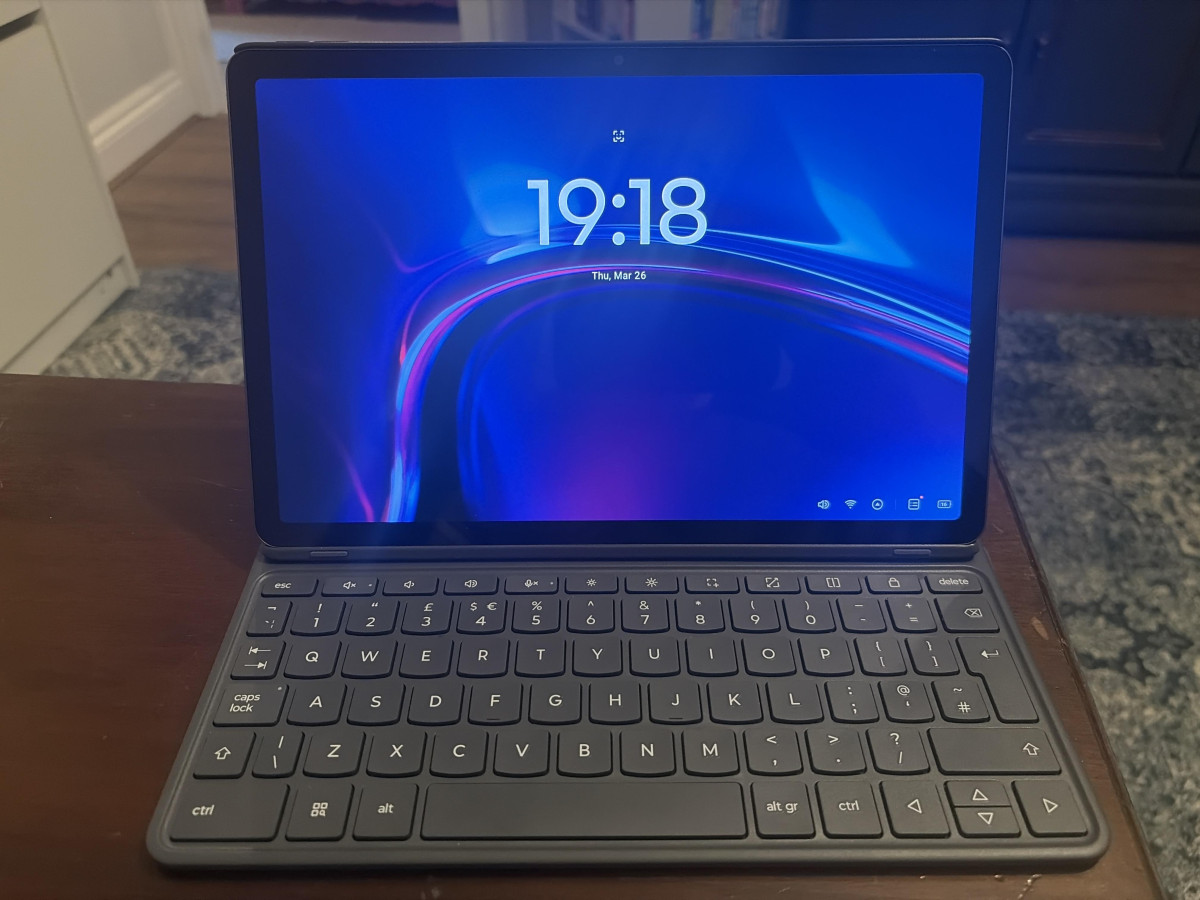
Works really well as a hybrid when connected to the magnetic keyboard I bought separately.
Battery lasts well and connectivity is good. Performance is also good, however I have accidentally navigated away from the screen I was working on due to the smaller screen, it’s only happened a few times and easily recovered. The magnet holding the tablet in place is pretty strong and pulling it apart will take some force which I prefer. Pen is also easy to use and fits nicely in a compartment if you go with the case.