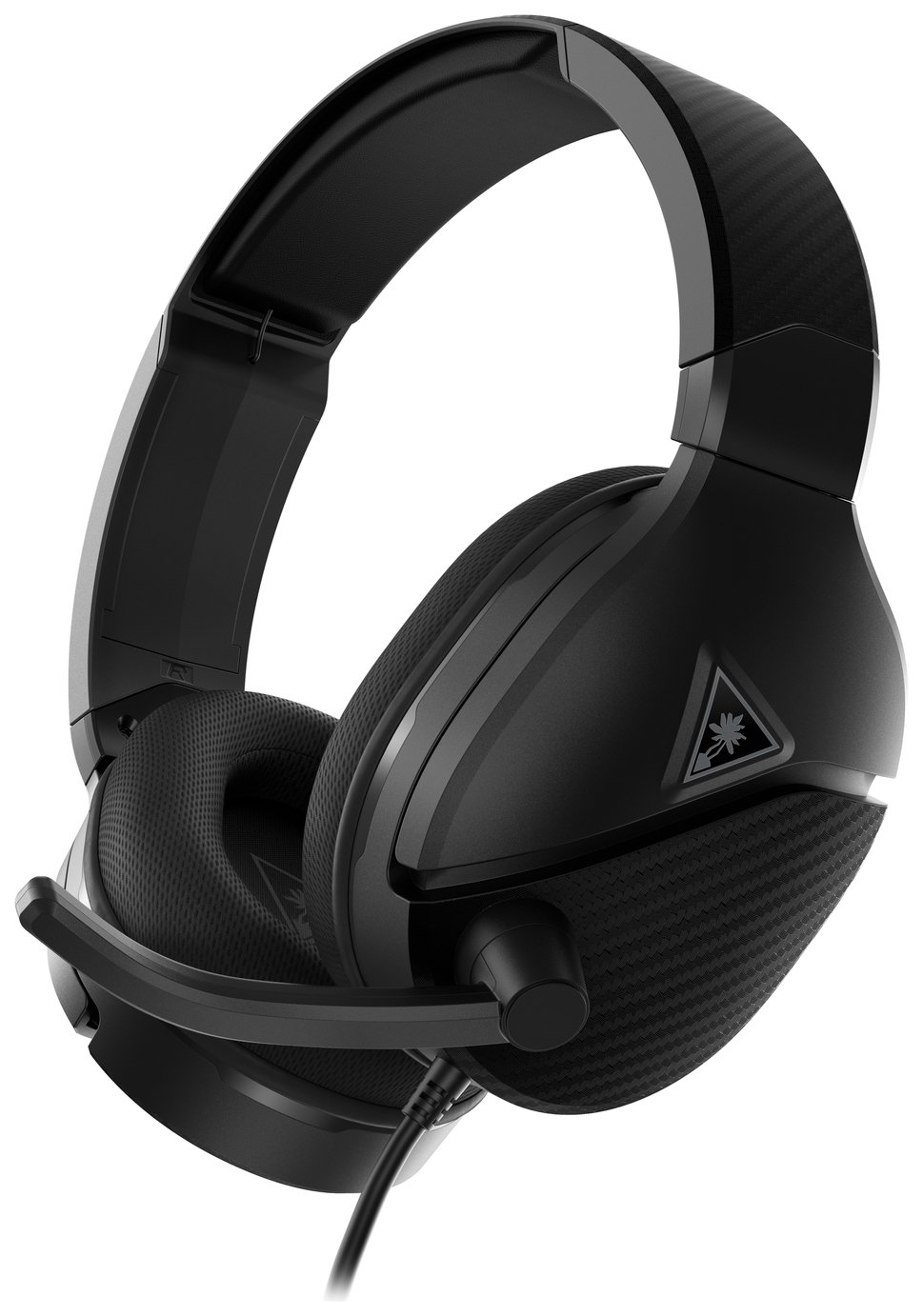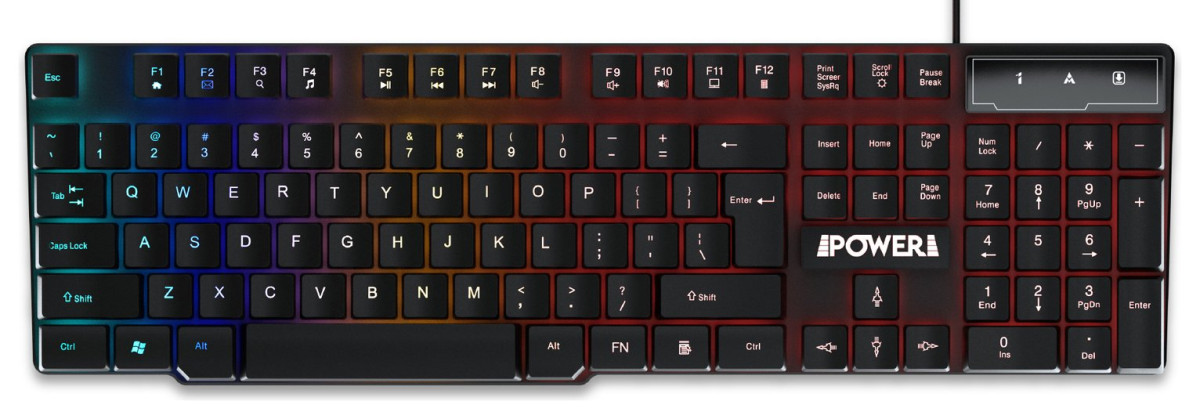
Power Gaming Recon Ocelot
Power Gaming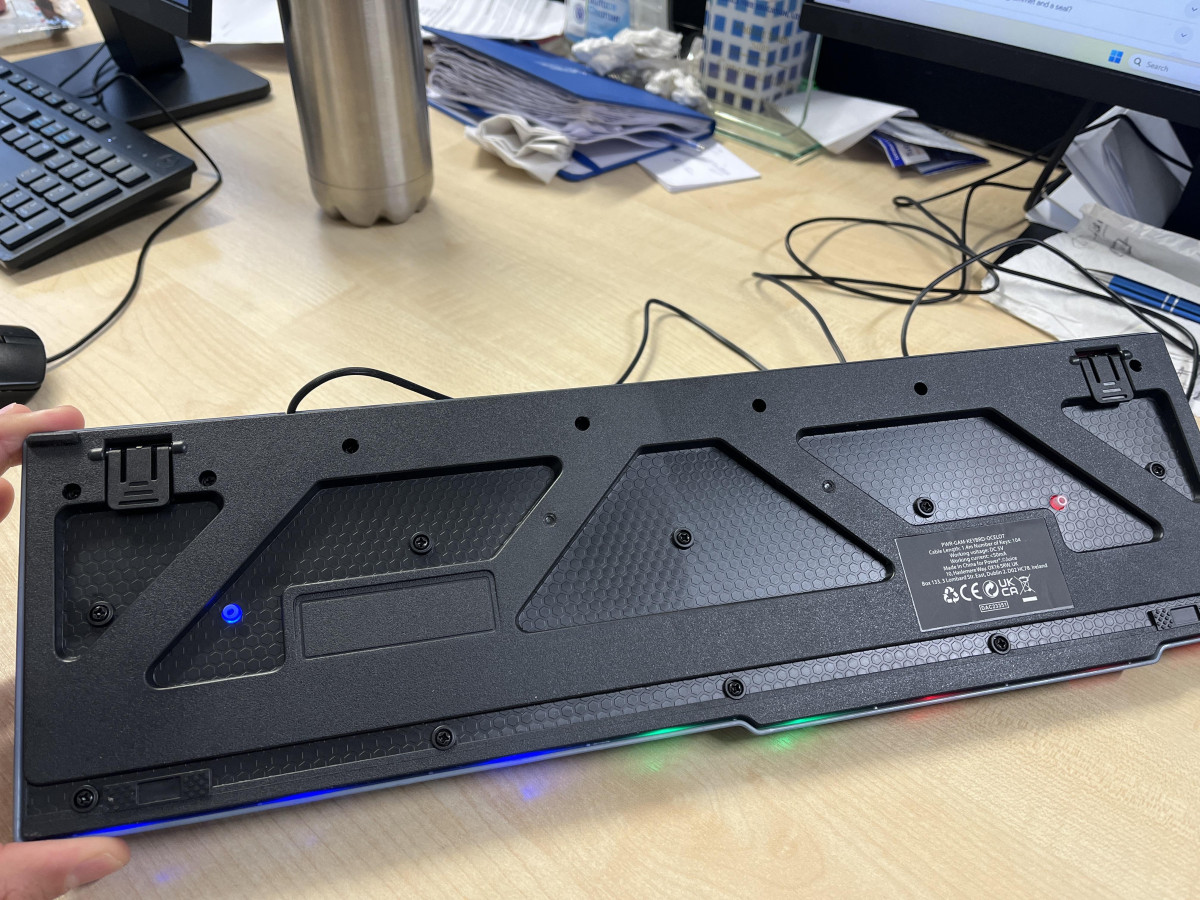
First Impressions: What You're Actually Buying at This Price
A gaming keyboard for under fifteen pounds sounds like a trap. Most buyers have been burned before by cheap peripherals that look the part in a product photo and then fall apart, misbehave, or simply feel wrong under the fingers within a week.
The Power Gaming Recon Ocelot RGB Wired Gaming Keyboard sits squarely in that price bracket, and the honest answer is that it doesn't try to be anything it isn't. This is a full-size wired board built for someone who wants backlighting, a comfortable typing surface, and basic gaming functionality without spending real money on it. Whether that trade-off works for you depends entirely on what you expect walking in, and that's exactly what this review is here to sort out.
Design, Build, and the Floating Keycap Look
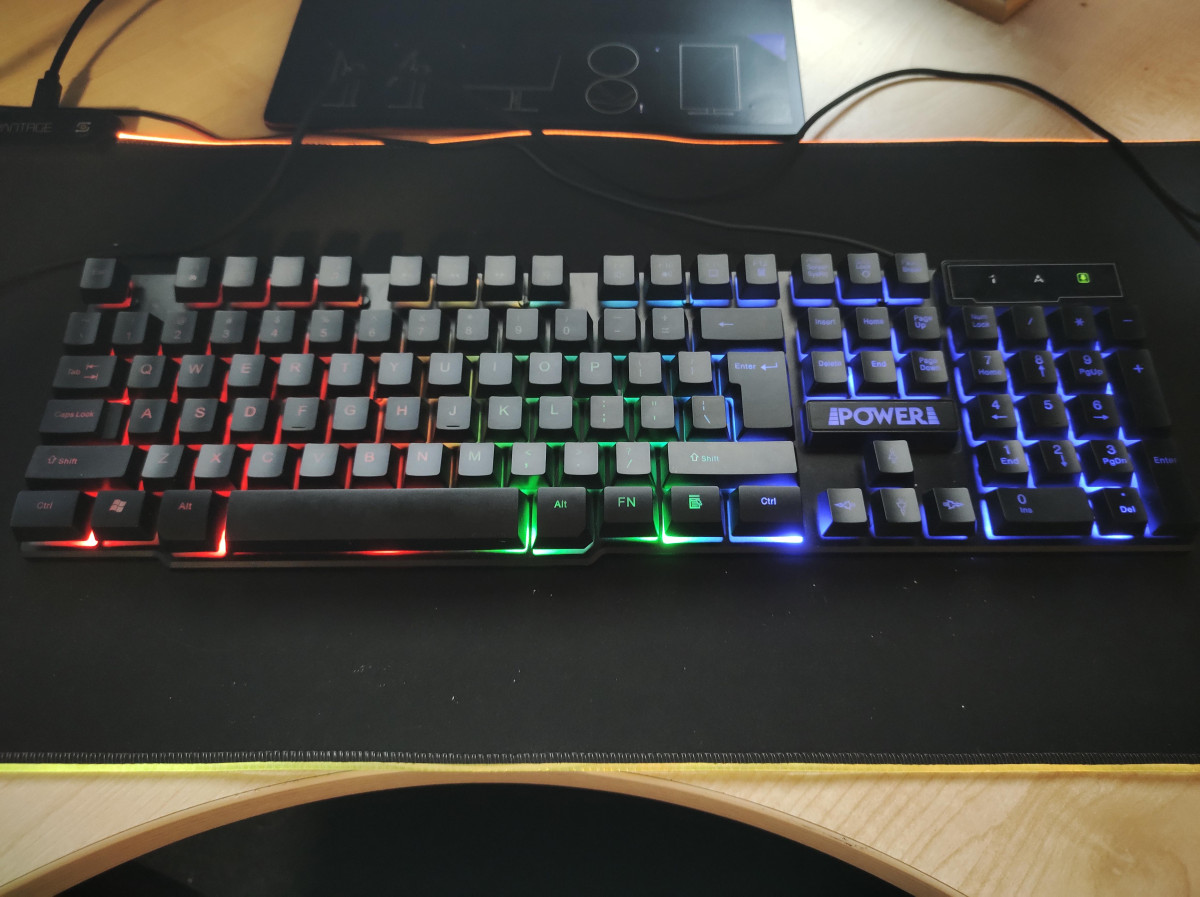
The Recon Ocelot uses a "floating key" design, meaning each keycap sits raised above the deck rather than nestled into a recessed well. Functionally, this does two useful things: it makes the switch mechanism underneath each key visible, which gives the board a more exposed, layered look than a typical flush-mounted keyboard, and it makes cleaning meaningfully easier, since dust and crumbs have nowhere to hide against tall key walls. The keycaps themselves are also designed to be removed by hand — a firm, gentle pull pops them free without tools, and they click back into place just as easily, which matters if you ever want to clear out debris or swap a worn cap.
In terms of footprint, this is a full desk keyboard rather than a compact one. It occupies roughly the same width as a standard placemat, with a shallow front-to-back depth that keeps it slim on the desk rather than bulky. That means it will sit comfortably in most keyboard trays and drawer setups without extra clearance, but it also means it eats the same amount of real estate as any other full-size board with a numpad — worth knowing if desk space is tight.
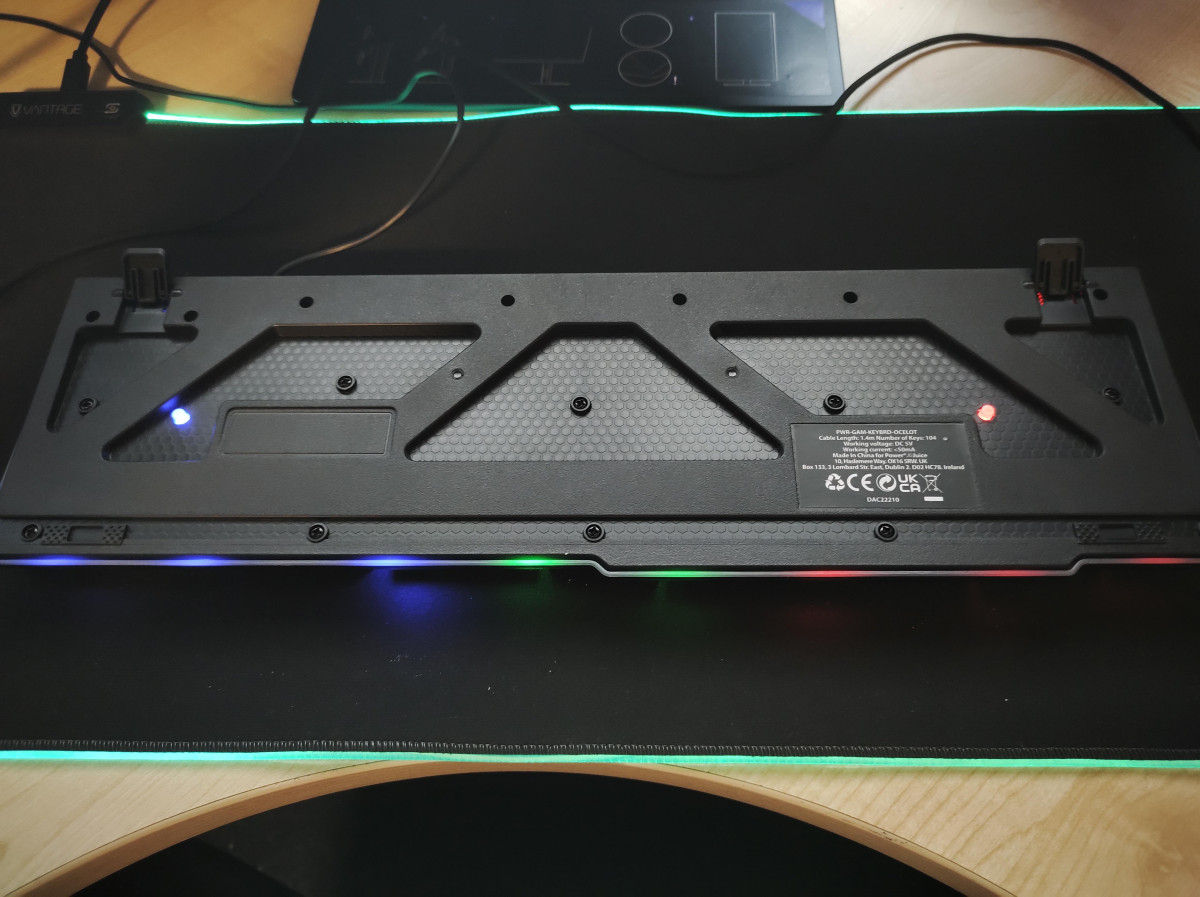
Argos and the manufacturer describe the structure as waterproof. In practice, for a membrane-style board at this price, that phrasing almost always refers to internal drainage or spill channels designed to protect the circuit layer from an accidental splash — not full submersion resistance. Treat it as insurance against a knocked-over drink, not as a reason to actively expose it to liquid.
Typing Feel: Soft-Touch Keys With a Tactile Click
The keyboard is marketed as blending a "soft touch" with a "crisp tactile click," which is manufacturer shorthand for a membrane-style key switch with a dome underneath that gives a defined bump partway through each press, rather than the smooth, linear travel of true mechanical switches. This is an important distinction for buyers coming from — or shopping alongside — mechanical keyboards: the Recon Ocelot is not a mechanical board, and nothing in its specifications suggests hot-swappable switches or the kind of individually replaceable mechanisms found on true mechanical keyboards. What you get instead is a springier, quieter press that still gives your fingers a sense of when a keystroke has registered, which is a reasonable middle ground for typing and casual gaming alike.
Key Count and Full-Size Layout
The board carries a complete 104-key layout, which means a full function row, a standard navigation cluster, and a dedicated numeric keypad. That's worth flagging because plenty of gaming keyboards in this category shrink down to a tenkeyless (TKL) layout to save space and cost. Here, you're not sacrificing the numpad, so anyone who regularly enters data, plays games that use numpad bindings, or just prefers having a calculator-style block on the right side of their keyboard keeps that functionality intact.
RGB "Mix Lighting" and How to Control It
The backlighting is described as "mix lighting," which points to a multi-colour or multi-zone LED system rather than single-colour backlighting. Reported real-world use suggests the lighting can be toggled on and off using the Scroll Lock key, giving a quick way to kill the glow entirely if you're using the board somewhere lighting would be distracting, such as a shared room at night. Beyond the on/off toggle, expect the usual budget-RGB toolkit: a handful of preset effects (static colour, breathing, wave-style animations) that you cycle through with function-key combinations rather than a dedicated lighting app with per-key colour mapping. If you're picturing software-level, per-key customization synced across multiple peripherals, that's not what this board delivers — the lighting here is about ambience and visual flair, not precision customization.
Programmable Keys and Everyday Shortcuts
Two features do a lot of the practical heavy lifting on this keyboard: programmable hotkeys and programmable favourite keys. In plain terms, this means you can assign specific keys to launch programs you use often, cutting down on the number of clicks between sitting down and being in the application you need. Layered on top of that, the function row carries pre-set secondary actions — shortcuts that behave like typical multimedia keys, opening a default web browser home page, launching an email client, or bringing up the system calculator with a single press. None of this is unique to gaming keyboards specifically, but it's a genuinely useful convenience layer for anyone using this as their everyday work-and-play board rather than a gaming-only peripheral.
Wired Connectivity and Where It Works (and Where It Doesn't)
This is a USB wired keyboard through and through: plug it into a free USB port, let the drivers install automatically, and it's ready to go — no pairing, no batteries, no dongles to lose. The cable runs 1.4 metres, which is enough for most desktop setups where the tower sits reasonably close to the keyboard, but it's on the shorter side compared with some cables on pricier boards, so if your PC lives on the floor behind a monitor stand or across a wide desk, measure before you buy.
Compatibility is where buyers most need to pay attention. This keyboard is designed and supported for PC use, and that support extends to Chromebooks, which plug in and work over standard USB input. Mac compatibility exists at a basic level too — plug it into an iMac or MacBook and the keys will type — but it isn't officially supported, and the RGB lighting in particular has been reported as unreliable or unable to stay active once connected to macOS. More importantly, this is not a console peripheral: it is not supported for use with PlayStation 4, PlayStation 5, or Xbox consoles. If your setup includes any of those, this board isn't going to fill that role, regardless of the physical USB connection fitting.
The US Layout: The One Detail Every UK Buyer Needs to Know
This is the single most consequential fact about this keyboard for a UK shopper, and it deserves its own section because it's caught out a meaningful number of buyers. Despite being sold on a UK retail site, this keyboard uses a US keyboard layout, not the UK layout most British buyers expect. The practical difference shows up in the position of symbols: the "at" symbol sits above the number 2 on a US layout, rather than the quotation mark UK users are used to seeing there, and other punctuation — including the pound sign and euro symbol — shifts position or requires different key combinations to type. The Enter key is also shaped differently on a US layout (a single wide rectangle rather than the taller UK "big Enter" key), and the key immediately to its left changes as a result.
None of this makes the keyboard defective — it's simply a different regional standard, and once your PC's keyboard layout setting in Windows is switched to match, the keys you press will produce the symbols printed on them consistently. But if you don't adjust that setting, or you're not expecting a US layout, you'll find punctuation coming out wrong the first time you try to type an email address or a price. Budget for a few minutes changing your Windows language and keyboard settings after setup, and this stops being an issue. Skip that step, and it will be the first thing you notice — and not in a good way.
Durability, Spill Resistance, and What Owners Report Over Time
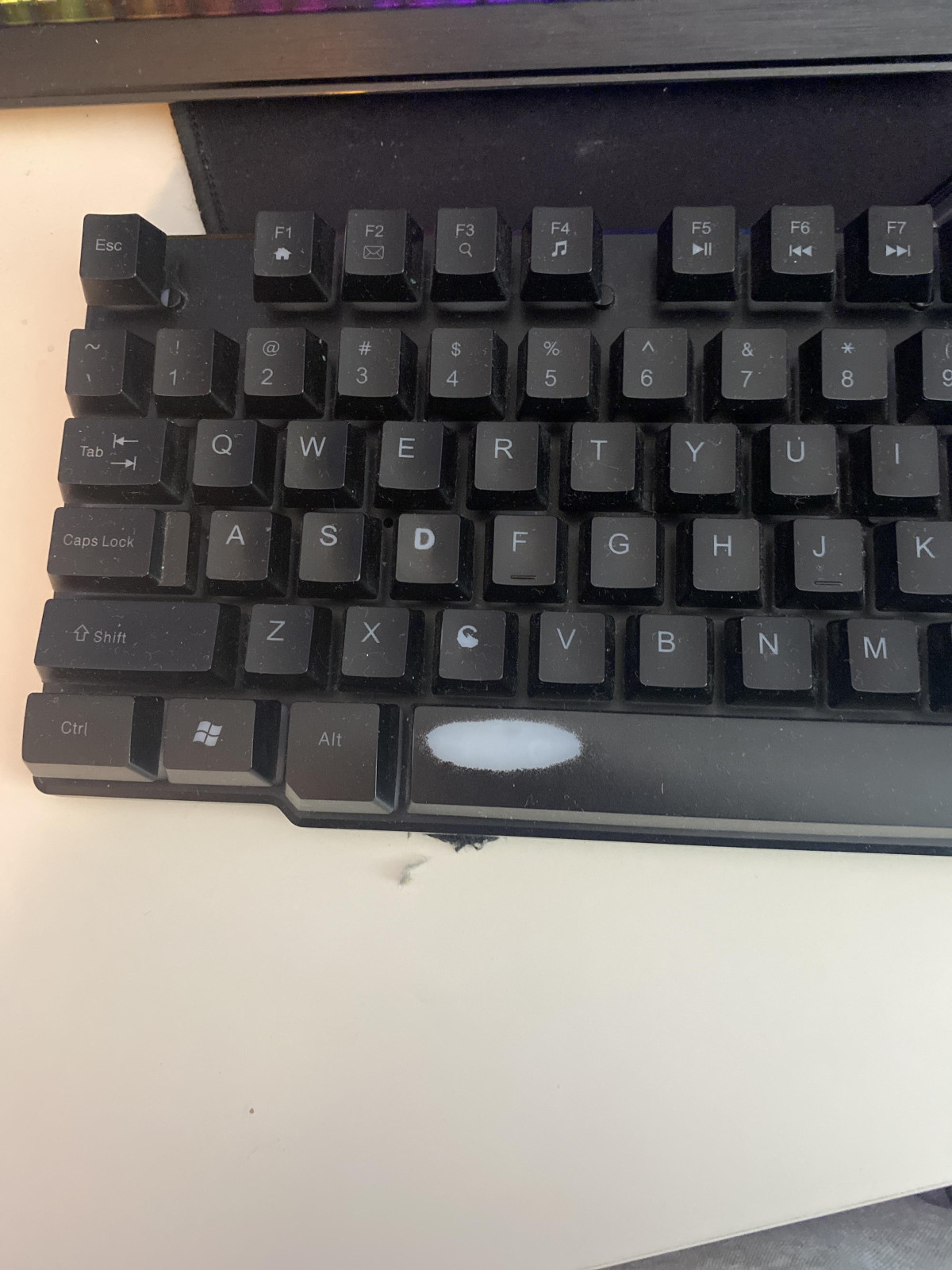
Longer-term ownership reports are mixed, which is fairly typical for a peripheral at this price point. On the positive side, several owners report the board holding up well over extended use, with keys and cable showing no wear after months of regular typing and gaming, and the lighting continuing to function as expected. On the other side, a recurring complaint involves keycap legends fading on the most frequently used keys after a relatively short period, which is a cosmetic issue rather than a functional one, but worth knowing if you care about how the board looks after a few months of daily use. There are also scattered reports of units arriving with lighting that doesn't activate at all, and occasional mentions of the USB connection needing to be reseated to keep working reliably. These aren't universal experiences, but they show up often enough to be worth factoring into your expectations — this is a board where quality control has some visible variance from unit to unit.
Who This Keyboard Is Actually For
Good Fit
This keyboard makes the most sense as a budget-conscious first gaming keyboard, a backup board for a second PC, or a low-risk way to add RGB lighting and a full numpad to a desk setup without committing serious money. It suits casual gamers who want the visual identity of a "gaming keyboard" — the lighting, the floating keycap look, the branding — without needing competition-level response times or per-key remapping software. It's also a sensible pick for students, home-office secondary setups, or anyone who wants a comfortable, quiet-ish typing experience with a numpad intact for spreadsheet or data-entry work alongside light gaming.
Who Should Look Elsewhere
If you game competitively and care about switch consistency, actuation force, or genuine mechanical feel, this isn't your board — the membrane-style switches simply aren't built for that use case, and nothing here claims otherwise. Console gamers should look elsewhere entirely, since PlayStation and Xbox support isn't offered. Mac users who want reliable RGB lighting alongside their typing should also treat this as a compromise purchase at best. And if a UK layout is non-negotiable for you — if retraining your typing habits or adjusting Windows settings isn't something you're willing to do — this specific board will be a persistent irritation rather than a one-time inconvenience.
How It Compares to Other Budget Gaming Keyboards
| Recon Ocelot (this keyboard) | Typical sub-£15 membrane RGB board | Step-up budget mechanical board (roughly £25–£45) | |
|---|---|---|---|
| Switch type | Membrane with tactile dome | Membrane, often non-tactile | True mechanical switches |
| Typing feel | Soft press with a defined bump | Mushy, inconsistent | Consistent, often clicky or linear |
| Numpad included | Yes, full 104-key layout | Varies, often full-size | Varies, sometimes TKL to cut cost |
| Lighting control | Preset effects, Scroll Lock toggle | Preset effects, limited control | Often per-key RGB with software |
| Console support | PC, Chromebook only | Usually PC only | Sometimes PC and console |
| Keycap removal | Tool-free, designed for it | Rarely designed for removal | Usually removable, sometimes hot-swappable |
| Best for | Budget-first buyers wanting looks and comfort | Absolute lowest cost, fewer guarantees | Buyers wanting genuine mechanical feel and longevity |
The takeaway from that comparison is straightforward: within its own price bracket, the Recon Ocelot is reasonably well specified — a full-size layout, tool-free keycap removal, and a tactile typing feel are not guaranteed at this price point, and this board delivers all three. Step up in budget and you start trading toward genuine mechanical switches and broader device support, but you're also leaving the true impulse-purchase price range behind.
Strengths and Weaknesses, Honestly
What This Keyboard Gets Right
What this keyboard gets right centres on comfort and everyday usability. The tactile membrane switches feel more considered than the flat, mushy presses common in this price bracket, and the full 104-key layout means nobody has to give up their numpad to get RGB lighting on a budget. The floating keycap design isn't just cosmetic — it genuinely simplifies cleaning, and the fact that caps come off without special tools is a small but real convenience most boards at this price don't bother offering. Plug-and-play setup, programmable shortcut keys, and sensible function-row multimedia controls round out a package that does more than the price tag suggests it should.
Where It Falls Short
Where it falls short is mostly about expectations management rather than outright failure. The lighting system is basic — effects and a toggle, not per-key software control — so anyone picturing granular RGB customization will be disappointed. Build consistency isn't bulletproof either; enough owners report faded keycap legends or the occasional dead-on-arrival lighting fault that you should treat this as a peripheral bought with modest expectations for perfection, not a guaranteed-flawless unit. And the layout issue is real: shipping a US-format board onto a UK retail site without prominent labelling has tripped up enough buyers that it's the most common source of dissatisfaction in ownership reports, even though it's a five-minute settings fix once you know to look for it.
Final Verdict
The Power Gaming Recon Ocelot RGB Wired Gaming Keyboard does what a budget gaming keyboard at this price needs to do: it looks the part, types comfortably, includes a full-size layout with a numpad, and adds RGB lighting and shortcut keys without demanding a premium price for any of it.
It earns a recommendation specifically for PC and Chromebook users who want an affordable, comfortable, visually appealing keyboard and are willing to spend a few minutes adjusting their Windows keyboard layout settings after unboxing it. It is not the board for console gamers, Mac-first users chasing reliable lighting, or anyone who needs genuine mechanical switches for competitive precision — for those buyers, spending more elsewhere will serve you better.
Judged against what it actually promises to be rather than what a pricier keyboard would offer, this is a sensible, low-risk pickup for anyone shopping at the entry-level end of the gaming peripheral market.
What People Say
15 commentsCheck before you buy
Decent enough keyboard for the price, definitely a case of you get what you pay for.
One misleading point is that it's advertised as being customisable lighting, but doesn't come with any software to do this and there is no information online or in the box of what is needed. The answers from Argos are useless and don't even apply to this product!
So by customisable, what it means is you can have the lights on or off
Also worth pointing out is that this keyboard has a US layout. Argos could do with adding that to the product page (or replacing it with a UK version)
One of the worst keyboards I've ever used
This is one of the worst keyboards I've used...
Cons:
-"Custom" RGB lighting... What they meant was "some colours you can barely see"
-Dim LEDs
-Spongy weak keys
-"Waterproof" except it really isn't. Spill resistant but if you gave it a wash I am pretty sure you'd kill it.
-US keyboard layout (make sure you read the small print! That one is on me!)(that way you won't waste $$... I would type a pound sign but I can't without an alt code...)
-Strangely short and weirdly rigid cable
Pros:
-Cheap
-Can be used for typing
Cheap, nasty, and not worth the money
I bought this due to an "emergency" where my wireless keyboard had packed up. The reason for buying cheap was to see if it was my PC or the keyboard that was at fault. Good points - It's cheap and it does work. Bad points - it looks cheap, is clunky and not very responsive. It is also very light. I can't recommend this at all unless you are buying it to fault find like I did.
Get what you pay for
Not revolutionary or a game changer but still a good keyboard for the price. I've seen it sold in plenty of places under all sorts of different brand names so the brand doesn't actually matter since they just plaster their logo on an already existing keyboard. My advice would be to buy it at where you get the best warranty and for me that was here at Argos.
Disappointing
Bought the matching mouse which has been great. Disappointed in the keyboard though. Keys frequently get stuck leading to long rows of letters or spaces whilst I try to to unstick a key. American keyboard layout so @ and “ inverted.
Waste of money
American keyboard lay out. RGBs are on or off (using the scroll lock button, so you can’t have RGBs on and scroll lock off) keys are cheap and nasty. Went straight in the bin, not worth the fuel to take it back. AVOID
Alright
Works well as a keyboard. I found that the paint on the keyboard on some of the keys have come off. This happened a couple weeks after getting the keyboard - but otherwise no problems.
Great keyboard
I brought this for work and it is great. Small enough to fit on a desk without the extra space taking of some keyboards. Not had any problems so far and all the keys are responsive.
Basic but backlit
It's okay but keys are light and feel cheap... the worst part is the keyboard cant do more than 3 keys at a time so gaming is hard with this.... also the back-light is dim
Not happy wthe build quality
I am sorry to say but it should be good as there is no rubber grommets for stopping on the desk…
Slipping on the table while typing
Not mechanical.
It's membrane and LEDs have no modes eg flash fade and so on. Just on and off and colours don't even move around. Feels okay tho
Amazing US style keyboard
Amazing high quality keyboard, you can switch the keyboard to US from Windows or Mac settings, it works like a charm
Great keyboard
I bought it for my son, he loves it, he tells me it’s really responsive, he likes the lights in the keyboard too.
great keyboard
Bought this so could set up my new computer and is working great, the rgb on it looks good well woth the money
Power gaming keyboard
It was rubbish even with backlight the keyboard characters were unreadable. I bought another that I could read