Styletech MK520
Styletech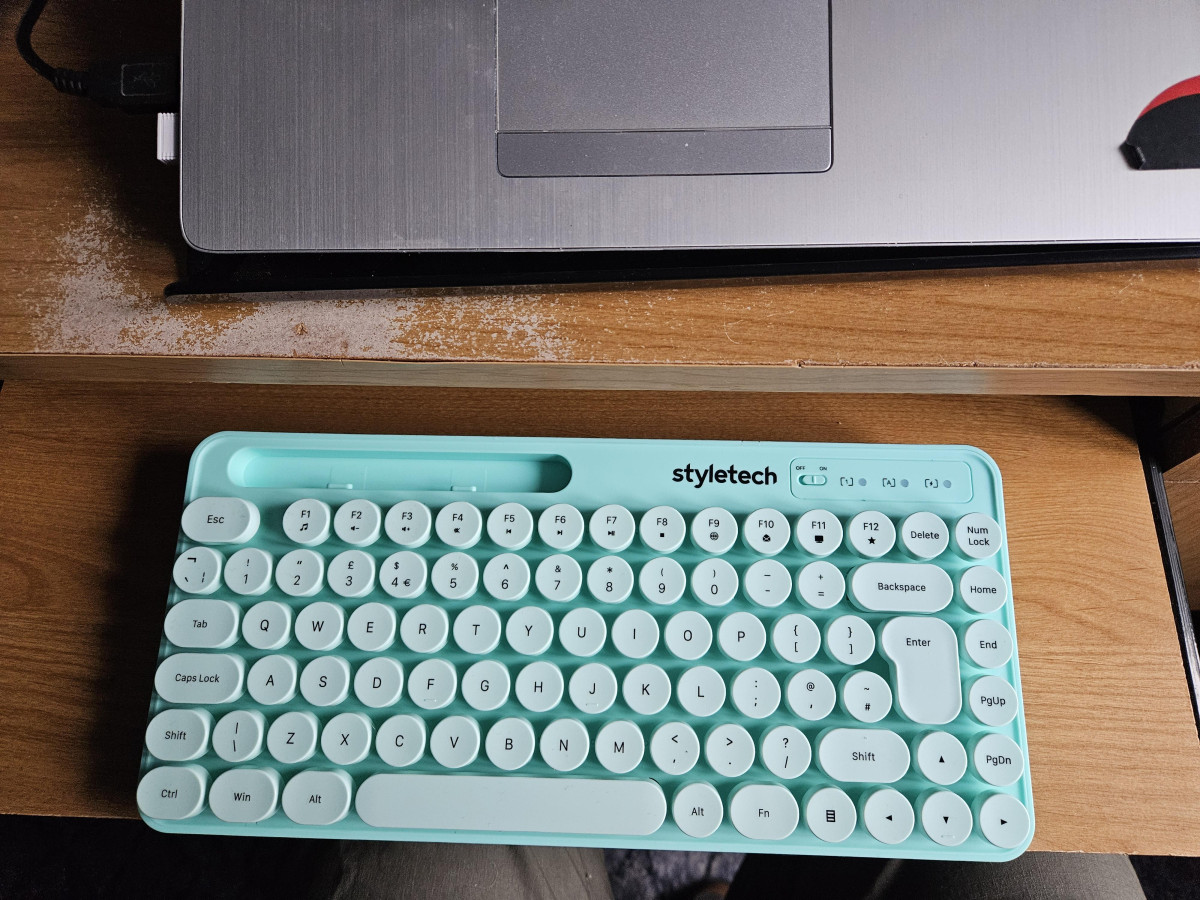
Getting to Know the Styletech MK520 Pastel Green Bundle
A desk setup says a lot about the person sitting at it, and matching black plastic peripherals rarely say anything at all. The Styletech MK520 Wireless Mouse and Keyboard bundle in Pastel Green is built for people who want their workspace to look intentional without spending premium money to get there. It pairs a soft, minty-green keyboard with circular, typewriter-style keys and a matching compact mouse, both running wirelessly off a single 2.4GHz connection. Before you add it to your basket, it's worth understanding exactly what this bundle does well, where it cuts corners, and whether it fits the way you actually work. That's what the rest of this review breaks down.
Design, Build Quality, and First Impressions
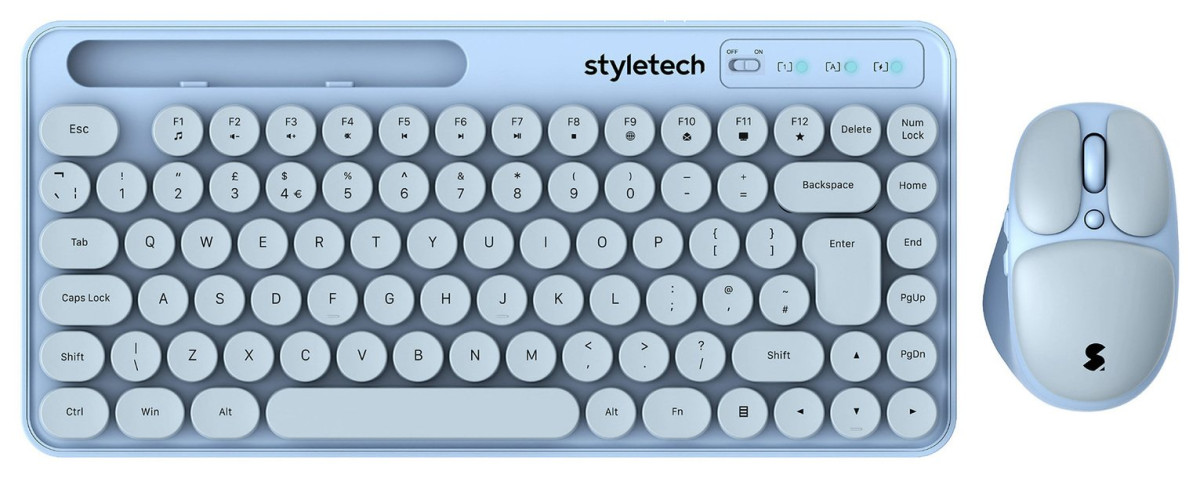
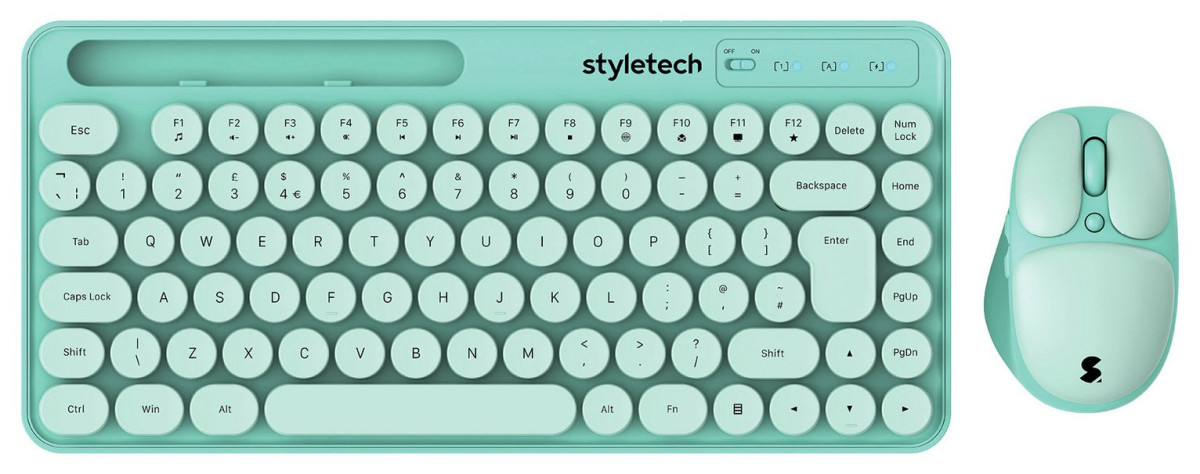
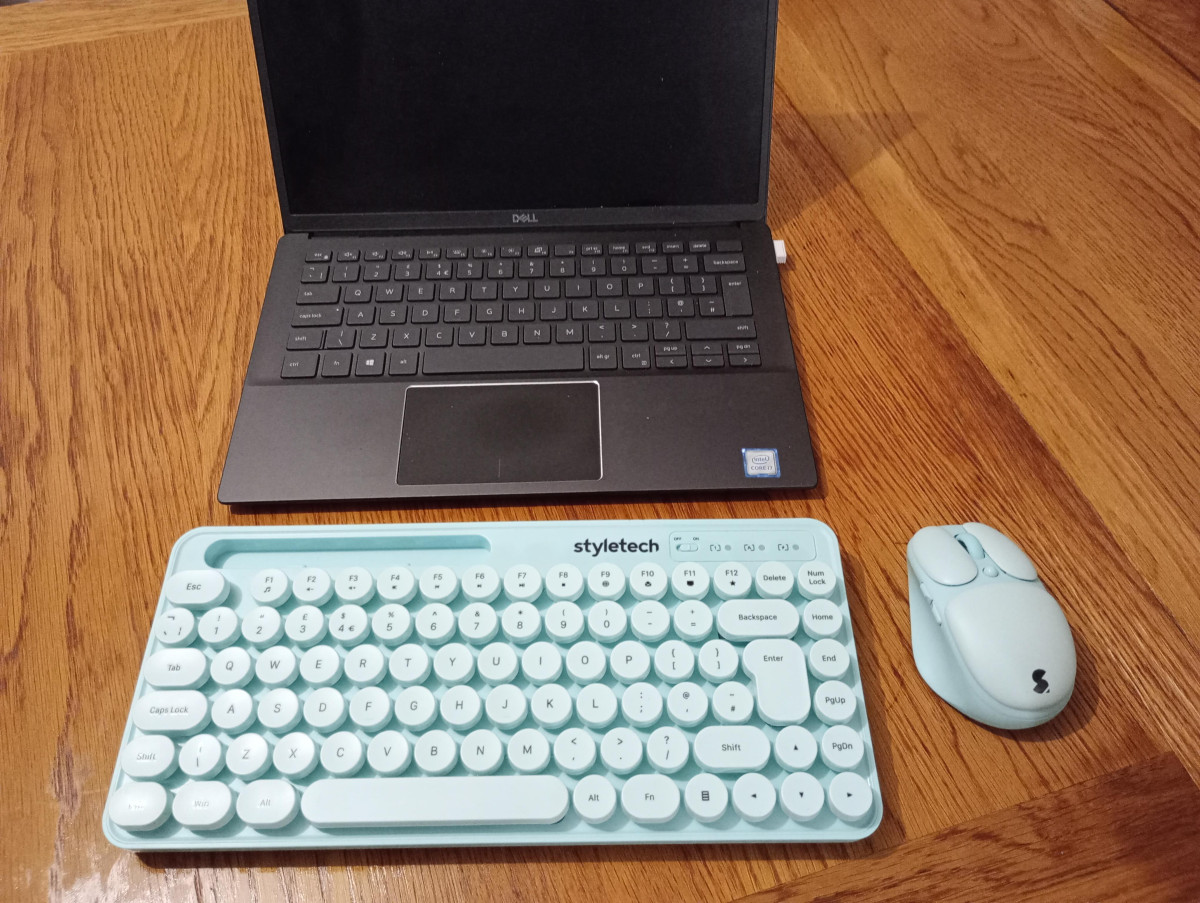
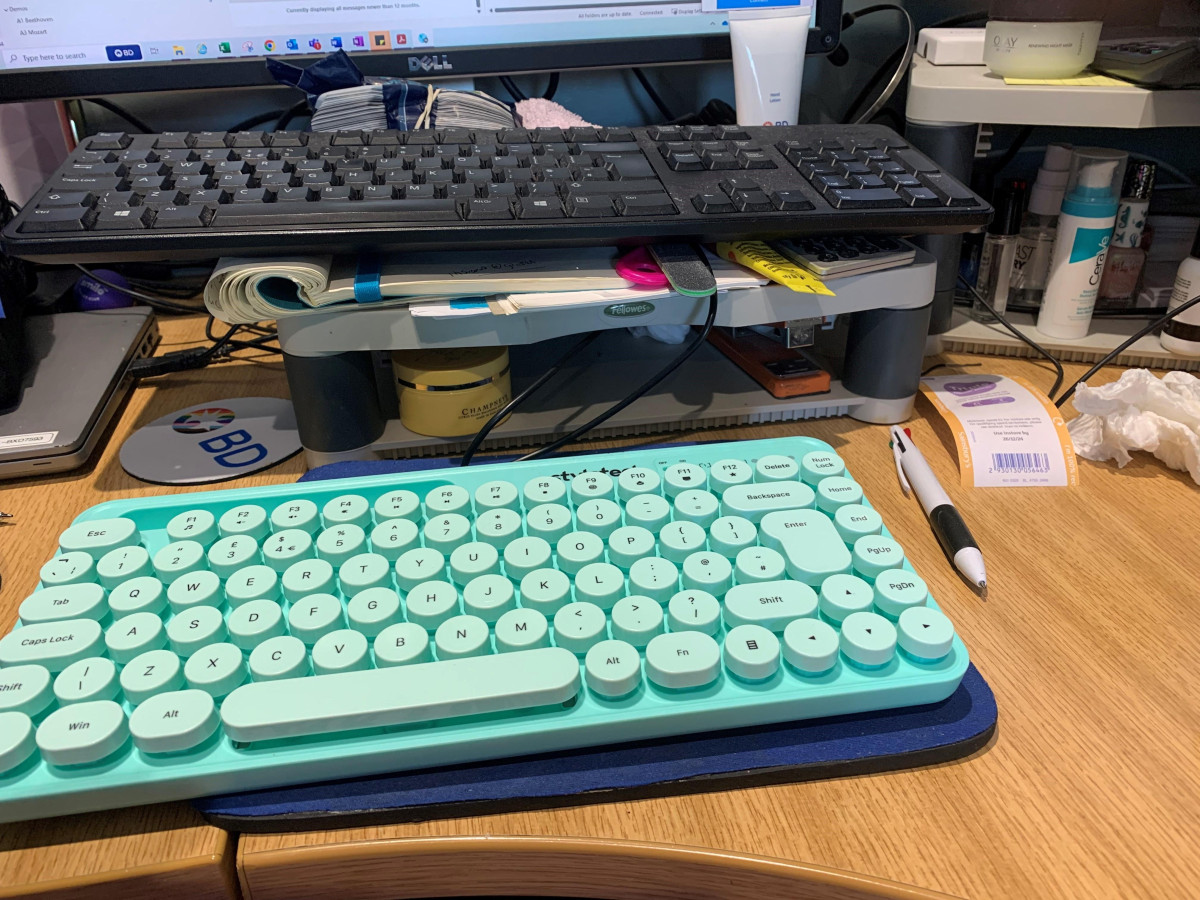
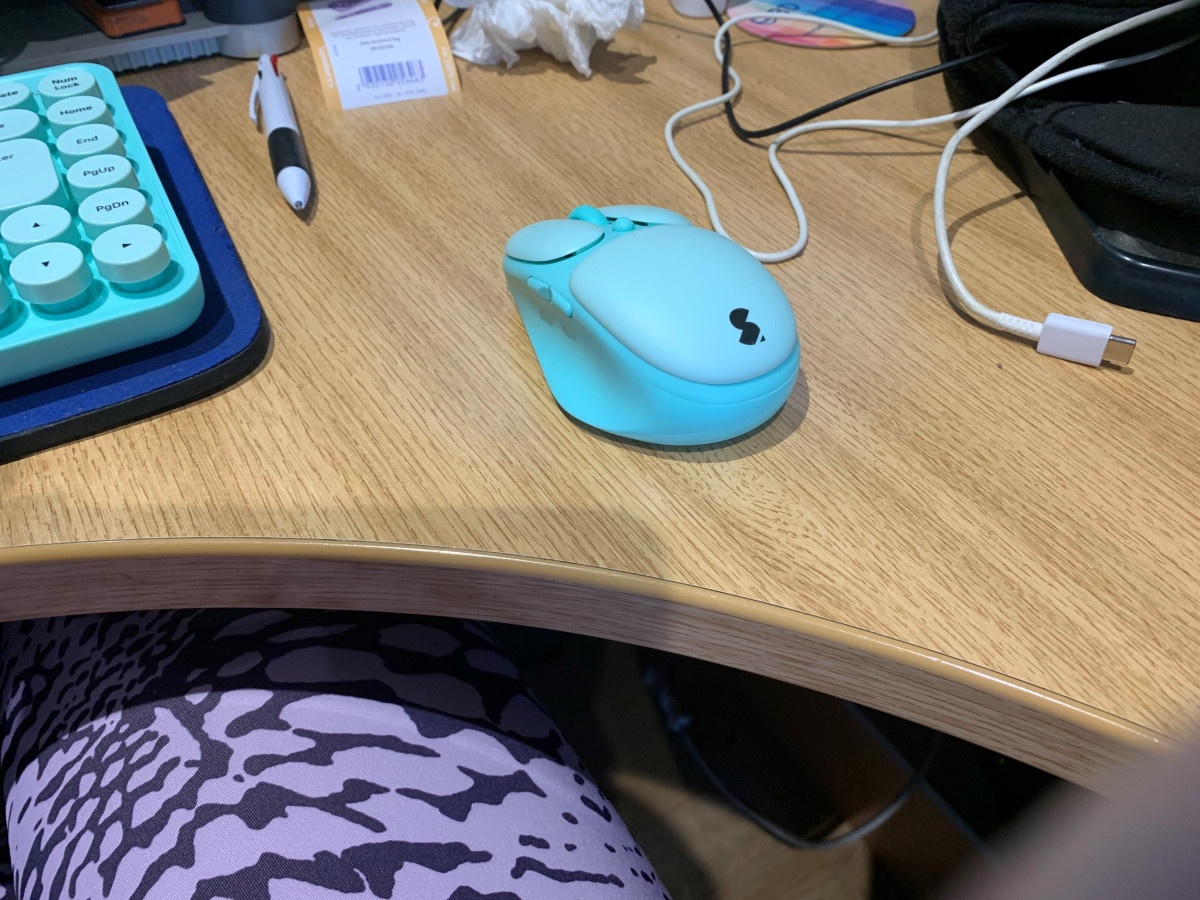
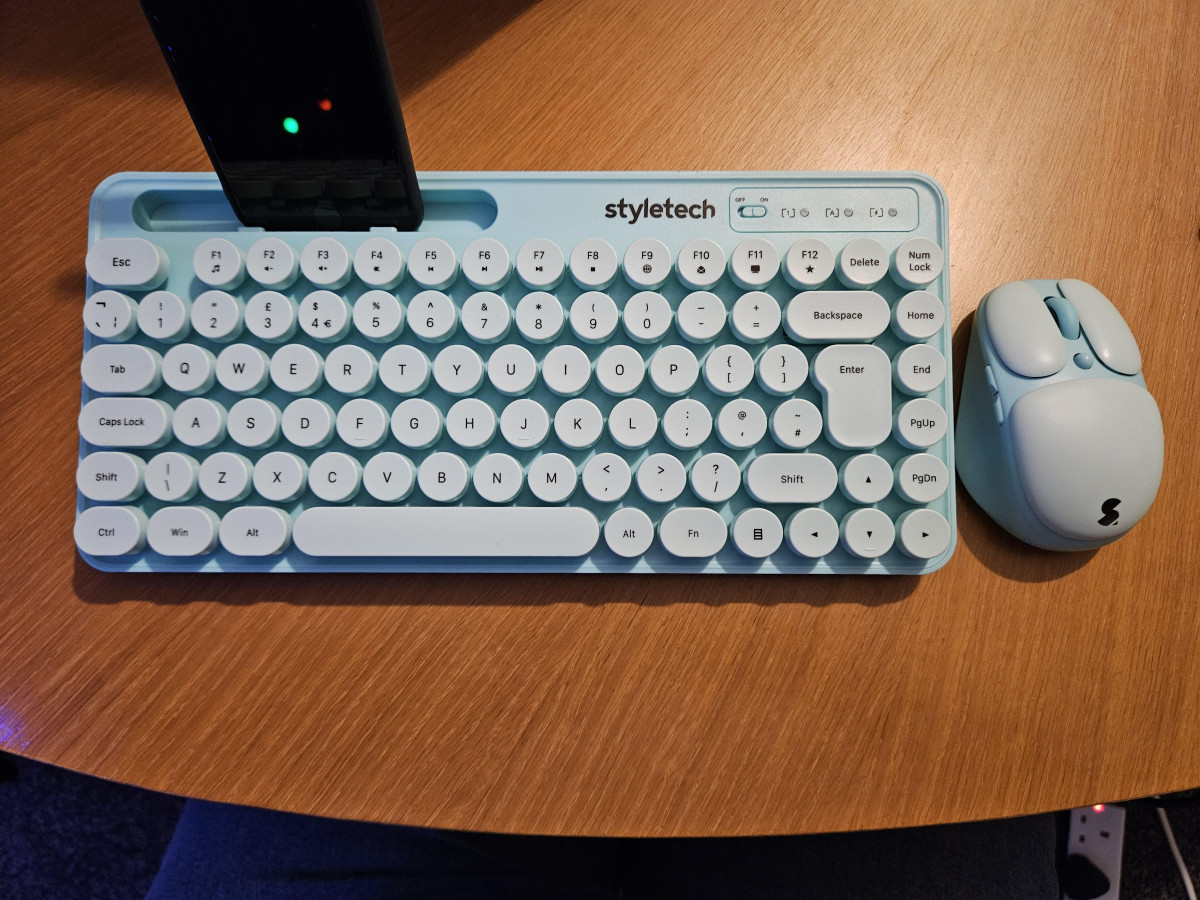
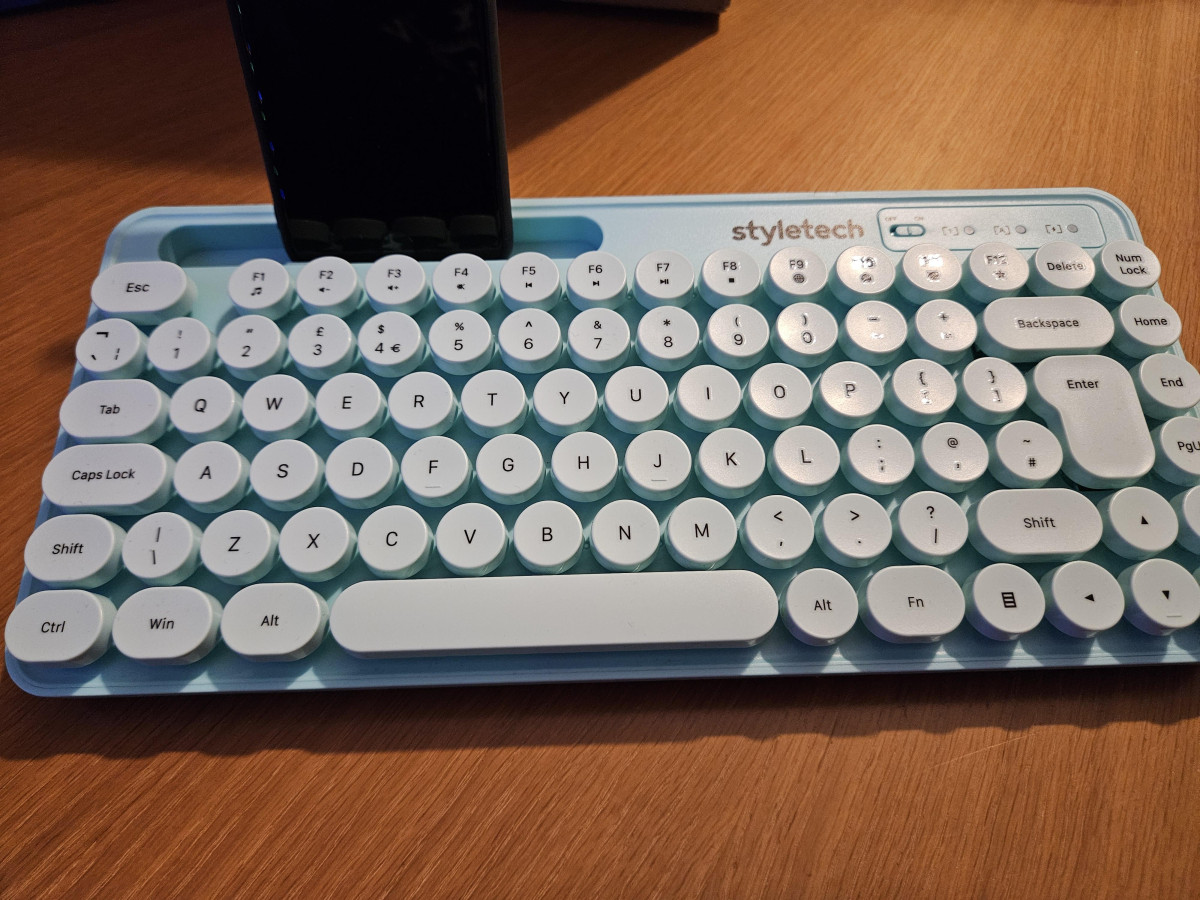
The defining visual trait of the MK520 is its keycap shape. Instead of the standard square keys found on almost every keyboard, Styletech has gone with rounded, slightly raised circular caps that sit apart from one another rather than tiling edge to edge. It's a deliberately retro, typewriter-inspired look, and it's the single biggest reason people buy this set over a generic black office keyboard. The pastel green colourway leans soft and muted rather than neon, so it reads as stylish rather than novelty, and it will sit comfortably on a light, plant-filled desk or a pastel-toned "desk setup" aesthetic without clashing.
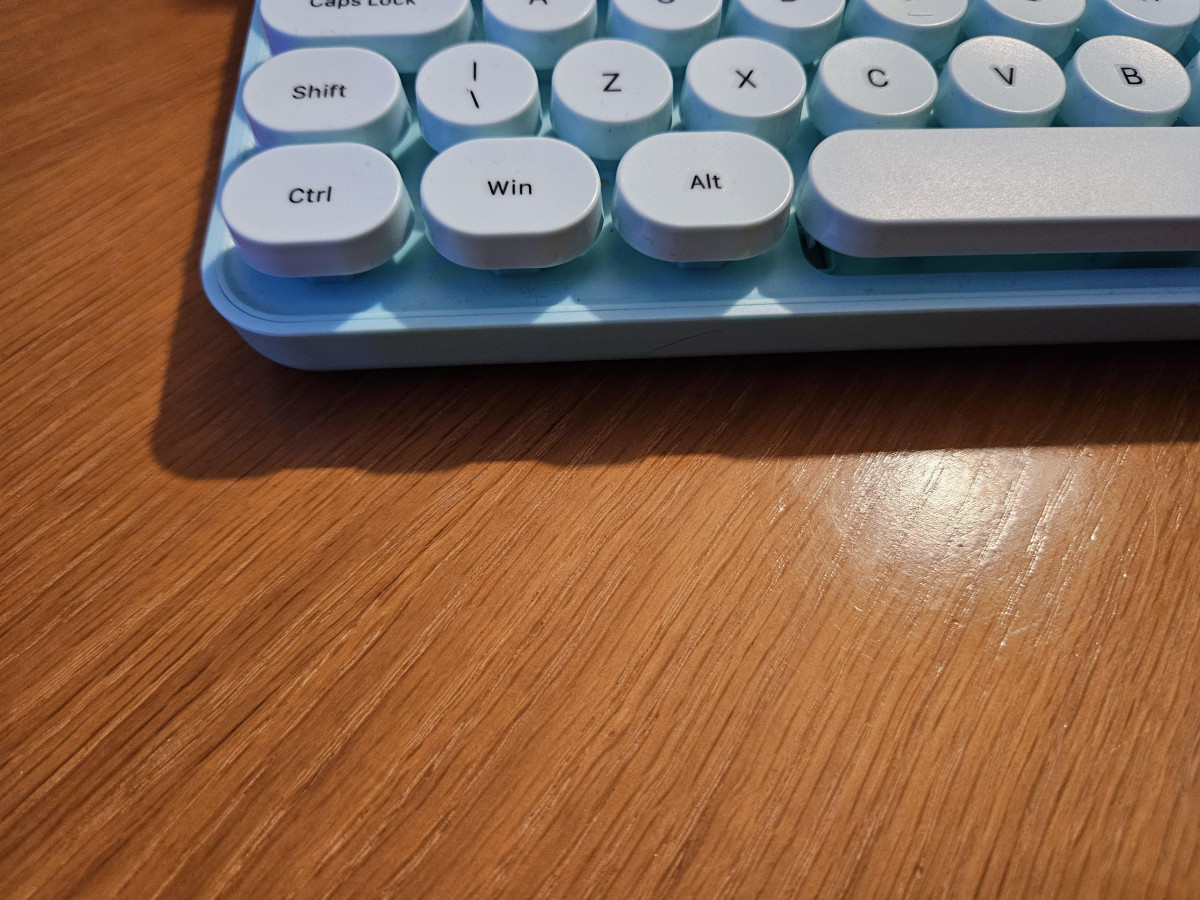
Build-wise, this is a budget peripheral, and it feels like one the moment you pick it up. The keyboard and mouse are both made from lightweight plastic, and several long-term owners have noted that the printed characters on the keycaps are applied as stickers rather than laser-etched or double-shot moulded into the plastic. That's a common cost-saving method at this price point, but it does mean the legends could wear thin with years of heavy daily use, particularly on the most-used keys. The keyboard's case has a small amount of flex to it, which is typical of plastic-bodied keyboards under £30 and isn't a sign of imminent failure, just a reminder that this isn't a tank-like mechanical board.
One physical detail that catches new owners off guard is key height. The circular keycaps sit noticeably taller than the low-profile chiclet keys most people are used to on modern laptops and slim keyboards, closer in feel to keys on an old-school typewriter. Most people adjust within a few days, but if you're coming from a MacBook-style flat keyboard, expect a short adjustment period rather than instant familiarity.
Typing Experience: How the Keyboard Actually Feels
Underneath the styling, the keyboard is built around silent key switches, which is the standout functional feature for anyone who shares a room, works late, or sits in an open-plan office. There's no sharp clack on each keystroke, just a soft, muted thump, making it a genuinely good pick for calls, shared flats, libraries, or simply typing next to a sleeping partner without waking them up.
That quietness does come with a trade-off in feedback. Because the keys are silent and the caps require a fuller downward press than shallow modern keyboards, touch typists moving from a mechanical or laptop keyboard may initially find the action feels a little mushy or requires more deliberate presses to register reliably. Most casual and moderate typists adapt quickly and find the keys respond consistently once they've adjusted their pressure, but this is not a keyboard built for competitive typing speed tests or marathon writing sessions where every millisecond of key travel matters.
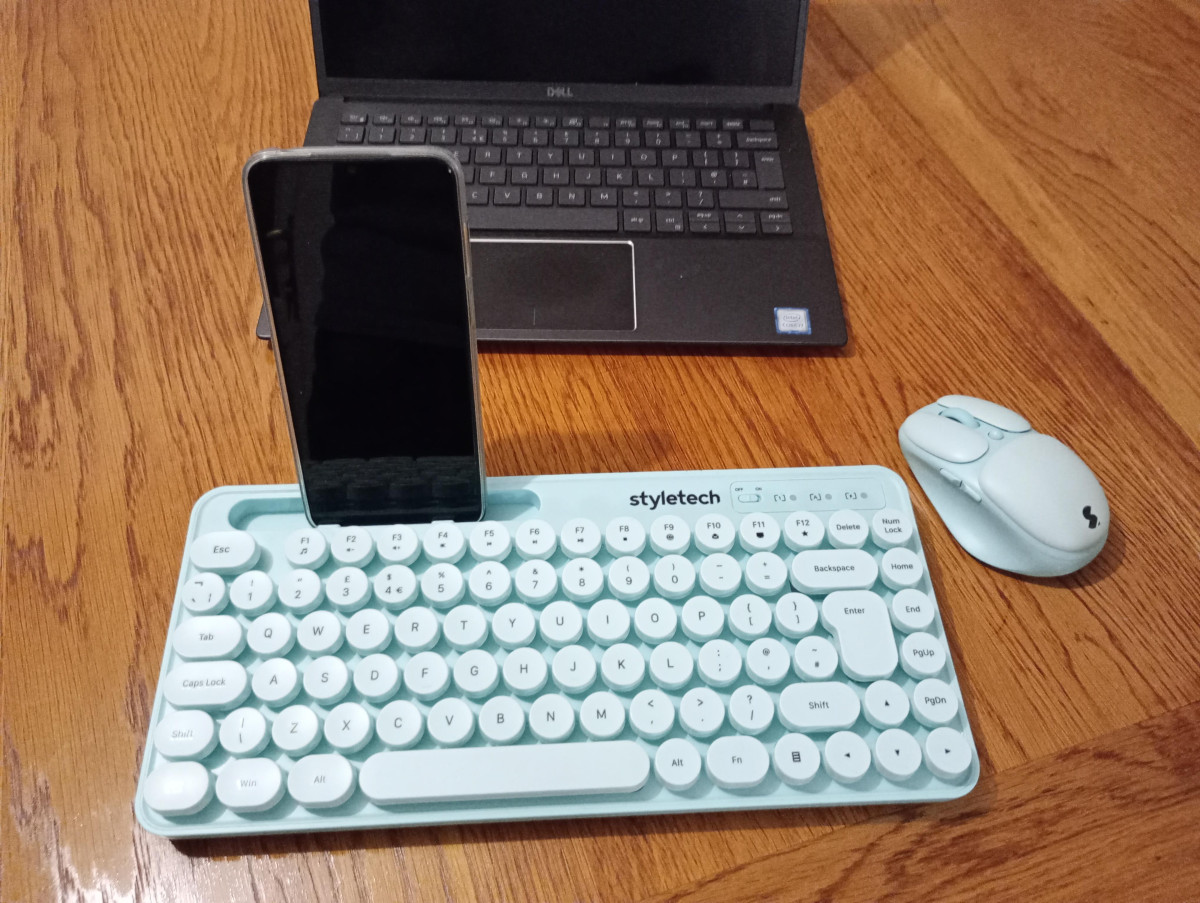
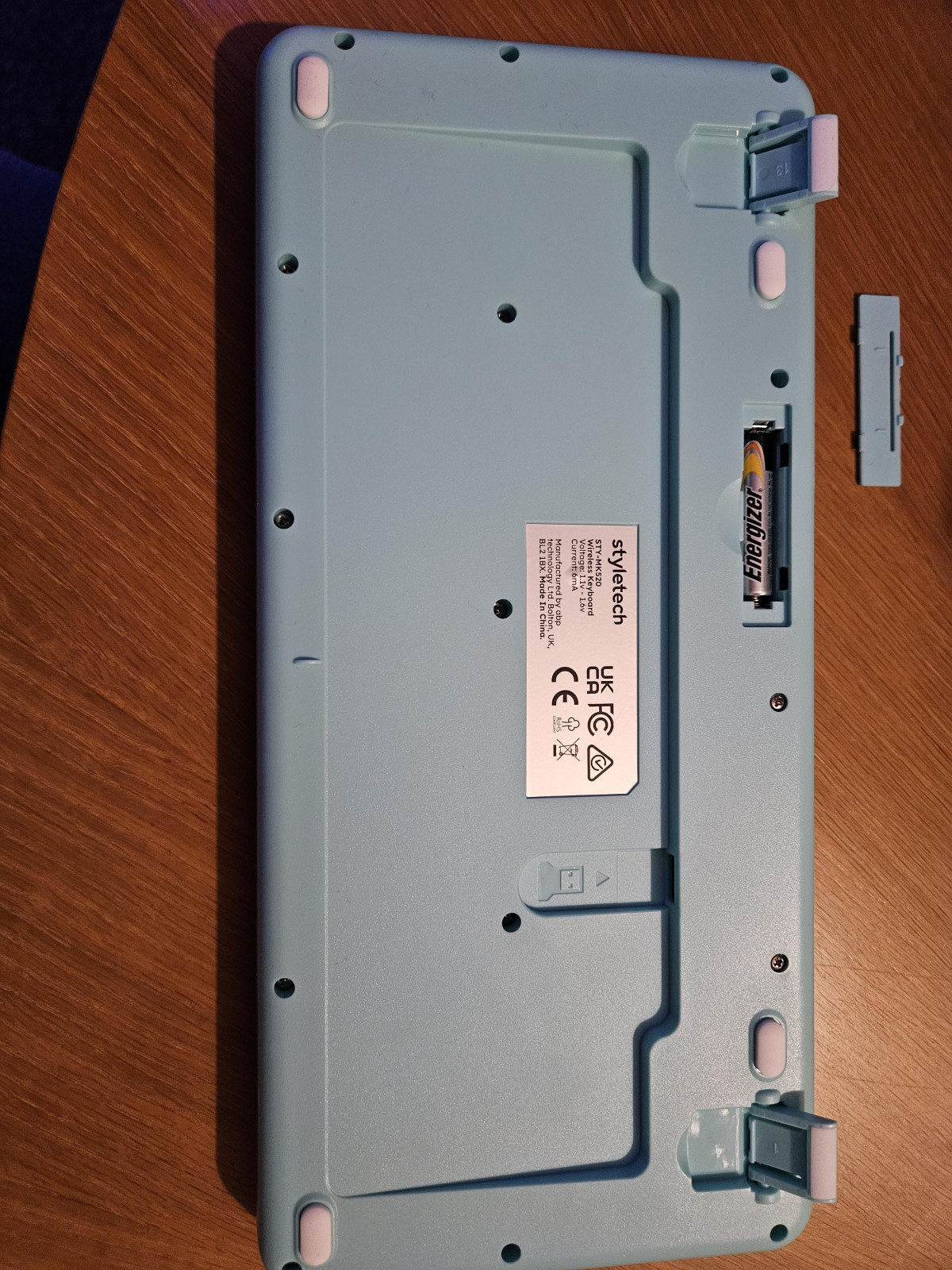
A genuinely useful, uncommon feature is the built-in phone support built directly into the keyboard's body. It's a small slot that holds your phone upright at an angle just above the number row, so you can glance at messages, follow a recipe, or keep a video call in view without a separate phone stand cluttering your desk. For anyone who works from a small desk or a kitchen table, this alone earns the keyboard a place over a plain alternative.
The keyboard connects over a cordless 2.4GHz radio link rather than Bluetooth. That distinction matters more than it sounds: it means pairing is handled entirely through a small USB receiver rather than your device's Bluetooth menu, which is simpler for basic desktop and laptop use but closes the door on certain other devices — more on that below.
Mouse Performance: Precision, Comfort, and Everyday Control
The included mouse is where most reviewers, professional and everyday alike, land on genuinely positive ground. It uses a laser sensor with adjustable DPI (dots per inch, essentially the sensitivity or speed of the cursor relative to how far you physically move the mouse), giving you the flexibility to switch between a slower, more precise tracking speed for detailed work like photo editing or spreadsheets, and a faster setting for quickly moving across large or multiple monitors.
Six programmable buttons put this mouse a step above the strictly three-button basics that ship with most budget bundles. Beyond the standard left-click, right-click, and scroll wheel, the extra buttons can typically be assigned to shortcuts like back/forward browser navigation or DPI switching, which is a meaningful productivity boost for anyone doing repetitive web or document work.
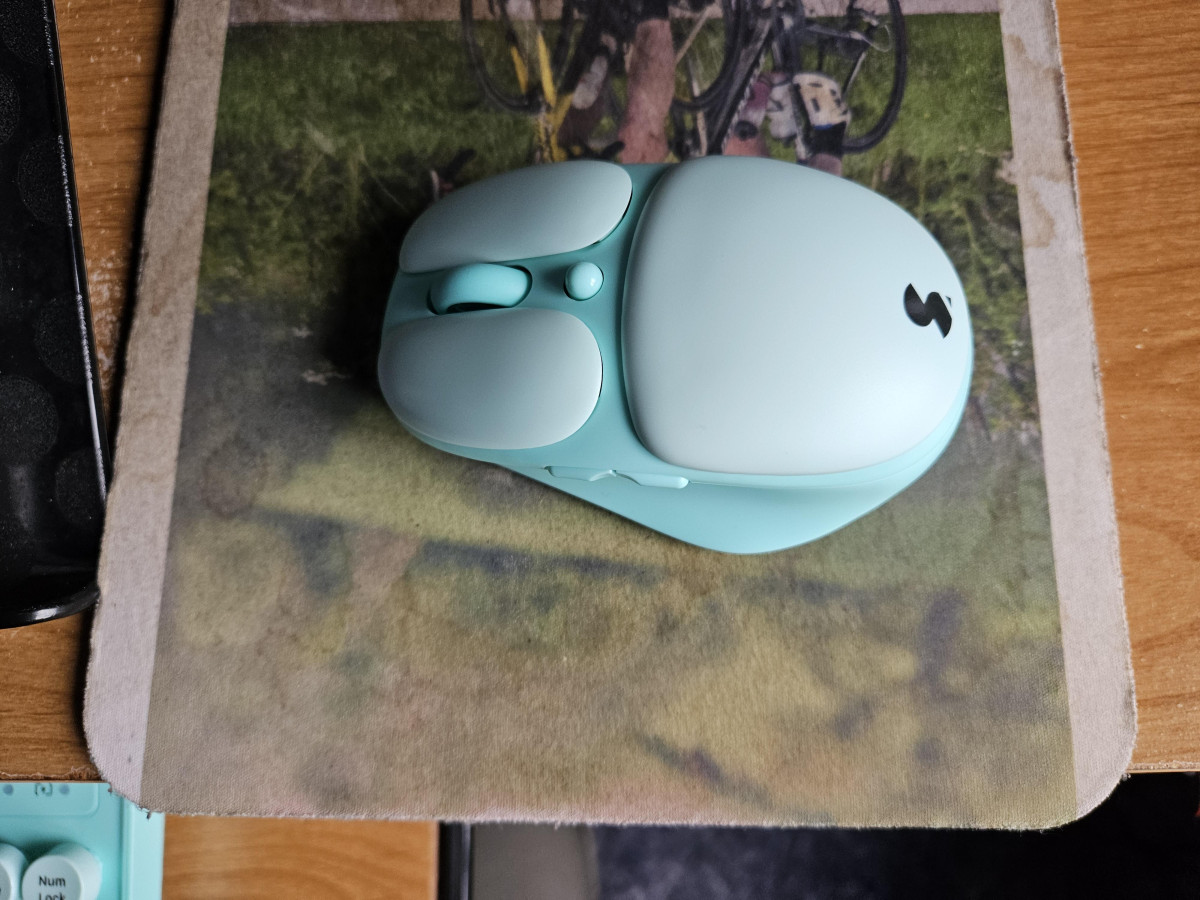
Physically, the mouse is shaped with an ergonomic curve and a thumb indent that several owners specifically call out as making a noticeable comfort difference during long sessions, despite the mouse's compact, travel-friendly size. Clicks are silent as well, matching the keyboard's quiet operation and making the whole bundle suitable for noise-sensitive environments. Setup is plug-and-play: insert the nano USB receiver, and the 2.4GHz connection establishes automatically without pairing menus or drivers.
Wireless Range, Connectivity, and Compatibility Reality Check
Both devices connect through the same lag-free 2.4GHz wireless connection via an included nano receiver, rated for a working range of up to 10 metres. That's more than enough for a normal desk setup, and gives you the freedom to lean back, present from across a room, or control a connected laptop from the sofa without signal drops.
Where buyers need to manage expectations is around device compatibility. This bundle is designed and marketed specifically for Windows systems, connecting via the USB-A receiver rather than Bluetooth. That has real implications depending on what you plan to plug it into:
| Device / Platform | Compatibility |
|---|---|
| Windows PC or laptop | Fully supported, plug-and-play via USB-A receiver |
| Mac | Not officially supported (no Bluetooth, USB-A only) |
| Xbox consoles | Supported for use |
| PlayStation 5 | Not officially confirmed or supported |
| iPad / tablets | Not officially supported directly; may work with a USB-C-to-USB-A adapter if the tablet accepts external input devices, but this isn't a guaranteed or supported connection |
The lack of Bluetooth is the detail that trips people up most. If your laptop or tablet doesn't have a spare USB-A port, or if you specifically need Bluetooth pairing (common on newer ultra-thin laptops and most tablets), this bundle either won't work at all or will need an adapter that isn't included and isn't officially supported by the manufacturer. If you're buying this for a straightforward Windows desktop or laptop with a free USB port, none of this matters. If you're hoping to use it across a tablet, an iPad, or a games console, treat those use cases as unsupported bonuses rather than guaranteed functionality.
Battery Life and Power
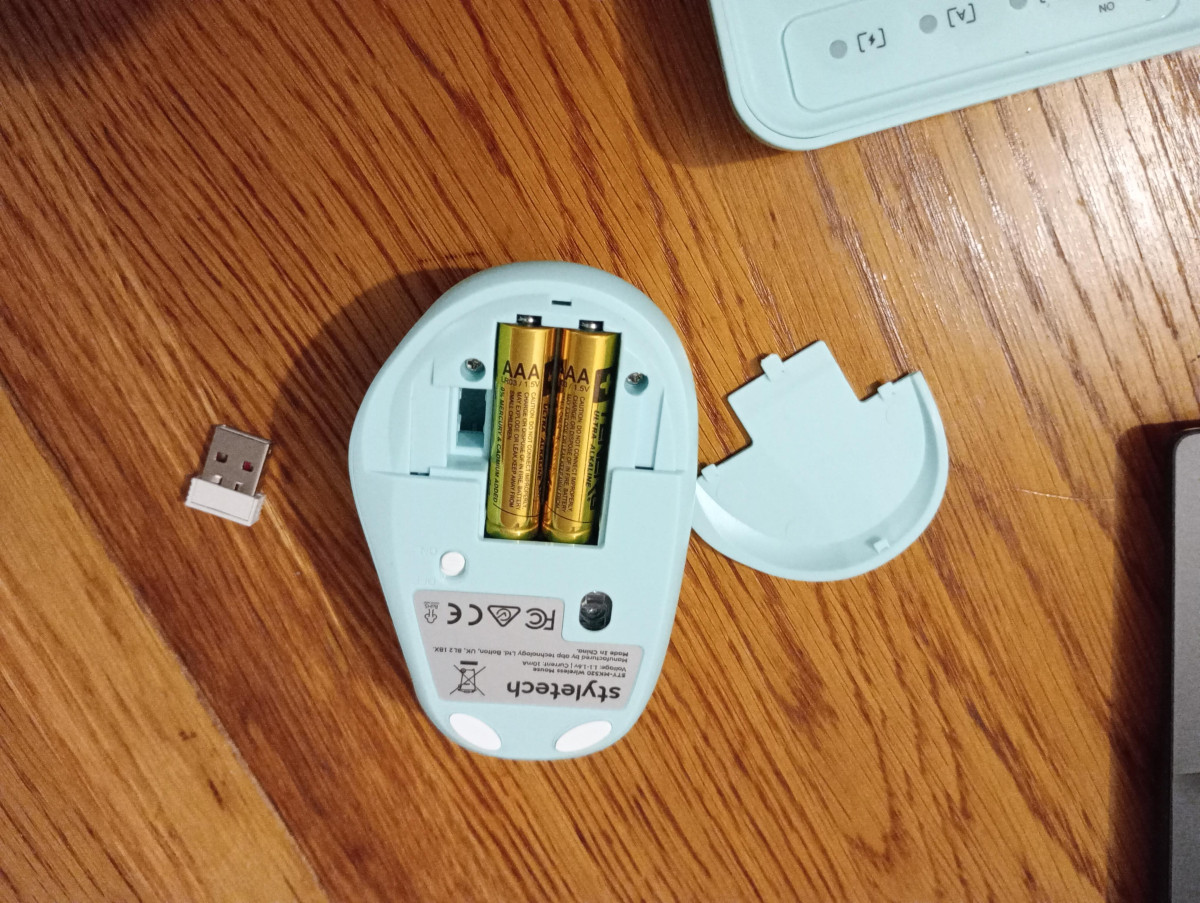
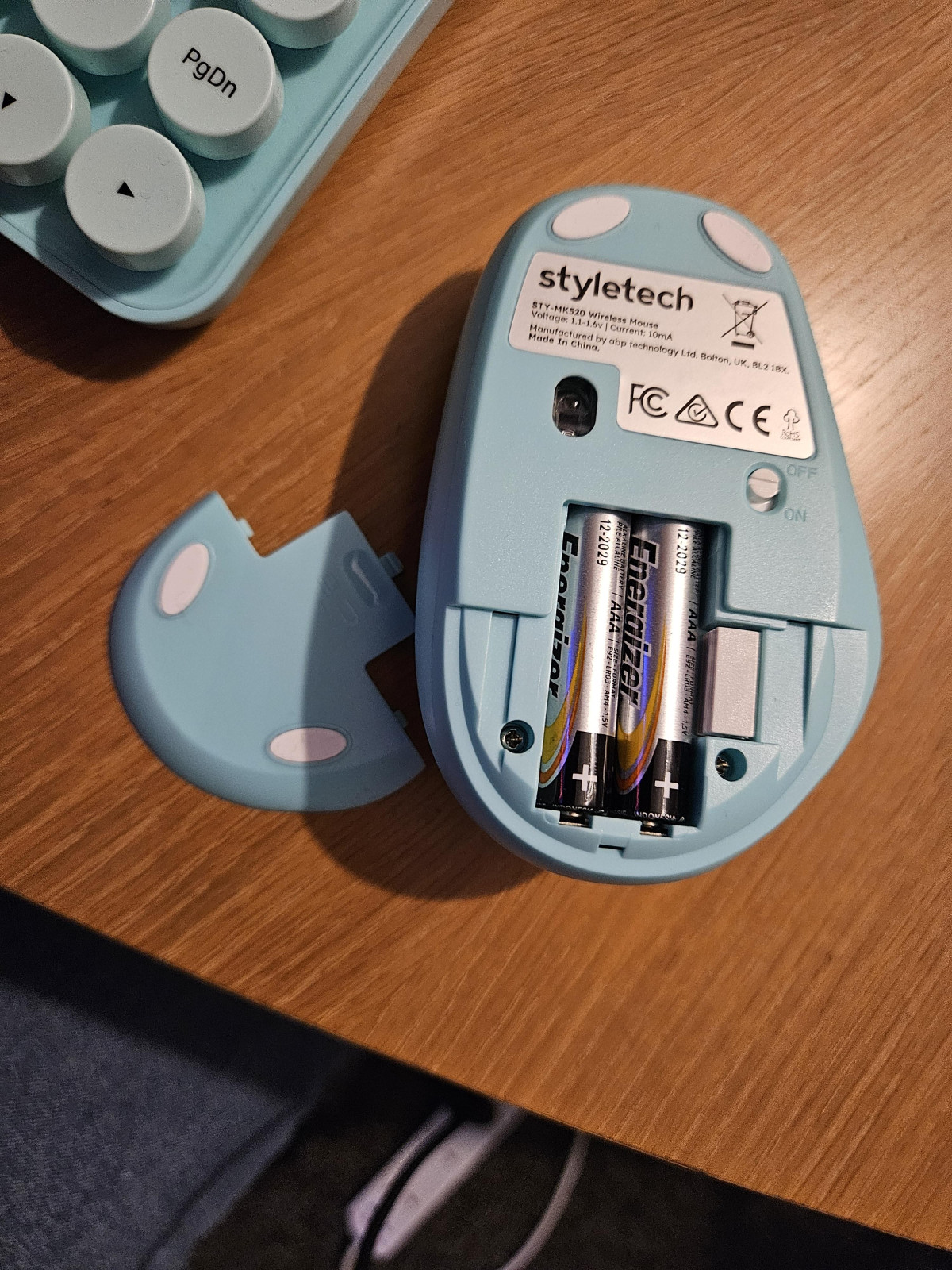
There's no charging cable to manage here at all. Both the keyboard and mouse run entirely on replaceable AAA batteries — three are included in the box to get both devices running straight out of the packaging, so there's no separate purchase needed on day one. The mouse is rated for approximately twelve months of use on its battery, which lines up with typical expectations for a 2.4GHz wireless mouse of this type, and several owners note a small indicator light that flags when it's time for a change, so you're not left guessing.
The trade-off compared to a rechargeable peripheral is one of convenience versus simplicity. You'll never have to remember to plug this in overnight, but you will need to keep a stock of spare AAA batteries on hand for when the originals run down. For a set that's likely to live in a bag, a dorm room, or a hybrid work setup, that battery-only design is arguably more practical than a rechargeable pair, since you can swap in fresh batteries anywhere without hunting for a charging cable.
Who This Bundle Is Actually For
Good Fit
This combo makes the most sense for a specific kind of buyer: students working in shared accommodation or libraries, remote and hybrid workers who want a quiet, tidy desk setup, casual home users who browse, email, and write documents, and anyone who specifically wants a keyboard and mouse that look distinct from generic office black plastic. The phone stand feature alone makes it a strong fit for people who juggle a laptop and phone side by side during the day. Its light weight and battery-only power also make it a genuinely good travel or dorm-room companion, since there's nothing to charge and it packs down easily.
Poor Fit
It's a poor match, on the other hand, for competitive or fast-paced gaming, where the silent, longer-travel keys and consumer-grade laser mouse sensor won't deliver the response consistency that gaming-specific peripherals are built for. It's also not the right choice for touch typists who type at high volume all day and need immediate, tactile key feedback, or for anyone who specifically needs Mac, iPad, or PlayStation compatibility, since none of those are officially supported. Buyers who prioritise long-term keycap durability over three-plus years of heavy daily use should also go in with realistic expectations, given the sticker-style key legends reported on the keycaps.
How the MK520 Stacks Up Against the Wireless Combo Market
Wireless keyboard-and-mouse bundles broadly fall into three price and feature tiers, and it helps to see where the MK520 sits before comparing prices directly.
| Tier | Typical Price Range | What You Get | Where the MK520 Green Fits |
|---|---|---|---|
| Entry-level generic combos | Under £15 | Basic membrane keys, 3-button mouse, plain black design, no extras | MK520 outperforms here — silent keys, 6-button mouse, phone stand, distinct design |
| Style-focused budget combos (MK520's tier) | Roughly £20–£30 | Silent keys, ergonomic mouse, colourway options, added features like phone stands, still battery-powered | This is exactly where the MK520 competes and holds its own |
| Premium ergonomic/productivity combos | £50 and up | Rechargeable batteries, Bluetooth multi-device pairing, backlighting, mechanical or higher-grade switches, longer warranties | MK520 trades these advanced features for a lower price and distinctive look |
Within its own tier, the MK520's real differentiators are the phone stand and the six-button, adjustable-DPI mouse — features that plenty of similarly priced combos skip in favour of a bare-bones three-button mouse. Where it gives ground to pricier alternatives is Bluetooth multi-device pairing, rechargeable batteries, and broader out-of-the-box platform support (particularly Mac and iPad). If those specific features matter more to you than styling and price, a mid-range Bluetooth-based combo will serve you better. If you want the best-looking, most feature-packed set available specifically for a Windows desktop under £30, the MK520 earns its place.
Strengths and Weaknesses, Honestly
The MK520's biggest strength is that it doesn't just look different — it functions differently in ways that matter day to day. The silent keys and clicks are a real, tangible benefit for anyone sharing space, and the phone stand is the kind of small design touch that ends up used constantly once you have it. The mouse in particular punches above its price bracket, with genuine ergonomic comfort, six buttons, and adjustable sensitivity that most sub-£30 combos don't bother including.
Set against that is a build quality that reflects its price honestly rather than punching above it. The plastic housing, sticker-based keycap legends, and taller-than-average key travel are the visible cost-cutting measures, and while most buyers report no functional problems, a minority have experienced sticking keys or, in rare cases, a missing accessory in the box — the kind of inconsistency that can happen with budget manufacturing runs. The complete absence of Bluetooth and official Mac, iPad, or PlayStation support is the other honest limitation: this is a Windows-first, USB-dongle-first product, and buyers hoping to use it flexibly across multiple device types should look elsewhere.
Final Verdict
The Styletech MK520 Wireless Mouse and Keyboard in Pastel Green does exactly what it promises: it brings a distinctive, quiet, comfortable wireless setup to a Windows desk without asking for premium money. It's a genuinely smart pick for students, hybrid workers, and anyone tired of black plastic peripherals, thanks to real functional extras like the phone stand and the surprisingly capable six-button mouse. Just go in with clear eyes about what you're not getting — no Bluetooth, no rechargeable battery, no guaranteed compatibility beyond Windows, and a plastic build that won't rival mechanical or premium ergonomic sets over the long haul. If your setup is a Windows PC or laptop and your priorities are style, quiet operation, and value, this bundle is a confident recommendation. If you need cross-platform flexibility or plan to type or click intensively for hours every day, it's worth looking at a higher tier before you commit.
What People Say
5 commentsStyletech MK50 keyboard and mouse
On opening the product which was securely packed, I removed the keyboard and on turning it over I thought it was missing the wireless dongle, However on reading the pack I realised this was inserted inside the mouse under the battery cover.
The setting up of the wireless connection was so easy and took less than 1 min to undertake, there was no requirement to search for the mouse or keyboard and then install a programme, it all worked instantly, a plus for me.
the keyboard on first use felt a little spongy and I wondered if the keys were typing (I have to look at keyboard to type) so I kept having to check the screen as I was not getting a positive feeling, after using it for a while I got used to the soft touch of the keyboard and accepted that it was typing.
the mouse was very positive on movement and clicking the buttons, the speed of movement was perfect for me to follow the pointer. I also tested the mouse and keyboard on my TV and it worked without fault and the mouse pointer became larger and again easy to use.
The colour for me was mint and whilst this may not suit everybody there were other alternatives to choose from.
Overall I found this product to be easy to use and set up and it allowed me to set my lap top screen at eye level and then use the keyboard set up below it.
Funky wireless keyboard and mouse set
Didnt know what to expect from this wireless keyboard and mouse set but I have been pleasantly surprised. Firstly I'll start with the colour, the mind green is a welcome surprise, standing out in contrast to my black laptop. Nest we look at the key board, this is compact yet feels almost like a full size, not sure if thats an illusion or just because the keys are raised up. Leading me on nicely to the raised keys they are nice to type with albeit do take some time to get use to, and the reason why Im not giving this 5 star. Im a touch typist and regrettably I am finding that when typing there are errors where my fingers have touched the wrong key. I think with more use perhaps I will make less errors but its quite frustrating initally. Then there is the mouse. I really like this mouse, its ergonomic with space for your thumb to rest and move the curser with little effort. The buttons are very responsive allowing you to work on documents, multiple screens and move the curser to where it needs to be. Lastly both the keyboard and mouse take aaa batteries which are easy to fit, you then plug in the wireless usb, switch on and away you go! Overall I love the look and feel of this set
Snazzy wireless keyboard and mouse set
I've had a small external keyboard for my laptop before, and didn't really like it - it was just too small. This however, is a very different experience. I've got a small 14" laptop. so you can see that the keyboard isn't very big, however, it actually feels bigger when you're using it. The keys, although they're round, feel ergonomic and comfortable to use, and have a soft action when you depress them. I'm really liking the mouse too - I've always preferred using a smaller mouse, and this one feels about medium sized, but is really comfortable. There's a couple of buttons next to where your thumb sits, that I'm sure you can programme, but I've not done that yet. Overall a great combo. One word of warning, if you can't find the wireless dongle, try looking inside the mouse!
Light and smooth keyboard and Mouse
First things first, its quite small, light and looks nice. The keys are smooth and quiet. For me as a touch typist I found it difficult to type with any speed, the keys seemed closer together and smaller and I kept hitting the wrong ones. I also missed having the number keys on the side. However it was great for a non-typist - doesn't take up much space, super fast to connect to computer and light to carry around. The Mouse was great, smooth, quick to respond, very quick to connect and fast.
Easy to use
Fantastic and easy to set up and use. Thankful for this product as it has given a solution to the problem of typing on the screen. As someone whos disabled i struggle With screen typing and this has given me a whole new freedom