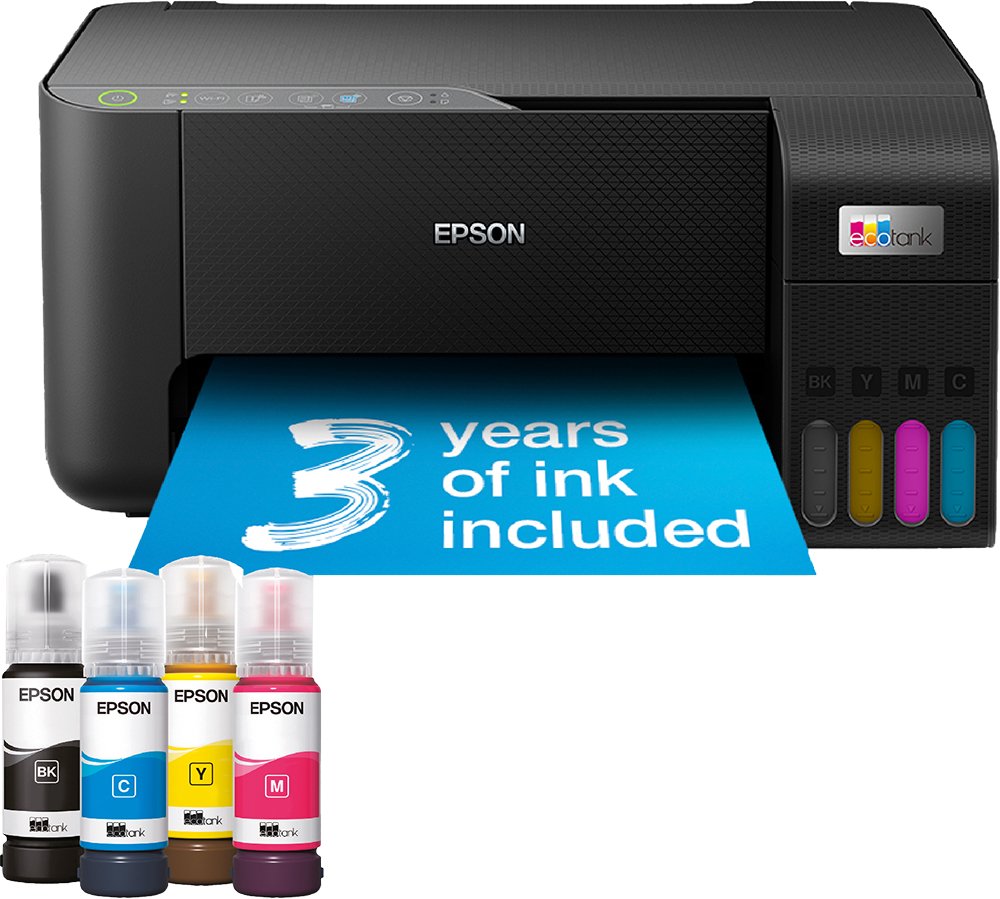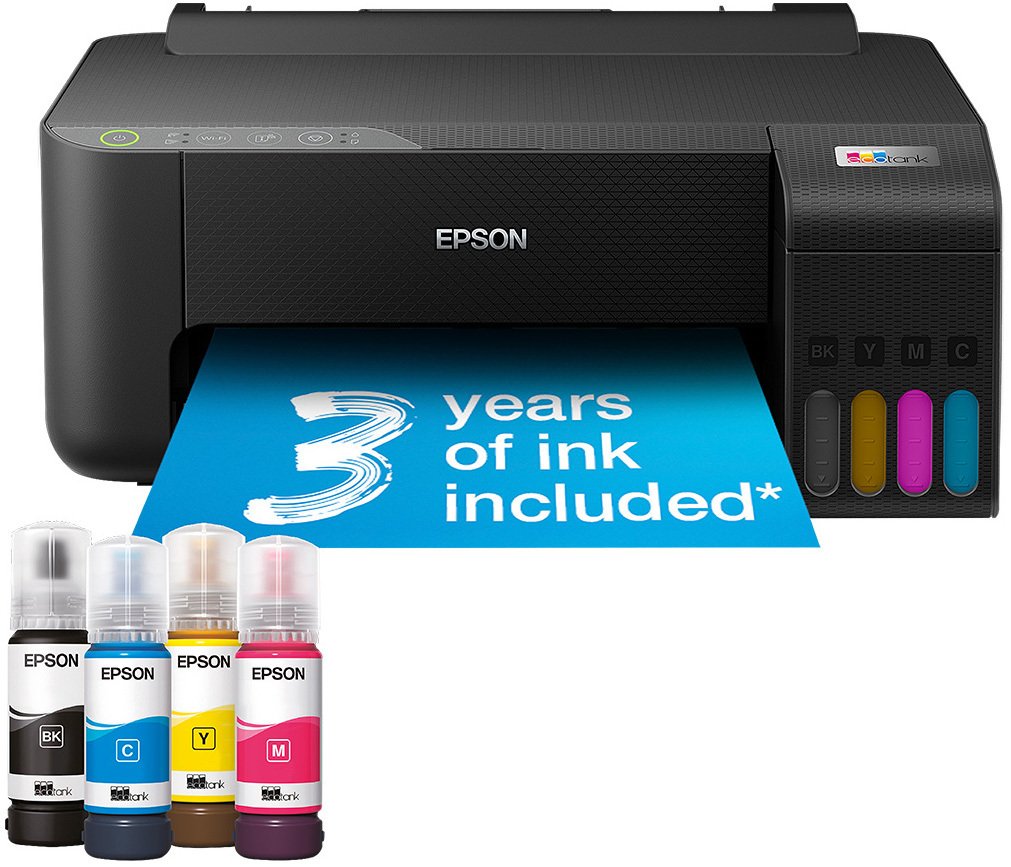
Epson EcoTank ET-1810
Epson



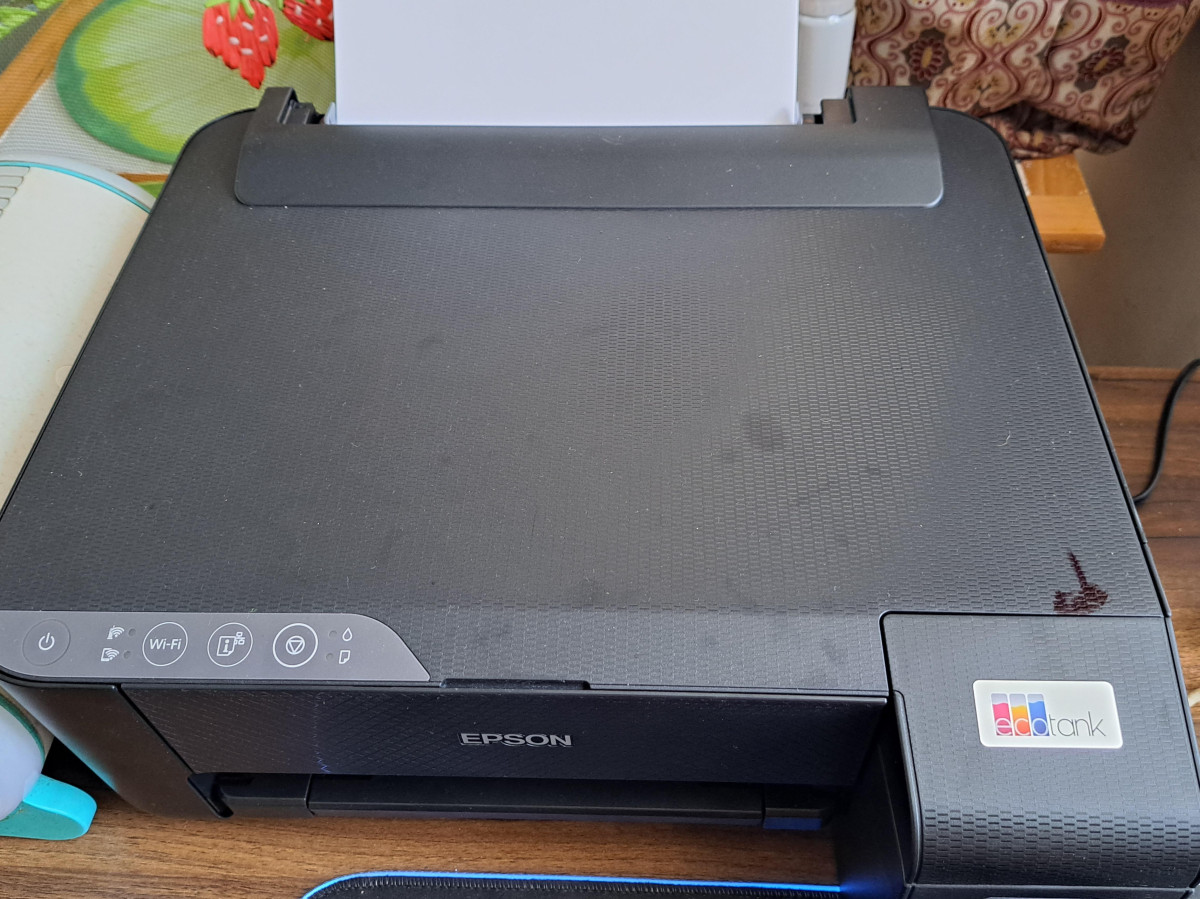
Why This EcoTank Model Turns Heads Before You Even Plug It In
Printer shopping usually comes down to a familiar dilemma: pay less upfront and dread the cost of replacement cartridges, or pay more for a machine that barely touches your wallet again. The Epson EcoTank ET-1810 sits at an unusual intersection of that trade-off. It's built around Epson's refillable ink tank system, but priced closer to a basic cartridge printer than to the premium tank machines that usually carry this technology. For anyone who prints often enough to feel the sting of cartridge costs but doesn't want to spend heavily to escape them, this model deserves a genuinely close look — and a clear-eyed understanding of what's been trimmed to hit that price.
Design and Build: Function Over Finesse
Unbox the ET-1810 and the first thing you'll notice is how unapologetically plain it is. This is a printer designed around its ink tanks, not its aesthetics. The tank assembly sits visibly to the right of the main body, giving the whole unit a slightly asymmetrical, bolted-on look rather than a sleek, integrated one. It's a sensible trade: exposed, easy-to-reach tanks make refilling simple, even if the styling suffers a little for it.
Build quality matches the price point rather than exceeding it. The plastic panels and paper trays do their job but don't feel especially substantial, and the rear paper tray sits uncovered rather than folding away neatly. At 2.9kg and roughly 37.5cm wide by 34.7cm deep by 16.9cm tall, it's compact enough to live on a shelf, a corner of a desk, or a small home office cart without dominating the space. There's no screen — control is handled through a small cluster of physical buttons and status LEDs, backed up by the companion phone app when you need more detail than a blinking light can offer.
If you're expecting the tactile solidity of a higher-end office machine, temper those expectations. This is a printer that spends its budget on the ink system and print engine, not on the shell around them.
Core Performance: What the Print Engine Can Actually Do
The ET-1810 is a single-function printer — it prints, full stop. There's no scanning, no copying, no fax, and no automatic double-sided printing. Duplex documents are possible, but only by printing odd pages, manually flipping the stack, and feeding it back through for the even pages. It works, but it's a manual chore rather than a one-button feature, and it's worth knowing that going in if double-sided printing is part of your routine.
Speed is the other area where the budget shows. Epson rates the machine at 10 pages per minute for black text and 5 pages per minute for colour under standard test conditions, though real-world results from continuous, everyday documents tend to land a bit under that, particularly for the first page while the printer warms up. In practical terms: this is comfortably fast enough for homework, letters, forms, and the odd colour flyer, but it's not the printer for someone who regularly needs to blast through a hundred-page batch job in a hurry. If your household or small office does heavy-volume daily printing on a deadline, a faster (and pricier) inkjet or laser printer will serve you better.
Where the ET-1810 does compete strongly is output quality. It's capable of a maximum resolution of 5,760 x 1,440 dpi, and in practice that translates to crisp, well-defined text and colour prints with good, accurate tones — genuinely closer to what you'd expect from a more expensive machine than the price tag suggests.
The EcoTank System: Where the Real Value Lives
Here's the feature that justifies this printer's existence. Instead of small, disposable ink cartridges that need replacing every few hundred pages, the ET-1810 draws ink from four refillable tanks that you top up from bottles. Epson supplies enough ink in the box — one bottle each of black, cyan, yellow, and magenta — to roughly match what you'd get from 72 traditional ink cartridges.
Put in real usage terms, that starting supply is estimated to produce around 4,500 black-and-white pages or about 7,500 colour pages before you need your first refill. For a typical home user printing occasionally, that can realistically mean a year or more of printing without buying a single cartridge. For a small office or a household that prints constantly — school projects, invoices, recipes, crafts — it still represents a dramatic reduction in how often you'll need to think about ink at all.
The refill process itself has been designed to be mess-free: the bottles use specially shaped necks that lock into the tank openings and stop pouring automatically once a tank is full, which removes a lot of the anxiety that puts people off tank printers in the first place.
Ink Cost: Tank vs. Cartridge, in Practical Terms
| Traditional Cartridge Printer | Epson EcoTank ET-1810 | |
|---|---|---|
| Upfront cost | Usually lower | Moderate, but still budget-friendly for a tank printer |
| Ink included | A few hundred pages per set | Enough ink in the box for thousands of pages |
| Refill cost per page | Comparatively high | Comparatively very low |
| Best for | Occasional, light printing | Frequent or high-volume home/office printing |
| Break-even point | N/A | Pays off once you've printed a meaningful volume, rather than being cheaper from page one |
The practical takeaway: if you print rarely, a basic cartridge printer might still be more economical overall. If you print regularly, the ET-1810's running costs will overtake the savings of a cheaper cartridge machine fairly quickly.
Photo and Borderless Printing: A Feature With a Catch Worth Knowing
The ET-1810 supports borderless printing, and the results — as with its text — are genuinely pleasing, with rich colour and fine detail. But there's a specification detail that matters for anyone hoping to print full-page borderless photos or posters: borderless output on this machine is limited to smaller formats, similar to postcard-sized prints, rather than full A4 sheets. If your priority is edge-to-edge A4 photo prints, this isn't the machine for that job — you'll get excellent standard A4 prints with a border, and excellent small borderless prints, but not both in the same format.
Connectivity and Everyday Usability
Wi-Fi is built in, and setup is handled through the Epson Smart Panel app on a phone or tablet, which walks you through connecting the printer to your home network. Once it's on Wi-Fi, anyone in the household can print from their laptop, phone, or tablet without needing a direct cable connection. The printer also supports Wi-Fi Direct, meaning you can print straight from a mobile device even without a home wireless network present, and it accepts a USB connection for a wired setup — though the required cable isn't included in the box, so factor that in if you're planning to connect it directly to a PC.
Compatibility is broad on the desktop side too: it works across current and older Windows systems as well as Mac. That kind of wide driver support suggests it will comfortably slot into whatever laptop or desktop your household already owns, even if it isn't brand new.
Paper Handling and Everyday Practicality
The ET-1810 takes standard A4 paper (and smaller sizes) through a 100-sheet input tray at the rear, which is a reasonable capacity for home use — enough for most printing sessions without needing to constantly top it up. It's also flexible enough to handle heavier stock beyond plain office paper, which matters if you print certificates, cardstock invitations, or craft projects rather than just everyday documents.
Who This Printer Is Actually For
This is a printer built for a specific kind of buyer, and it's worth being honest about both ends of that spectrum.
It's a strong fit if you:
- Print regularly enough that cartridge costs have become an annoyance
- Mainly need documents, homework, forms, and the occasional colour print or small photo
- Want to escape the classic inkjet trap of tiny, low-yield replacement cartridges
- Don't need scanning, copying, or automatic duplex printing
- Have a tight budget but still want tank-based economy
It's the wrong choice if you:
- Need a scanner or copier built into the same device
- Print in high volumes under time pressure
- Want true full-page A4 borderless photo printing
- Print rarely enough that a basic, ink-included cartridge printer would actually work out cheaper overall
How It Stacks Up Against the Alternatives
The EcoTank ET-1810 isn't the only ink-tank printer worth considering, and its closest rivals each make a different trade-off.
| Printer | Strength Over the ET-1810 | Trade-Off |
|---|---|---|
| Canon Pixma G650 | Six-colour tank system produces richer, more accurate photo colour | Costs more to buy and slightly more to run per page |
| HP OfficeJet Pro 9022e | Significantly faster text printing, better suited to high-volume work | Higher running costs since it isn't a tank-based system in the same way |
| Epson EcoTank ET-18100 | Purpose-built for photo and creative printing up to larger paper sizes | Considerably higher purchase price, overkill if you mostly print documents |
| Epson EcoTank ET-3850 (same family) | Adds scanning and copying on top of the tank system | Bigger footprint and higher cost for features you may not need |
The pattern is consistent: the ET-1810 wins on affordability and simplicity, and loses ground the moment you need speed, advanced photo colour, or multifunction features. It's the entry point into the EcoTank ecosystem, not the top of it.
Where This Printer Shines, and Where It Falls Short
The honest case for the ET-1810 rests almost entirely on ink economics done right at a genuinely accessible price. Getting a refillable tank system — with a mess-resistant refill design, no less — into a printer this affordable is a real achievement, and the print quality it produces for both text and colour graphics comfortably outperforms what you'd expect from something in this price bracket. Setup is straightforward, and the mobile app experience removes a lot of the friction that used to make home network printing frustrating.
The weaknesses are equally clear, though, and they're the direct result of decisions made to hit this price. There's no scanner, copier, or fax, so this only suits a household or desk that doesn't need those functions elsewhere. Duplex printing exists but requires manual page-flipping, which quickly becomes tedious for anyone printing double-sided documents regularly. Print speed is modest rather than quick, the build feels budget-appropriate rather than robust, and the borderless printing capability is more limited than the product description might suggest at first glance, capping out at small print sizes rather than full A4 sheets. The one-year warranty is also on the shorter side for a printer whose whole value proposition is about long-term ownership.
None of these are surprises once you understand what this printer is trying to be. They only become disappointments if you buy it expecting more than a no-frills, tank-based document printer.
The Final Verdict
The Epson EcoTank ET-1810 succeeds at exactly one job: delivering low-cost, good-quality printing without the recurring cartridge expense, at a price that finally makes tank technology accessible to a genuinely budget-conscious buyer. If your printing needs are simple — documents, forms, the odd colour page, an occasional small photo — and you're tired of buying overpriced cartridges every few months, this is a sensible, money-saving purchase that will keep working quietly in the background for a long time.
If you need a scanner, fast automatic duplexing, full-page borderless photos, or serious print speed, look further up the EcoTank range or toward a different brand entirely — this model was never built to compete there. But judged on its own terms, as an entry point into cartridge-free printing, the ET-1810 earns its recommendation.
What People Say
184 commentsCompact no-frills printer, relatively easy set up
My old 3-in1 printer broke. I realised I didn't need a copier/scanner now modern camera phones are so good. I also needed something a but smaller to fit my desk so this was the perfect printer. Had initial issues setting it up on my Chromebook laptop, I think due to an issue with Epson app. But, once I used my Android phone for the app it was easy to install the printer onto my WiFi network and my laptop and other gadgets now easily find the printer. The connection has been stable (I mostly have the printer switched off) and the connection is quickly re-established when I switch on to print. This is perfect for me as an infrequent printer. I like the visible ink reservoirs and only filled them about a third as I don't print that much and set-up worked fine despite the instructions saying fill them up to achieve set-up. I don't do anything fancy so things like duplex printing or other fancy tricks are unnecessary - there is no meaningful display either, it's kind of "print what you see" and that suits me fine. I believe the app allows some tricks and flexibility but I don't use it. Printer works fine without the Epson app and that suits me fine.
Saves a fortune on ink
This is the 2nd Epson ecotank ET-1810 I have bought. This printer is fantastic at saving on ink whether it be black or colour. I have printed some very good pictures that are good enough to frame and hang on the wall. The detail in colour printing is very good. I said this was my 2nd one and there is a good reason for that. Like I said it prints great pictures and the ink is cheap and lasts forever. However ,the first printer I had stopped printing colour and I had only used it about 20 times. Black still printed well but colour was just yellow . I tried all the troubleshooting like purging the nozzles etc but nothing worked. I have a feeling that if you dont use the printer at least once every few days the nozzles dry up as i had left big gaps inbetween printing. I would suggest getting the insurance with the printer as I did. I contacted Domestic and general who came back to me saying the printer can't be fixed even though nobody had looked at it. They refunded me the full price for the printer. Because the print quality and savings on ink is so good I have decided to give it another go
Great printer. Can't get promised cashback
I bought this printer on 03/11/2024 first the negative,as you can see advertised, on buying this printer you can claim up to £50 cashback, on this printer it's £40, my husband, my daughter's and myself all tried via the claim back option and no matter how we did it, it continually comes up with "invalid date" the date is completely correct and we have come to the conclusion that this has been arranged that way to make people give up on trying to get the money back.
Now the positive, after many years of printers, this is the BEST printer to set up, it's so simple and easy, the ink supplied is great and super simple to put into the ink wells and the price for refills is excellent. We have 2 grandchildren who are on the autism spectrum and the love getting pictures printed and we still haven't had to get new refills, the picture quality is good on regular A4 and on photo glossy.
If it wasn't for the cashback fiasco, this would get 5 stars, however, don't promise cashback and then fail to deliver.
Epson Tech Support Very Bad
This is my second Eco Tank printer, and I was very pleased with the fist unit but the second printer halted mid way thru the set up process, and thus started two days of hassle. The Epson tech support number provided by Argos is no longer active, I spent 30 minutes using Epson online Chat support only to be told "switch it off for 10 minutes and then switch it back on". The Epson phone support put me on hold for 40 minutes. Argos put me thru to a third party service who spent 20 minutes going round in circles, who then gave me a premium rate number charging goodness knows what per minute. Eventually, the sixth person I contacted by Chat knew what he was doing and explained how to re start the ink charging process. Shocking service from Epson and Argos.
Good printer
Only been using this for a few weeks for home use and very pleased with the results.
I used the Epson app for setup, initially it failed to find the printer, shut all down and restarted and it was straight forward to follow after that.
The printer does not have a scanner but I had a separate scanner so this was not a problem.
I went for the Eco Tank because of the low ink costs, my previous colour laser printer was very costly for toner cartridges.
Print quality is good and as I'm only printing occasional documents the speed is okay for my home use.
No automatic double sided printing but this can be done manually by printing odd pages first, then putting the pages back in and printing even pages.
Rubbish. Avoid buying
In this day and age a printer is usually equipped to scan and copy as well as print.
This is only able to print.
It only becomes evident upon opening the box and reading the information inside that it can only print. No where on the box does it say clearly PRINTER ONLY. I had home delivery and on complaining was told that I had to return it to an Argos store -At MY expense. A change from usual where they would pick it up if dissatisfied.
Further more it is more geared to wifi and Blu tooth communication, although USB cable [NOT SUPPLIED] can be used.
I am returning the printer ASAP for a full refund. I cannot comment on ease of use or print quality or features as I did not unpack it.
Not very ECO or easy to set up for mobile device
This might be "eco" in terms of the ink, but:
- It only prints single-sided sided so it is expensive and wasteful
- It has no auto power-off so it just stays switched on forever if you forget to turn it off
The setup when connecting directly to a PC is fine except for one step, which isn't clear in the book and needs googling. But to a mobile device it's awful as the printer has no display so you need to download 2 apps. One to act as the control panel and enter the wifi details, and another one which seems to manage the printer and updates. A huge faff.
Once it's up and running, it prints fine. The device feels quite flimsy, and it's intended for home use rather than heavy use.
Epson EchoTank Printer
My printer arrived the very next day mid morning after placing an order on tha Sunday.
I'm not very good with pairing printers with computers and smart phones, the ink cartridges had to be filled. and the instructions looked typically daunting, and suggested scanning the QR code, which to me was even more daunting. BUT noyhing could have been more easy. Having scaned the code it expalined everybthing in my own languade. How the fill the cartridges then it initiated them all by its self. Then automatically set up te WiFi and bluetooth, all in all took hallf an hour or so. It was the easiest rrinter setup I have heve had in about 25 years. So my advice: Scan the QR code, its magic!
Beware! This does not have scan/ copy facility!
Beware!
This is only a printer! Can only send prints from tablet/ phone!
There is no scan / copy facility!
It was bought for a not for profit sewing group who thought it would be more economical long term to have the refillable ink tanks .
However, we didn’t realise until it was set up that we couldn’t copy. We thought all printers had facility to copy!
( We need to be able to copy patterns from books etc, making a pdf copy and sending them to the printer doesn’t work as the pdf doesn’t come out as the true size for the pattern)
So, we haven’t been able to use it , we are stuck with it! Waste of our scarce resources!
Makes life so much easier
Well the ink lasts forever. As a parent. With a home educated child, the printer ink in other printers doesn’t last a week. Well I have printed off just so much and it has lasted and I haven’t even used a quarter of it. I don’t need to worry about heavy printing of dark or coloured backgrounds. I can get on with the task at hand. Why didn’t I buy this sooner. The initial cost is offset by the ink costs. Printing all I need to do is remember to select print using Epson rather than print and search for printer but it’s connected quickly and easy to use once get used to printing using a different selection.
Can recommend if WiFi signal is strong
I bought this a few weeks ago after my previous printer ended its usefulness to me. This printer was recommended to me by two trusted friends who both assured me that it would meet my needs. I live in a very large building which has dual use as my husband’s workshop and as our home. The size of the building and its thick walls means that the WiFi signal from our hub is not strong enough for the printer to be set up for efficient network connectivity, so I have the printer hardwired by USB to my laptop, but for me it works perfectly that way. For home network multiple users it might not be suitable.
Great printer.
I bought this a few weeks ago as my last one seemed to have seized up. It was a recommendation from a family member who already had this model. I really like the easy filling from individual ink bottles as they stop automatically when each tank is full. Printing is very clear and a good speed. I have yet to try photo printing, something to look forward to, but I am catching up with printing off some of the many documents stored on my iPad. I would have liked it to have a scanner too but these models were just too expensive. I am happy with the one I chose as it will mainly be used for printing.
Good replacement printer at a great price
My Laser printer packed up after 8 years, a like for like would have been 4x more expensive than this Ecotank which prints very well and the cheap ink means we don’t worry how many prints we do. We’ve lost the flatbed scanner the old one had, but the mobile phone does a good job of that anyway which makes this printer much smaller and lighter without the scanner. I miss duplex printing a bit though.
It prints straight from Android and my Mac desktop, but it’s a bit fiddly on the iPad - have to print through the Epson app instead of just pressing ‘print’.
Perfect for work at home printing needs
I bought this a month ago and I’m so happy that the printer is working perfectly to my needs. I usually do home printing and sometimes I work from home and requires me to print things for my work as well. The quality of the print is very good The speed at which it generates the print is also good. I was able to connect it to my mobile and my laptop and my desktop as well, which is a great Connectivity feature for this printer. I am hoping that this printer is sustainable for a long period of time As this Resolved Needs. It’s a great resolution.
Fortune saved in making birthday cards!
I’ve used a mono laser printer for many years but when my last printer expired I was attracted to the idea of adding photographic colour images and bought this Epson.
I’m so pleased with it! My mono prints are still fast and decent quality but the colour prints on glossy paper are outstanding. I’ve even taking to making my own birthday cards for family as opposed to using online suppliers.
The inks supplied with the printer seem to be lasting for ages and there is no shortage of reasonable priced refills available.
Highly recommended.
Great printer and remarkably economical
My old HP Deskjet printer used to chew through ink cartridges at an eye watering rate and bearing in mind new ones were around £50 each it was getting expensive. I decided to purchase this Epson EcoTank ET-1810 Wireless Inkjet Printer and it has been great. Easy to set up, download relevant drivers and start printing. The print quality is superior with solid colours and speedy output. The one time I started getting white lines in the print, I did a head cleaning process and it was back to 100% immediately.
Poor print quality and disappointing all round
Honestly, I thought this quality of printer had disappeared 10 years ago. The print quality is awful, colour reproduction is dull and inaccurate, it's prone to disconnecting from wifi and stopping half way through a page, and one of the features I checked before buying - that it prints borderless - it doesn't do on A4 pages, which it doesn't mention anywhere until you actually try it. I thought it would be my main printer because of the ecotanks, but actually it's become a white elephant in the corner.
No brainer, great performance
This is the second of these I've bought in the last 3 years to replace old cartridge printers. For convenience, running cost and actually continuing to work after 6 months, they are exceptional compared to cartridge printers. The ink is incredibly easy to top up and the bottles that come with it will see you through a massive amount of printing. Even better, replacement bottles are a fraction the cost of cartrides. This version doesn't have a scanner, but how often is that really needed these days
Easy to use, fairly easy setup
This is a really good printer. I think the model is probably out of production now, but we wanted it because we wanted a straightforward printer with long ink life. We did not want scanner/copier facilities. I have seen this printer described as hard to set up. I found the instructions clear enough and easy to follow if you understand what you're doing. If you are not tech-savvy, get a friend who is to do it! This works fine with iPad or iPhone, and any computer attached to the same wifi network.
Easy set up & perfect printing
This is the second ET-1810 printer I have bought, so easy to set up and download the drivers, perfect printing and a can print on a good selection of papers and different sizes.
I bought one to convert to a sublimation printer due to the eco tanks…a much more affordable way of getting into sublimation I am aware that it will could my warranty, but as my first printer hasn’t had any breakdowns in the 12 months since I bought it it’s a chance I’m willing to take