Epson WF-2935
Epson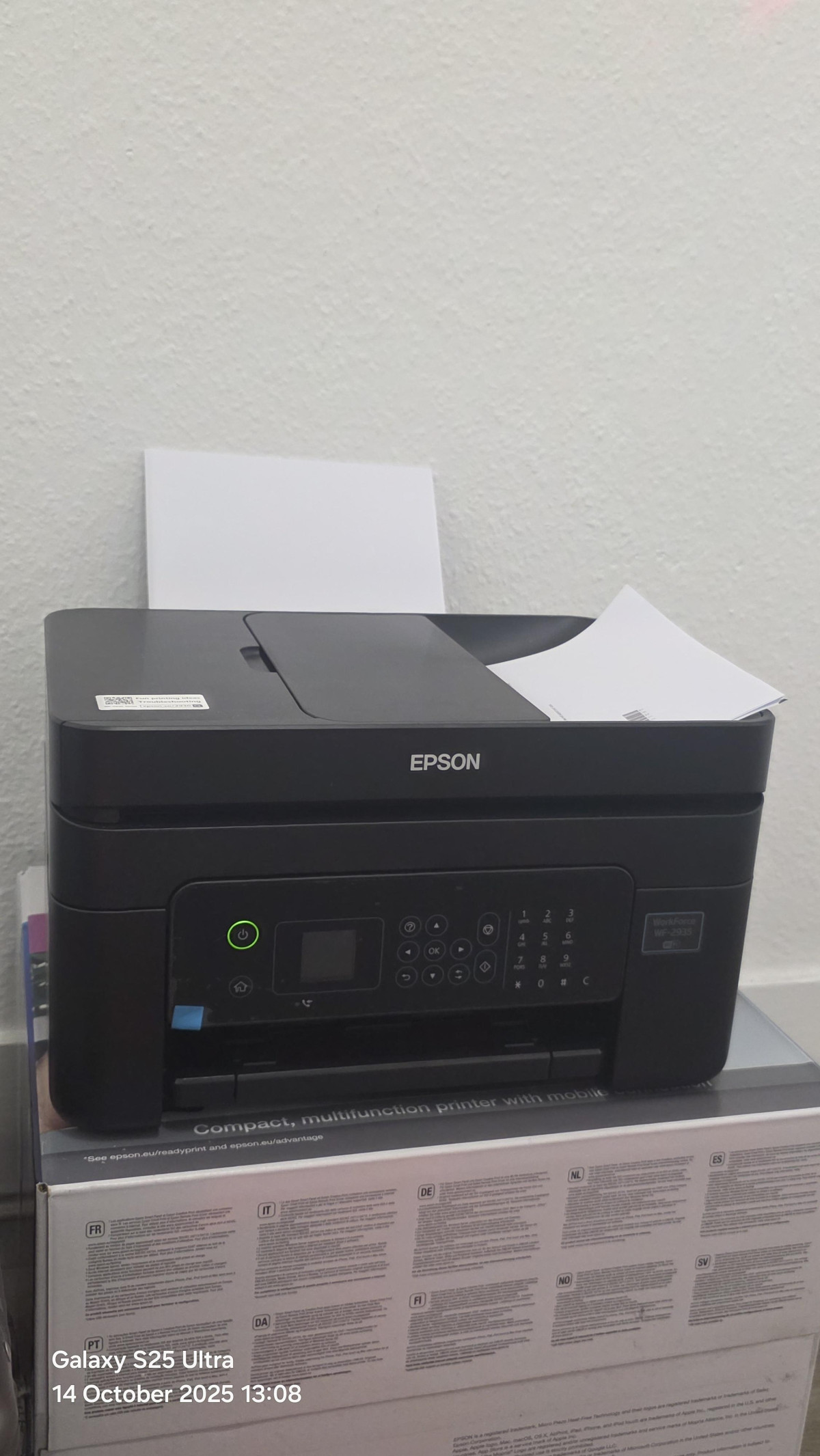

Getting to Grips With Epson's Compact All-in-One
Anyone who's spent an evening scrambling to print a form, scan a signed contract, and fax an old-fashioned order confirmation — all before a deadline — knows how much friction a mismatched printer adds to a home office. The Epson WF-2935 is built specifically to remove that friction. It's a genuine four-in-one machine: it prints, scans, copies, and faxes, and it does so from a footprint small enough to live on a shelf rather than commandeer a desk. Before you commit money to it, though, it's worth understanding exactly where this printer excels, where it asks for patience, and whether its ink system actually saves you money the way the marketing suggests. That's what this review digs into.
Design, Build, and How It Fits Into a Workspace
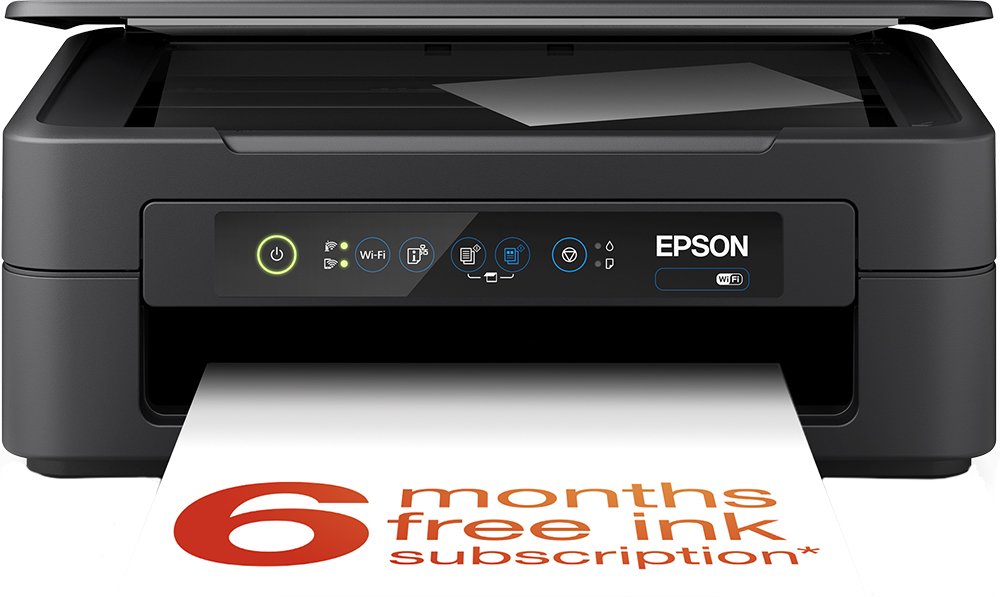
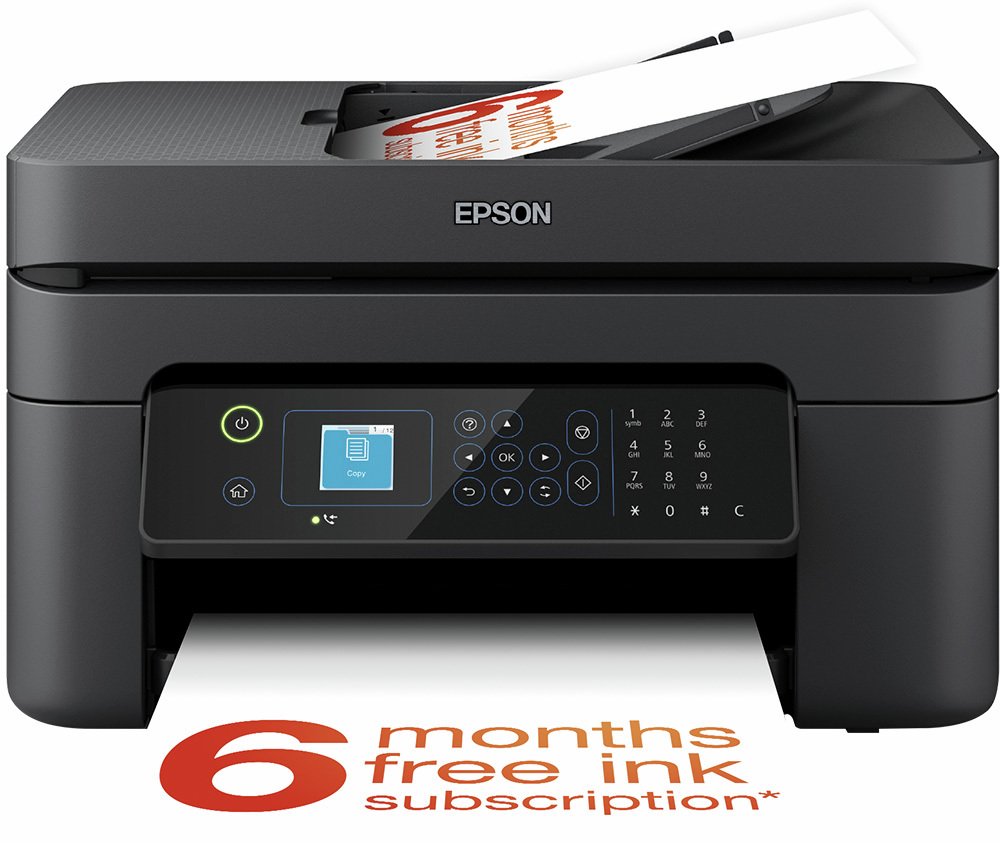
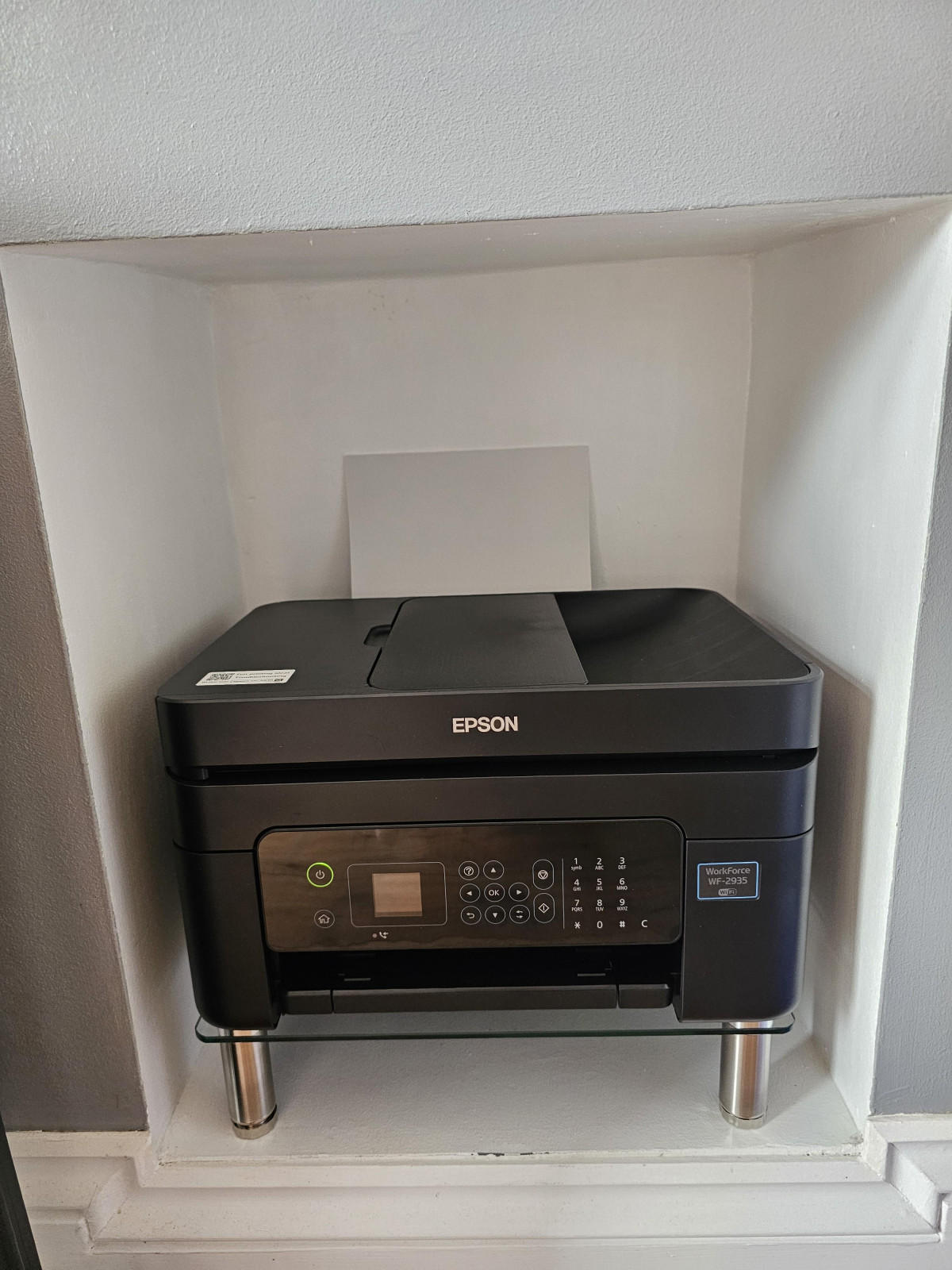
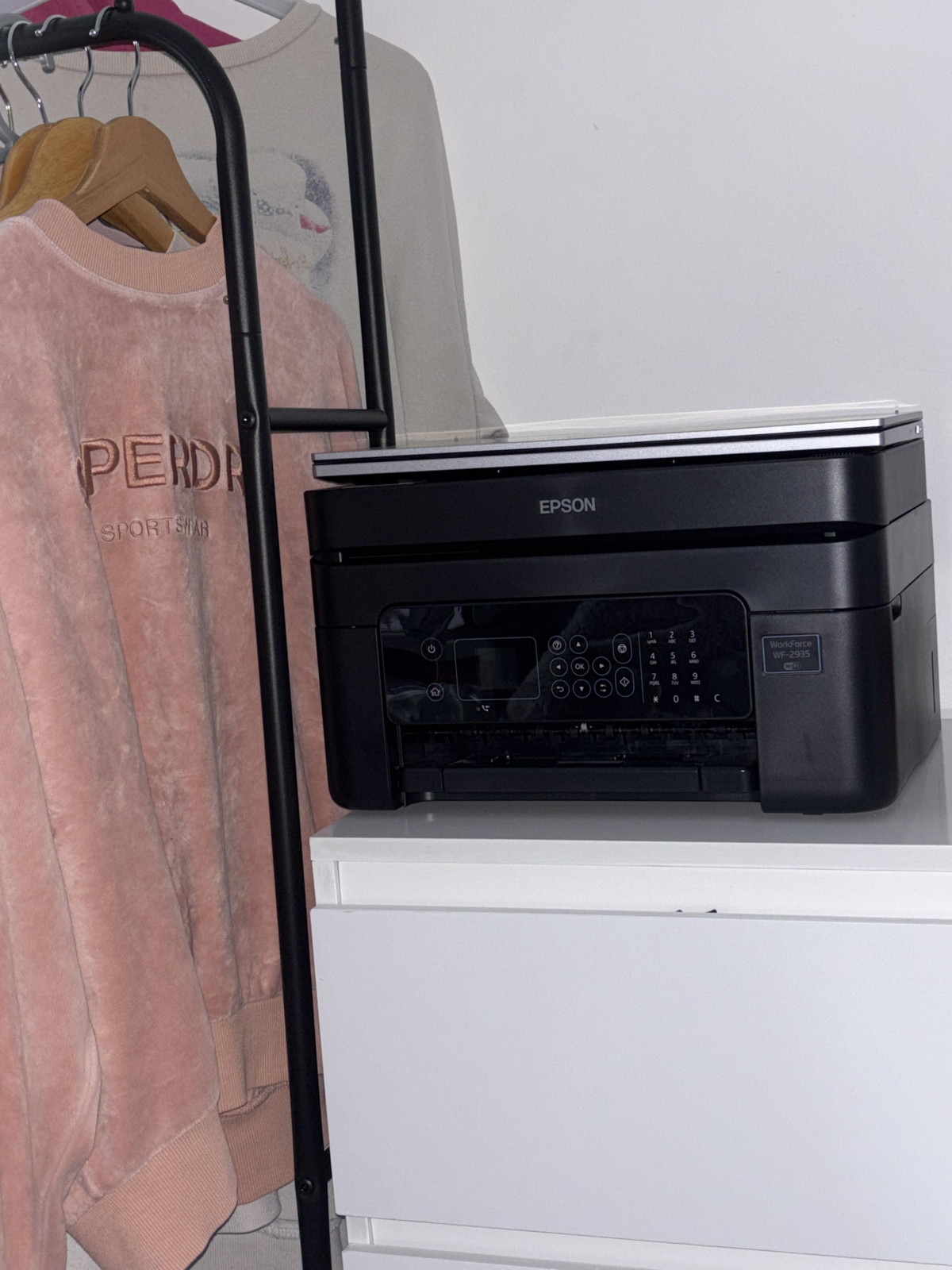
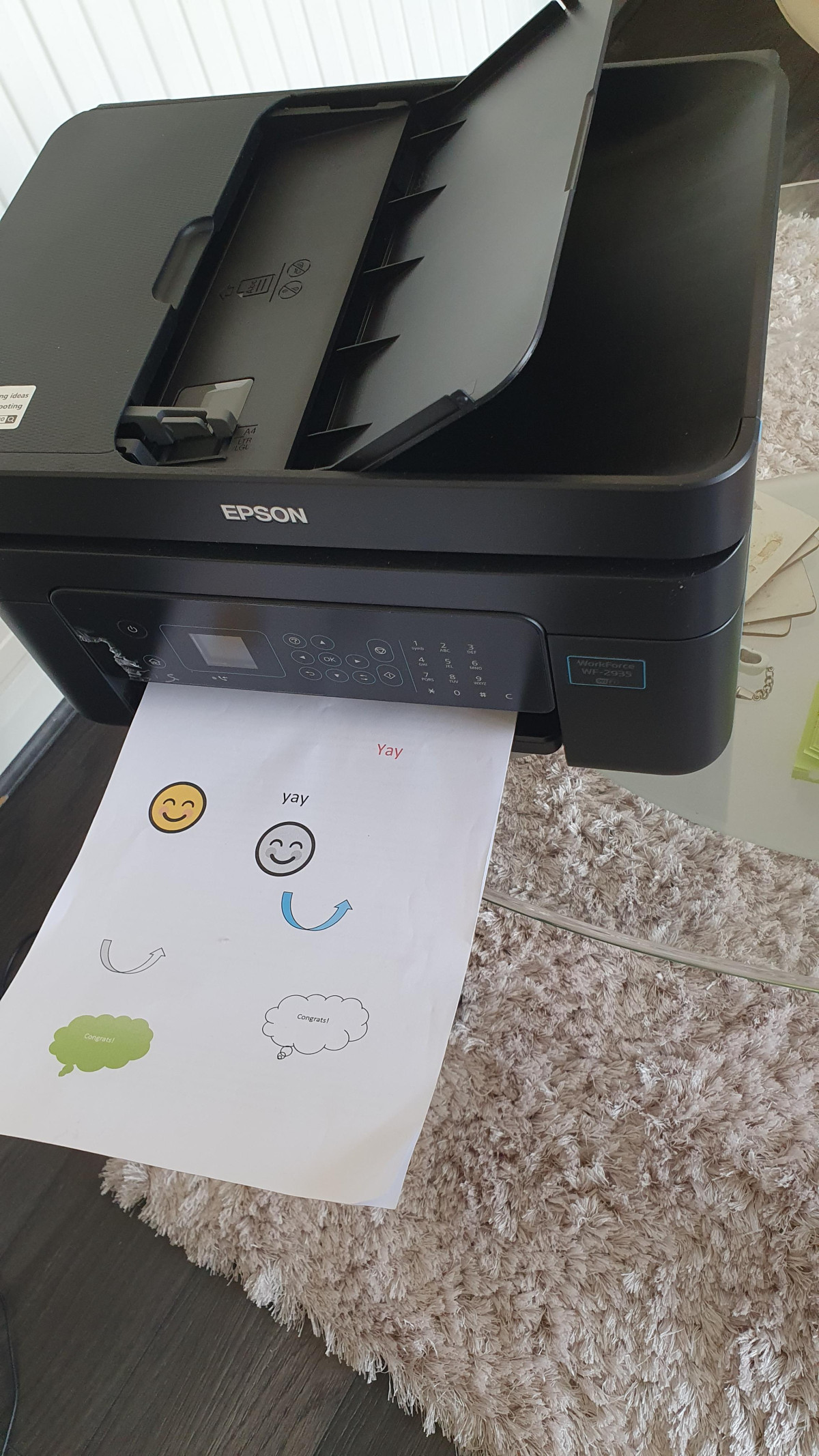
At roughly 22cm tall, 37.5cm wide, and 30cm deep, and weighing a touch over five kilograms, the WF-2935 occupies about the same amount of shelf space as a small microwave or a stack of document trays. That's a deliberate design choice — Epson has clearly built this for spare rooms, apartment corners, and small business counters where a full-size laser workhorse would feel absurd. At just over five kilograms, one person can reposition it without help, which matters more than it sounds once you've tried to shuffle a heavier printer around a cluttered desk.
Up front, a small touchscreen display handles navigation — a genuinely useful inclusion at this size and price point, since it means menu-diving for scan settings, fax numbers, or Wi-Fi setup doesn't require memorizing a sequence of physical buttons. For anyone who finds printer menus intimidating, a touch interface removes a real barrier.
One physical detail worth knowing before you buy: paper loads from the rear feeder, not a front-loading cassette. That's standard for machines this compact, but it does mean the back of the printer needs to stay accessible. If you're planning to tuck this against a wall or into a tight alcove, leave enough clearance to reach around and top up paper — pushing it flush against a wall will turn every refill into an annoyance.
Setting It Up: Where Most of the Friction Lives
Here's the honest part of this review that a spec sheet will never tell you: getting this printer talking to your home network is the single biggest variable in how much you'll enjoy owning it. Feedback from people who've actually lived with the WF-2935 skews positive on the printer itself but frequently flags the wireless pairing process as more fiddly than it should be — expect the full setup, from unboxing to your first successful print, to take closer to an hour than the ten minutes you might hope for. The printer's own instructions and the companion Epson Smart Panel app help considerably, and starting the setup from your phone rather than a laptop tends to go more smoothly, since the app walks you through each step in order.
Once it's actually on your network, day-to-day connectivity is straightforward. It supports standard Wi-Fi, plus Wi-Fi Direct for connecting a phone or laptop straight to the printer without going through your router — handy if you're printing at a friend's house or your home network is temperamental. Apple users get AirPrint support for cable-free printing from an iPhone or iPad (worth double-checking your specific device's settings, since AirPrint behavior can vary slightly by model). There's also a USB port for anyone who'd rather skip wireless entirely and plug in directly, which remains the most bulletproof way to guarantee a connection on the first try.
Print Performance: What the Speed and Resolution Numbers Actually Mean
Epson rates this printer at up to 33 pages per minute in black text and 18 pages per minute in colour. Numbers like these are measured under ideal lab conditions with simple documents, so treat them as a ceiling rather than an everyday expectation — real-world speeds, especially for anything with graphics or photos, will run slower. Still, relative to other compact home-office inkjets, that's a brisk pace for churning through a stack of invoices, school forms, or contracts, and it's fast enough that the printer won't become the bottleneck in your workflow.
The print resolution goes up to 5760 x 1440 dpi, which in practical terms means crisp, clean text with no visible fuzziness at normal reading distance, and colour output detailed enough to handle photos, charts, and graphics convincingly — this isn't a machine that will embarrass itself if you print a family photo alongside your tax paperwork. Borderless printing is supported too, so edge-to-edge photo prints are possible without the white margin that plagues many budget printers.
Two features add real flexibility for daily use. Automatic two-sided (duplex) printing means the printer flips the page itself for double-sided documents — genuinely useful for cutting paper consumption on long reports, and one less manual step to get wrong. The 100-sheet paper capacity is enough runway that you're not refilling every other day for typical home or small-office print volumes, and the printer accepts stock up to 300gsm, which covers card-weight paper for things like greeting cards or thicker photo prints, not just standard copy paper.
Scanning, Copying, and the Automatic Document Feeder
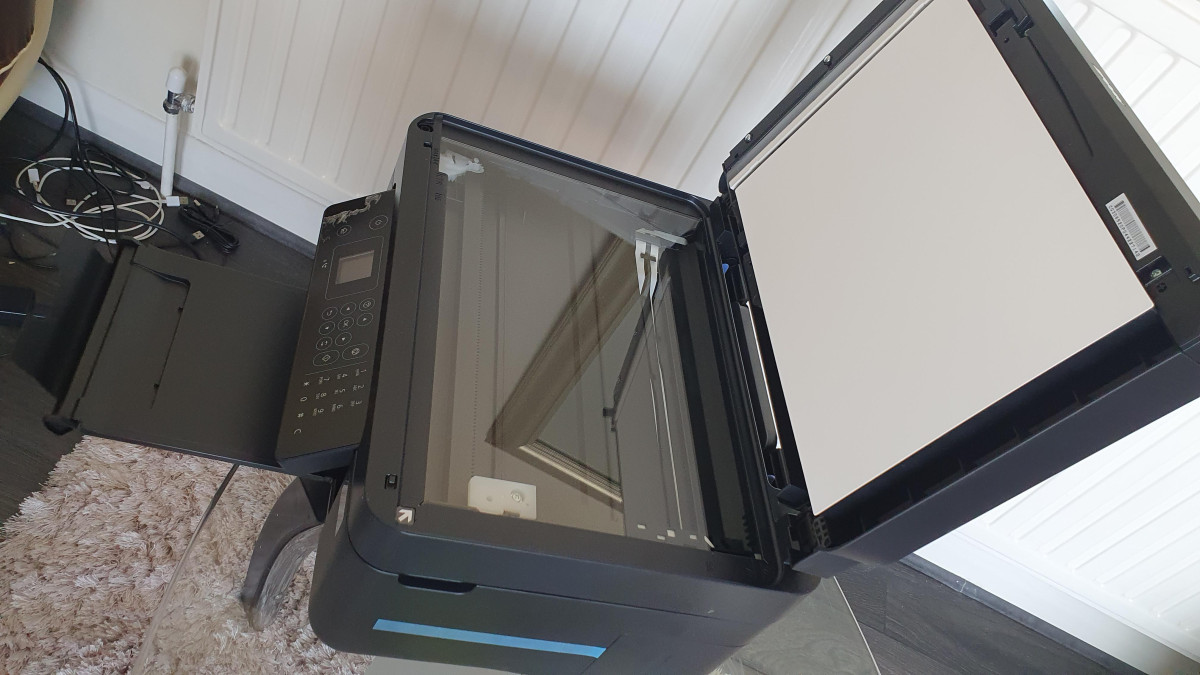
The flatbed scanner handles A4 documents and photographs, and it's paired with a 30-sheet automatic document feeder (ADF) that lets you load a stack of pages and walk away rather than babysitting the flatbed lid one page at a time. For anyone regularly digitizing multi-page contracts, school paperwork, or receipts, that ADF is one of the more genuinely time-saving features on this machine.
Two caveats worth flagging honestly. First, scanning speed on this class of printer tends to be leisurely rather than fast — expect to wait a beat longer per page than you might with a dedicated scanner, though the resulting image quality is sharp enough that the wait is worth it. Second, the ADF handles single-sided scanning; if you need to digitize double-sided originals through the feeder automatically, this isn't built for that, and you'll need to flip pages manually or use the flatbed instead.
Fax: Still Here, and Still Useful for Specific Workflows
Fax might feel like a relic to some buyers, but it remains a genuine requirement for certain workflows — order confirmations with older suppliers, some medical and legal paperwork, and international business dealings that haven't fully modernized. The WF-2935 includes a fax function with memory for up to 100 incoming pages, meaning if the printer runs low on paper or ink at an inconvenient moment, incoming faxes aren't lost — they're held until you can print them. If fax genuinely isn't part of your life, this is simply a feature you'll never touch, but it doesn't cost you anything in the meantime.
The Ink System and What "ReadyPrint Flex Compatible" Actually Means
This is where buyers most often get surprised — for better and for worse — so it deserves a proper explanation rather than a spec-sheet mention.
The printer uses four individual ink cartridges (one each for black, cyan, magenta, and yellow), sold under Epson's Pineapple branding. The advantage of individual cartridges over combined multi-colour tanks is straightforward: when you run out of, say, magenta, you replace only that cartridge rather than an entire colour unit that still has plenty of the other inks left. Over time, that reduces waste and cost compared to all-in-one colour cartridges.
On yield, standard cartridges are good for roughly 130 pages before needing replacement, while higher-capacity XL cartridges stretch to around 500 pages of black text or about 350 pages per colour. Photo-heavy or colour-graphic-heavy printing will burn through ink noticeably faster than plain text documents, and some ink is also consumed automatically during the printer's internal cleaning cycles — so real-world yield tends to land a little below the official numbers.
The "ReadyPrint Flex Compatible" label in the product name refers to Epson's optional ink subscription service. Rather than buying cartridges outright as you run low, you can opt into a monthly plan that allocates a set number of pages; the printer monitors its own ink levels and Epson ships replacement cartridges automatically before you run dry. Print more than your plan covers in a given month and the extra pages are simply billed; print less and unused pages typically roll over for a period rather than vanishing. It's entirely optional — the printer works perfectly well on pay-as-you-go cartridges bought separately — but it's worth knowing the subscription exists if predictable monthly ink costs appeal to you more than occasional larger purchases.
It's worth being upfront that owner sentiment on running costs is genuinely mixed. Some buyers specifically praise how economical the individual-cartridge system is for their usage patterns; others find ink costs frustrating regardless of the system, which is a common complaint across inkjet printers generally, not unique to this model. If minimizing your cost-per-page is your top priority above all else, it's worth weighing this printer's cartridge-based system against ink-tank alternatives, covered in the comparison below.
Software and Everyday Usability
The bundled Epson Smart Panel app is the main way most owners will interact with the printer day to day — it handles initial setup, lets you monitor ink levels remotely, and enables printing and scanning directly from a phone or tablet without needing a computer in the loop at all. The printer also ships with photo editing software, giving you basic tools to crop, adjust, or touch up images before committing them to paper, which is a nice inclusion for anyone printing photos occasionally rather than owning separate editing software. On the compatibility side, it works with both Windows and Mac computers, so it isn't locked to one ecosystem.
One quieter but genuinely useful trait: idle power draw is very low when the printer is plugged in but not actively working, and consumption during actual printing stays modest too. If you're the type who leaves printers powered on between uses rather than switching them off at the wall, this one won't add much to your electricity bill for sitting idle.
Who This Printer Is Actually For
This machine makes the most sense for:
- Home workers and small offices that need printing, scanning, copying, and occasional faxing from one compact unit, without dedicating a whole desk to hardware
- Households that print a moderate, steady volume — school forms, tax paperwork, the occasional photo — rather than industrial-scale daily output
- Buyers who value wireless and mobile printing from phones and tablets as much as from a traditional computer
- Anyone who specifically still needs fax capability alongside modern wireless printing, since that combination is increasingly rare in budget hardware
It's a less natural fit for:
- Anyone printing hundreds or thousands of pages a month, where cartridge-based running costs will add up fast regardless of the individual-cartridge efficiency
- Buyers who want a genuinely plug-and-play wireless setup with zero patience for troubleshooting — the initial network pairing asks for a bit of persistence
- Users who need automatic double-sided scanning through the document feeder, since this model's ADF is single-sided only
- Anyone who wants a front-loading paper tray for a tight, wall-hugging placement, given this model's rear paper feed
How It Stacks Up Against the Alternatives
Rather than compare this to a single named competitor, it's more useful to weigh it against the broad categories of printer most buyers are actually choosing between:
| Printer Type | Upfront Cost | Running Cost | Best For | Main Trade-off |
|---|---|---|---|---|
| This kind of compact cartridge-based AIO (WF-2935's category) | Low | Moderate — depends on print volume and cartridge type | Home offices needing print, scan, copy, and fax in one small unit | Cartridge costs rise if you print heavily |
| Basic budget inkjet AIO (no fax, no ADF) | Lowest | Similar to cartridge-based models | Very occasional, light printing needs | Missing fax and document-feeder convenience |
| Ink-tank ("mega-tank" style) systems | Higher upfront | Very low per page over time | High-volume home or small-business printing | Bigger footprint, higher initial investment |
| Monochrome laser printer | Moderate | Low for black-and-white, no colour | Text-heavy offices with minimal photo/colour needs | No colour printing, no fax/scan on basic models |
If your printing volume is genuinely high and predictable, ink-tank systems — including Epson's own tank-based lineup — will usually undercut cartridge running costs over the long haul, at the price of a larger machine and higher day-one spend. If you print occasionally and value the compact size, fax inclusion, and document feeder more than rock-bottom cost-per-page, the WF-2935's category is the more sensible fit.
The Honest Trade-offs
The Strong Case
The strongest case for this printer is its combination of a genuinely small footprint with a full feature set — fax, ADF scanning, duplex printing, and touchscreen navigation rarely all show up together in a machine this size or this accessible in price. Print and scan quality both hold up well for everyday documents and casual photo printing, and the individual-cartridge ink system is a sensible, cost-conscious design that avoids wasting unused colours.
Where It Asks for Patience
Where it asks for patience is initial setup — budget real time, not a rushed ten minutes, for getting it onto your Wi-Fi network, and lean on the Smart Panel app rather than winging it manually. The scanner, while accurate, isn't fast, and its document feeder only handles single-sided originals automatically. And while the ink system is efficient by cartridge-printer standards, nobody should expect cartridge-based inkjet printing to be as cheap per page as a tank-based system if you're printing heavily every week.
Final Verdict
For anyone who needs a genuinely compact multifunction printer that covers printing, scanning, copying, and fax without eating up desk space, the Epson WF-2935 is a sound, well-rounded choice — particularly for home offices and light-to-moderate volume small businesses that value flexibility over raw speed or the lowest possible cost-per-page. Go in expecting to spend a proper setup session getting the Wi-Fi connection sorted, and if you know your print volume runs high every single month, take a serious look at ink-tank alternatives before you buy. For the moderate, mixed-use printing that most households and small offices actually do, though, this is a printer that earns its shelf space.
What People Say
167 commentsNot simple to set up on different devices
We have to keep switching it on physically because it wont work even though it on!
I cannot install it on my laptop - something about NET framework as I have windows 10, unsure why it asking for that.
Why can you not supply the disk for older laptops?
Does it have a send to computer option. We have had to install several times, first seemed as easy but next took its time. Unsure if we are doing something wrong but I'm not liking having to go online all the time to reset it to get it to work. It seems you can only use the Epson app to install and to use it!
Not 100% happy but it was an emergency replacement.
So far, from what I can see, you can only use the rescalling if you first scan in the document - pretty useless if you have to spend time scanning and then printing and then copying to get it to upscale!
Havent used the fax option yet.
Still trying to work out how to access the amount of paper we use as this varies a lot. Would have preferred to be asked do you want us to measure and tell you how to set your limit of paper for the ink calculations.
Not Bad for the price
My last Epson WF printer just stopped working until then it had never let me down for years of use so I wanted something similar. Saw this from Argos at a good price and picked it up the next day. Luckily I had the USB lead from the old printer as none was provided. The set up instructions in the box were rubbish but all was solved by getting everything on line and downloading all that was needed and the software updated everything including the printer firmware. I had to install the printer twice so it was connected by USB to my PC and WiFi so I could remote print. Epson try really hard to get you to sign up for the cartridge replacement plan and its a pity it only comes with "installation" cartridges as the cost of putting a reasonable amount of ink in that provided is nothing. My only dislike is the paper feed in the rear rather than a paper try as I had previously as it slides into gap below my desk.
Caution
Be very careful when setting up this printer because you have to go online to do so. Scammers are lurking there. I got caught out because I clicked on what look like the Epson help line but it was a scammer lookalike Web link. When I did that an error warning came up on my laptop and then a pop-up asking for my phone number and email address. I then got a call from someone purporting to be from Epson. He asked for remote access to my laptop which I naively gave him. He made out I had viruses on my laptop. He then made out he had to make a call to Microsoft. He came back with a fake invoice to pay Microsoft a sum of money (£89.99 for one year or £139.99 for two years). Luckily I terminated the call at that point. I then Googled: Epson Fake Helpline and saw a warning there.
Reliable and Convenient Printing with ReadyPrint F
The Epson WF-2935 Inkjet Printer has been a solid addition to my home/office setup. Setup was straightforward, and the printer connects easily to both Wi-Fi and mobile devices, making printing hassle-free. The print quality is sharp and consistent, whether for text documents or color images.
I was especially pleased with its compatibility with ReadyPrint Flex cartridges. Not only does it save money compared to OEM cartridges, but it also maintains excellent print quality without issues like streaking or fading. The printer is relatively quiet, and the compact design fits well in a small workspace.
Overall, the Epson WF-2935 offers reliability, flexibility, and cost-effective printing. Perfect for anyone needing everyday printing with minimal fuss.
Great printer
Purchased this at the begining of the month to replace my HP printer that suddenly gave up the ghost. I.ve always been a fan of HP but none of the printers now are compatible with my old Windows 8.1 and they don't use 4 cartridges which is my preference. I trawled through the options and finally decided on this Epson WF-2935. I found setting up a bit of a pain as the screen is small and even with my specs on it was quite difficult, Finally managed it and it works but it's on a utility driver. May try linking printer and laptop by usb cable and try again when I have more time but for now it works. Nice clear print, haven't used it much since but at least I have one when I need it.
Printer and Fax
Argos had this item in stock - so I collected it the same day.
When I collected this item the box was damaged on the edge - so I took a risk accepting it.
But it seems alright - not that I have installed the inks yet, hence the device is stuck in the installation phase.
Every time I start it up it goes to the installation set-up to set the time and date - it would be better if the FAX that needs this could be turned OFF (that may be in the manual) - IE the the device may need to be left powered all the time.
I wished Epson did some kind of paper manual.
Installing the SW drivers on the laptop messed up the PDF operation of my old printer.
But I need to read the manual. .
Easy to use wireless all in one printer scanner.
I purchased this all in one Epson inkjet printer after researching printers that ink cartridges weren’t a fortune for! The Epson WF-2935 allows you to have a contract with them where you select how many pages you will print per month which then gives you factory ink refills to your door at a very reasonable price. Set-up operation of this printer is very easy and it prints quickly and quietly. Printing is crisp and clean a the paper tray is easy to access. The touch-screen information panel can be adjusted on an angle to make viewing easier of the printer menu. All in all this is a great value machine suitable for home or light office use.
Answering an email asking for a review
All I have seen of this, up to now, is the cardboard box, the content is still inside (I hope), I will not get to see it until my friend opens her present at Christmas and asks me to set it up for her. Please note all the selected choices are 100% influenced by the description provided by Argos in their catalogue information and not from personal experience. My zero experience with this machine save for knowing it is quite light in it’s box, is only slightly lower than someone who has used one for a few days, weeks, or even months. I will be happy to provide a full and accurate review after 12 to 18 months normal useage.
Happy with purchase
I bought this printer a week or so ago as a replacement for my previous printer (also an Epsom) which had stopped working. I began setting it up and got as far as the password for the internet - which is about18 digits, and a mix of numbers, upper and lower case letters. After about an hour I finally discovered how to jump between the three commands!!! and there it was set up. Except that my computer didn't recognise it!! Eventually I tried connecting it to the computer via the old machine's cable... and lol that worked.
Prints nicely, I've photocopied a couple of items as well, so overall quite happy at present.
Oh For The Good Old Days.
Remember The Days When You Bought a Printer, It Came With a Quick Set Up Guide. A Booklet With a Trouble Shooting Section And a Cd Rom Which Uploaded All The Drivers That You Needed. And Got You Going In 5 Minutes. Well, Those Days Are Gone. This Thing Could Could Not Even Recognise The Inks That Came With It. And As For Downloading This , That And The Other ? Well, After Two Days I Gave Up.. And Asked Argos For a Return And Refund.. I Wonder How Many Printers Get Returned Because of The Same Issues..Epson And Others Take Note Not All Of Us have Smart Phones or Use Apps.
Surprisingly pain-free setup
This is a really nice little unit - feels more expensive than it is! Usually my heart sinks when something like this asks me to download an app to continue setup, but in a pleasant surprise it made it really straightforward and I think even a non-techy would find this very easy to get going with. Print quality seems very good for an inkjet too, and automatic double sided printing is very welcome. Really the only drawback I can see is that the print speed is quite slow, but that's in comparison to an actual workhorse office printer, not others in the WFH printer class. Recommended!
Compact and fast enough, happy so far.
Happy so far, it’s a walk through setup and the mobile app seems to work better than the Apple iOS print controller.
Better to communicate through the PC than use the little display panel but fast enough and economical. Plus the price went up by £20 the week after I bought it.
It’s one of those Argos things where you can’t order it online and they are selling whatever remained in store stock, so had to search around but worthwhile.
Seems better than our older Canon printer, but the 6 months free ink is a lie, it’s only 3 months and it’s on a subscription basis.
Its an OK printer
I was replacing an older epson printer I couldn't buy a replacement print head when it is perfectly servicable.It is rear paper feed not front feed so you cannot push it against a wall and forget.It has no instructions we found it difficult to get it going doing normal tasks yet it set up wirelessly and wire with reasonable ease. It took the best part of a day to set up and the cost of inks??? no such thing as a standard ink cartridge just change the design and increase the price which is probably the same for all manufacturers. My wife says it is neat.
No airdrop and a pain to install
I bought this after buying the xp2205 at christmas and found it a pain to use and could not return it in time.Bought this thinking this would be easier to print direct from my ipad. Unfortunately this does not support air drop so printing has to be via my network wifi . It took me about 3 hours to sort it , there is no info book only the Epsom Print Use Download which was a pain as that was what I was trying to get away from after buying the 2205. Once I had finally configued it , the printer is managable but not as easy to use as the older modeld
Good printer, lacks paper instructions.
It is a brilliant printer/copier. The instructions for setting up could have been better. It really relies on you using the QR code to download the app or install the pc app yourself. Which I was fine with, but others might find it harder.
Once the app was installed on my phone, the whole thing was simple and the app guided me through everything.
Prints and copies well, so happy with the purchase. Only 4 out of 5 stars because of the lack of documentation to help guide people at the beginning. It relies on people having a certain level of IT.
Great for home use
The Epson WF-2935 inkjet printer is a great all round, 4 in 1 printer. It prints, scans, copy and Fax! I've used all funtions except the fax. Printer comes with black and coloured cartridges and the image shows u the print quality in colour. Very pleased with the purchase! 😃 it's fairly lightweight so I can carry it from the box to the table, it's a relief to no longer visit the library to print. It connects with wifi reasonably fast. I can directly scan using Windows fax & scan (not the printer app) once the device is added to my pc/laptop.
Great Features But..........
I bought this 3 weeks ago to replace an ageing HP printer with similar features. So far it produces clear prints and seems to operate without jams. However I have two criticisms:
1. Setting up was complicated and required a degree of IT experience to download and configure various apps. My previous printer provided everything on one disc makling the whole process considersbly easier.
2. The display is too small to read comfortably.
I would only recommend this printer to someone with the necessary experience to set it up.
Great printer for the price
I’ve had this printer now for a couple of weeks and it has been great so far considering its price point. Bearing in mind that I’m only using it for basic printing, but I have had no issues with it. Set up for wireless printing via my phone was relatively simple and it was set up and good to go within 20 minutes of taking it out of the box.
It isn’t a big bulky printer like my previous one and looks good in the space where I placed it. All in all, very happy with it and would recommend it for a lower price model.
Excellent Printer – Smooth Purchase Experience
I recently bought a printer from Argos and couldn’t be happier with my purchase. The ordering process was simple and straightforward, and the delivery was fast and hassle-free. The printer itself works perfectly — easy to set up, great print quality, and very reliable for both documents and photos.
Argos kept me updated throughout the process and everything arrived in perfect condition. It’s clear they care about customer satisfaction. I’d definitely recommend Argos and will shop here again in the future!
Disappointing
Was excited to replace our printer with this Epson that promised to scan and print but would not link to PC.
Had no problem printing from phone but 99% of my printing would be direct from Computer.
Having spent over 12 hours, over the course of 4 days, installing, uninstalling and re-installing the software we bought a new USB cable then a wireless dongle. All to no avail. It will have to be returned.
Having said that, we printed test pages directly from the printer and they are lovely and clear.