Epson XP-2205
Epson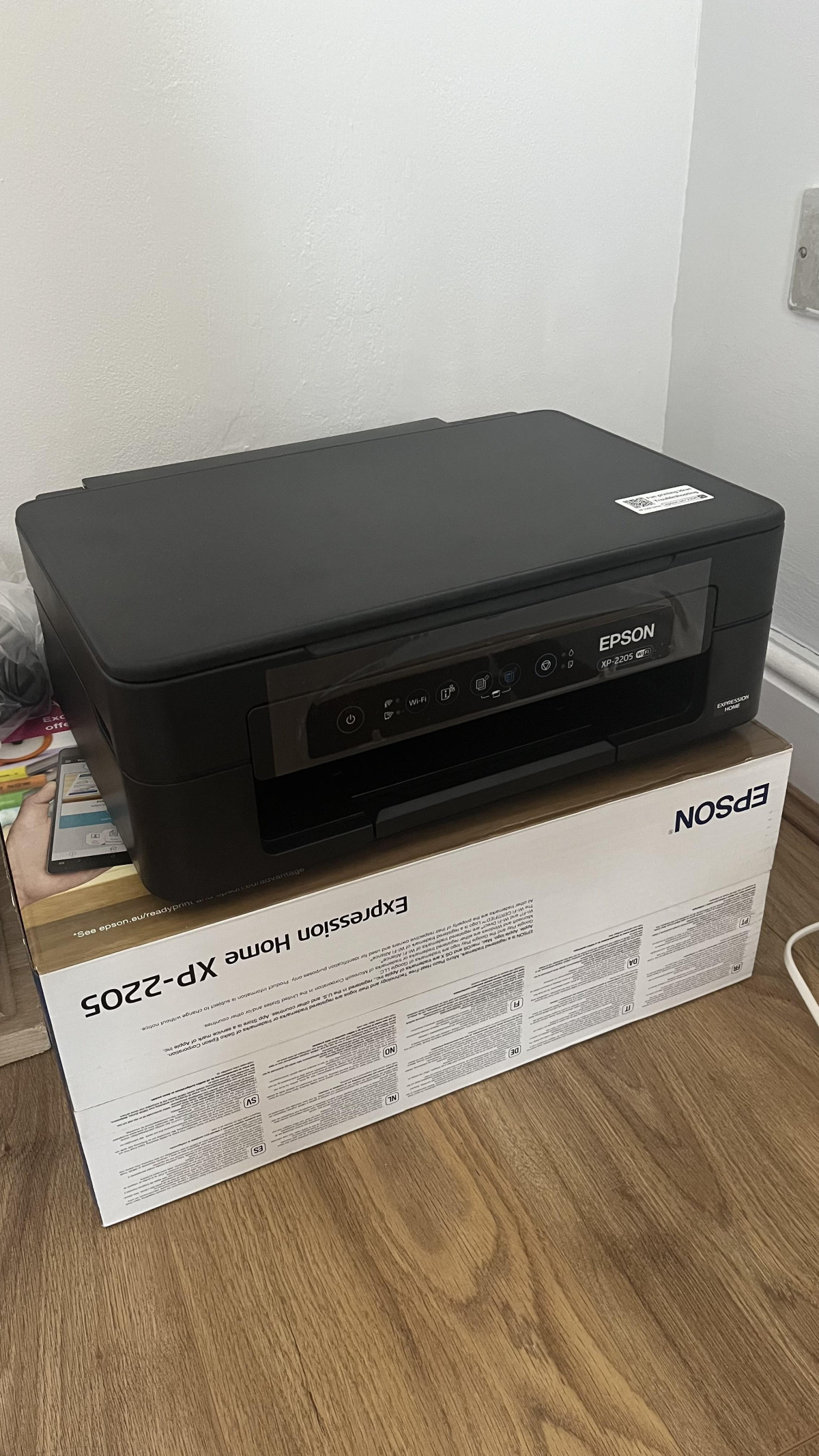
Setting the Scene: A Printer Built for the "I Just Need It to Work" Crowd
Most households don't want to think about their printer. They want it to sit quietly on a shelf, spring to life when a boarding pass or school form needs printing, and not demand a computer science degree to operate. The Epson XP-2205 is built squarely for that reality. It's a compact, wireless all-in-one that prints, scans, and copies, and it's priced and sized for people who print occasionally rather than constantly. Before you decide whether it earns a spot in your home, it's worth understanding exactly what you're getting — and just as importantly, what you're not.
Design, Build Quality and Desk Footprint
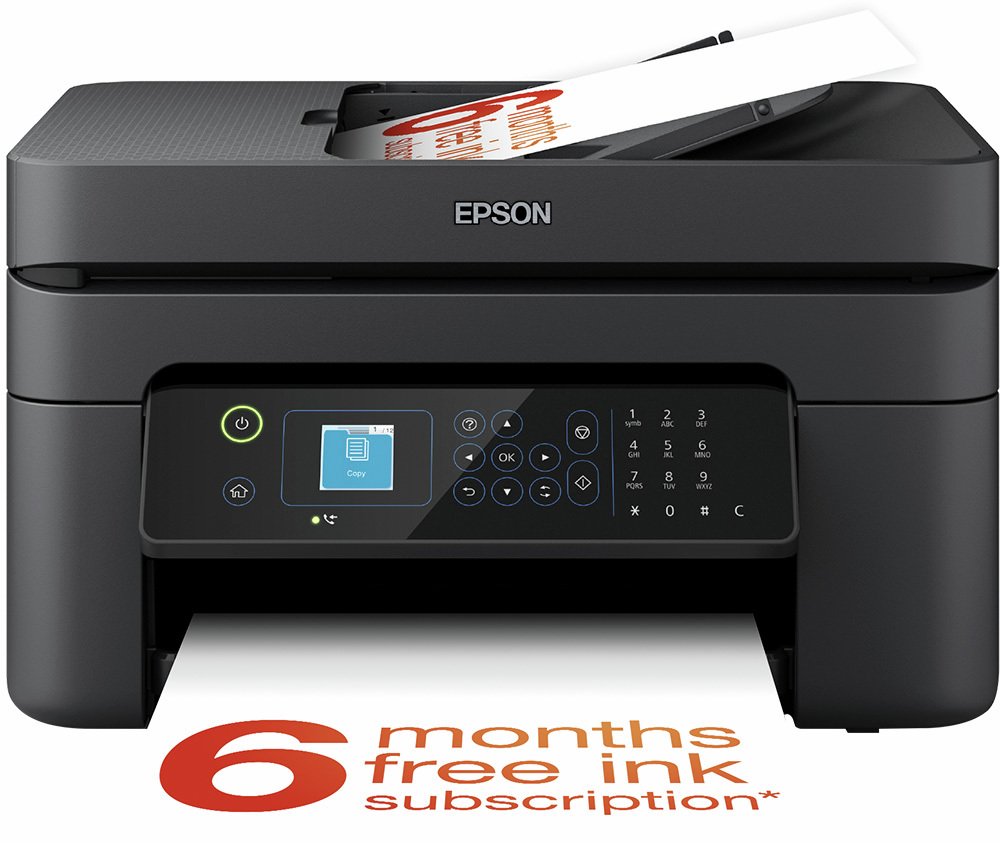
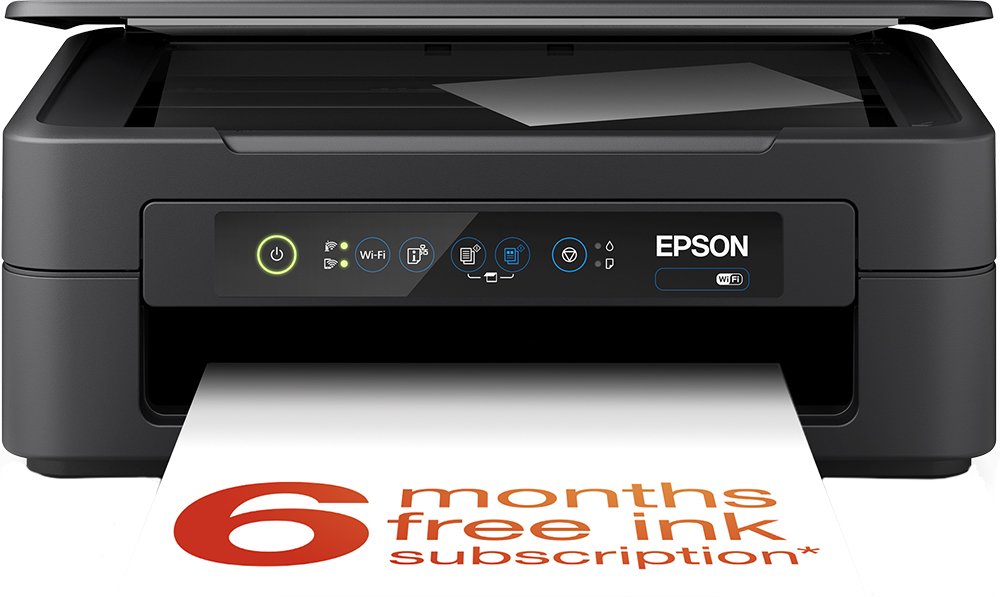
At around 4kg and with a footprint that measures roughly 39cm wide, 30cm deep, and 14.6cm tall, the XP-2205 is genuinely small for a device that handles three separate jobs. It's the kind of machine you can tuck onto a bookshelf, a kitchen counter corner, or a small home-office desk without it dominating the space the way older, boxier all-in-ones tend to. Epson has clearly prioritised a light, unobtrusive footprint over bulk, and for anyone who's previously wrestled a chunky laser multifunction printer into a cramped flat or a home office that doubles as a spare room, that size difference is immediately appreciated.
The trade-off with compact, budget-tier printers like this one is generally build material — expect functional plastic construction rather than anything premium. That's a fair trade at this size and price point, and it's consistent with how this whole category of printer is built. Paper loads from the rear or top and exits at the front, a fairly standard arrangement for machines this size, so give it a little clearance behind as well as in front.
Print Performance: What the Speed and Resolution Figures Actually Mean
The XP-2205 is rated to produce black text at up to 27 pages per minute and colour output at up to 15 pages per minute. A word of context here that applies to nearly every inkjet on the market, not just this one: manufacturer-quoted speeds like these are typically measured in a fast draft mode under laboratory conditions. In everyday use — printing at normal or best quality, with mixed text and graphics — expect noticeably more modest real-world speeds, and colour or photo-heavy pages will always take longer than plain black text. Treat the headline numbers as a ceiling, not a promise, and you'll set your expectations correctly.
Where the XP-2205 is more reliably strong is resolution. A maximum output of 5,760 x 1,440 dpi is comfortably high for this printer's class, and it's the kind of resolution that translates into crisp, well-defined text and photo prints with smooth gradients rather than visible banding. For anyone whose printing diet is mostly letters, forms, school worksheets, and the occasional printed photo, this resolution ceiling is more than adequate — you won't be squinting at fuzzy edges on a printed invoice or noticing dot patterns in a printed family photo.
Scanning and Copying: Useful, But Manual
The built-in flatbed scanner handles A4 documents and photos, which makes the XP-2205 a genuinely useful tool for digitising paperwork, archiving old photographs, or making quick copies of forms and IDs. That's a meaningful convenience over a printer that only prints — it means one device covers the everyday admin tasks most households actually need.
What it doesn't have is an automatic document feeder. That means every page of a multi-page document has to be lifted onto the glass, scanned or copied, and swapped out individually. For a single receipt or a photo, that's a non-issue. For anyone who regularly needs to scan or copy stacks of paperwork — tax documents, a small business's invoices, a large contract — that manual, one-sheet-at-a-time process will get tedious fast. This is a scanner built for occasional, light-duty digitising, not batch processing.
Connectivity and Mobile Printing: Read the Fine Print on the Cloud Features
Setup is designed to work with both Windows and Mac computers, and beyond the standard USB port, the XP-2205 connects over Wi-Fi and Wi-Fi Direct. Wi-Fi Direct is worth calling out specifically: it lets the printer create its own direct wireless connection to a phone or laptop without needing your home router or broadband at all, which is handy if you just want to print something quickly without adding the printer to your main network.
For everyday mobile printing, Epson's own Smart Panel app is the intended route from a smartphone or tablet, letting you send print jobs, check ink status, and manage basic settings from your phone. One caveat that's easy to miss on a spec sheet: this printer does not support Apple AirPrint, so iPhone and iPad owners are funnelled specifically through the Epson app rather than the native iOS print menu that many other printers now support. It's not a dealbreaker, but if seamless "tap print in any app" behaviour on an iPhone is important to you, know that you're relying on Epson's own software layer to make that happen, not a system-level shortcut.
The listed compatibility with Google Cloud Print and Email Print is also worth a clear-eyed note: Google's Cloud Print service was retired some time ago and is no longer operational on any printer, regardless of what a spec sheet says, so that particular feature is effectively legacy and shouldn't factor into your buying decision. Email Print — sending a document to a dedicated printer email address to have it print automatically — remains a genuinely useful trick for printing from any device that can send an email, without needing an app at all.
The Ink System and the ReadyPrint Flex Subscription
The XP-2205 uses four individual ink cartridges (Epson's Pineapple-series ink) rather than combined tri-colour cartridges. This matters more than it might sound: with a single combined cartridge, running out of just one colour means replacing the whole thing, ink and cost included. With individual cartridges, you only ever replace the colour that's actually empty, which typically works out cheaper over time and reduces waste. This is a genuine practical advantage over some rival budget printers that still rely on combined colour cartridges.
This printer is also compatible with Epson's ReadyPrint Flex ink subscription. In simple terms, it's a plan-based service: you pick a monthly page allowance, pay a set fee, and Epson ships replacement ink to your door proactively, tracked by the printer's own usage monitoring, before you run dry. Print beyond your allotted pages and the extra usage is billed; print less, and unused pages typically roll over for a couple of months rather than vanishing. It's entirely optional — you can ignore it and buy cartridges as needed — but for a household that prints a predictable, regular volume each month, it can simplify the "have I got ink" question and potentially lower the ongoing cost per page compared with buying cartridges piecemeal at retail prices. It's worth going in with realistic expectations, though: subscription services like this rely on you actually wanting a recurring bill for ink, and if your printing is sporadic and unpredictable, pay-as-you-go cartridge buying may suit you better.
Paper Handling and Photo Printing
The paper tray holds 50 sheets — enough to avoid daily refilling for light use, but modest next to higher-capacity home-office printers that hold 100 sheets or more. If you print in short, occasional bursts, this won't bother you. If you regularly print long documents or do batch printing jobs, you'll be topping up the tray more often than you might with a larger machine.
On the material side, the XP-2205 accepts paper up to 225gsm, which covers standard copy paper as well as heavier cardstock and photo paper, and it supports borderless printing up to A4. Borderless printing means photo prints come out edge-to-edge with no white margin, which matters if you're printing images to display or gift rather than just for reference. Combined with the photo editing software included in the box, this printer is clearly designed to handle a reasonable amount of casual photo printing alongside document work, not just black-and-white admin paperwork.
Setup and Everyday Ease of Use
Epson positions this as a straightforward, plug-in-and-go printer for both PC and Mac, and for the most part that reputation checks out — physical setup (installing cartridges, connecting power) is quick and uncomplicated. Where real-world experience gets more mixed is specifically around the wireless setup and app pairing stage: getting the printer onto a home Wi-Fi network smoothly is generally fine, but a meaningful number of owners have run into connectivity hiccups during initial setup, and some have found the companion app sluggish to respond during everyday use. This is a common pattern with budget inkjets across the market, not unique to this model, but it's worth going in prepared: if Wi-Fi setup doesn't connect first try, patience (and a look at Epson's support documentation) usually resolves it, rather than it being a sign of a faulty unit.
Who the XP-2205 Is Right For
- Households that print occasionally rather than daily — school forms, boarding passes, the odd letter, a handful of photos
- Anyone tight on desk or shelf space who needs printing, scanning, and copying without a large footprint
- Buyers who want the flexibility of replacing only the ink colour that's empty, rather than a whole combined cartridge
- People comfortable using a manufacturer's own printing app on their phone, rather than requiring native AirPrint support
- Anyone open to (but not reliant on) a pay-as-you-go ink subscription to smooth out ink costs
Who Should Look Elsewhere
- Small businesses or home offices that scan or copy multi-page documents regularly and need an automatic document feeder
- Heavy-volume printers who'll be constantly refilling a 50-sheet tray or who need higher-capacity paper trays
- iPhone and iPad users who specifically want native AirPrint integration rather than an app-based workflow
- Anyone who needs automatic double-sided (duplex) printing built in, since that isn't part of this feature set
- Professional or enthusiast photographers who need wider colour gamuts or larger print formats than a compact home printer offers
How It Compares to Other Budget All-in-Ones
| Feature | Epson XP-2205 | Typical dual-cartridge budget rival | Step-up home-office all-in-ones |
|---|---|---|---|
| Ink system | 4 individual colour cartridges | Combined black + tri-colour cartridges | Individual cartridges, often higher-yield |
| Paper capacity | 50 sheets | Often similar, around 50-100 sheets | Typically 100+ sheets |
| Document feeder | None (manual flatbed only) | Usually none at this tier | Often includes an ADF |
| Mobile printing | Wi-Fi, Wi-Fi Direct, Epson Smart Panel app | Varies by brand's own app | Wi-Fi, Wi-Fi Direct, often AirPrint support |
| Ink cost model | Pay-as-you-go or optional subscription | Pay-as-you-go, whole cartridge replacement | Pay-as-you-go, sometimes subscription options |
| Best suited to | Light, occasional home printing | Light, occasional home printing | Regular or higher-volume home-office use |
The individual-cartridge system is the XP-2205's clearest edge over rival printers that still bundle several colours into one cartridge — you're not throwing away good ink because one colour ran dry first. Where it gives ground is against printers a tier up that add an automatic document feeder or larger paper trays; those extras cost more, but they matter if your printing habits are heavier than occasional.
Strengths and Weaknesses, Honestly
Strengths
The XP-2205's biggest strength is that it does the basics well without asking much of you. Print quality at this resolution is genuinely sharp for text and vibrant enough for casual photo prints, the individual ink cartridges are a sensible, cost-conscious design choice, and the compact size means it fits into homes where a bulkier printer simply wouldn't. Borderless photo printing and support for heavier paper stock also give it more versatility than a bare-bones document printer, letting it double as a modest photo printer when needed.
Weaknesses
Its weaknesses cluster around the areas that separate an entry-level printer from a step-up model. There's no automatic document feeder, so multi-page scanning and copying is a manual, one-sheet-at-a-time task. The 50-sheet paper tray is on the smaller side, meaning more frequent refilling for anyone with above-average print volume. The lack of AirPrint support is a real, if minor, inconvenience for iPhone and iPad owners used to printing directly from any app without a middleman. And while wireless setup is generally manageable, it's not universally friction-free — some buyers have needed a bit of persistence to get the printer talking reliably to their home network. None of these are surprising for a printer at this size and price, but they're worth knowing before you buy rather than after.
Final Verdict
The Epson XP-2205 is a sensible, well-judged choice for exactly one kind of buyer: someone who wants a small, tidy, wireless printer that handles occasional home printing, scanning, and copying without fuss or footprint. Its print quality punches above its size, its individual ink cartridges are a genuinely money-conscious design, and the borderless photo support adds welcome versatility for a printer this compact. If your printing needs are light and your priority is a machine that disappears into a shelf until you need it, this is a solid, easy recommendation.
If your household or small office prints in real volume, regularly scans or copies multi-page documents, or leans heavily on seamless AirPrint-style mobile printing, you'll be better served by a step-up model with an automatic document feeder, a larger paper tray, and broader native mobile support — even if it costs more and takes up a bit more desk space. Buy the XP-2205 for what it is: a capable, budget-friendly all-in-one for light, everyday home printing, not a workhorse for heavy or professional-grade demands.
What People Say
162 commentsThis printer does what I need it to do.
This printer does what I need it to do, which is to print out boarding passes for cruises and crossword puzzles. The included instructions are mostly pictorial, so the printer can be sold internationally, but unfortunately are therefore difficult to decipher. But, as with any ink-jet printer, you need to unwrap the four included ink cartridges - black, yellow, cyan and magenta - take off the strips protecting the print-heads and plug them into their slots inside the printer. Once the printer is turned on, it will check everything is OK. This will take some time and you have to be patient. If you do not have the appropriate cable, you will need to set up a Wi-Fi connection to your computer using an Epson application available on the internet. This is reasonably straightforward and the web address of the application is shown on the instructions. I have also used the printer to photocopy and scan. The photocopying can be done by pressing the appropriate button on the printer but I did the scan by using a scan utility that was installed as part of the Wi-Fi setup. You will get bombarded by print cartridge adverts after registering but this is how they must make the bulk of their money.
Not great…
This isn’t great, the most frustrating thing is it doesn't let you airdrop to it from an Apple device and so you have to save everything as a photo or file and then go through a control panel app which is also tedious and as far as I can tell changes the scale of your printing so you have to manually adjust it in the app. The ink cartridges run out very very quickly. I used up 3 of them trying to print 4 full colour pages. Which also wasted two pages as they were unusable after they stopped printing halfway. The colours are also quite washed out and on glossy photo paper leave splotches. It also takes a very very long time to print a document even in black and white. However it was super cheap so I guess that’s wha you pay for.
Returned within 40 mins - avoid , not user firendl
Terrible printer, issues connecting via, lack of instructions. even when using the online/ QR code. was unable to connect via USB, despite my previous printer and other USB items working on the same connection. no instructions on how to insert cartridges, ( though I knew any way , novices will struggle) . n the printer did all sorts of random things and made noises as though it is doing something for 20 minutes without any indication of what it is doing.
what is wrong with the printer manufacturers, expert engineers cannot get the basics right. Avoid this printer at all cost . I returned it it within 40 minutes i was not prepared to fight with software for what is a simple task.
do not buy this printer
Useless Machine. Don't buy!!!
My daughter in law - an IT teacher and computer engineer spent hours trying to install this machine. It does not work. The inks do not flow and despite the numerous tests and checks she did it is still not prin ing - and this is the second such machine to do this, It is causing me much stress ( I am 93) and seriously interfering with my household management.
The first machi9ne rsan perfectly until it ran out of black ink. Again it would not take the new cartridge so I returned it to the shop where it was replaced without question. Now the new one is as bad! I( would like a refund please. Very Very disappointing and inconvenient Rita Knowles
Good budget printer
Good value printer that does all tasks reasonably well. An acceptable print quality for family printing tasks and Epson's four separate ink cartridge replacement. You need to use the supplied set up cartridges on initial set up, as they won't work if you use another cartridge first. Not very good instructions for set us, but similar to most products and more info can be accessed online. You do need to link to the mobile app to see ink levels, to see what cartridge needs changing or when to order replacements. Doing this allows you to control the printer remotely. All in all a good printer if you're on a budget.
⭐️⭐️⭐️⭐️☆ – Stubborn but Worth It
⭐️⭐️⭐️⭐️☆ – Stubborn but Worth It
I bought the Epson XP-2205 from Argos and, once set up, it works very well. Print quality is sharp and clear, and it handles everyday documents smoothly. The WiFi connection can be a bit tricky at first—especially if your router is new or dual-band—but once it’s properly configured, it’s reliable. The Epson Smart Panel app is helpful for managing prints and scans, but I had to use a laptop for initial setup.
Overall, it’s a solid printer for home use. Just be patient during the first-time setup, and you’ll be rewarded with a dependable, high-quality printer.
Reliable affordability
A really solid, compact printer that’s ideal for home use. Setup was straightforward and it connects easily over WiFi. Print quality is good for everyday documents and colour printing is perfectly decent for general use, school work and photos.
The ReadyPrint Flex option is a helpful addition if you print regularly, as it takes the stress out of monitoring ink levels. It’s lightweight and doesn’t take up much space, which is ideal for a home office or shared family space.
Overall, a reliable and affordable printer that does exactly what you need it to without fuss.
Epson XP 2205 printer
I bought this printer as a replacement for a canon. This printer was a little more than the price of the ink cartridge for my old printer. The epson was very easy to set up for wireless printing and I am very pleased with the results that I am getting. It's a very efficient addition to my set up. The service from Argos was excellent, I received it the day after I ordered it and I was impressed when I was messaged with a time and it arrived almost to the minute. Thankyou for such a good shopping experience. I will look at Argos before I buy anything in future.
Would not buy epson printer again
This Epson printer although was quite cheap, I did expect much better quality. Not easy to set up and the print quality was awful, lines all over. Used the print head clean facility and the second print was acceptable. However when I printed a few hours later it was back to lines over the print. Had to perform another print head clean but this used all the ink in the supplied cartridges. Decided after 3 prints that 2 out of 3 had lines over and the ink had run out after only 3 copies! Returned the printer for full refund the same dsy I bought it.
Seems a relative bargain
Not checked the full capability but, as usual, the ink cartridges that came with it are "demo" size and showed half empty after about 80 sheets of double spaced text. That said, it set up quick, scans easily and was a doddle to set up on my Laptop - but less so on my chromebook. It's an improvement on my old HP but i was disappointed when I found that the three individual colour cartridges are not available separately - only packs of three, which kind of negates the advantage of having separate ones.
Installation Difficulties
I was unable to Install this printer and had to contact Epson support who after of speaking to their agent (who happened to be in the USA) established as my previous printer was an HP, my computer did not have a disc drive for this printer and the agent was able to talk me loading the driver, after 1hr 30min we had the printer working. It would not connect to the Wi Fi so I had to use a USB connection the printer is nice and compact and prints and copies satisfactorily Epson support were excellent
Not a user friendly device
I am so dissatisfied with the EPSON XP-2205 printer I purchased on 08. 04. 26., that I will throw it in the rubbish bin when the current inks run out.
I vehemently object to this device, having no instruction manual, having no input sockets for SD cards etc., having no information display panel.
I also vehemently object to having to carry out all functions via my tablet.
My previous EPSON SX445W. was a much better device.
If all printers are like the XP 2205, I will do without a printer.
Affordable, compact and great quality
I was looking for a reasonably priced printer that would not cost much in ink. I bought this printer for between £40-50. I liked the style and it was not too bulky, easy to fit on top of my little table. The set up was fairly easy, although I did have some difficulties connecting it to wifi. The quality of print is great and quick. This printer also came with 6months free ink and an ink subscription. I would definitely recommend taking up the subscription as it saves a lot of money in the long run.
Wont' connect to Chrome. Instructions for set poor
I bought this printer for my Chromebook after Argos chatbot Trevor stated it would work with chrome. The printer has connected with my internet but not with the Chromebook .I found a site which details the printers compatible with Chrome and this model is not on it
The instructions to set up the printer are useless. The paperwork is difficult to follow as the information in English is followed by translations into other languages. It would better if each language had one set alone.
Epson XP-2205 - A very poor choice.
Bought this to replace a previous Epson printer which was getting rather aged but if it had continued working I was very happy with. This device, however, has been the proverbial pain from day 1.
Only very basic instructions included, internet for any details. No screen like previous models, all 'automatic', when it worked! Very difficult to set up and even more difficult to keep working! And it eats ink cartridges.
Would I ever buy another Epson printer? Not on your life!
Good price
All ok with this new printer. My previous Epson gave up the ghost so decided to invest in a new one. Printer ink cartridges for it run out at about £2 per cartridge purchased from AliExpress China. Never had an issue with these, been using them for around 10 years so saved hundreds of squids (pounds) Also Epson support is good and helpful. Just remember to keep the original Epson cartridges in case printer needs to be repaired. Oh and also it will print 180g paper ✓
Works well
I set it up using a printer cable (which is not part of the box) and used it through the settings on the computer. Otherwise it can be set up using the wi-fi, but that needs getting apps and other links from the net.
The print quality is very good. The ink supplied is barely enough for 20 pages or so, if you plan on using this printer to take many copies immediately, it is best you buy ink too.
Overall, a good product and good value due to an Argos price cut.
Good wee printer, but setup a chore.
Bought to replace malfunctioning HP printer. I like the quad-cartridge set up and have signed up for Epson's ReadyPrint cartridge subscription service. However, set up was far from simple on my MacBook and the lack of interface on the printer means you may be holding down buttons and trying to count the right amount of seconds. Printing quality is good, and after it's set up, adding other computers/devices and printing wirelessly has been a breeze.
Good printer but challenging to set up
Let me preface this with the fact that I am a huge tech geek!
I found the setup process of this printer to be unnecessarily complicated! it took me about 5 times longer than I would have expected and I can see that this process would be beyond some less technical users. I think this printer is focussed more towards people using it from a mobile device and connecting directly rather than adding the printer to the network for all devices to use.
Very good printer
This product is fantastic
When I opened it I realised it had no display screen on the front and thought oh great this is gonna be awkward but as soon as it’s connected to the app son your phone it off
All kinds of options paper size etc it’s really easy to use great quality photos and looks good to lol
I must say as you can probably tell I’m very impressed with it
Also the price was good to £48 I couldn’t believe it was that cheap