JLab Epic Wireless
Jlab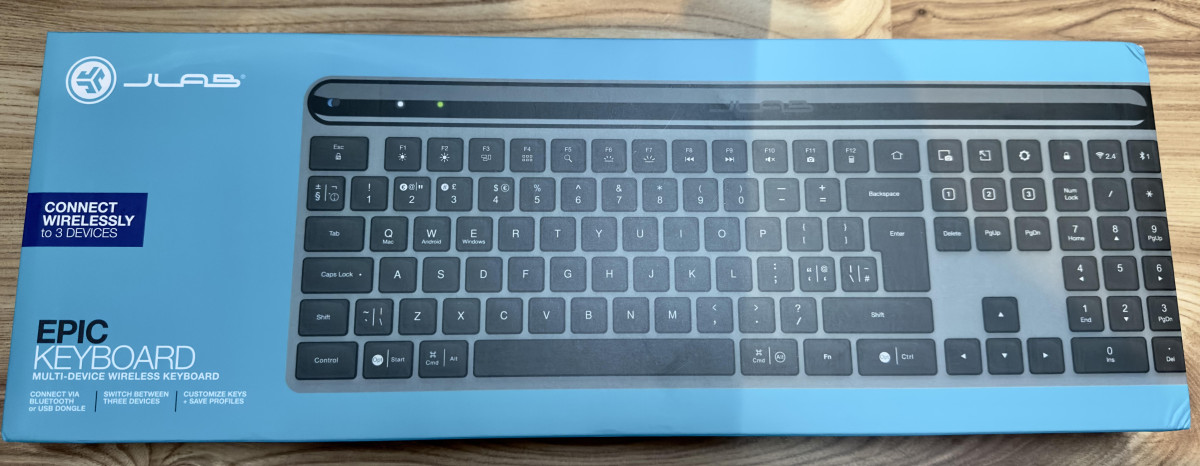
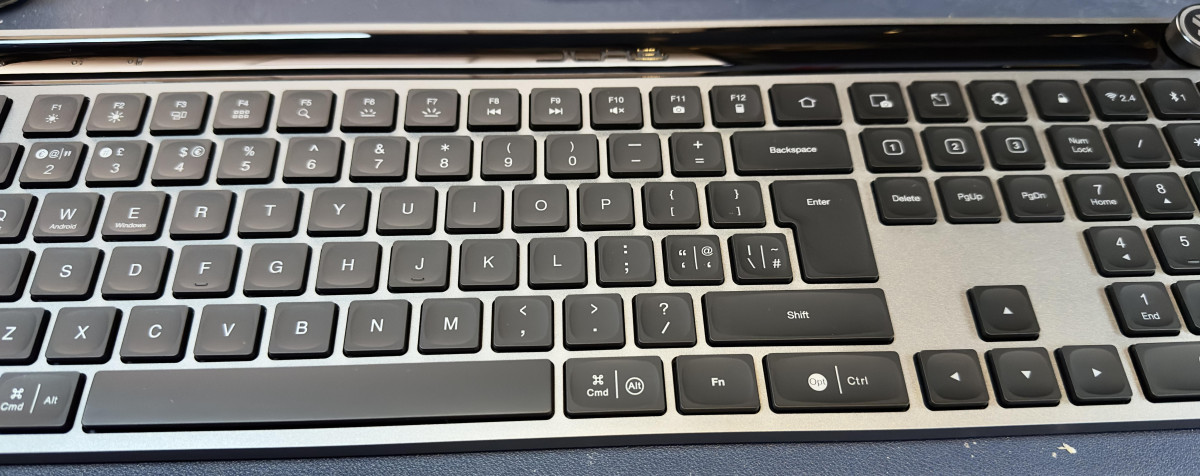
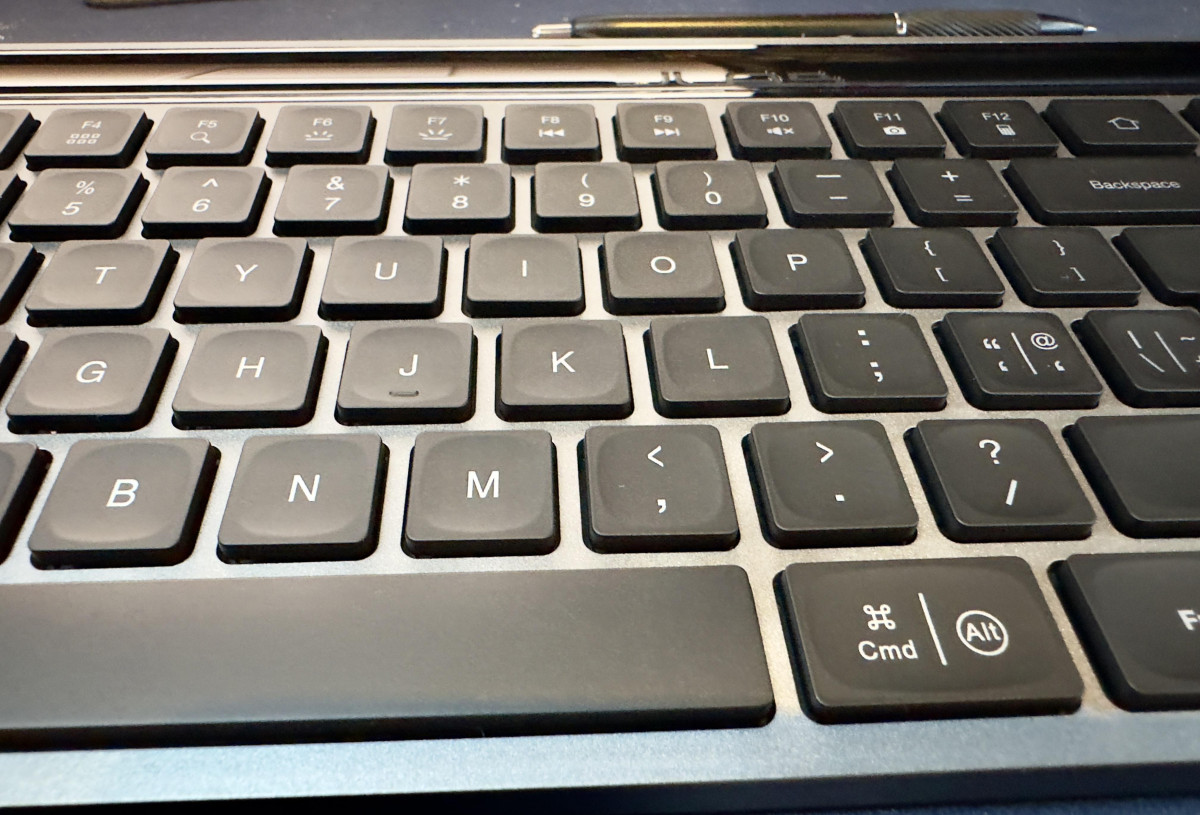
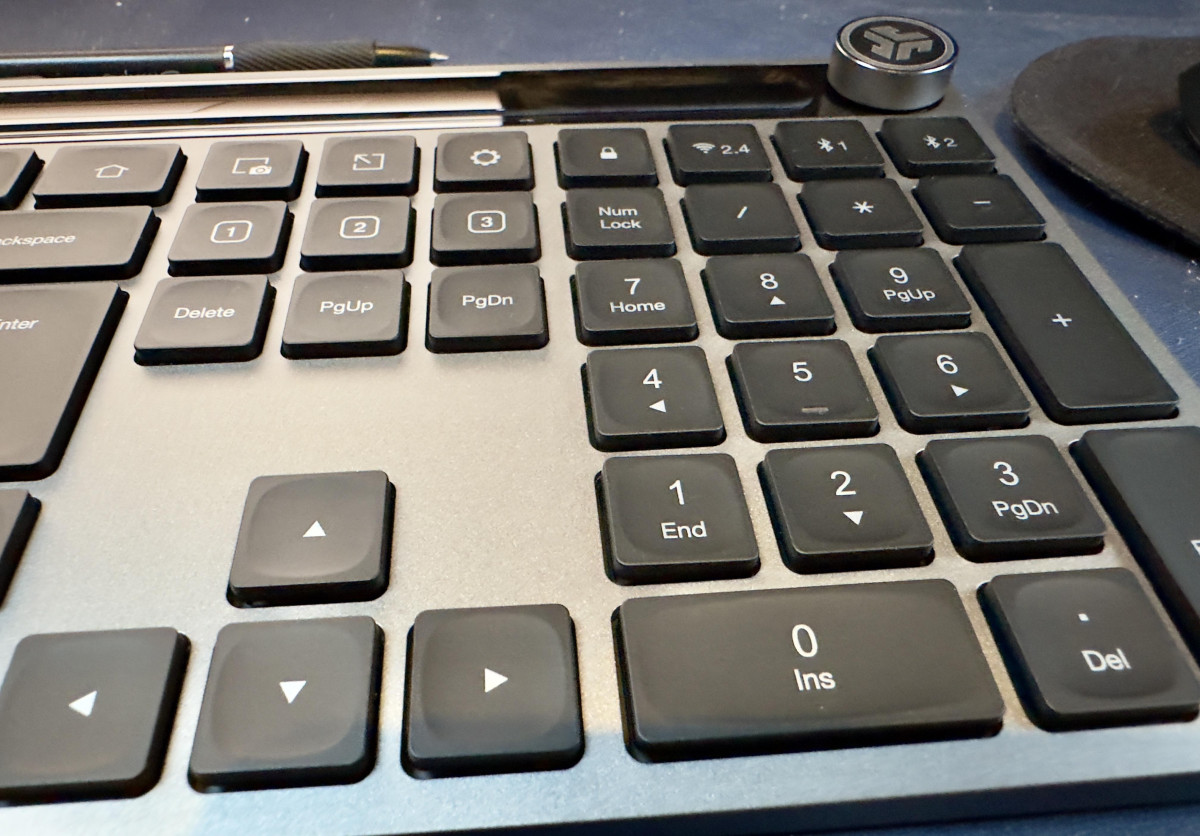
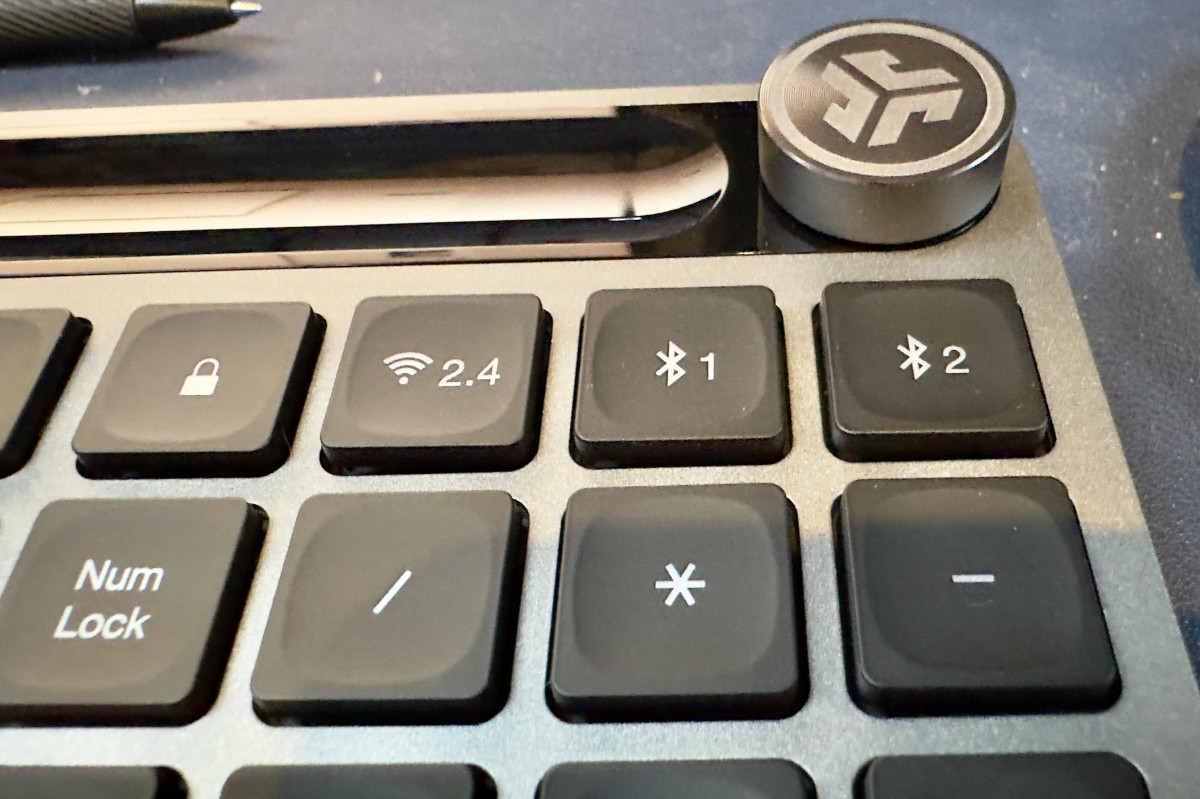
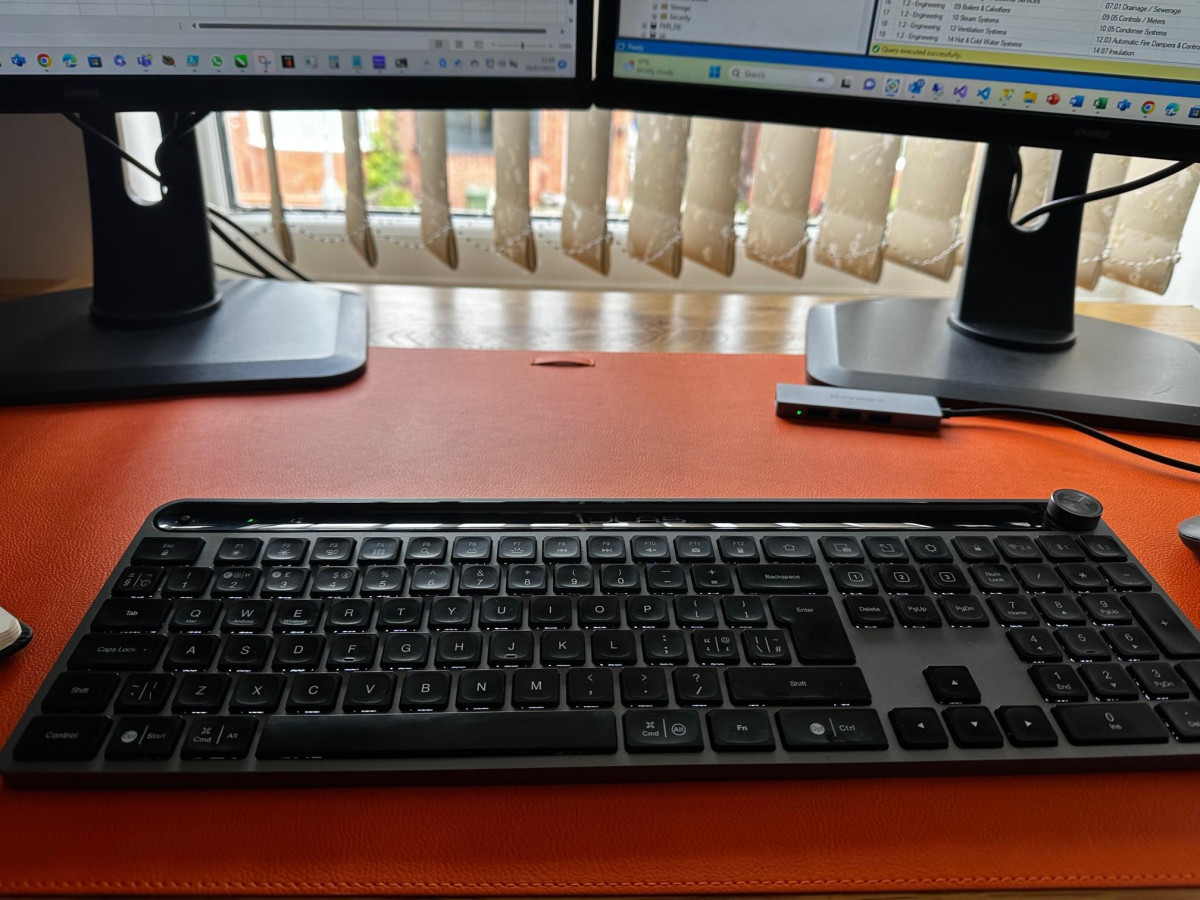
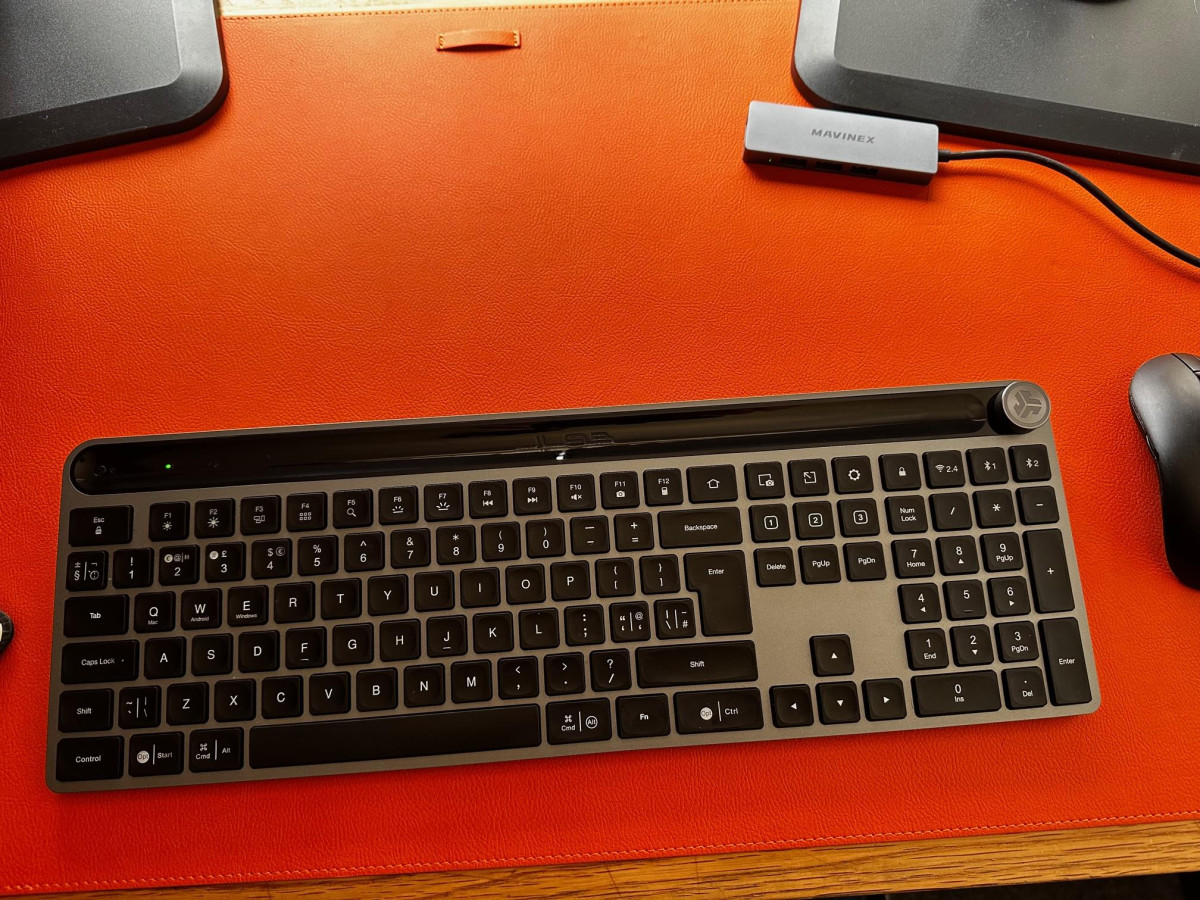
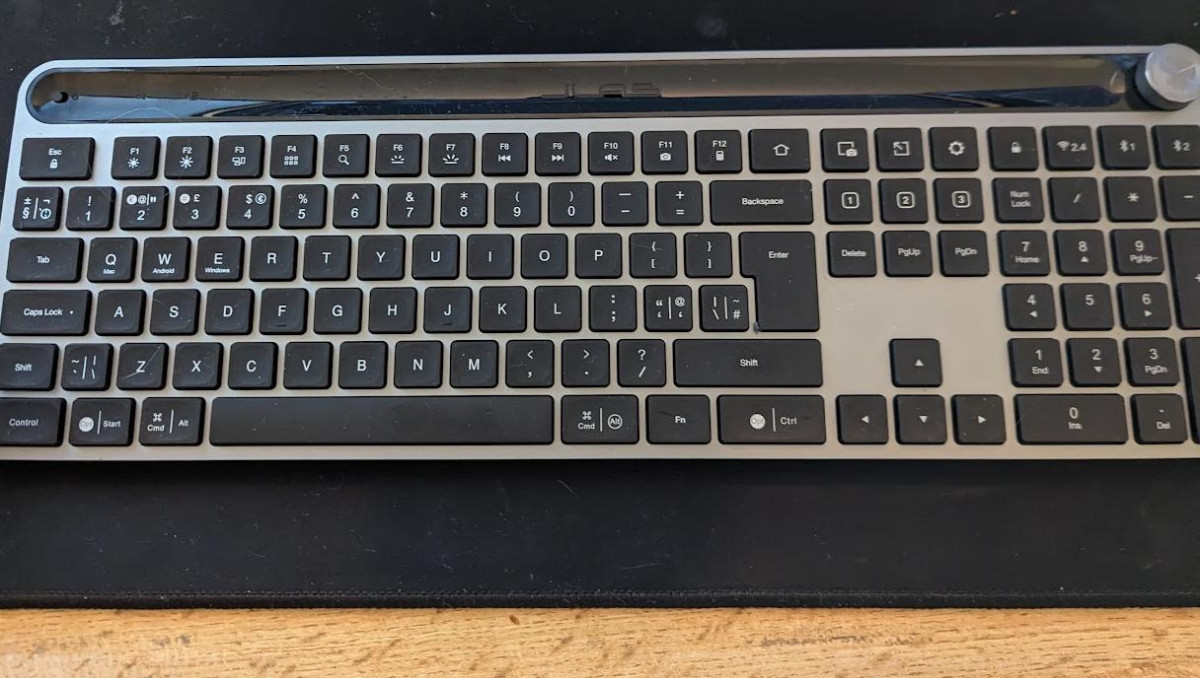
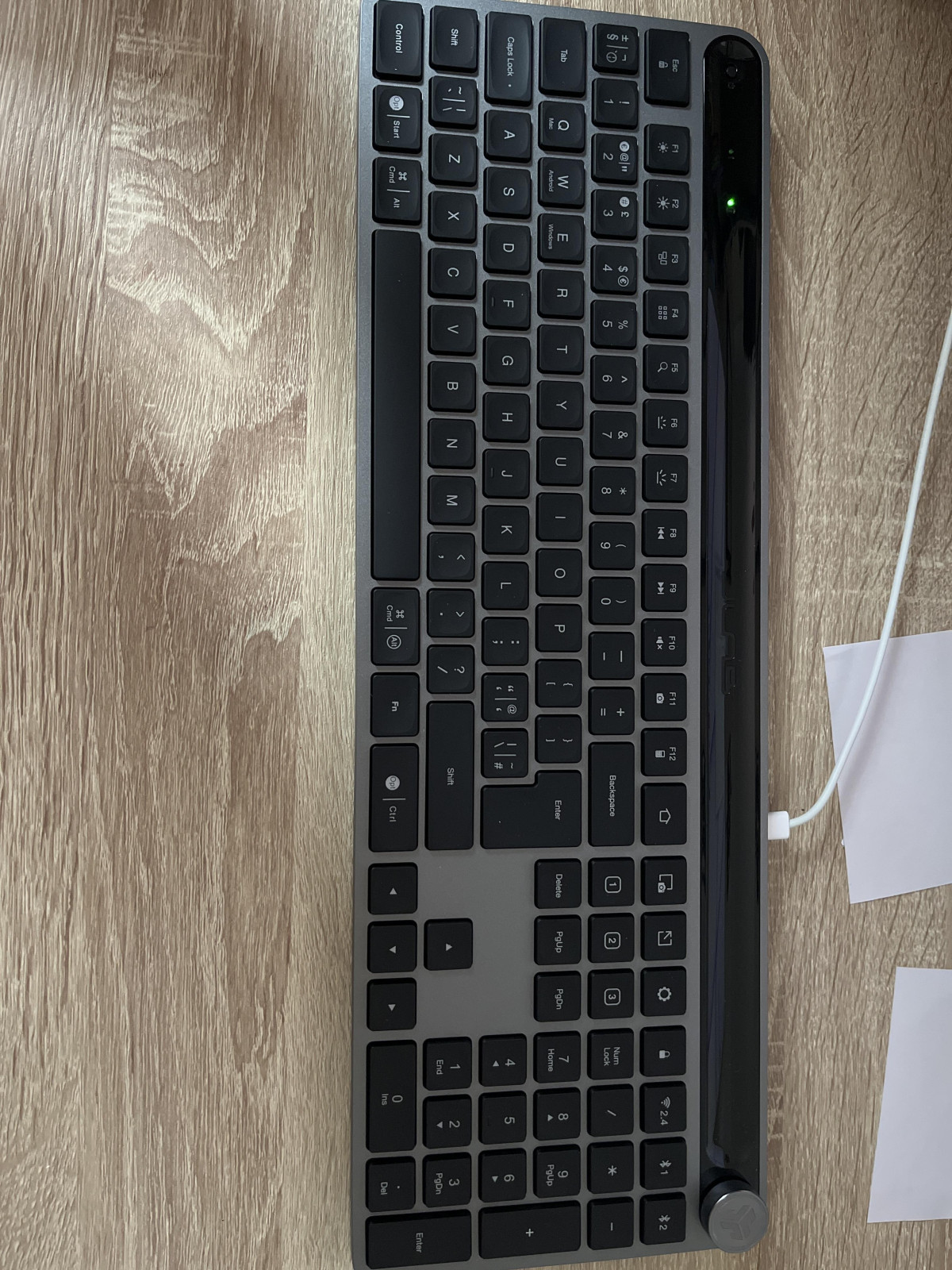
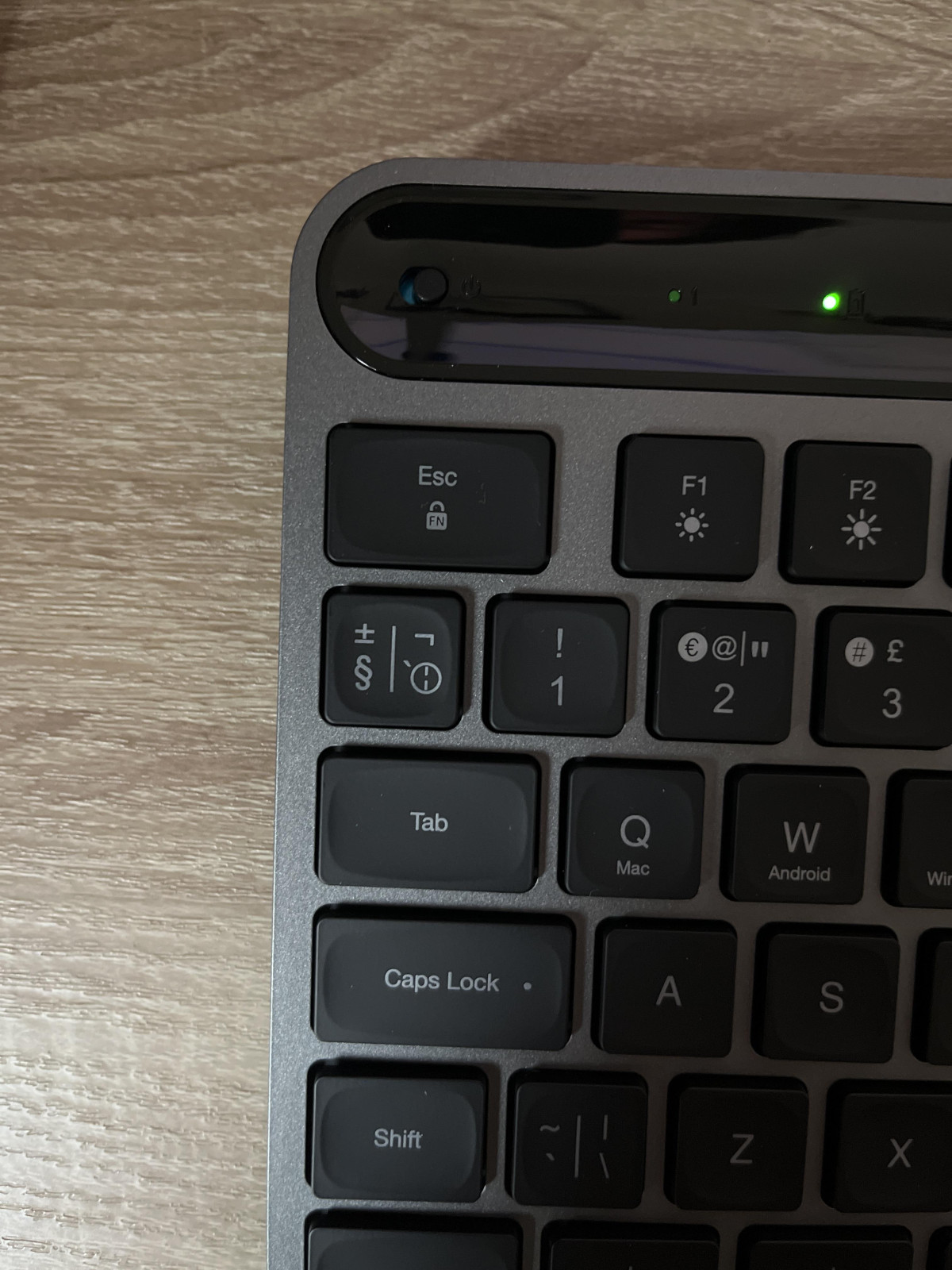
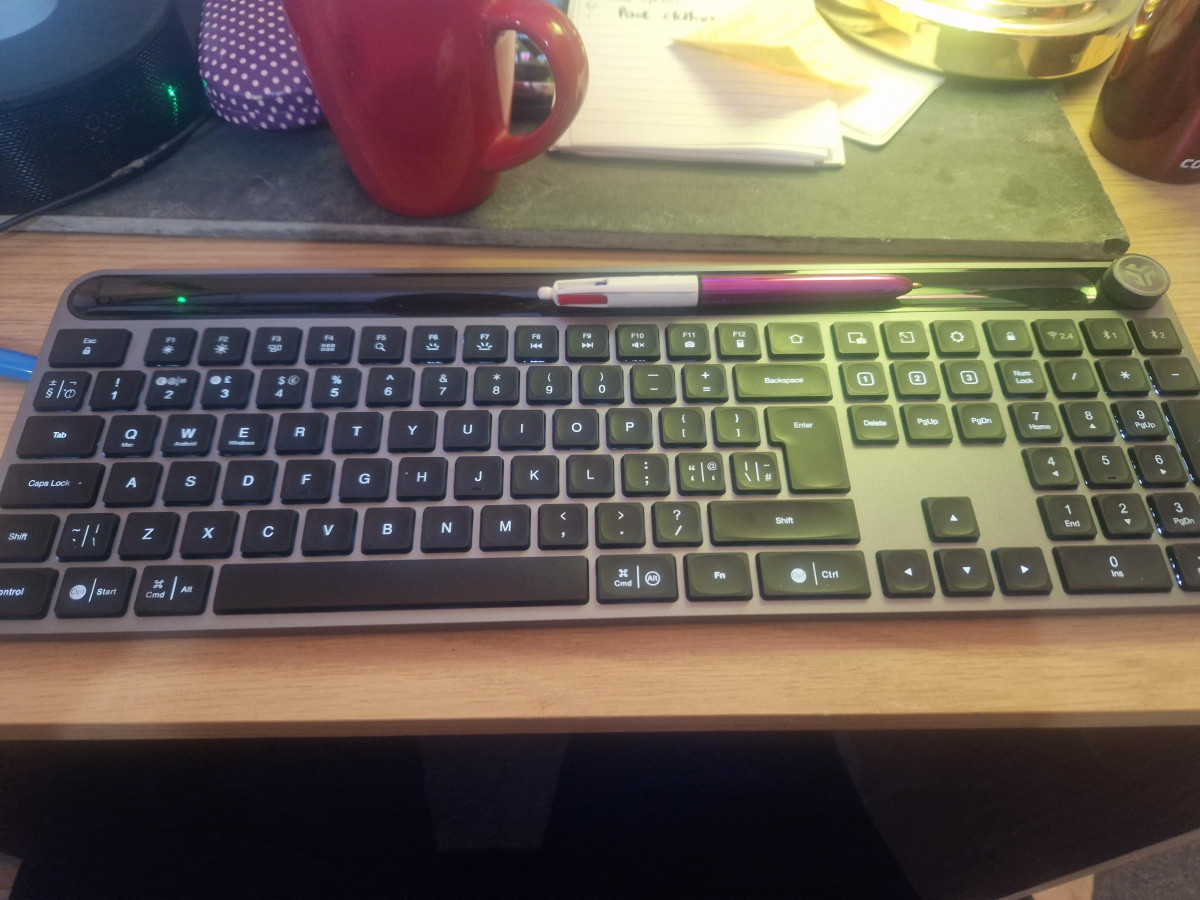
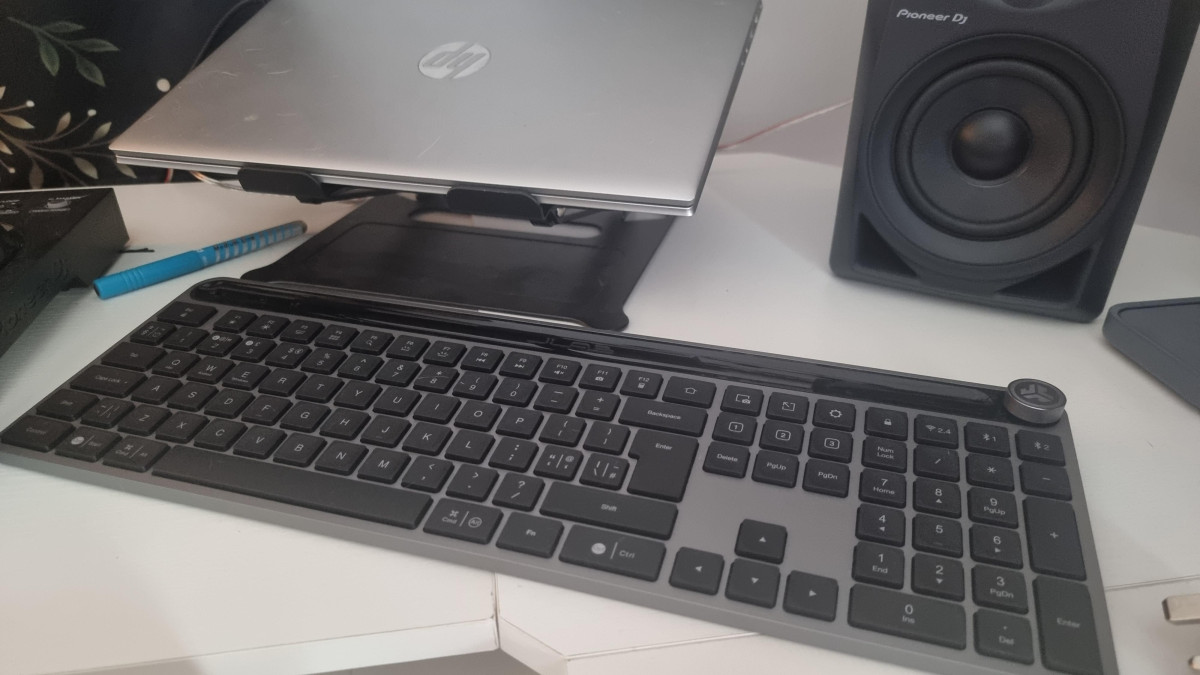
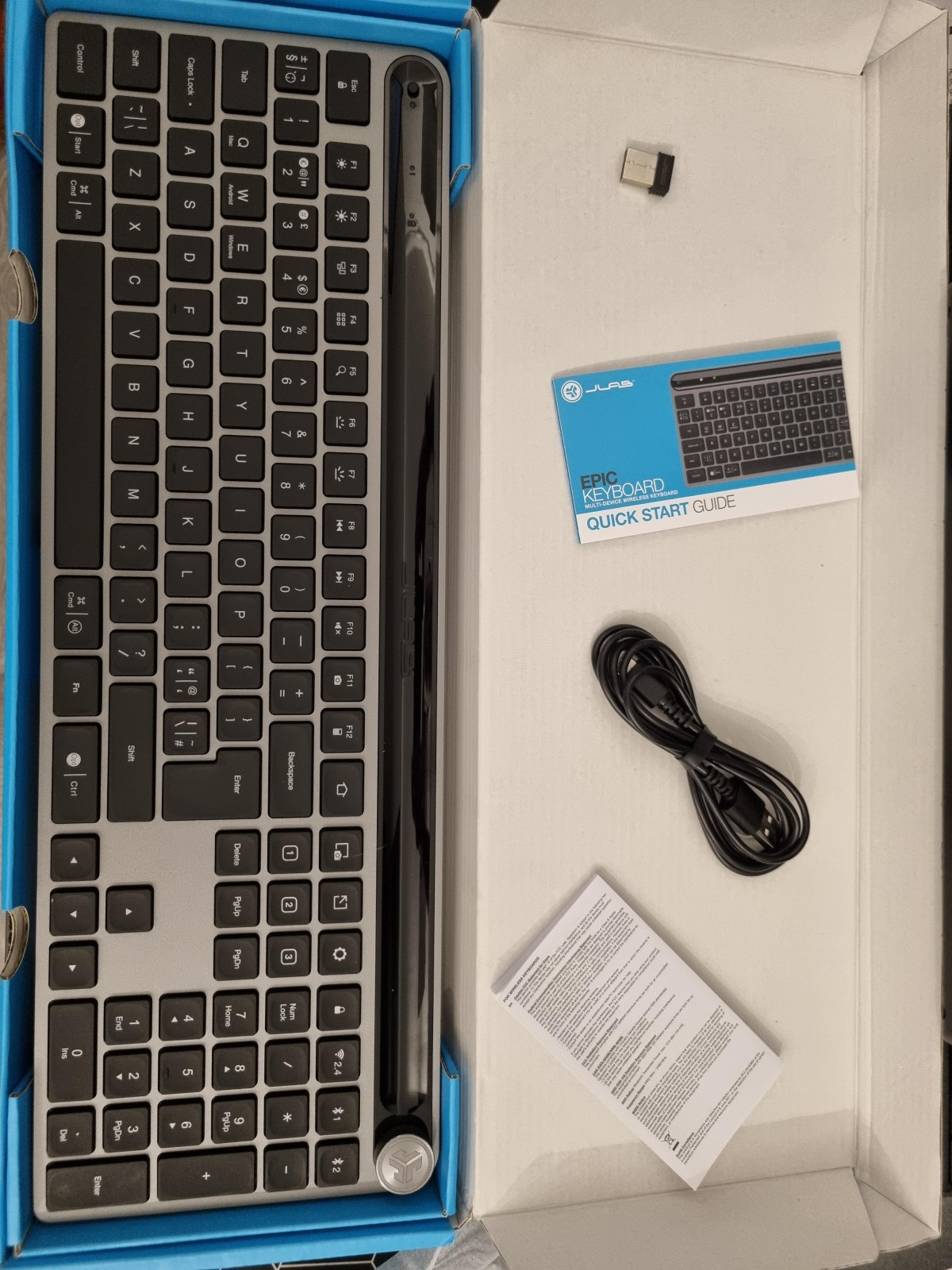
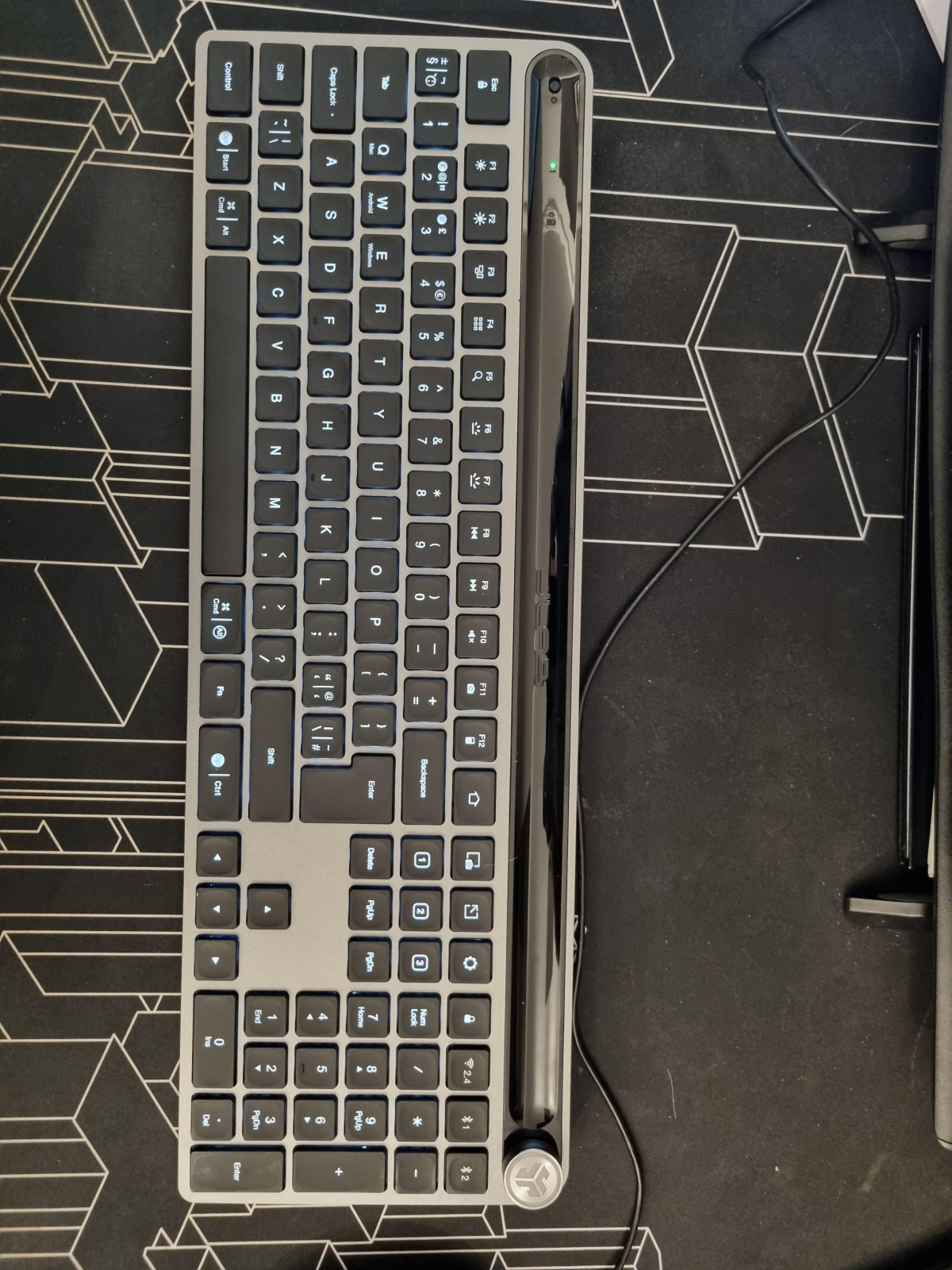
Pick this keyboard up and the first thing you notice is the base. Underneath the keys sits a solid metal plate rather than a thin plastic shell, which is unusual at this end of the market and immediately changes how the board feels in use. Press down hard, type fast, or lean on a corner while reaching for your mouse, and there's none of the hollow flex you get from budget keyboards — the chassis simply doesn't move.
Before you commit to it, though, you should know exactly what you're getting into: a soft-touch scissor-switch keyboard, not a mechanical one; a keyboard built for productivity and media control, not competitive gaming; and a keyboard whose real value only shows up once you start switching between devices regularly. If that sounds like your working life, keep reading — the details below will tell you whether it earns its spot on your desk.
Design and Build Quality
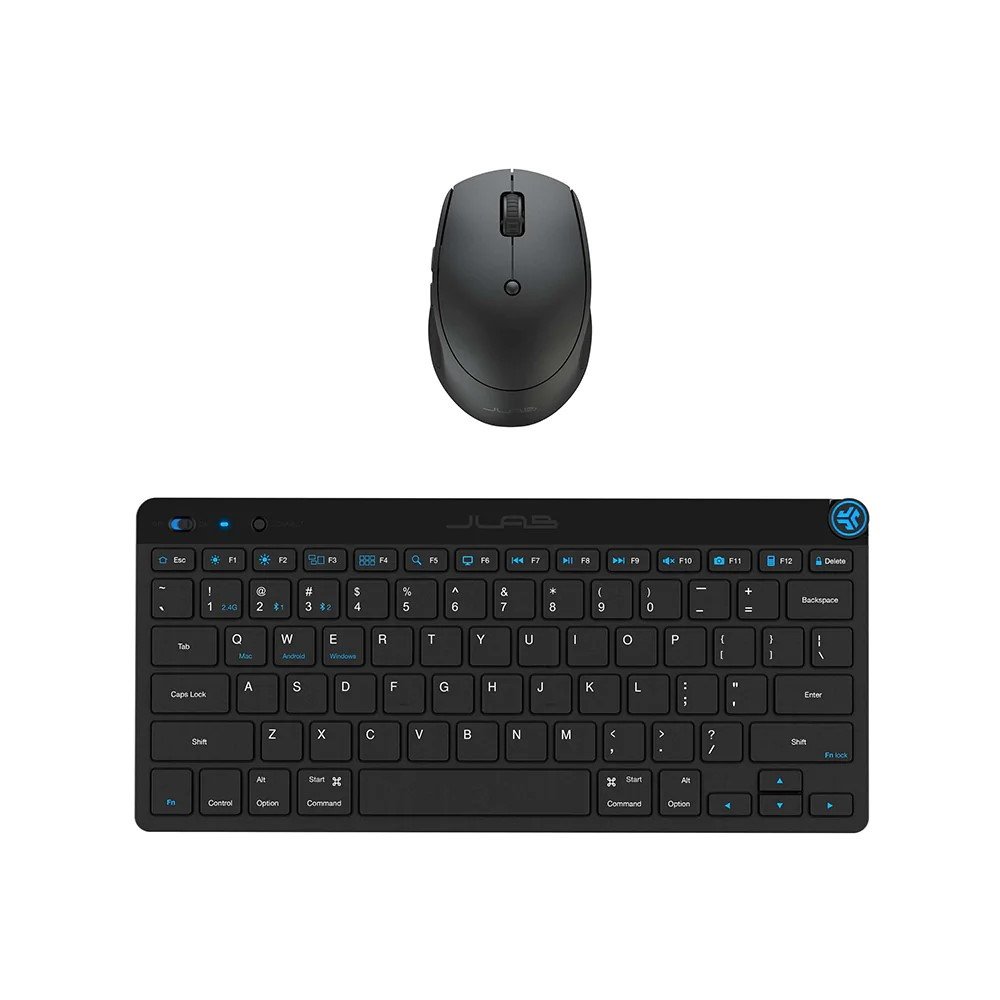
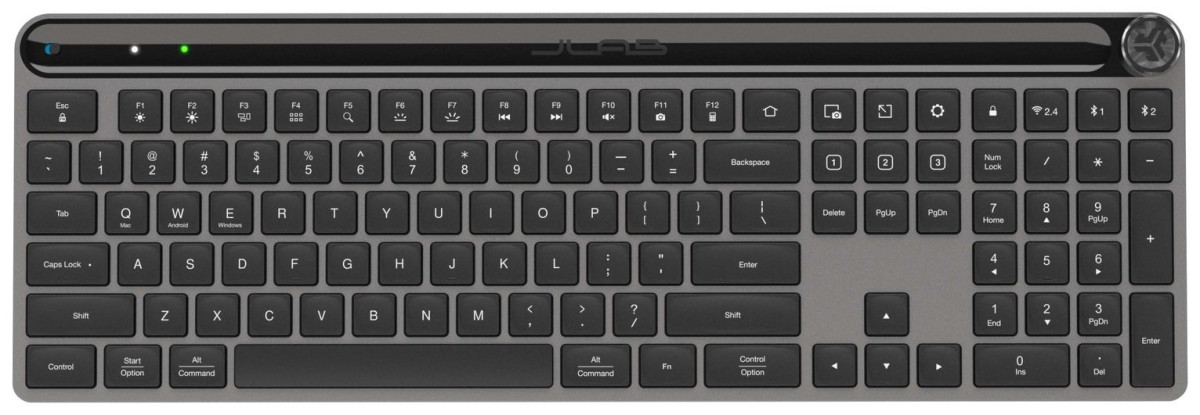
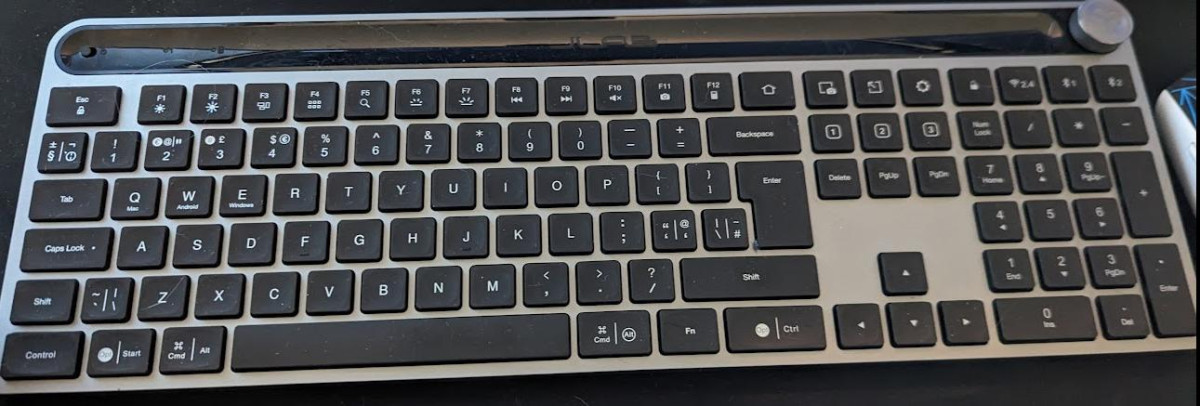
The layout is a conventional full-size 100% board with a dedicated number pad, arrow cluster, and a full row of function keys doubling as shortcuts. On top of the metal base sits a slightly raised deck, which gives the keyboard a natural typing angle without needing flip-out feet — useful in one sense (nothing to snap off), limiting in another, since there's no way to adjust that angle if the fixed slope doesn't suit your wrists. There's also no wrist rest in the box, so if you type for long stretches, budget for a separate one.
Finish-wise, the board pairs a metal grey base with black keycaps, giving it a look that sits comfortably in a minimalist home office just as easily as a battle-station setup with RGB peripherals around it — though the backlighting on this keyboard itself is a single soft white glow rather than colour-cycling RGB, which fits the "understated" design brief rather than the "gaming centrepiece" one. Underneath the raised section of the deck, JLab has also tucked away a USB-A pass-through port, so you can plug in a wireless dongle for a mouse or a small USB drive without hunting for a free port on your PC.
783g including batteries
16.75 x 5.5 x 1.25 in
Typing Feel: Scissor Switches, Not Mechanical
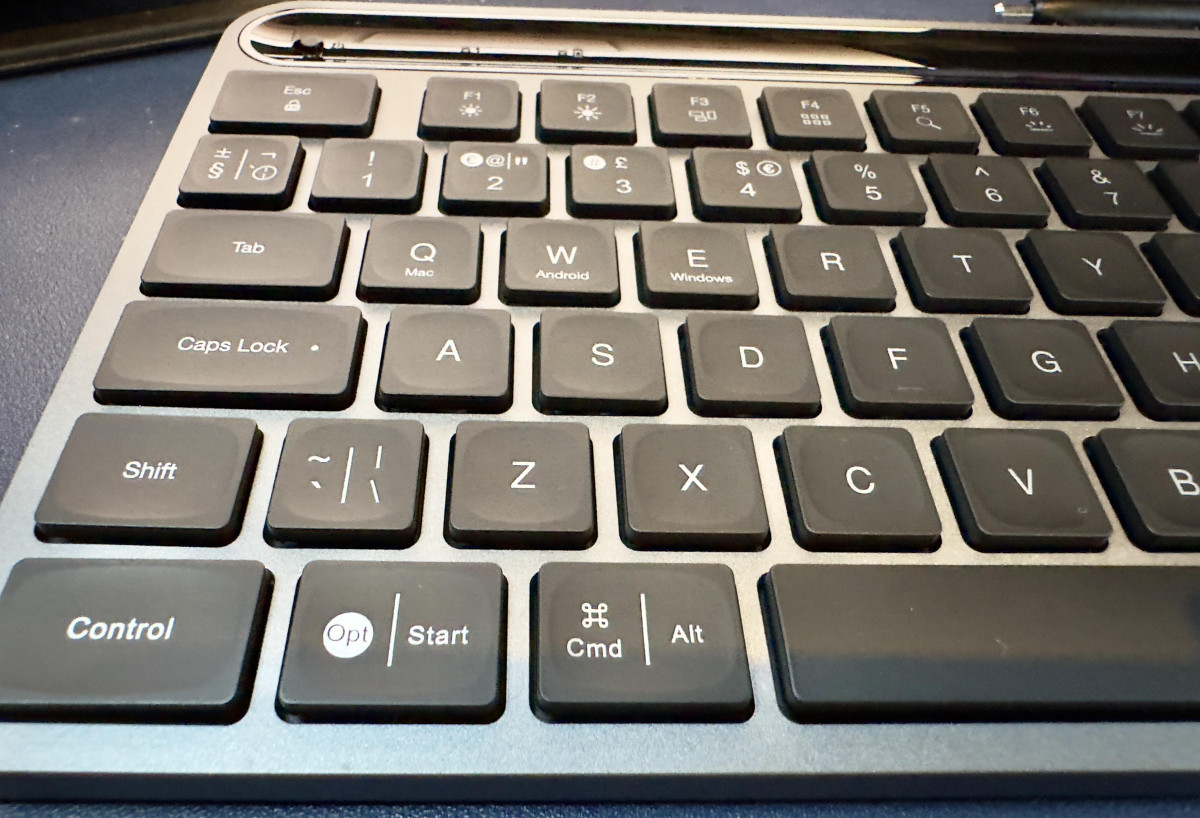
This is a scissor-switch keyboard, not a mechanical one, and that distinction matters for how you should set your expectations. Each key uses a shallow, cushioned action rather than the springs and metal contacts you'd find in a mechanical board, which is why JLab markets these as "soft touch" keys. In practice, that translates to a quiet, low-travel press — noticeably quieter than a clacky mechanical keyboard, and gentler on your fingertips over a full day of typing.
The keycaps themselves have a subtly concave, rounded profile — JLab calls the shape "squirkle" — designed to cradle your fingertip and guide it back to centre on each keystroke. It's a small touch, but it does add a sense of precision that flatter, cheaper keycaps lack. Key travel is shallow at roughly 1.8mm, so this sits closer to a laptop-style typing feel than a deep-travel desktop board.
Where this becomes a genuine trade-off is speed and competitive gaming. Scissor switches are comfortable for emails, documents, and everyday typing, but they don't offer the crisp, consistent actuation point that fast typists or competitive gamers rely on for split-second inputs. If you're coming from a mechanical board specifically for its tactile bump or audible click, this keyboard will feel softer and less distinct by comparison — some testers have found the typing experience merely "reasonable" rather than exceptional, even while praising the quiet keys and sturdy base. It's a keyboard built for comfort and quiet offices first, not for esports.
Connectivity: The Real Selling Point
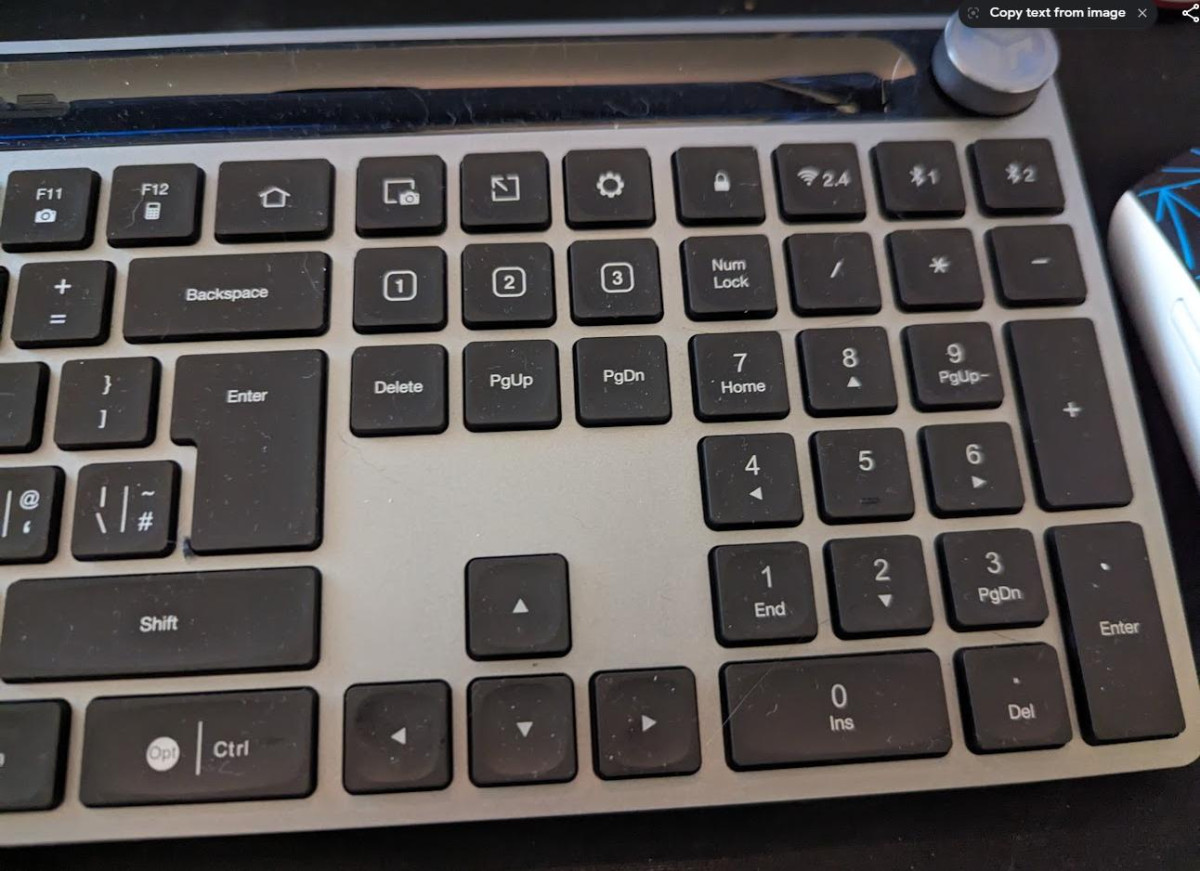
This is where the Epic Wireless earns its keep. Rather than pairing with just one device, it's built to juggle three simultaneously, and switching between them is a single keypress rather than a full re-pairing process.
| Connection | Type | Best for |
|---|---|---|
| Connection 1 | Bluetooth 5.2 | Phones, tablets, laptops without a spare USB port |
| Connection 2 | Bluetooth 5.2 | A second phone, tablet, or computer |
| Connection 3 | 2.4GHz USB wireless dongle | Your primary desktop or laptop, for the most consistent low-latency connection |
Bluetooth 5.2 is the current standard for stable, power-efficient wireless connections, and it's the only route available if you want to pair with a tablet or smartphone, since those devices don't accept the USB dongle. The dongle-based third connection is generally the steadiest of the three and the one worth reserving for your main work computer, since a direct 2.4GHz radio link avoids the small extra lag that Bluetooth can introduce. JLab rates the wireless range at over 30 feet (about 10 metres), which is more than enough for any realistic desk setup, and the keyboard is compatible with Windows, macOS, iOS, Android, and Chrome OS out of the box — Linux users can get it running too, though it isn't an officially supported platform, so expect a bit of manual setup rather than plug-and-play.
For anyone who splits their day between a work laptop, a personal tablet, and a phone for quick replies, this multi-device switching is the single biggest reason to choose this board over a single-connection budget keyboard.
Key Features Explained
The JLab Work App and Custom Profiles
The keyboard's shortcut keys aren't fixed — JLab's companion Work App lets you remap function keys and hotkeys to whatever you actually use, then save the result as one of three stored profiles. In practice, this means you could set up one profile tuned for spreadsheet work, a second for creative software, and a third for gaming or media, then flip between them as easily as changing which connected device you're typing into. Out of the box, the board already carries 18 dedicated hotkey functions covering things like internet and email shortcuts, media and volume controls, device-switching keys, and operating-system-specific shortcuts that adapt depending on whether you're connected to a Mac, PC, or Android device.
Backlighting
All 108 keys illuminate with a soft white glow, which is genuinely useful for typing in a dim room or after sunset — it isn't the RGB colour-cycling you'd see on a gaming keyboard, but it does the job it's meant for. One point worth flagging honestly: several owners have noted the backlight (and the keyboard generally) drops into a sleep state after a short period of inactivity, requiring a keypress to wake it back up. It's a minor adjustment rather than a dealbreaker, but if you like glancing at a lit keyboard without touching it, be aware it won't stay lit indefinitely.
Caps Lock Indicator
A small but genuinely helpful inclusion: there's a dedicated Caps Lock indicator light, something plenty of keyboards in this price range skip entirely, leaving you to guess whether you've just typed a sentence IN ALL CAPS.
Spill Resistance
The keyboard carries spill-resistant construction, meaning an accidental coffee or water splash is far less likely to take out the whole board — useful insurance for a desk keyboard that's going to live near your morning drink for years.
Battery Life and Charging
Power comes from a built-in 2000mAh lithium-ion battery, and JLab's own figures put realistic runtime at multiple years between charges under typical use with the backlight off — an unusually long window for a rechargeable peripheral, and one that effectively removes "did I charge my keyboard" from your list of daily worries. Turn the backlighting on and leave it running constantly, and that runtime will drop substantially, since illuminating 108 keys continuously is a meaningfully bigger draw than an unlit board; independent hands-on testing has generally found real-world battery life to be strong in practice, even if it doesn't always match the most optimistic multi-year estimate to the day.
Charging happens over USB, and JLab specifies that whatever charger you use needs to deliver between 2.5W and 5W. That's a modest, phone-charger-level output — this keyboard doesn't support PD (Power Delivery) fast charging, so plugging it into a high-wattage fast charger won't top it up any quicker than a basic 5W adapter would. Given how rarely you'll need to charge it in the first place, that's a reasonable trade-off rather than a real limitation.
Who This Keyboard Is Actually For
Best suited to
- Hybrid and remote workers who regularly switch between a laptop, tablet, and phone throughout the day
- Home office setups where a sturdy, understated design matters as much as function
- Anyone who works or reads in low light and wants illuminated keys without paying gaming-keyboard prices
- Users who want meaningful hotkey customisation without installing heavyweight software
- Buyers who want a full-size layout with a number pad, not a compact travel board
Probably not the right fit for
- Competitive gamers who need a mechanical switch's crisp, consistent actuation and minimal input lag
- Anyone wanting per-key RGB lighting or deep visual customisation
- Typists who specifically want a tactile or audible mechanical "click," since this is a soft, quiet scissor-switch board
- Anyone who needs adjustable typing angle feet or an included wrist rest
- Buyers wanting the smallest, lightest possible travel keyboard — this is a full-size board with a number pad, not a compact one
How It Compares to the Alternatives
The Epic Wireless Bluetooth Keyboard competes in the same general territory as other multi-device wireless keyboards aimed at hybrid workers, most notably Logitech's MX Keys S — arguably the best-known name in this space. It's also worth knowing that JLab itself sells two close relatives: the Epic Mechanical, which swaps the scissor switches here for genuine mechanical ones at a higher price, and the Epic Mini, a smaller 80-key version for people prioritising portability over a number pad.
| Factor | JLab Epic Wireless Bluetooth Keyboard | Logitech MX Keys S | JLab Epic Mechanical |
|---|---|---|---|
| Switch type | Soft-touch scissor | Scissor (low-profile) | Mechanical |
| Base material | Metal | Aluminium/plastic composite | Metal |
| Simultaneous devices | 3 (2x Bluetooth + dongle) | 3 (Bluetooth/dongle) | 3 (Bluetooth + dongle) |
| Backlighting | White, all keys | White, adaptive brightness | White, all keys |
| Number pad | Yes | Yes (standard MX Keys S size) | Yes |
| Best for | Quiet, budget-friendly multi-device typing | Premium build and long-term software support | Tactile mechanical feel with multi-device switching |
The honest takeaway: the Epic Wireless undercuts the premium multi-device keyboards on price while still offering a metal base and genuine multi-device switching, which is exactly the trade-off budget-conscious hybrid workers are looking for. Where it gives ground is polish — the software is simpler than Logitech's more mature ecosystem, and the typing feel, while comfortable, doesn't hit the same refined ceiling as the priciest options. If a tactile mechanical feel matters more to you than price, JLab's own Mechanical variant is the logical step up within the same brand.
Strengths and Weaknesses, Honestly
The strongest argument for this keyboard is how effortlessly it handles the thing most budget wireless keyboards get wrong: switching between devices. Bouncing from a laptop to a tablet to a phone and back is quick, reliable, and doesn't demand you dig through Bluetooth settings each time — reviewers who tested it across a Mac, a Windows laptop, and an Android phone found the handoffs consistently smooth. The metal base gives it a sturdiness that punches above its price, the battery life is long enough to largely forget about charging, and small touches like the Caps Lock light and spill resistance show attention to the details that matter for daily use.
Set against that, the typing experience is comfortable rather than outstanding — fine for emails, documents, and everyday work, but a clear step below what dedicated mechanical keyboards offer, and not the right tool if speed-critical gaming is your priority. The fixed, non-adjustable typing angle and absence of an included wrist rest are minor but real omissions for anyone who types for hours at a stretch. A small number of owners have also reported occasional double key-presses or a key coming loose over time — not the dominant experience by any means, but worth knowing about rather than glossing over. And the backlight's habit of dimming out during short pauses, requiring a keypress to wake, is a minor friction point if you like a keyboard that stays lit while you think.
The Final Verdict
If your day involves typing across more than one device — laptop, tablet, phone, or some combination of the three — the JLab Epic Wireless Bluetooth Keyboard - Black solves that problem better than most keyboards at this price, and its metal base means it won't feel like a compromise sitting on your desk. It's a genuinely easy recommendation for hybrid workers, home-office setups, and anyone who wants a full-size, illuminated, comfortably built keyboard without paying premium prices for it.
It's a harder sell if you're chasing a mechanical typing feel, competitive gaming responsiveness, or per-key RGB customisation — those buyers should look elsewhere in JLab's own range or toward dedicated gaming keyboards. But for the multi-device productivity use case it's actually built for, this keyboard delivers exactly what it promises, and does it reliably.
What People Say
32 commentsExcellent MacBook-Style Typing Experience
I've been searching for ages for a keyboard that could replicate the feel of my MacBook's keyboard, and the JLab Epic Wireless has absolutely delivered. This is genuinely one of the most comfortable keyboards I've ever used.
The typing experience is exactly what I was hoping for. The key travel and feedback feel remarkably similar to a MacBook keyboard, which makes switching between my laptop and this keyboard completely seamless. There's no adjustment period needed, you can just sit down and type naturally from the first moment.
What really stands out is how easy it is to type on for extended periods. Whether I'm writing emails, working on documents, or just browsing, my hands never feel strained or uncomfortable. The layout is intuitive and the keys respond beautifully without requiring too much force.
If you're a MacBook user looking for an external keyboard that doesn't compromise on that signature typing feel, I can't recommend this enough. It's been a game changer for my setup.
Highly recommended for MacBook users or anyone who values a comfortable, low-profile typing experience.
A good well made keyboard, with good battery life
The keyboard unit is well-made and feels solid, featuring low-profile keys that are responsive, quiet, and tactile. It sits low to the desk, with only one low height option available. If you prefer adjustable keyboard height, this might not be the best choice.
Setting up the keyboard on a Windows 11 desktop is straightforward. It connects within seconds via Bluetooth or wireless settings in the app.
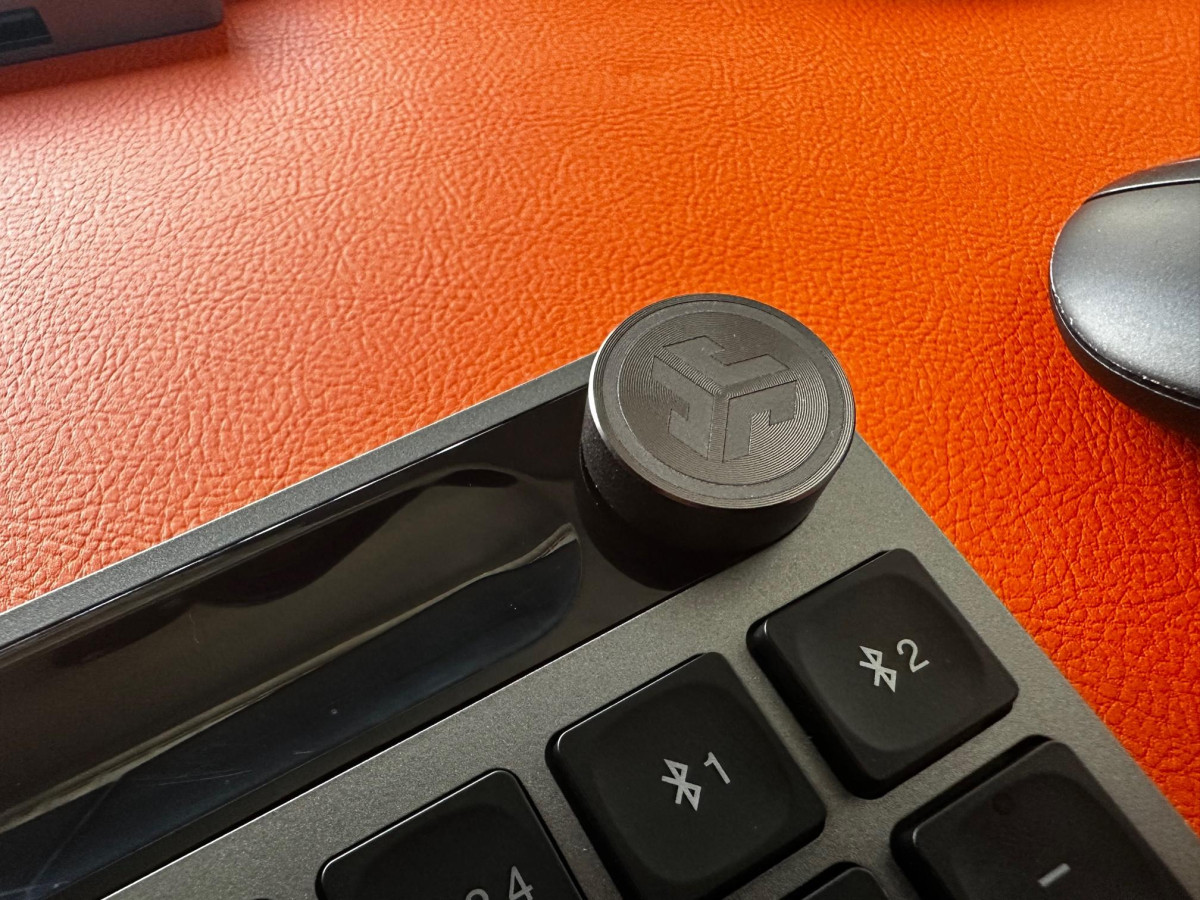
One excellent feature is the ability to connect to multiple devices. With a simple touch of a button, I can switch between my iPad and Windows desktop using the same keyboard. Additionally, I appreciate the solid feeling of the circular controller on the side of the keyboard. It's configurable, and while I've kept it on the default setting (Volume control), you can customize it for other useful functions like starting/stopping music.
The backlit keypad is a great addition and is not overly bright or overpowering. As for battery life, it is relatively good, lasting 2-3 full working days (8 hours per day) before needing a charge via the USB-C port.
Really, really quality keyboard 10/10
I'm very impressed with the JLab keyboard. I'm a software developmer and the ergonomics and the fell of the keys is very important. When you first take it out of the box, you appreciate how heavy it is, it feels like a quality product. My previous keyboard (Whilst not cheap), was light, and "plasticky", the JLab keyboard is very substantial.
I thought the media knob was going to be a gimmick, but now I've got used to it, it has become really handy to pause/start my playlists, and turn the volume up and down quickly - don't know why I've never had one of these before!
I've connected the keyboard to my Windows PC using both the bluetooth interface, and the wifi dongle - both work the same without any discernable differences.
Only problem I've had is getting used to the Home/ End keys which are in a different place than my previous keyboard, not a fault of JLab though, just my muscle memory.
I'm going to invest in a JLab mouse to compliment the keyboard now, this one feels cheap beside the keyboard.
Number pad is always a plus…
Straight out of the box, this is a very nice looking keyboard. Sleek, tactile and not too fancy - just what I like!
I popped it on charge, and it didn’t take too long at all (I’m assuming it was part charged on arrival?). It did, however, take me ten minutes to turn it on - the power button is slightly camouflaged at the top left, and (to me) it looked as though it was a tiny push button. It’s not, it’s a tiny sliding switch. It wasn’t obvious at all that there was a power button there.
Once on - it was really easy to connect to my Mac, and switch the keyboard over to a Mac keys layout.
On the box, it says you can customise keys and save profiles - I’m yet to figure this out. The documentation supplied is basic, to say the least. I’m sure I’ll figure it out eventually.
All in all - a great keyboard, if a little fiddly to turn on.
It's good!
I needed a keyboard with similar design technology to another well known one that looks the same for a decent price. And here it is. The keys are like 'rennies' for indigestion and really help with positioning of fingers, so I like that a LOT. The volume control knob top right was great because my fat fingers hit the wrong buttons on the top of my old keyboard, and you also need to press the FN key to change their use case. This is great, and it's a bit clicky too. Nice. The keyboard is well made, quite heavy and doesn't flex too much, but I would really like to be able to keep the backlight on indefinitely (if connected to a power source all the time) The lights go off in a dark room and you have to press a button to ignite them, but the muscle memory can hit the space bar.
Great All-Rounder with a few USPs
The keyboard has a great weight to it that feels more premium than it looks. Whilst it looks at first glance like your average keyboard, it has some unique features that sets it apart from the competition. The audio wheel on the top right and the ability to quick switch between bluetooth devices are something that have become part of my daily routine and I wish more keyboards followed suit. The keys feel a little bit more on the mushy side than I'm used to but after a few days, I became used to it. All in all, this is a great all-rounder keyboard. I play video-games a lot and code during the day so the keyboard saw heavy use and didn't cause me any issues at any point.
Easy to set up, plenty of functionality.
Inside the box was everything needed to get it up and running. Alongside the keyboard was the USB dongle, power charging lead and quickstart guide. As it had some power in it, all I needed to do was plug in the dongle and switch it on, seconds later it was in use. It connected just as easily to my Android tablet via Bluetooth, press and hold the relevant button and it appears on the device immediately and is ready to use. The backlit keys are a nice touch with power save function, and the keys have a light feel to them. All of the special function buttons seemed to work without setting up, with a few of the buttons having functions that need to be set up with an app.
JLab epic wireless Bluetooth keyboard.
Wow!!
Well built, intuitive and lasts about 12/16 hours before needing charged.
I love the fact that it goes in to standby after 90 seconds of idol.
Really easy to set up, literally plug and go, no downloading drivers etc.
Compact and chunky, and by chunky I mean it is solid, not flimsy.
The clack of the keys is nice and not a get on your nerves type.
There are several short cuts, so retain the book!! Or you, like me will be scratching your head thinking where it went wrong and systematically pressing all hot keys!
Also,a handy feature is there is a qr code in the booklet, which links to the JLab website to update the keys/etc.
Amazing Keyboard
The JLAB Epic Keyboard is the epitome of premium craftsmanship. Its sleek design, durable build, and responsive, tactile keys create a typing experience like no other. The customizable RGB backlighting adds a touch of elegance and endless personalization options. Seamless wireless connectivity, impressive battery life, and dedicated media controls make this keyboard a premium choice for those seeking excellence in both form and function. The JLAB Epic Keyboard has redefined my typing experience, proving itself to be a five-star, top-tier product in every aspect.
Not good if you are buying for the 'backlight'
Be warned, Jlabs has made an error with the backlight functionality. The backlight switches off automatically after 30 seconds and this setting cannot be changed, so if you require the backlight functionality you will look down to nothingness once it times out. Jlabs states that they will correct this in a future model and 'will see' if they retro the upgrade to old keyboards in future.
My new Fav keyboard
I bought this for my PC laptop set up. I can swap from my work machine to home with ease. No more swapping keyboards on my desk. Easy set up and and get going. Down side is the software for the programable keys is a bit limited. Would better if it was a little larger and can be confusing with the android, mac and windows options. But takes no time to get used to.
Excellent keyboard
Great example of a multi device keyboard, for thise that prefer the shallow press keys this is a great example. The back-lit keys are adjustable brightness and easy to see. Also has 3 programmable buttons. Battery life is excellent in my use case.
Definitely recommend they keyboard, also got the smaller version for my son as a travel keyboard.
Great! Just get it!
Bought it on offer 50% off
Worth the money! Wireless or USB dongle, up to your preference. Keyboard is also lit with adaptable light setting. Connects up to 3 devices. Wife and I, both, use PC and Mac so perfect solution. Get a bundle with Mouse and I promise you won't be disappointed!
Bluetooth keyboard
Recently bought this and Bluetooth mouse, unfortunately neither worked properly and In the end stopped working all together. I was amazed how good Argos staff are at handling faulty goods and I received a no quibble refund.
Thank you Argos staff at the Canvey Island branch.
For me, a bit flawed
This is a nice weighty keyboard. Most of it works fine, and battery life seems exceptional. Unfortunately, I had issues with the space bar which frequently did not operate, and had me having to go back through documents correcting its failings. I returned it for a refund.
Best I've evr used
This is an excellent keyboard and the nicest I've ever used. It has a perfect button action firm but not clunky, just smooth. It is heavy and feels very high quality, packed with features and pre defined keys. A lot of thought has gone into the layout.
Great keyboard
Works well with the block for my MacBook Air I’ve had it a few weeks now and haven’t had to charge it at all. Feels like really good quality. Backlit keys are nice but led light on the volume wheel would have finished off the look.
Good Product :-)
What a great Keyboard! Really simple to setup and easy to use. Keyboard has soft keys making typing smooth. Easy connection to laptop and tablet made switching between the two simple even for people with minimal tech knowledge.
Good features
Have been using this for a few weeks now, quite happy with it but find the sound control has a frustrating act of coming on very loud every time you touch volume control, even by mistake I, e, your shirt sleeve touch’s it
Great all round keyboard
Great keyboard, lots of ways to connect and use. Able to register loads of hot keys. Lovely soft quiet keys which are back-lit which is very handy for evening and late night working. Great quality design and feel.