Trust ODY II
TRUST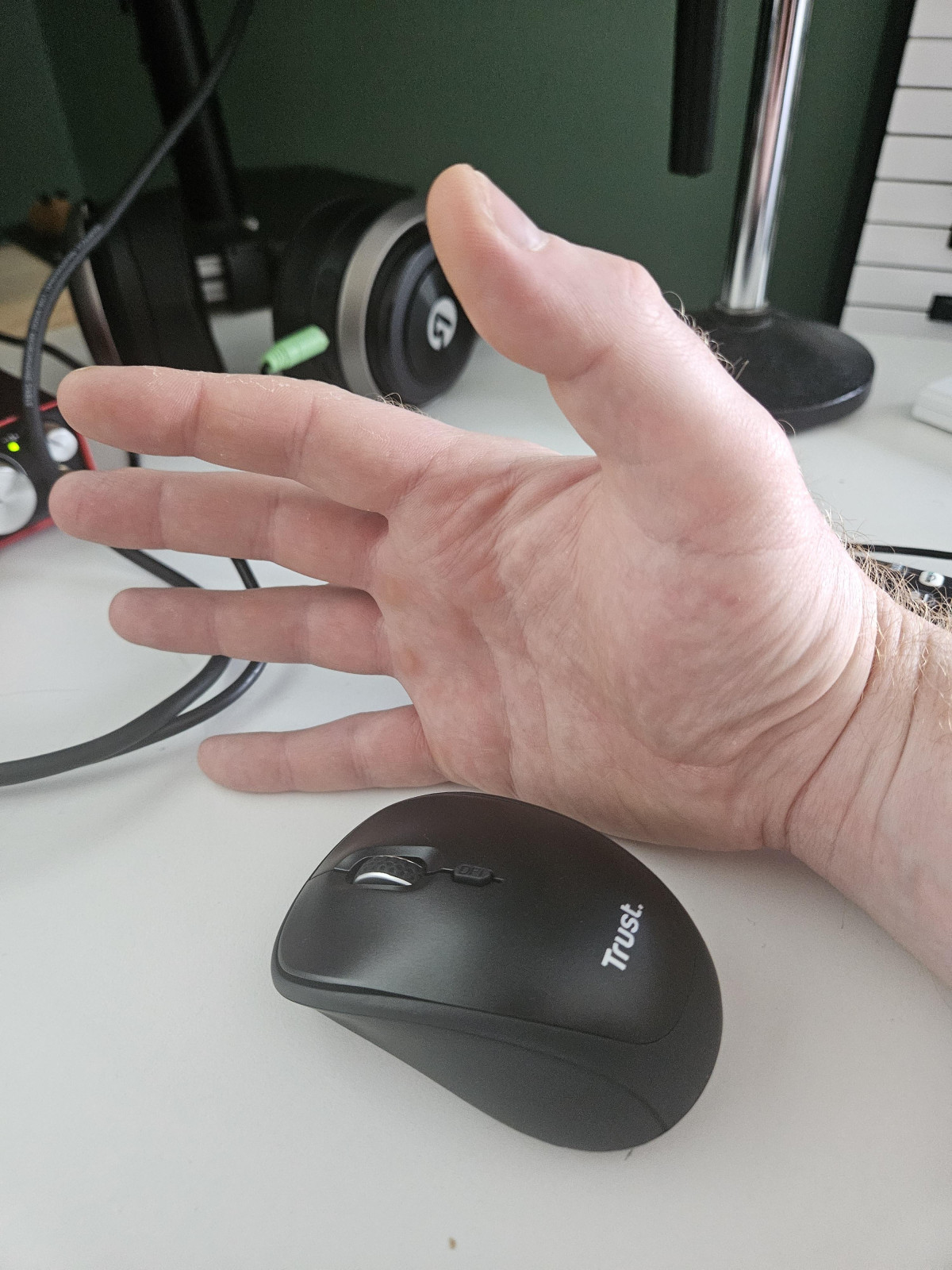
Silence as a Feature: What the Trust ODY II Deskset Actually Delivers
Every open-plan office, every shared flat, every video call taken from a kitchen table has the same quiet enemy: a keyboard that clatters. The Trust ODY II Wireless Keyboard and Mouse Deskset exists specifically to solve that problem, positioning itself not as a gaming rig or a premium ergonomic system, but as a no-fuss, budget-friendly combo built around one core idea — you shouldn't have to type like you're operating a typewriter just to send an email.
This is a full-size wireless keyboard and mouse pairing that costs less than a takeaway dinner for two, and it makes a specific promise: quiet keys, comfortable all-day use, and zero cable clutter. The question worth answering before you buy is whether that promise holds up once you're actually typing a report at 11pm next to a sleeping partner, or clicking through spreadsheets on a shared desk. Here's what the design, the features, and independent hands-on testing actually reveal.
Design, Build Quality, and First Impressions
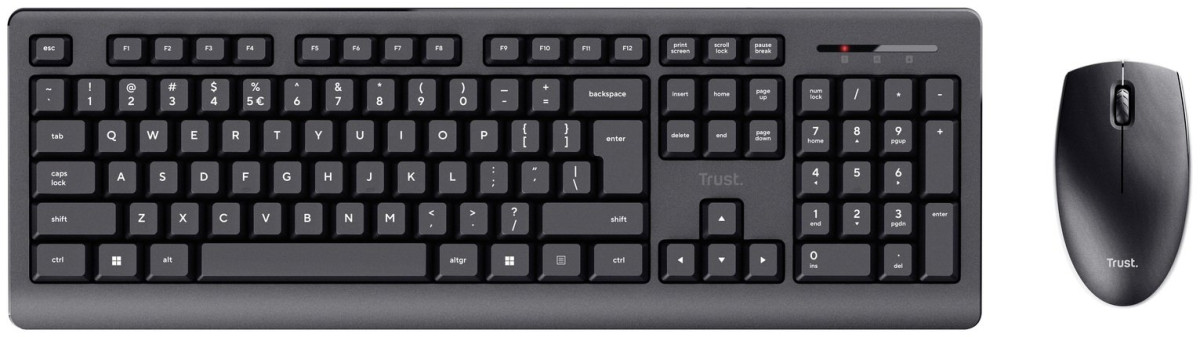
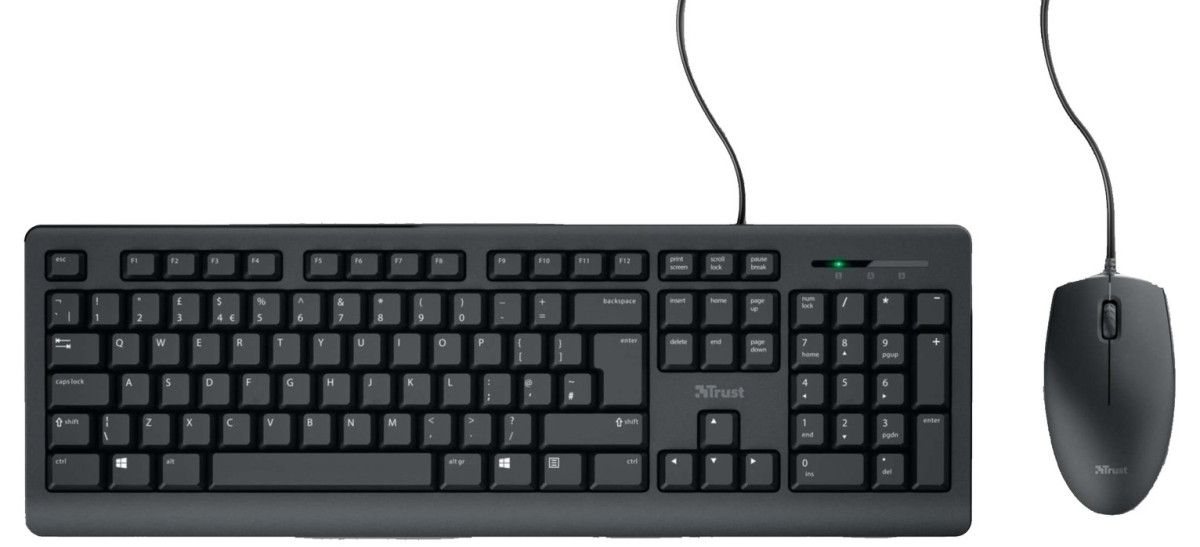
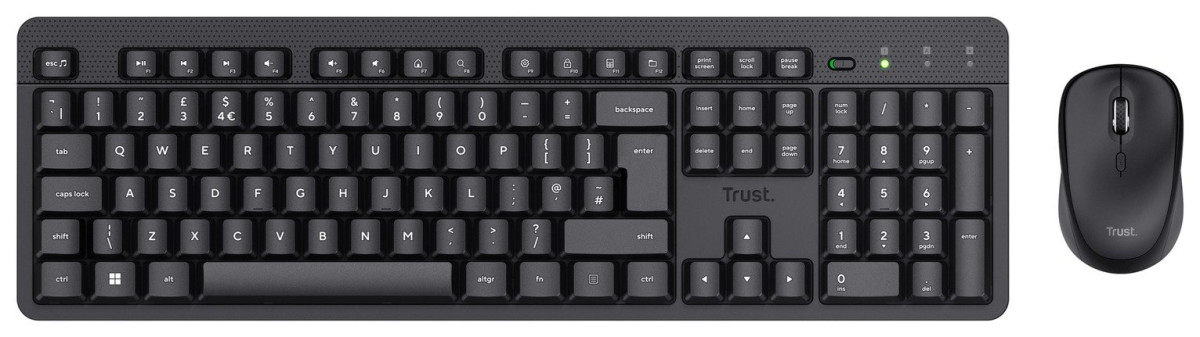
The ODY II ships in matte black with a subtly textured, embossed strip across the top of the keyboard — a detail that gives it a more considered look than most budget desksets, which tend to lean on flat, featureless plastic. Independent hands-on testing has echoed this, noting that despite its low price, the build feels notably more solid than typical entry-level keyboards, without the cheap, hollow plastic feel that plagues so many bargain peripherals.
Part of that solidity comes from something unusual for a budget product: the keyboard has genuine heft to it, aided by housing three AAA batteries across the set rather than relying on featherweight internals. That added weight translates into a keyboard that doesn't skate around the desk when you're typing quickly, which matters more than it sounds — a keyboard that shifts under your hands breaks your rhythm and undermines the "silent" experience the product is built around.
The keyboard body itself is spill-resistant, a small but genuinely useful feature for anyone who works near coffee, tea, or a glass of water — accidents happen, and this at least gives you a buffer rather than an instant write-off.
Underneath, the keyboard has a storage slot for the USB receiver, held in place magnetically. It's a small design touch, but it solves a real annoyance: the tiny USB dongle that inevitably goes missing the moment you travel with a wireless keyboard.
The Keys Themselves
The ODY II uses what's often called a "floating" key design — each keycap sits raised above an exposed switch mechanism, rather than being recessed into a traditional full-body casing. This is the same family of design used in modern low-profile keyboards, and it's a deliberate choice here: floating keys allow air and sound to dissipate more freely, which is a meaningful part of how Trust achieves the quiet typing feel. It's worth noting that "low-profile keys" refers to the switch and keycap design specifically — the keyboard itself still has a reasonably substantial body and a proper amount of key travel, so this isn't a razor-thin laptop-style board. You get a genuine tactile bottom-out on each keystroke, just a hushed one.
An adjustable typing angle — via flip-out feet on the underside — lets you tilt the keyboard to whichever pitch suits your wrists best, a basic but essential feature for extended typing sessions.
Core Performance: Does "Silent" Actually Mean Silent?
This is the single most important question for anyone considering the ODY II, and the honest answer is: not completely silent, but dramatically quieter than a standard membrane keyboard, and quiet enough that the difference is immediately obvious the first time you use it.
Independent testers coming from a standard clattery keyboard have described the transition as immediately noticeable — a softer, gentler typing experience that still feels durable enough to handle fast, sustained typing without issue. There's no lag between keystrokes, and no missed inputs during normal office-style use — the kind of reliability you'd hope for, but can't always take for granted, from a budget wireless board.
Where this really pays off is in shared spaces. If you're on a call in the next room, in a bedroom next to someone sleeping, or in an open-plan office where every clack carries, the ODY II removes that specific source of friction. It won't disappear entirely into silence — no mechanical switch or membrane keyboard truly does — but it takes the edge off enough that you stop thinking about the noise you're making, which is really the goal.
Media Keys and Hotkeys
Along the top row, the ODY II layers in media and hotkey functionality, accessed by holding Fn and pressing Tab to toggle the function row between standard F-keys and shortcuts for volume, playback, and other quick actions. In practice this works reliably, though it comes with one small usability gap worth flagging: there's no visual indicator — no light, no icon — to show you which mode is currently active. You'll likely just learn it by habit after the first few days, but it's a minor rough edge on an otherwise thoughtful control layout.
A physical on/off switch sits at the top of the board too, letting you fully power down the keyboard when it's not in use — a simple, low-tech way of maximizing the life of the AAA batteries inside.
The Mouse: Compact, Precise, and Deliberately Basic
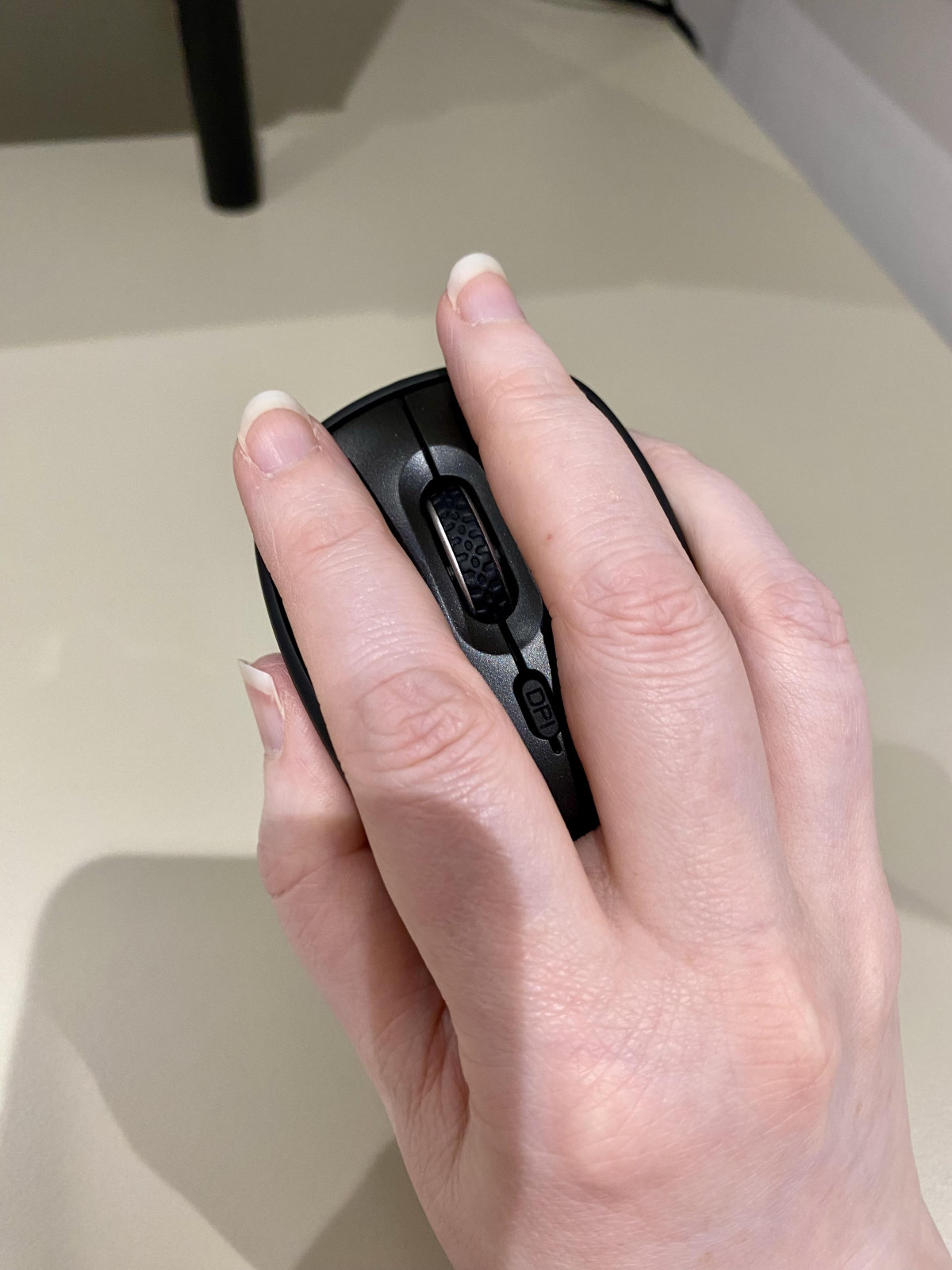
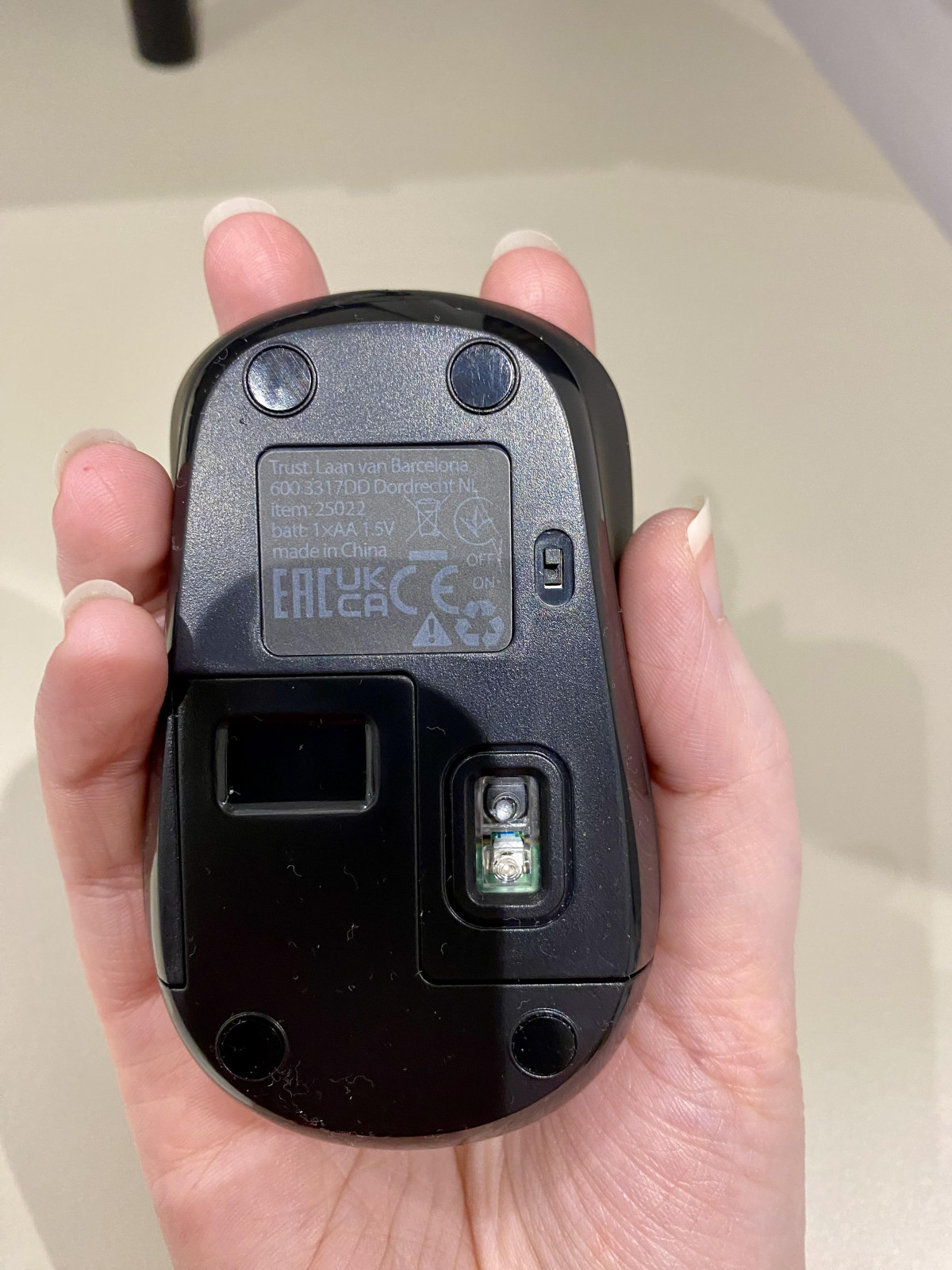
The bundled mouse is an optical sensor design with adjustable DPI, switchable between 800 and 1600 DPI via a dedicated button. In plain terms, DPI (dots per inch) controls how far your cursor travels relative to how far you physically move the mouse — lower settings suit precise work like photo editing or detailed spreadsheet navigation, while higher settings favor faster, sweeping movement across large or multiple monitors. Having that toggle built in, rather than locking you into one fixed sensitivity, is a genuinely useful inclusion at this price point.
It's a four-button mouse — left click, right click, and a clickable scroll wheel that doubles as a middle button — plus the DPI button itself. Testing has praised the scroll wheel specifically as satisfying to use, with a smooth, controlled resistance rather than the loose, rattly feel common on cheap mice. A small LED battery indicator gives you an early warning before the mouse dies mid-task, which is a small but genuinely practical inclusion that many budget mice skip entirely.
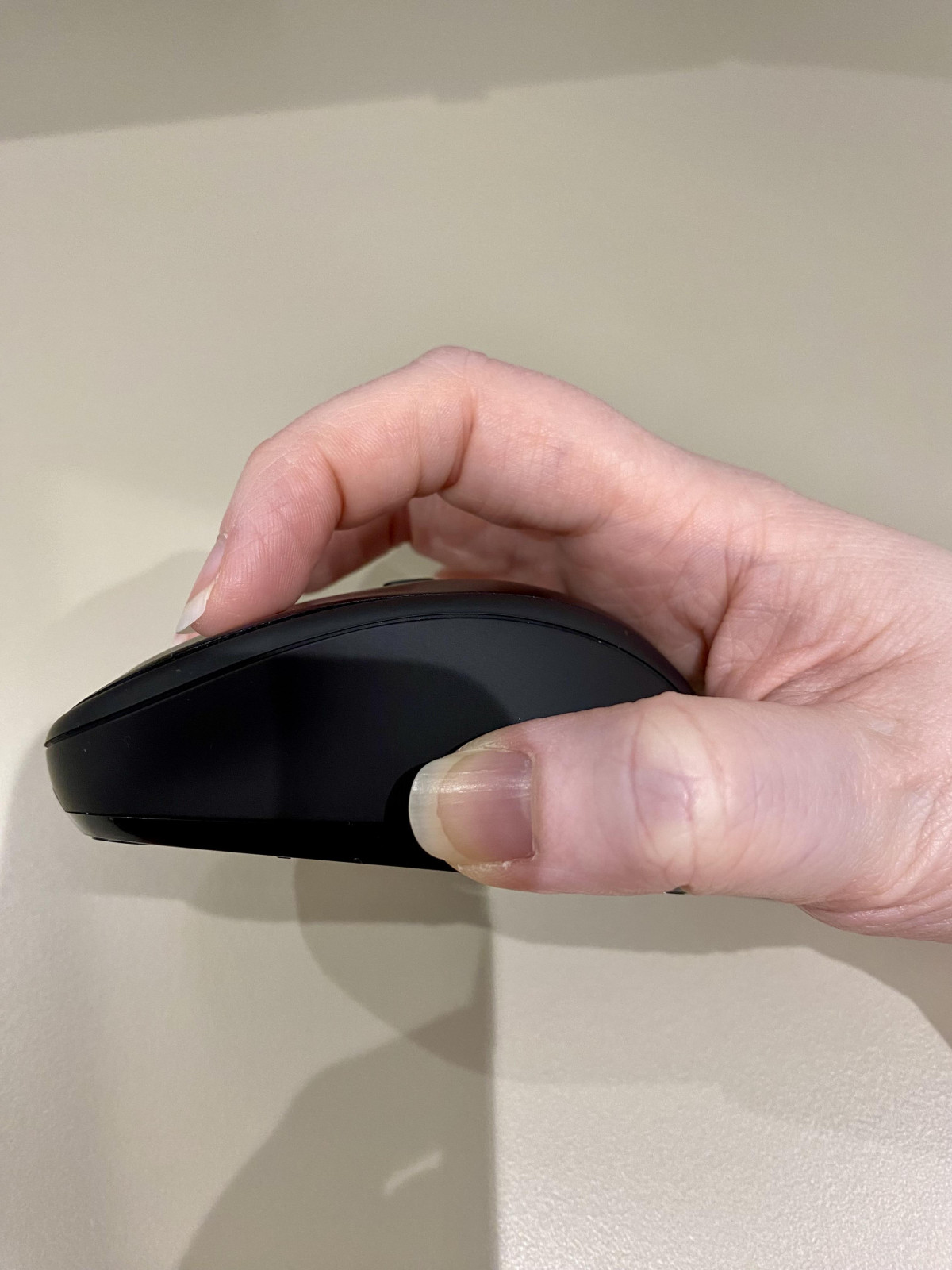
Marketed as "ambidextrous," the mouse's symmetrical shape means it works equally well in either hand — a plus for left-handed users, who are often an afterthought in mouse design. That said, this is a compact, palm-sized unit rather than a sculpted ergonomic mouse, and it's worth being upfront that reviewers with larger hands have found it a little small for extended, all-day gripping. If your current mouse is a large ergonomic design, expect the ODY II's mouse to feel noticeably more petite by comparison.
Keyboard vs. Mouse — At a Glance
| Feature | Keyboard | Mouse |
|---|---|---|
| Connection | Wireless via shared USB receiver | Wireless via shared USB receiver |
| Range | Effective up to 10 metres | Effective up to 10 metres |
| Power | Included AAA batteries | Included AAA batteries |
| Noise level | Near-silent keys | Quiet clicks |
| Standout feature | Media hotkeys, on/off switch | Adjustable 800–1600 DPI |
| Design note | Spill-resistant casing | Ambidextrous, compact shape |
Wireless Connection and Range
Both devices pair to your computer through a single USB receiver, which is a smart bit of engineering for anyone short on ports — you're not sacrificing two USB slots for two peripherals, just one. Setup is genuinely plug-and-play: connect the receiver, and both the keyboard and mouse are live within moments, with no software installation or manual pairing steps required.
Effective range extends up to 10 metres from the receiver, which is comfortably more than enough for any standard desk setup, and even accommodates use from a couch or across a small room if you're connecting to a media PC. Independent testing found the connection dependable during normal use, with the keyboard's status light clearly signalling when it's out of range or has dropped connection, and near-instant reconnection when you start typing again after a period of inactivity.
Battery Life and Power Management
The set runs on three AAA batteries in total, supplied in the box so you can use it straight out of the packaging without a trip to the shop first. That's a genuinely nice touch — plenty of wireless peripherals in this price bracket ship battery-free, leaving you to sort out power before you can even test the thing.
Real-world longevity will vary depending on the battery brand you eventually replace them with and how heavily you use each device, but the inclusion of a physical on/off switch on the keyboard gives you direct control over consumption during idle periods — switch it off overnight or over a weekend, and you're not drawing down the battery for no reason. The mouse's built-in low-battery indicator light means you're never caught completely off guard by a sudden power failure mid-task, which is a small but meaningful quality-of-life feature.
Compatibility
According to information confirmed directly through the manufacturer and retailer, the ODY II deskset works with both Windows PCs and Mac computers, including Apple Silicon (M1-series and later) machines. It is not designed for use with games consoles or tablets — if you're hoping to pair it with an Xbox, PlayStation, or an iPad, this isn't the right product for that job. It should also be noted that the keyboard and mouse are matched to each other and the single receiver at the factory, meaning they can't be split up and used with two separate receivers or paired independently to different devices.
Who This Deskset Is Actually For
This product has a clear identity, and it's worth being direct about where it fits and where it doesn't.
It's a strong fit if you are:
- Working from a shared space — home office, bedroom, or open-plan setup — where a loud keyboard is a genuine social friction point
- Looking to replace an old wired keyboard and mouse without spending much
- Someone who types a lot — reports, emails, documents — and wants a comfortable, reliable, no-frills experience
- Setting up a secondary or guest workstation where premium specs aren't the priority
- Left-handed, and tired of mice designed exclusively around right-handed grips
It's probably not for you if you are:
- A gamer needing high polling rates, programmable buttons, or ultra-high DPI precision
- Someone with hand or wrist strain who specifically needs a sculpted ergonomic mouse or split keyboard
- Someone with larger hands who wants a full-size mouse to rest their whole palm on
- Looking for backlighting — this keyboard has none
- Planning to use it with a console or tablet rather than a PC or Mac
How It Stacks Up Against the Alternatives
In the budget wireless combo category, the ODY II's main point of differentiation is genuinely the noise reduction — most desksets at this price point don't design specifically around quiet operation, they simply happen to be less loud than a mechanical board by default. Comparable silent wireless combos, like Logitech's budget SilentTouch-branded sets, occupy similar territory, but tend to sit at a higher price point once you factor in currency and regional pricing.
Where the ODY II gives ground compared to pricier options — even within Trust's own wider catalogue, or from more premium brands — is in ergonomics and extras. There's no split or curved keyboard layout, no wrist rest included, no customizable software, and no backlighting. If you're comparing it to a £50-plus ergonomic combo, that gap is expected and the ODY II isn't trying to compete there. Compared to similarly priced budget combos generally, though, it holds its own well on build quality and typing feel, which are the two areas that matter most for daily use.
The Honest Trade-Offs
The strongest case for the ODY II is straightforward: for the price, the typing experience genuinely outperforms expectations. The quiet keys aren't a gimmick — they solve a real, everyday annoyance, and the overall construction feels sturdier than the price tag suggests, right down to small details like the magnetically stored receiver and the spill-resistant casing.
The trade-offs are equally clear, and worth weighing honestly rather than glossing over. This is not an ergonomic product — neither the keyboard nor the mouse is shaped to reduce wrist strain, so if that's a priority for you, look elsewhere regardless of how appealing the price is. The mouse, while pleasant to use for short-to-medium sessions, runs on the small side and may not suit larger hands comfortably across a full workday. The lack of a visual indicator for the hotkey mode is a minor but real usability gap. And because both devices pair exclusively through the shared receiver, you lose the flexibility of using either device independently or replacing just one half of the set if something goes wrong with the other.
None of these are surprising limitations for a product at this price — they're the expected compromises of a budget deskset — but they're worth going in with clear eyes about, rather than discovering after purchase.
Final Verdict
The Trust ODY II Wireless Keyboard and Mouse Deskset does exactly what it sets out to do: it delivers a noticeably quieter typing experience, solid build quality, and genuinely useful convenience features — spill resistance, magnetic receiver storage, adjustable DPI, a battery indicator — all wrapped into a wireless combo that costs a fraction of premium alternatives.
Buy it if you want a dependable, comfortable, quiet keyboard and mouse for everyday typing, browsing, and office work, especially in a shared or noise-sensitive space, and you don't need ergonomic shaping or gaming-grade precision. Skip it if wrist ergonomics are a non-negotiable for you, if you need console or tablet compatibility, or if you specifically want a larger mouse for all-day comfort. For its actual purpose — quiet, reliable, budget-friendly desk peripherals — it's a genuinely well-executed product that punches above its price point.
What People Say
36 commentsLove it!
I struggled to find a keyboard that had the UK Qwerty buttons, with the @ sign in the same place as I had always had it, and sent 2 keyboards back that had it in a different place. So, this being my third attempt, I wasn't sure what to expect. I was nicely surprised. All keys in the same familiar place, and I love the silent keyboard and mouse. The feel of the keyboard is nice to the touch, and I feel I can type faster with this keyboard. The pressure is good. And the mouse works well and fits the hand nicely. Very pleased with both. A good price too!
Good value Keyboard and mouse. Easy to install
Good value Keyboard and mouse. Easy to install Have been using the mouse and keyboard constantly for the last week and they are perfectly good. My only caveat is that I miss the ability to scroll accross spreadsheets - which i could do with the apple mouse - now I have to drag the bar accross to do so. possibly there's a way to change the mouse settings so it will respond to that - in which case I would revise my overall review to five.
Still, very happy with this.
Keyboard is good, mouse not so much
The keyboard is comfortable to use. It is not silent, but the keys only make a very soft sound. The NumLock key light doesn’t stay on all the time, but I think that is to save on battery power.
The mouse is very small, too small and I can’t use it, so only given 3 stars as can only use the keyboard. See pictures to see how small the mouse is. It is also very smooth on the edges so nothing to grip.
I wouldn’t recommend this because of the mouse size.
Quiet and decent build quality
I bought this keyboard and mouse around a month ago, so far it has been reliable, quick to type with and has a few extra features - like media player controls - which is great value for money. The build quality is nice, it's responsive and the DPI controls for the mouse are a nice touch as well. Would recommend for anyone looking for an inexpensive replacement for an older kb/m that they would like to replace.
Great value keyboard and mouse
I wasn't expecting much with this purchase as it seemed so cheap for a wireless keyboard and mouse but I've been thoroughly impressed. Both are easy to connect and work perfectly with my HP docking station. The keyboard has a nice 'click' to it that isn't too loud and the mouse works perfectly without being wired. I've only had it a few weeks so can't comment on shelflife but so far I'm impressed!
Excellent value for money and quality service from
Ordered online the evening before I collect at 9 am next morning. Extremely easy transaction snd collection at local Sainsbury’s. Staff member very polite and helpful so very pleased with the whole experience. The keyboard and nose is excellent value for money. The mouse and keyboard are very responsive to the single and small Wi-Fi adapter.
Worth every penny
This may be a cheap keyboard but it feels fantastic to type on with great feel and feedback from the near silent keys. The additional function keys are a bonus. The mouse is a little small but for me it is a good size and is smooth, quiet and accurate. I have spend far more on far worse. Easily as good as the more expensive brands
I love the feel!
This keyboard has a lovely feel to it (subjective of course). The keyboard feels high quality and no where near as cheap as it is. Initially was a bit dodgy connecting sometimes but after a few weeks has been working perfectly! Also mouse is great, tad small but gets the job done. Highly recommend the Trust ODY II.
Who has hands this small!?
The keyboard has a nice feel but the mouse is tiny. Like about 11 cm end to end. I wouldn't say my hands are freakishly large but my hand cramps up using this. It feels designed specifically for children or goblins. If you have normal human hands don't buy. I am going to try and sell on goblin eBay
great price for the product
For the money, you cant go wrong here.. you get Alkaline batteries, A single USB thing that mates with the Keyboard & Mouse wright out of the box, you do not need drivers for XP, Vista, windows 10, 0r 11. Just plug it in and your done. the keyboard is pretty good to type on.
Very good keyboard
The keyboard and mouse are actually better than I was expecting at this price.
The keyboard is easy to type on accurately.
I saw some comments that the mouse was too small. I have very large hands and, yes it's not the biggest mouse, but I've had no problems using it.
Defect. Roller on mouse was broken
The process to refund or exchange was very annoying and difficult. Guy in shop, rude. No receipt no chance even though I bought online. I bought a kindle from Argos and the battery overheated and started smoking. Given up even trying to get exchange. Very bad
lovely to use
It's quiet with positive key actions. The mouse is also quiet when clicking the buttons although perhaps a little small for a big hand. A best buy according to my computer magazine's review and I agree with its verdict - good value for money.
Great quality
This is a great quality keyboard and mouse set, especially for the price. Keys are nice and chunky but really quiet and have a lovely feel to them. Likewise the mouse clicks are so quiet. The whole thing feels more expensive than it is.
Great keyboard. Mouse a little uncomfortable
The keyboard is great with minimal lag. The mouse is a little uncomfortable because of its size for my large hands but the sensor works brilliantly on surfaces that had been challenging for other mice
Good quality
I bought this keyboard and mouse a few months back and it is a good quality product. It is compact and the mouse and keyboard are both very responsive. Worth every penny. Definitely recommend.
TRUST IS A NAME ONE CAN RELY ON FOR QUALITY AND PR
VERY WELL MADE WITH NICE KEYBOARD AND MOUSE. I HAD THE OTHER ONE NOW £35 AND THAT OUTSTANDING. MOUSE HAD NO RED BEAM. SMALLER KEYBOARD BUT DID NOT WISH TO SPEND THAT MONEY AS OCCASIONAL USE.
Kept disconnecting with PC
I had to return this keyboard for a refund. This is because it kept disconnecting from my PC. However, and having said this, on all other aspects it is comparable with most other brands.
Cheap and cheerful board and mouse
I bought this mouse and keyboard to play terraria on my mobile phone as the touch screen controls are somewhat awful, it does the job, it's cheap and cheerful, can't complain at all
Easy setup
Brought for my wife. So easy to set up. Just put the batteries in and turn on your computer. Didn’t give it 5* cause the batteries only lasted 1 week before we had to replace them.