Trust Primo
TRUST
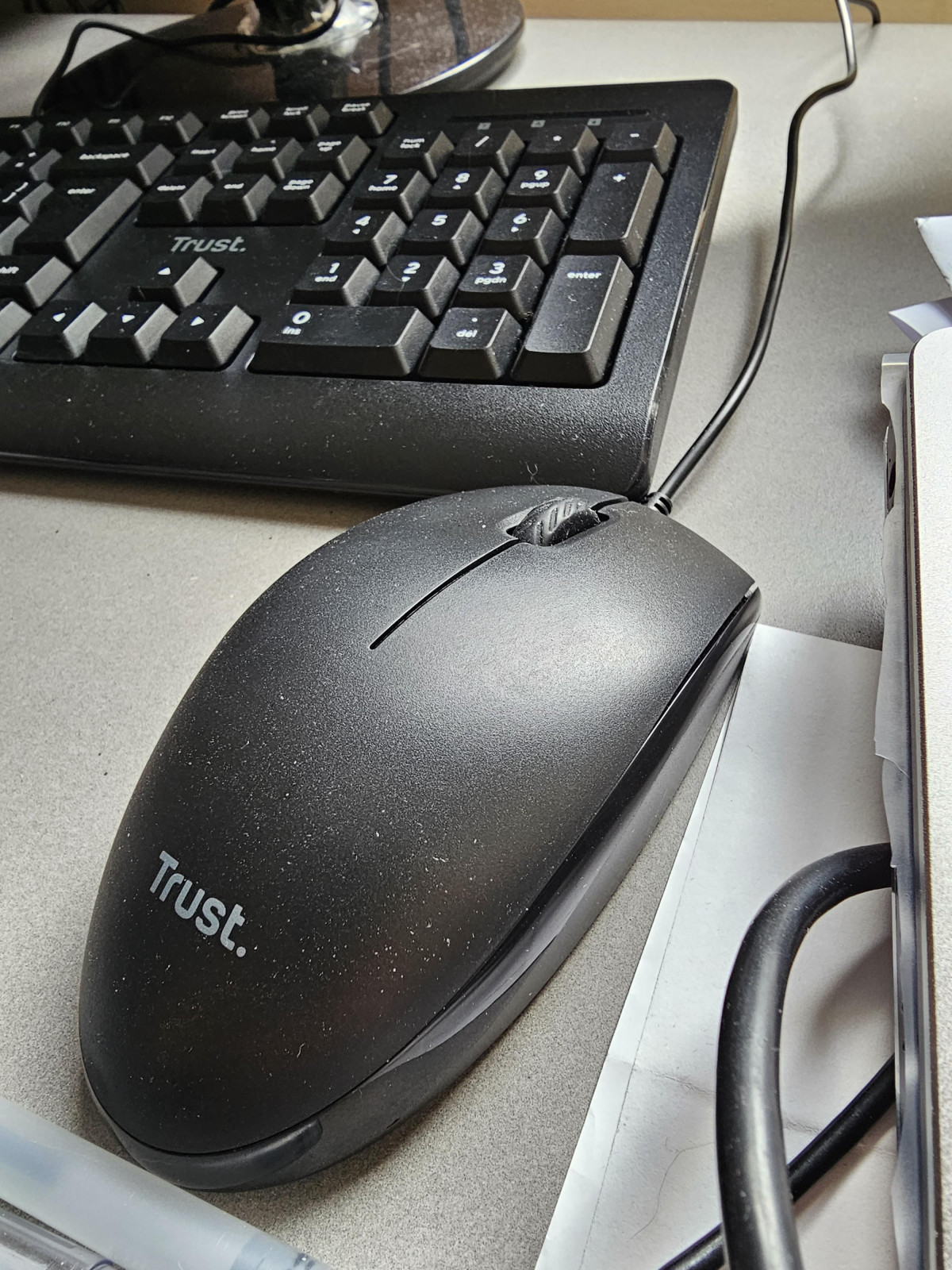
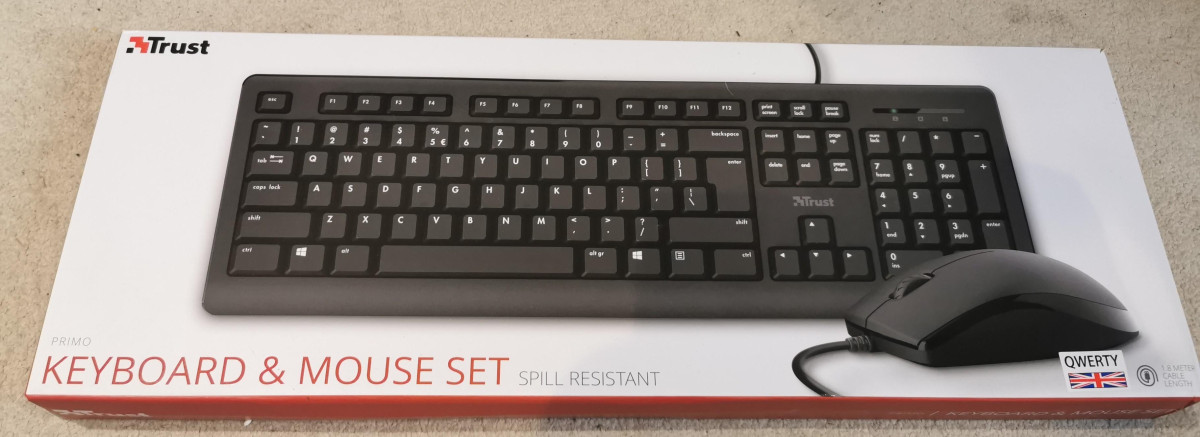
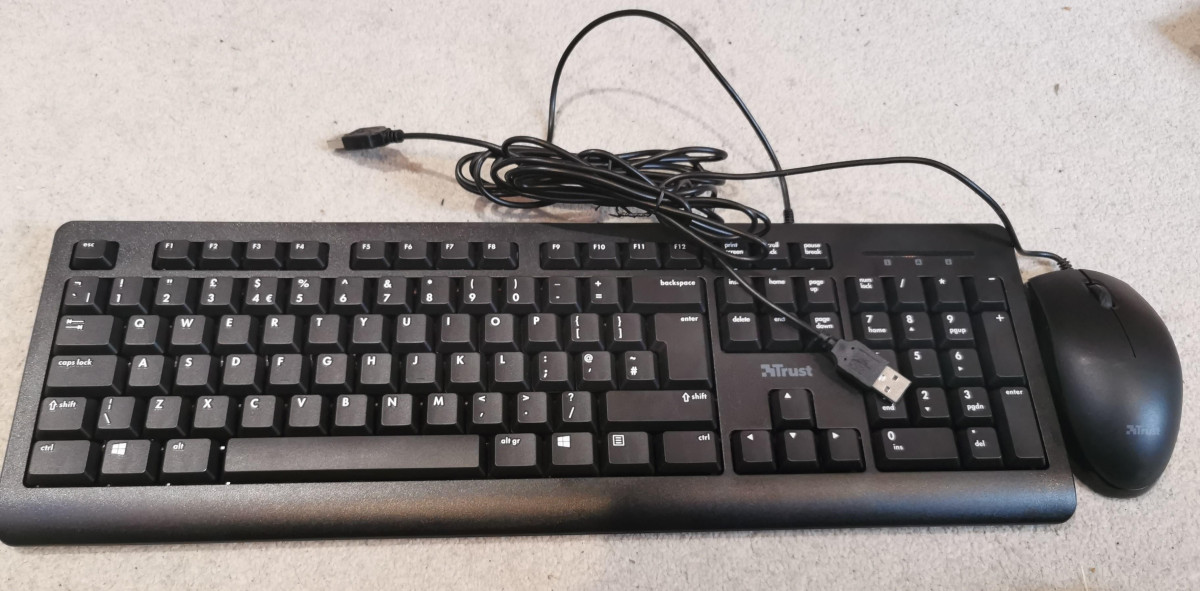
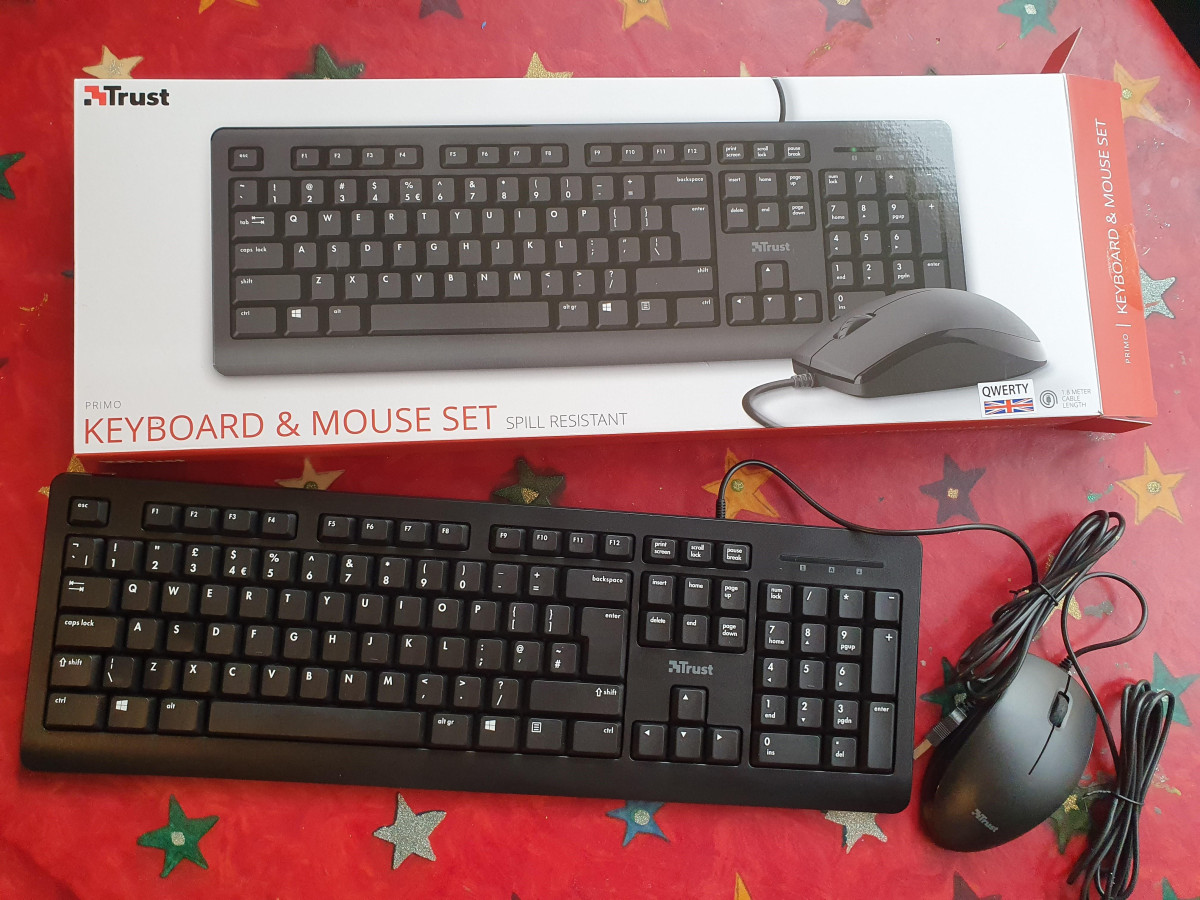
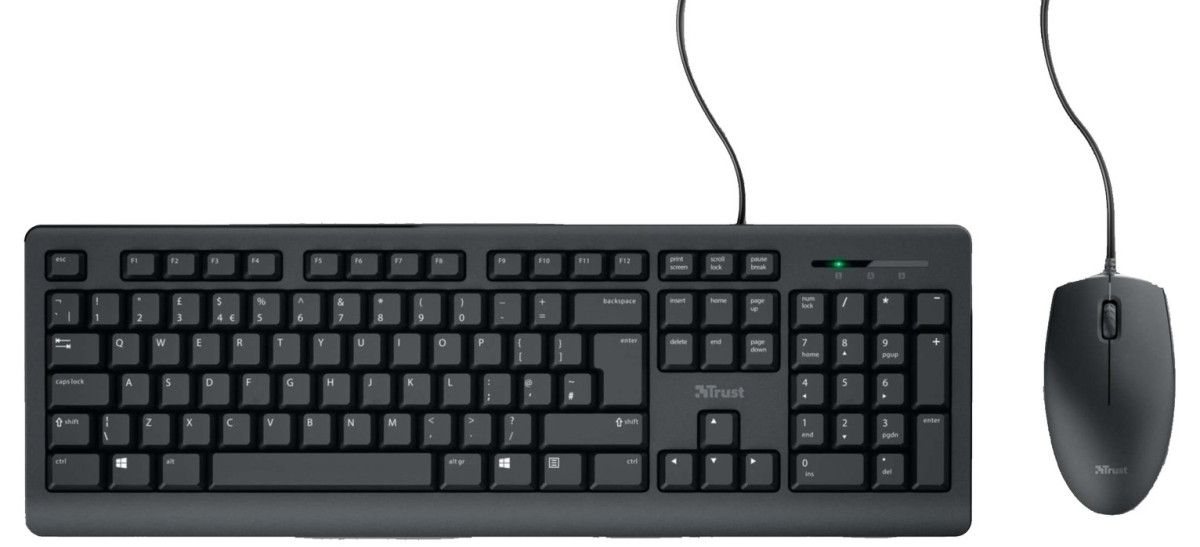
A keyboard and mouse rarely get the spotlight in a PC build or office refresh, but they're the two things your hands touch for eight hours a day. The Trust Primo Wired Keyboard and Mouse Deskset sits at the budget end of that market — a full-size UK keyboard paired with a simple optical mouse, connected by a single USB cable, priced to be an easy, low-risk replacement rather than a statement purchase. If your current keyboard is sticky, your mouse has started double-clicking on its own, or you're setting up a new desk from scratch, this is the kind of deskset designed to solve that problem without any fuss or decision fatigue. The question worth answering before you buy anything, even something this affordable, is whether "basic" here means "reliable and sensible" or "cheap in the ways that matter." Here's what stands out after putting it through everyday use.
Design and Build Quality
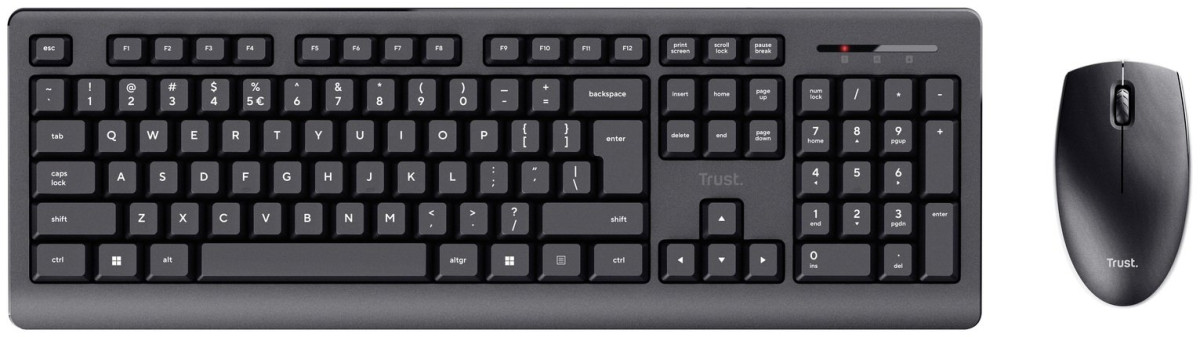
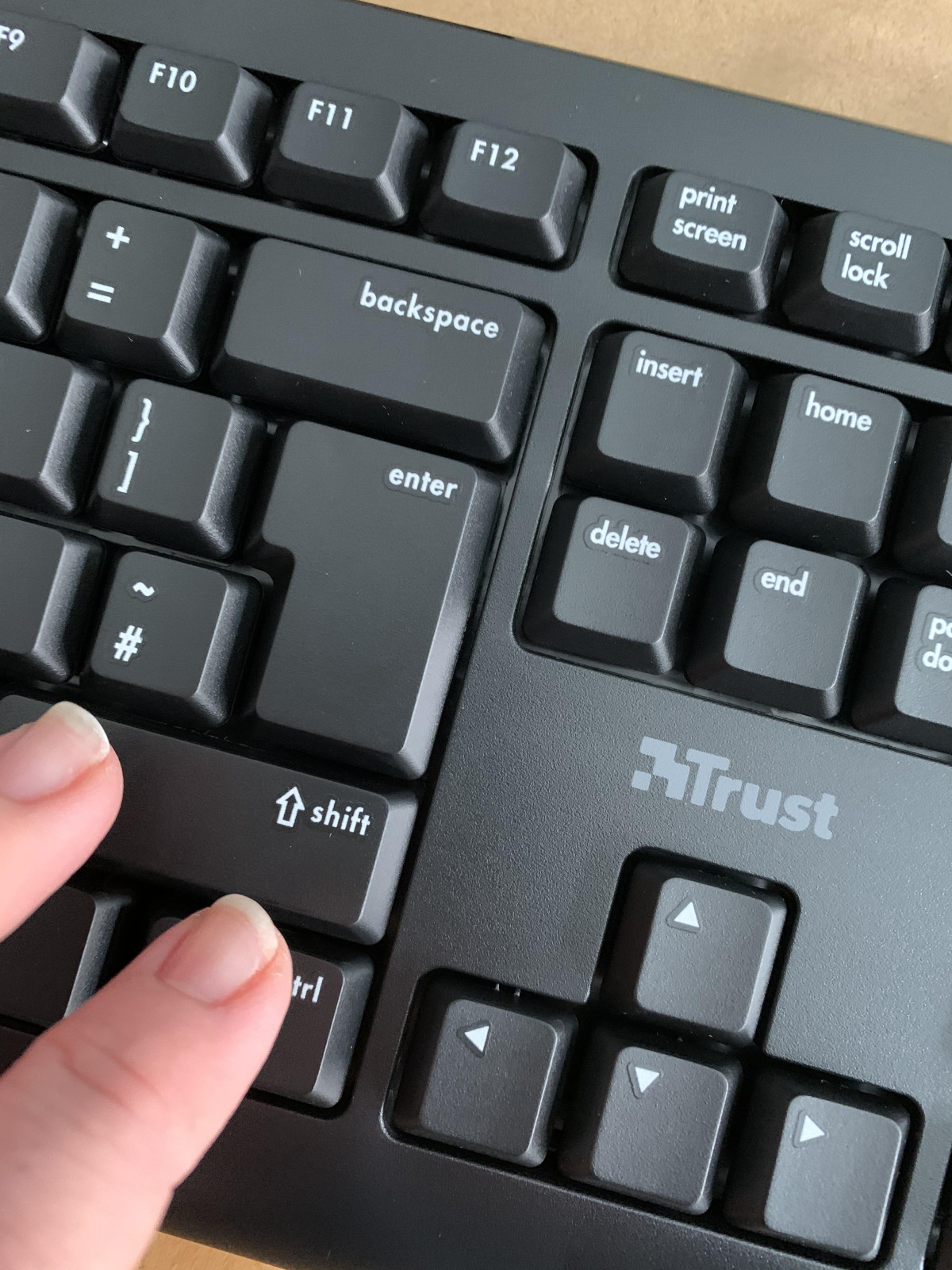
The keyboard follows a full-size layout, meaning it includes the number pad, function row, and navigation cluster on the right-hand side — nothing has been shrunk down or removed to save space. At roughly 45cm wide, it takes up the same desk real estate as most standard office keyboards, so it'll slot into an existing setup without needing you to rearrange anything. The keys themselves are low-profile, which means a shorter travel distance between resting position and actuation. That's the same design philosophy used in most modern laptop keyboards, and it tends to suit people who type quickly and don't want to lift their fingers far between keystrokes.
Underneath the keys, the Primo uses fold-out feet at the back, so you can tilt the deck up for a steeper typing angle if that's more comfortable for your wrists, or leave it flat for a lower profile. It's a small feature, but it's the difference between a keyboard that adapts to you and one that forces you to adapt to it.
The keyboard is built with a spill-resistant design, which in practical terms means a splash of coffee or water has somewhere to drain away from the internal circuitry rather than pooling underneath the keys and shorting something out. It's worth being clear about what this doesn't mean: it isn't a submersion-proof or waterproof keyboard, and a full glass of liquid dumped directly onto it isn't something any spill-resistant design is built to survive. But for the everyday risk of a knocked mug or a splashed glass, it's a genuinely useful safety net that a lot of keyboards at this price simply don't bother including.
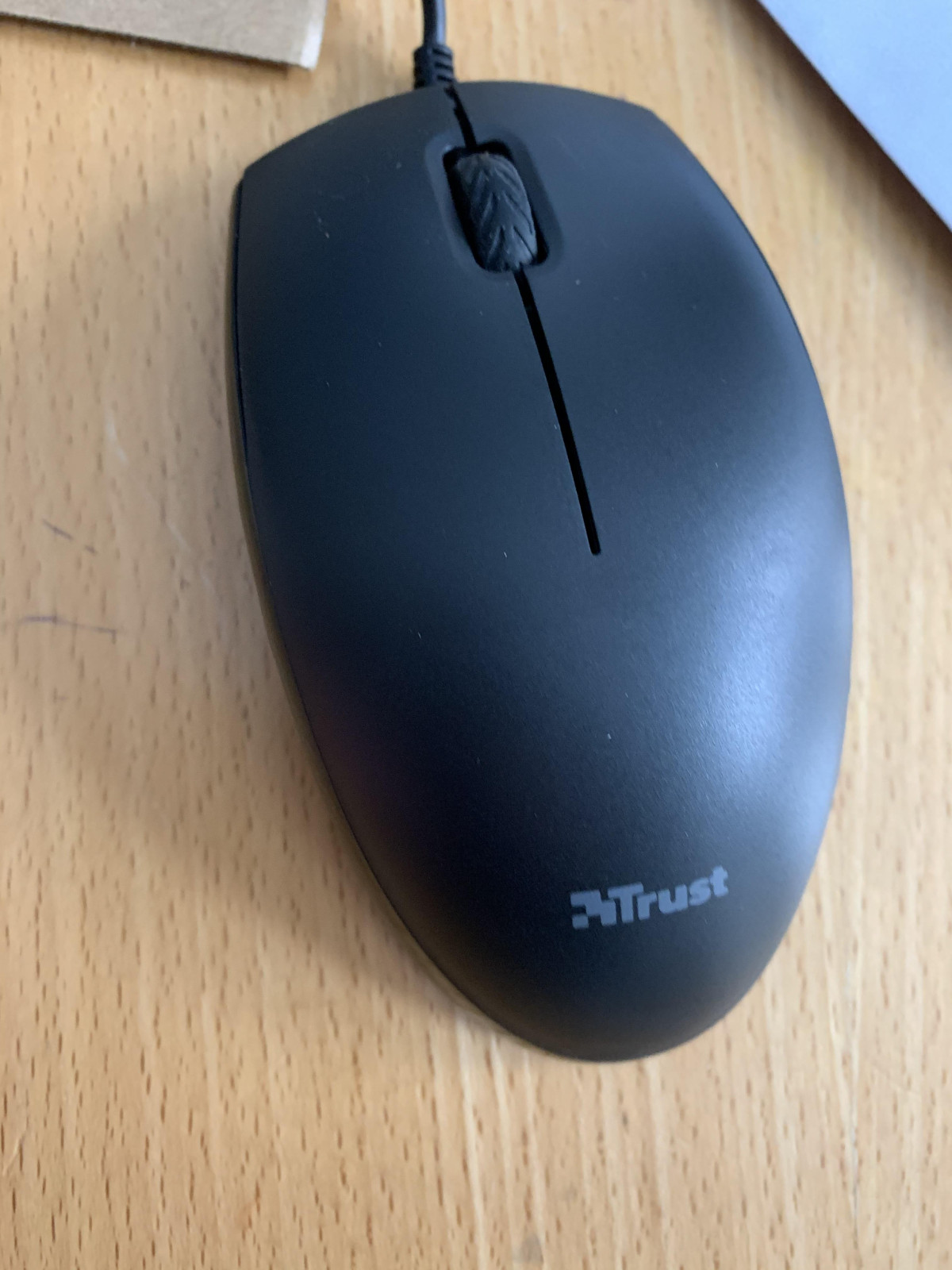
The mouse is compact — small enough to sit comfortably under an average hand using a fingertip or claw grip, though larger hands using a full palm grip may find it a little snug. Its ambidextrous shape means there's no contoured thumb rest favoring one hand, so left-handed users get the same experience as right-handed ones, which isn't something every mouse manufacturer bothers to accommodate at this price point.
Typing and Pointing: How It Actually Performs
Independent testing of the Primo keyboard has echoed what Trust itself emphasizes: this is a quiet keyboard by design, with dampened key and button mechanisms intended not to disturb people around you, whether that's a partner in the next room or colleagues in a shared office. That said, real-world feedback from owners is mixed on this point — while many describe the typing experience as smooth and comfortable, others have found certain keys stiffer or louder than expected, which is a reasonable thing to flag rather than gloss over. Keyboards at this price rely on membrane switches rather than the mechanical switches found in premium models, and membrane keyboards can vary slightly unit to unit in a way mechanical keyboards generally don't.
The mouse uses a standard optical sensor tracking at 1000 DPI (dots per inch, a measure of how far the cursor moves on screen relative to how far you physically move the mouse). For context, 1000 DPI sits comfortably in the range used by most everyday productivity mice — it's precise enough for browsing, document editing, spreadsheet work, and general navigation, but it isn't the adjustable, high-sensitivity tracking that competitive gamers look for when they want to flick a cursor across a 4K monitor in a fraction of a second. If your use case is work rather than play, this is exactly the kind of precision you want: predictable and steady, without needing to fiddle with sensitivity settings. Like all optical mice, it performs best on matte surfaces and can struggle on glass or highly reflective desks, so a basic mouse mat is worth having on hand regardless of which mouse you choose.
The three-button layout — left click, right click, and a scroll wheel that typically doubles as a middle-click — covers what the vast majority of everyday tasks need. If you're used to a gaming mouse loaded with programmable side buttons, you won't find that here, but that's an entirely reasonable trade-off at this price and for this intended use.
Everyday Features That Matter More Than They Sound
Plug and play, no software required
Connect the USB cable and both the keyboard and mouse work immediately. There's no driver to install, no account to create, and no companion app running in the background. For anyone who just wants to sit down and start working — especially in an office environment where installing software isn't always allowed — this is a meaningful convenience, not just a marketing line.
A proper 180cm cable
At 1.8 metres, the cable is long enough to reach a tower PC tucked under a desk or positioned off to one side, without needing an extension. This sounds like a minor detail until you've owned a keyboard with a cable too short to reach your setup comfortably.
Genuinely broad compatibility
The Primo works across Windows machines old and new, and Trust confirms compatibility extending to macOS. That covers the overwhelming majority of desktop and laptop setups people are likely to plug it into. It's worth knowing upfront that it isn't designed for games console use — it won't work with something like an Xbox One S — though USB peripherals like this can generally be connected to a Nintendo Switch dock for basic text entry.
UK keyboard layout, explained simply
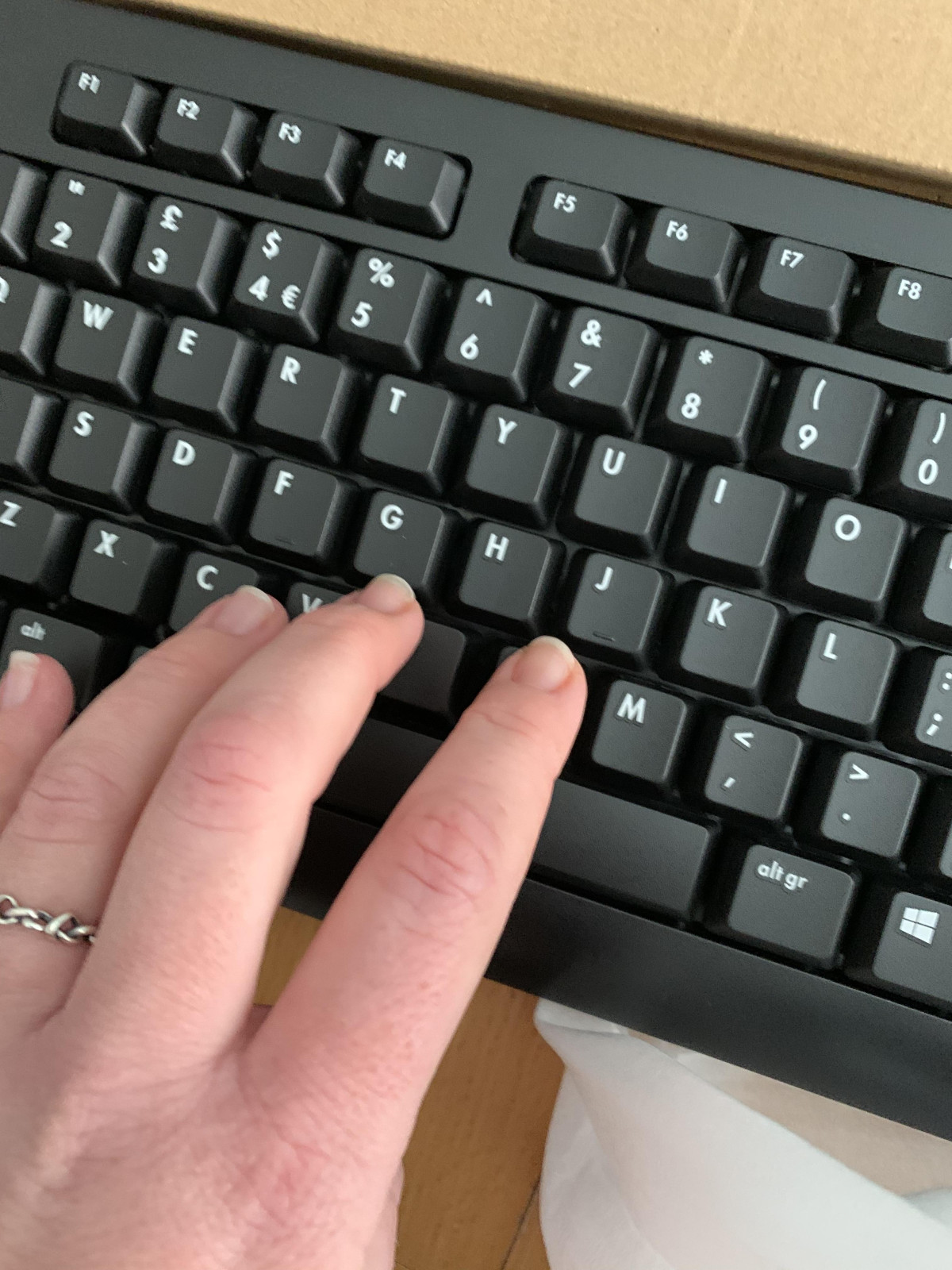
A few owners have asked where the @ symbol is hiding — it's a fair question if you're used to a US layout. On a UK keyboard, @ is accessed by holding Shift and pressing the number 2 key, rather than sitting on its own dedicated key. This isn't a fault with the Primo; it's standard across virtually every UK keyboard, but it catches people out often enough that it's worth flagging before you unbox it.
Power and Connectivity
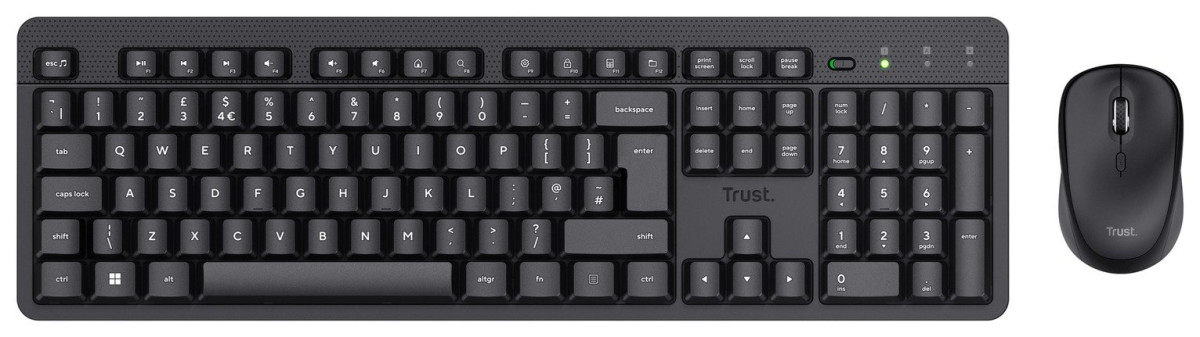
Because this is a fully wired deskset, there are no batteries to buy, no charging cables to keep track of, and no moment where your cursor freezes mid-task because the batteries died. The trade-off is the obvious one: you're tethered to a USB port, and there's a cable running across your desk. If a clutter-free desk matters more to you than never thinking about batteries, that's worth weighing before you buy — Trust does also sell a wireless version of the Primo for exactly that reason. But for anyone who's been burned by a wireless mouse losing its signal at the wrong moment, a wired connection removes that entire category of frustration. It simply works, continuously, for as long as it's plugged in.
Who This Is Genuinely Good For
- Home office workers and students who need dependable typing and navigation for documents, spreadsheets, email, and browsing, without paying a premium for features they won't use.
- Anyone replacing a broken or ageing keyboard and mouse who wants an option that works the moment it's unboxed, with no setup learning curve.
- Shared or public-facing computers — reception desks, shared family PCs, or office hot-desks — where simplicity and low replacement cost matter more than customization.
- Budget-conscious buyers building a first PC setup who need to tick the keyboard-and-mouse box without it eating into the budget for a monitor or the PC itself.
Who Should Look Elsewhere
- Gamers, even casual ones, will find the fixed 1000 DPI mouse and membrane keyboard limiting compared to dedicated gaming peripherals with adjustable sensitivity and more responsive switches.
- Anyone wanting a clutter-free desk should consider the wireless version of the Primo, or another wireless combo, rather than working around a cable.
- Typists who spend most of the day at the keyboard and are sensitive to key feel may want to try a mechanical or higher-end membrane keyboard, since a small number of Primo owners have found certain keys stiffer than expected.
- Console gamers hoping to use this with an Xbox will need a different solution, as compatibility doesn't extend there.
How It Stacks Up Against the Alternatives
| Trust Primo Wired Deskset | Logitech MK120 | |
|---|---|---|
| Layout | Full-size, UK QWERTY | Full-size, standard layout |
| Connection | Wired USB, 1.8m cable | Wired USB |
| Mouse sensor | Optical, 1000 DPI | Optical, 1000 DPI |
| Spill resistance | Yes | Yes (tested to a specific liquid volume) |
| Software required | None | None |
| Warranty | 2-year manufacturer guarantee | Typically 3-year warranty |
| Positioning | Value-focused, minimal frills | Established brand reputation, similar price bracket |
The two combos are close cousins in spirit — both are aimed at the same buyer who wants dependable basics without spending much. The Logitech name carries more brand recognition and a slightly longer standard warranty in most markets, which may matter if long-term peace of mind is a priority. The Primo counters with a comparably capable spec sheet, a spill-resistant build, and a price that's often lower, making it a sensible pick when budget is the deciding factor rather than brand loyalty.
Honest Strengths and Weaknesses
The Case For It
The case for the Primo is straightforward: it's a genuinely functional, comfortable-to-use deskset that does exactly what a keyboard and mouse are supposed to do, at a price that makes it an easy decision rather than a considered investment. The full-size layout, adjustable feet, spill resistance, and plug-and-play setup all punch above what you'd expect to find bundled together this cheaply, and the broad operating system support means it'll work with almost anything you own now or buy next.
Where It Falls Short
Where it falls short is in the details that separate a good budget product from a great one. Key feel isn't perfectly consistent — most owners find it comfortable, but a meaningful minority report stiffness or unwanted noise from certain keys, which suggests some variation in quality control. The mouse, while accurate enough for daily tasks, offers nothing beyond the basics, so anyone with more demanding pointing needs will outgrow it quickly. And the two-year guarantee, while entirely standard, is shorter than some direct competitors offer, which is worth factoring in if longevity is your main concern.
The Verdict
If you need a keyboard and mouse that work reliably for everyday computing — writing, browsing, spreadsheets, general desktop use — without any setup hassle or unnecessary cost, the Trust Primo Wired Keyboard and Mouse Deskset earns its place as a smart, low-risk purchase. It isn't trying to be more than it is, and that honesty is part of its appeal. Buy it if you want dependable basics at a fair price; look elsewhere if you're gaming, typing for hours on end every single day, or want to eliminate cables from your desk entirely.
What People Say
108 commentsTrust Primo Keyboard & Mouse are very good product
I bought the Trust Primo Wired Keyboard and Mouse Deskset about a month ago, and am extremely happy with them. The keyboard is well-built and comfortable to type on, with a satisfying tactile feedback. The keys are well-spaced and easy to reach, and the keyboard has a nice, minimalist design.
The mouse is also very well-made and comfortable to use. It has a good weight to it, and the buttons are responsive and clicky. The mouse also has a nice scroll wheel and a few extra buttons that can be customized to your liking.
Overall, I'm very impressed with the Trust Primo Wired Keyboard and Mouse. They're both high-quality products that work perfectly together. If you're looking for a new keyboard and mouse combo, I highly recommend them.
Good for a basic keyboard.
I needed a cheap keyboard and quickly for a computer set up to run some commands. Literally needed it for 5 minutes work and it did what it needed to do, the waterproofness is a great touch, but it doesn't win any awards for people who need to type a lot. On my laptop I am a very fast typer, around 90wpm, but i find these cheaper keyboards are so horrible and clunky to use, high keys, generally just awkward to use, I really notice the difference in my typing speeds using these cheaper keyboards. If I was looking for a keyboard to use daily I wouldn't recommend this, but if you type with one finger or just need an occasional use keyboard, it does the job fine!
It works!
I bought a slightly more expensive keyboard of a different make from a rival retail store.
I got used to it's "backspace" key sticking every now & then therefore erasing any input I had done before I managed to stop it.
I didn't keep the record of purchase so finally after 3 months of having my work erased, I purchased the "Trust" keyboard, it was cheaper so I was expecting problems but to date, none at all.
For a cheap keyboard, it is doing everything I expect it to (and not what it shouldn't!)
Excellent value for money
Only bought this because my PC stopped responding to its wireless keyboard and mouse, so I couldn't even log on to try and sort out the problem. I was very pleased by the excellent value for money, as I thought I might only ever have to use them once. As it turned out, although I could use them to get into the PC, update drivers and troubleshoot, I couldn't fix the problem, so I'm now using these items all the time, and they do exactly what you want a keyboard and mouse to do.
Great Value and quality
Very impressed with the keyboard and mouse, great value and quality. Plug in to computer and both work immediately. Both Keyboard and mouse are light, work smoothly and quickly. When you touch the keys softly they are silent however typing quickly on the keys makes it sound like a normal keyboard for me. Regular full keyboard size, nice long cables, spill-resistant is a great feature as is the ability to raise the back of the keyboard. Does exactly what it's supposed to do!
Good quality keyboard and mouse!
It was very easy to set up and looks professional on my desk.
It feels and looks good quality and very sleek. It’s amazing for every day use. It’s a good size and not to big. It doesn’t take up to much of my desk at all. It’s nice and quiet when typing and can be raised at a nice angle.
The mouse is a little louder than I would like but works fine and glides nicely. It feels slimmer compared to past ones I have used which I like.
I would definitely recommend.
Good Value Basic Keyboard & Mouse
I wasn't expecting much for the price, but was pleasantly surprised that this set didn't feel particularly cheap or flimsy. The keyboard keys had a nice press to them and the corresponding letters appeared on the screen at once. I'd say that's primary function achieved. Furthermore the mouse is a nice size and not a funny shape like some, the buttons do what they should with a reassuring click.... Winner!
Great keyboard and very silent mouse
This keyboard firstly looks great it’s sleek and would go with any computer setup. Only downside is that it is not silent like it says on the box but the mouse is super silent and great if your wfh like most of us are nowadays. Again like the design just slightly disappointed it didn’t do what was said still a great keyboard if you are looking for one and don’t mind the noise of a keyboard.
You definitely get what you pay for
We bought this keyboard and mouse as we needed to use it urgently and couldn’t wait for a better one to arrive so we really won’t expecting it to be great as it was super cheap. Some of the keys on the keyboard need a really firm press to respond and the mouse loses connection constantly, but it did the job until the better ones arrived so that’s why I gave it three stars and not one.
Excellent Responce
Initially disappointed. Guess it was ok for gaming But as a person who uses five fingers and wanted the key board for writing the keys were not sensitive to a light touch. However the helpful manner of your staff when I sought exchange for a better keyboard was excellent. The sale is important but such excellent aftercare is highly commendable. Much appreciated.
Brilliant Quality. Great Value
As someone who works from home, a good keyboard and mouse is a must. I use my laptop often but sometimes the mousepad is a bit temperamental and a mouse is exactly what is needed to help me get my tasks done.
These are great quality, worked really quickly upon plugging them in and I have used them with both a PC and a laptop. Very impressed.
good
Feels good, not as smooth as some (including Trust's own wireless version of the same) but it works well and the mouse is big and solid, feels right. Both leads are nice and long. Alas for a touch-typist the little "braille-for-the-masses" marks on the F and J keys are almost imperceptible. For the price this is a very good buy though.
cheap and cheerful
needed this when keyboard on laptop crashed. Hope it will recover someday so this was a good value replacement. Keyboard works well enough for my purposes but a speedy typist might find it a bit clunky. Mouse is huge improvement of laptop pad so very pleased with the outcome overall . Would recommend to anyone in a similar situation
Good set
I especially found the mouse to be brilliant, very responsive and no issues when used on a surface I had difficulties using the same brand of wireless mouse. The keyboard is good but a bit on the noisy side if you compare it with the wireless keyboard again from the same brand. All in all it is an excellent buy for the price paid.
Great budget keyboard and mouse
Its a plug and play keyboard and mouse. I use this set for working from a laptop (macbook) at home. It seems like this set is made for Windows computers and i would not recommend using this set on a Macbook. The command button should be configured manually on the laptop and the keyboard doesn't register all your keystrokes.
Fantastic and back to old school
This is very much like an old school keyboard but with style and easy use. The mouse is incredible so smooth and great to use. The keyboard is not completely silent but is really great and the design is kind of like an old school keyboard. Having gone from a wireless mouse and keyboard I much prefer this one! 5* product!
5 Stars
I bought this a couple of weeks ago, it was a straight replacement having had the previous one about 5 years and some of the letters/numbers were rubbing off and it was looking abit shabby. This is as good, easy to type on, a great price and I see no reason why this one won't last me another 5 years.
Good price
I brought this for when I work from home so I don't have to bring everything home. Easy to set up and compatible. The reason I put 4 stars for design is because the keyboard is a bit clicky can hear when typing and the mouse is quite sensitive when scrolling. Good price for the two items together.
Cheap but lacking functionality
It will be fine for the majority of office users. For programmers it should be avoided because it does not support the concurrent key presses required by certain text editors/IDEs (for example, shift-ctl-alt-directional arrow does not work, so one cannot use VSCode’s column select feature).
Does the job
Basic keyboard and mouse provides everything needed. They have their own wires so can be used independently which is handy for using the mouse with my laptop elsewhere. I had wireless but was getting interference on the signal and needed a wired set quickly and economically priced.