Trust Primo
TRUST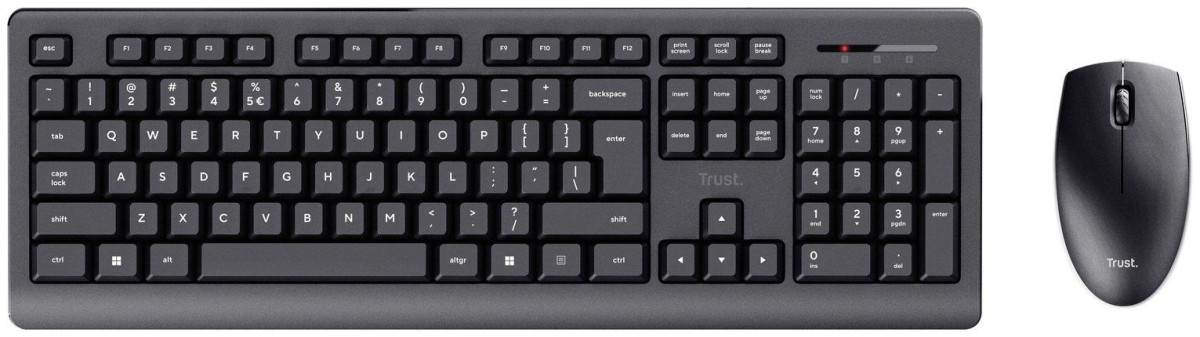
First Impressions: A Wireless Desk Setup Built Around Simplicity
Not every keyboard and mouse needs to chase RGB lighting or programmable macros. Sometimes you just need something that turns on, connects, and lets you get through emails, spreadsheets, and browser tabs without a second thought. That's the entire premise behind the Trust Primo Wireless Mouse and Keyboard set — a no-frills combo aimed squarely at home offices, student desks, and anyone replacing a tired old setup without wanting to spend much to do it.
This isn't a gaming peripheral, and it isn't trying to be. It's a working tool, and the real question for anyone considering it is whether it handles the basics well enough to disappear into the background of your day — which, for a peripheral, is actually the highest compliment you can pay it.
Design and Build: Practical Over Flashy
The Primo set sticks to a matte black finish across both the keyboard and mouse, which keeps things visually unobtrusive on any desk. Trust has also built the set from a high proportion of pre-consumer recycled plastic, a small but genuine nod toward more sustainable manufacturing that budget-tier accessories don't always bother with.
The Keyboard
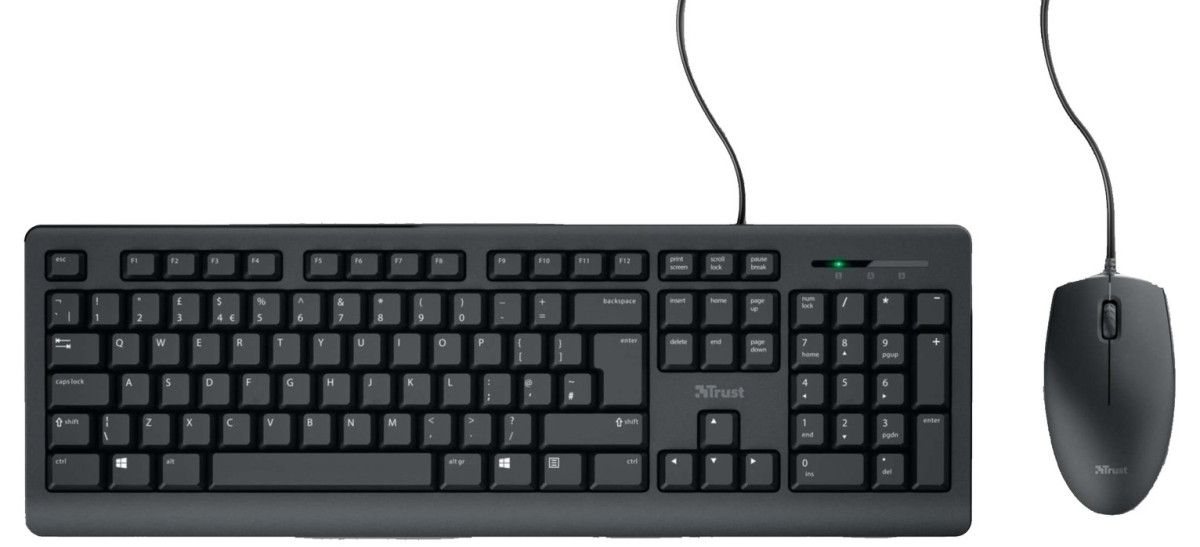
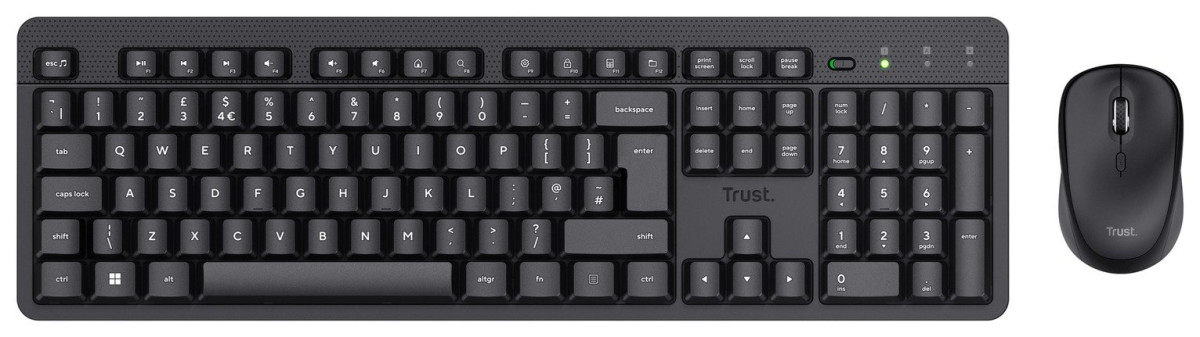
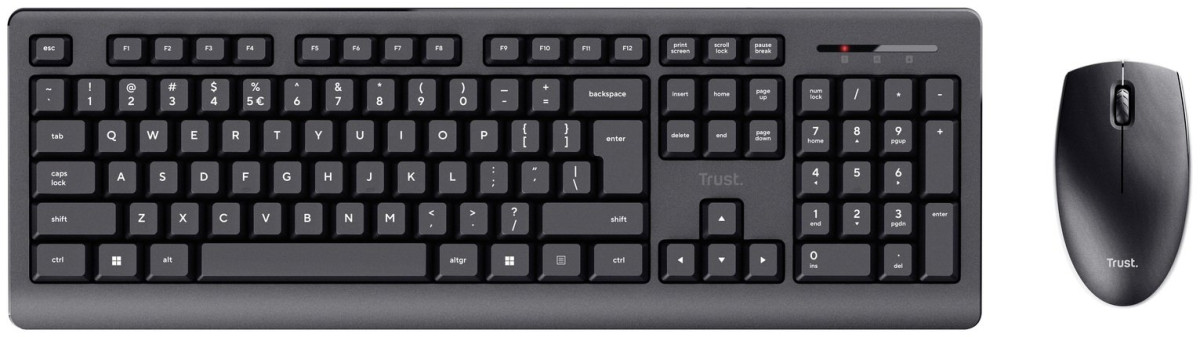
The keyboard uses a full-size layout, which means you get a complete number pad on the right-hand side — a detail that matters more than people expect if you spend any part of your day entering figures into spreadsheets or financial software. The keys themselves are low-profile, sitting closer to the deck than older-style keyboards with tall, chunky keycaps. In practice, that translates to less finger travel per keystroke, which can reduce fatigue over long typing sessions.
The keyboard is also spill-resistant, a feature aimed at protecting the internals from the inevitable coffee or water mishap rather than making the board fully waterproof. Think of it as insurance against a small accident, not a guarantee you can dunk it in the sink.
One detail worth flagging before you buy: a few buyers have reported that the punctuation and symbol placement didn't match what they expected from a UK-layout board, with at least one owner noting the "@" symbol sat in an unexpected spot. If precise key-layout matching is important for your workflow, it's worth double-checking the layout specifics for your region before purchase.
The Mouse
The mouse is ambidextrous, meaning it's shaped symmetrically rather than contoured for one hand. That's a genuinely useful design choice for shared desks or households where more than one person might use it, since left-handed users won't be stuck fighting a right-hand-only shape the way they would with many ergonomic mice. It's a compact unit — small enough to comfortably slide into a laptop bag if you need a portable option for travel.
Setting It Up: True Plug-and-Play
This is where the Primo set does its best work. Both the keyboard and mouse pair to a single, compact USB receiver, so you're not sacrificing two ports for one accessory set. Plug it into a USB-A port, and Windows and macOS will recognize both devices automatically using built-in system drivers — there's no software to download, no account to create, and no setup wizard to click through. If you've ever set up a wireless keyboard that demanded a companion app just to function, the appeal of "receiver in, devices working" becomes obvious.
Because it runs on the older USB 2.0 standard rather than a newer, faster connection type, you don't need a modern USB-C or USB 3.0 port to use it — it'll work in practically any USB-A socket, including on older desktops and budget laptops that haven't seen a hardware refresh in years. The wireless range is rated at roughly 10 meters, which is more than enough to run the keyboard and mouse from across a small room — useful if you're occasionally controlling a PC connected to a TV, or you like to lean back away from your desk without losing the connection.
Typing Experience: Where the Primo Earns Its Keep
The keyboard uses membrane-style key switches rather than mechanical ones. That's the right call for this category and price point: membrane keys are quieter, softer underfoot, and require less deliberate force to actuate, which suits open-plan offices, shared living spaces, or anyone typing late at night next to a sleeping partner. Compared to older, chunkier membrane boards, the low-profile key design gives typing here a noticeably lighter, more modern feel.
This isn't a keyboard built for competitive typists chasing every last millisecond of tactile feedback, and it's not going to satisfy someone who's used to a mechanical board's audible click and springy resistance. But for writing documents, browsing, messaging, and general office work, it holds up well — comfortable enough for extended sessions without feeling mushy or unresponsive.
Mouse Performance: The Component to Watch
The mouse runs a fixed-sensitivity optical sensor, with no on-the-fly adjustment button and no software to fine-tune tracking speed. In everyday terms, that means the cursor moves at one consistent speed regardless of what you're doing — perfectly fine for browsing, document work, and general navigation, but a limitation if you do detailed photo editing, CAD work, or anything else where you'd normally want to slow the cursor down for precision.
This is also the part of the package that draws the most mixed reaction from actual owners. Feedback gathered from real buyers points to occasional sleep and wake delays — the mouse can take a moment to "wake up" after sitting idle, likely tied to its power-saving behavior — along with some reports of inconsistent tracking. Several owners have also pointed out that there's no physical power switch on either device, meaning you're relying on automatic sleep functionality rather than manually cutting power when not in use. Most people find this becomes a total non-issue after the first day of adjusting, but it's worth knowing about before you buy, since it's the single most consistent complaint across owner feedback.
Battery Life and Power Management
The set runs on standard AA batteries rather than a built-in rechargeable pack, and batteries are included in the box, so you're not scrambling for a set the moment you unbox it. In real-world terms, the keyboard is the more power-efficient of the two devices — expect it to comfortably run for several months on a single set of batteries thanks to its lower power draw, while the mouse, which is in more constant motion and therefore uses more energy tracking movement, will typically need a fresh set somewhat sooner.
For most home or office users, this works out to changing batteries a handful of times a year rather than monthly — a far cry from devices that need daily charging, and one less cable competing for space on your desk. The trade-off is the manual swap itself: there's no USB charging cable to plug in overnight, so when the batteries do run low, you'll need spares on hand rather than being able to top up from a nearby port.
Who the Trust Primo Wireless Mouse and Keyboard Is Built For
Great Fit
- Home office workers who need a reliable, clutter-free wireless setup without spending on premium features they won't use
- Students who want a full-size keyboard with a number pad for coursework, spreadsheets, and general study use
- Anyone replacing a broken or aging keyboard-and-mouse combo on a tight budget
- Shared or multi-user desks, thanks to the ambidextrous mouse design
- Buyers who want a straightforward plug-and-play setup with zero driver installation
Look Elsewhere
- Gamers or anyone needing adjustable cursor sensitivity, programmable buttons, or ultra-low input latency
- Users who specifically want mechanical keyboard feedback or a fully silent-click mouse
- Precision-focused professionals doing detailed photo, video, or design editing, where fixed-DPI tracking becomes limiting
- Anyone who strongly prefers rechargeable peripherals over swapping AA batteries
- Buyers who need guaranteed console compatibility, since this combo is designed and marketed for PC and Mac use rather than gaming consoles
How It Stacks Up Against Other Budget Wireless Combos
The budget wireless keyboard-and-mouse category is a crowded space, with well-known names like Logitech's entry-level MK-series combos competing on very similar territory: low price, single-receiver simplicity, and broad compatibility. Here's how the Primo set's approach compares on the factors that actually matter day-to-day:
| Factor | Trust Primo Wireless Set | Typical Budget Competitor |
|---|---|---|
| Setup | Single receiver, zero drivers, instant recognition | Usually similar — single receiver is now standard in this category |
| Keyboard feel | Low-profile membrane keys, full-size with number pad | Often full-size too, though key height and travel vary by brand |
| Mouse precision | Fixed DPI, no adjustment | Some competitors offer switchable DPI levels even at similar price points |
| Power source | Replaceable AA batteries (included) | Also typically AA-powered at this price tier |
| Build materials | Includes a meaningful proportion of recycled plastic | Rarely highlighted as a feature by competitors |
| Warranty | Backed by a two-year manufacturer guarantee | Often just one year at comparable price points |
Where the Primo set separates itself is the combination of a genuinely comfortable typing experience and a longer-than-typical warranty for the price bracket — a two-year guarantee is a meaningful reassurance when you're spending very little upfront. Where it falls slightly behind some rivals is DPI flexibility on the mouse; buyers who specifically want a switchable-sensitivity mouse at a similar price may find that feature elsewhere.
Strengths and Weaknesses: The Honest Trade-Offs
What Works
The strongest argument for the Trust Primo Wireless Mouse and Keyboard is how little friction stands between opening the box and getting to work. The single-receiver setup genuinely works the way it's supposed to, the keyboard is more comfortable to type on than its price would suggest, and the inclusion of a number pad on a full-size layout is a real convenience that some rival budget boards skip. The longer two-year warranty also signals a level of confidence from the manufacturer that isn't universal at this price.
What Doesn't
The honest weak point is the mouse. While perfectly serviceable for general browsing and everyday navigation, its fixed sensitivity and the recurring owner reports of sleep-wake lag and occasional tracking inconsistency mean it doesn't quite match the keyboard's reliability. It's not a dealbreaker for casual use, but it's the component most likely to frustrate a buyer who expects flawless, instant responsiveness every time they touch it. The absence of a physical power switch is a minor but real inconvenience for anyone who prefers manually controlling power rather than trusting automatic sleep behavior.
Final Verdict
For anyone who wants a straightforward, comfortable wireless keyboard and mouse for everyday computer use — writing, browsing, spreadsheets, general office or study work — the Trust Primo Wireless Mouse and Keyboard delivers exactly what it promises, at a price that makes it an easy decision. The keyboard alone justifies the purchase for most buyers, and the setup process is about as painless as wireless peripherals get.
If your use case leans toward gaming, detailed design work, or you specifically need adjustable mouse sensitivity, this isn't the right tool for that job, and you'll be happier looking at a mouse with switchable DPI or a dedicated gaming peripheral instead. But as a dependable, comfortable, budget-friendly desk essential, this is a genuinely sound purchase for the audience it's built for.
What People Say
37 commentsGood keyboard let down by the mouse.
I bought this set as a temporary spare, and in terms of value for money it’s hard to fault. The keyboard is surprisingly decent – comfortable enough to type on, reasonably responsive, and perfectly adequate for everyday tasks.
The mouse, however, really lets the bundle down. It simply isn’t very reactive, and despite trying multiple adjustments I couldn’t get it to track smoothly across the screen. Clicks were inconsistent, and overall it just didn’t perform to a usable standard.
As a stop‑gap solution, the set did the job, but I wouldn’t recommend it for daily use unless Trust significantly improves the mouse. The keyboard alone is fine, but the mouse holds the whole package back.
overall, for the price, cannot be faulted
The keyboard has indicators for Num lock/Caps lock & Scroll lock (though these do not always remain lit, only while the keyboard is in use) It is a standard layout, not different from any other keyboard. keys have a good feel and decent amount of travel.
The mouse tends to go to 'sleep' quite quickly, but a left, or right click wakes it right back up again (moving it does not seem to do the same) it is a little annoying at first, but once you know, its easy enough.
Comes with 2 AA alkaline batteries, one for the mouse, one for Keyboard. overall, apart from the mouse thing, can't fault it for the price
Products you can 'Trust'
I bought this item a few weeks ago and it is just as good as I expected having bought 'Trust' products in the past. My only slight niggle is with the mouse. My desk has a shiny white worktop and my previous mouse worked fine on it. This mouse, however, is not as suitable for this surface and really needs a mouse mat under it. I am currently using a piece of a magazine under it, but I must get into the loft and find a mouse mat (that I never thought I would need again)
Nice Wireless Keyboard & Mouse, worth the cost!
Nice Wireless Keyboard & Mouse set, well worth the money! Bought to replace a similar set (different brand) after many years of use, but the mouse was failing.
This set looks to be of good quality build and is reasonably quiet when typing. Just 1 battery in keyboard and 1 in mouse. Yet to see how long the battery in each lasts. No on/off switch on either but I believe they 'go to sleep' after a short while of non use.
Cheapest option to replace older kit
Bought to replace another keyboard that had broken buttons. This one worked perfectly straight out of the box. Did panic when I couldn't immediately find the usb wifi receiver but soon realised it's packed inside the mouse. I dare say the instructions mention this, but who reads instructions. One thing I've noticed is that the keys need a good press.
Simple setup
Setup took about 12 seconds and I was ready to go. A good comprehensive keyboard and a comfortable mouse. The only thing that prevented me giving this product a 5* rating in all aspects was that there was no on/off switch on the mouse so that you have to remove the battery after use if you wish to preserve it.
Very Bad product
I bought this a month ago when I needed it as an emergency replacement for my usual one. It worked for 5 minutes long enough for me to unlock my PC and type my password, but it has never worked again. Unfortunately, I could not return it within 14 days, so it's just money down the toilet.
Wireless Keyboard and Mouse
Purchased to go with a recently acquired mini PC. Absolutely great value and true plug and play. Simply placed the Bluetooth dongle in a spare USB port and it worked straight away. Tip, when unpacking, the BT dongle is small and hidden in the keyboard battery compartment .
Great
Fantastic for the price, works great. Mouse good too unlike some it doesn't skeet all the place on the screen. Usb dongle thingee has a little space for it inside the mouse to keep it safe when not in use etc.
Definitely recommend and fantastic price too.
Not bad - one or two sticky keys
This is fine for the price, although I tend to prefer the Logitech wireless sets. It does what you expect and the keys have a decent clicky feel to them but the delete key sticks a little. It would be nice to have things like volume and play/pause controls.
Cheap for a reason
Keyboard works fine and has nice feel, range/connection is fine, but the mouse goes into sleep mode and then doesn't 'wake' without having to hit it really hard on the base. I thought it was the battery that was loose, but its just the way its designed.
Nothing fancy but goes the job
I got fed up of the excessive amount of cables around my desk, this helped with that issue and on a budget. Both keyboard and mouse work fine all with the plug in of one tiny usb and some batteries. Very easy to get going with and takes minimal effort.
Good buy for my needs
Bought this pair to compliment new laptop replacing one that was over 9 years old.
Not used frequently but they seem fine for my needs and linking both wirelessly to my Win11 laptop was a breeze.
Not sure how they would stand up to daily use however
Fine for what it is.
Bought this to replace a Logitech. Works fine, mouse need to be clicked to wake up rather than the usual wiggle which takes some getting use to. Keyboard is a bit clunky could do with having slightly lower profile keys but overall does what it says
Keyboard urgently required
Due to the keyboard I was using no longer working so needed a quick replacement.Was bothered about bells and whistles just a cheapish replacement.Ordered from memory on a Friday evening and received Saturday afternoon so all good.
Great keyboard and mouse.
Does exactly what it should, without a glitch. No installation needed, just take the dongle out from the mouse battery compartment, add the supplied batteries to both items and plug the dongle into any free USB port. away you go!
Does the job
This product does the job as well as anything else in its price range and a little above. No complaints. Oh and if you think you've lost the USB dongle when opening the packaging... it's hidden in the mouse under the battery lid!
Great budget wireless set
Simple plug and play set. Both worked straight out of the box. Batteries were included and only 1 needed in each. Keyboard keys are not as quiet as the last set I bought - but it's not an issue. All in all very happy with set.
Work perfectly
Absolutely brilliant, was expecting loud and clunky with them being so low in price but they’re so quiet, also the mouse goes into a sleep mode when it’s not used for a while which is great for battery saving
computer key board
Had the same keyboard for years the key old keys had become so faded I could hardly see them the replacement one from Argos is so good reliable wish I HAD REPLACED IT EARLIER