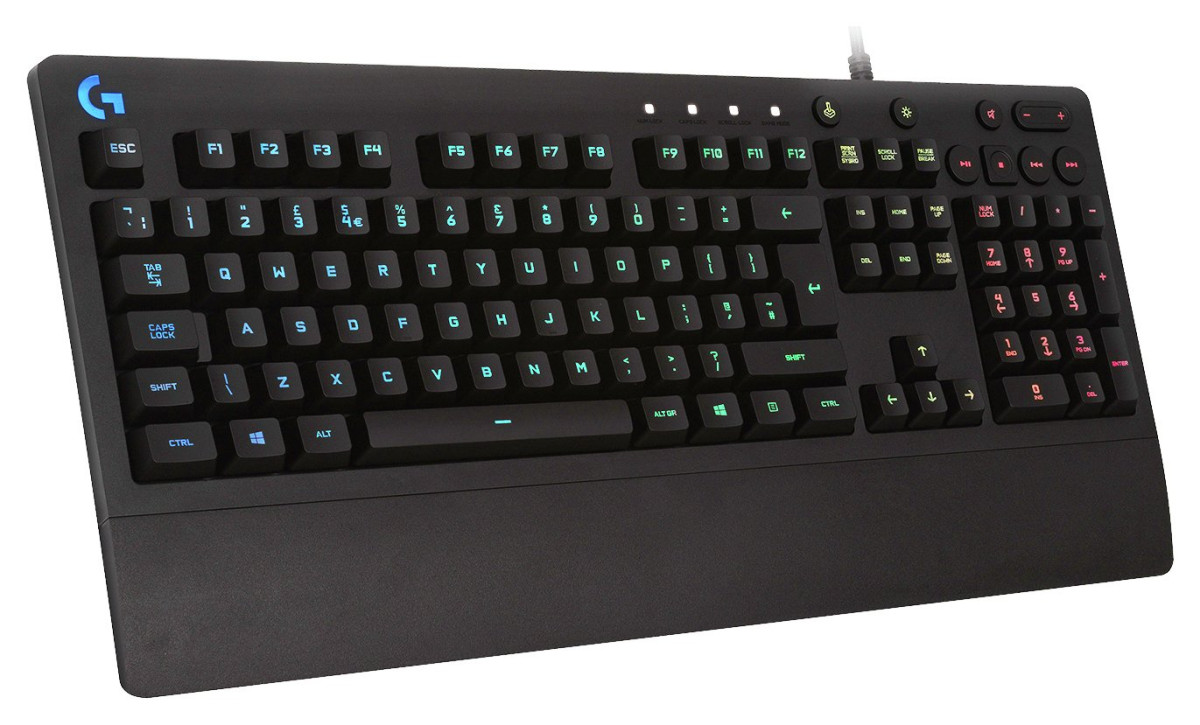
Logitech G213 Prodigy
Logitech
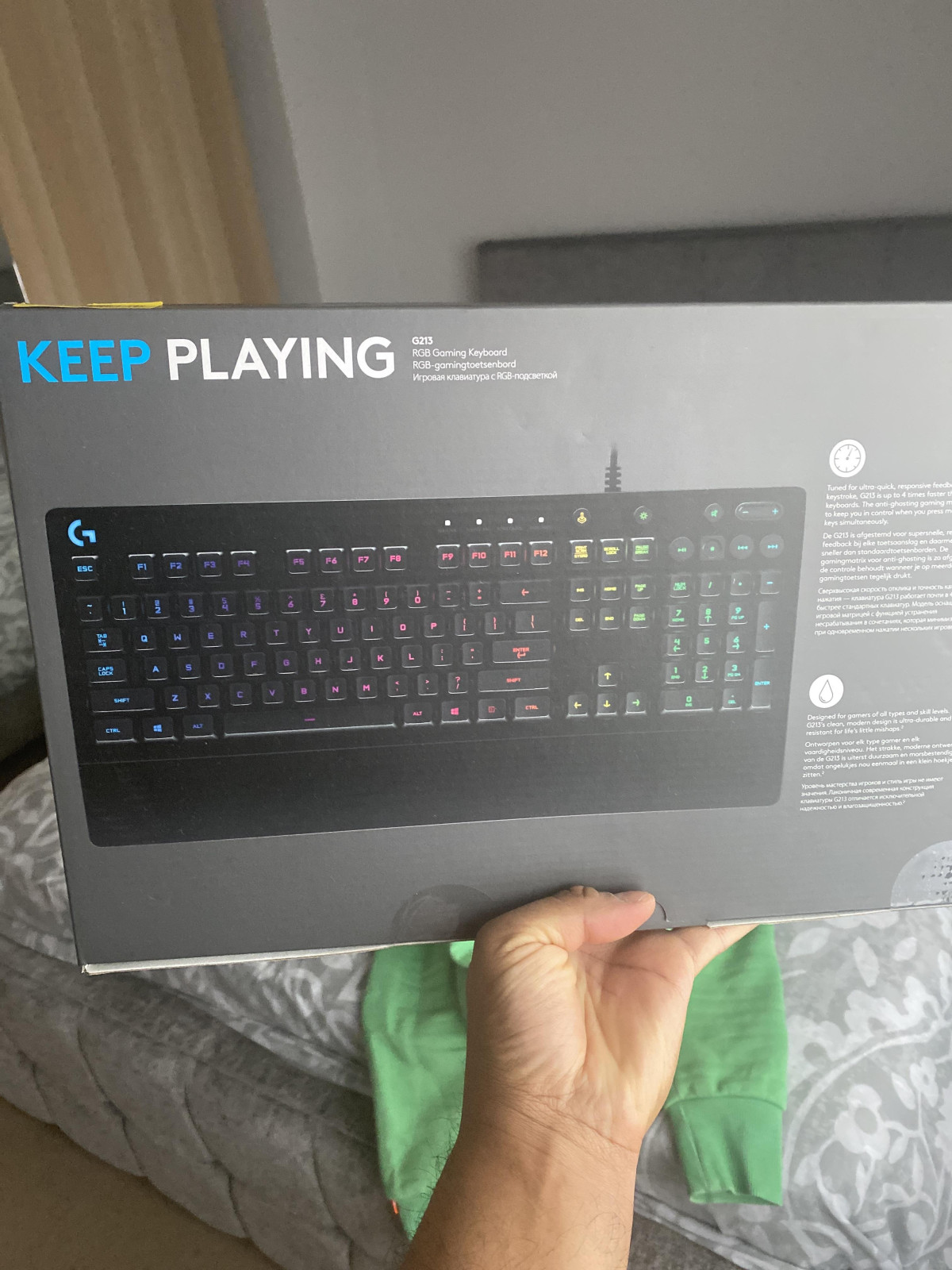
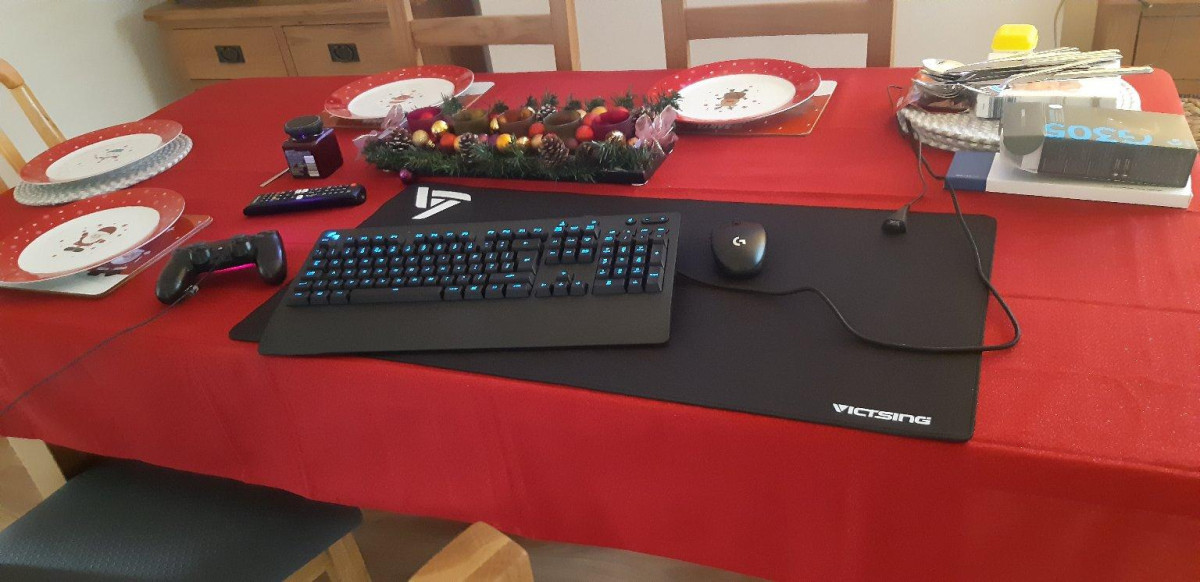
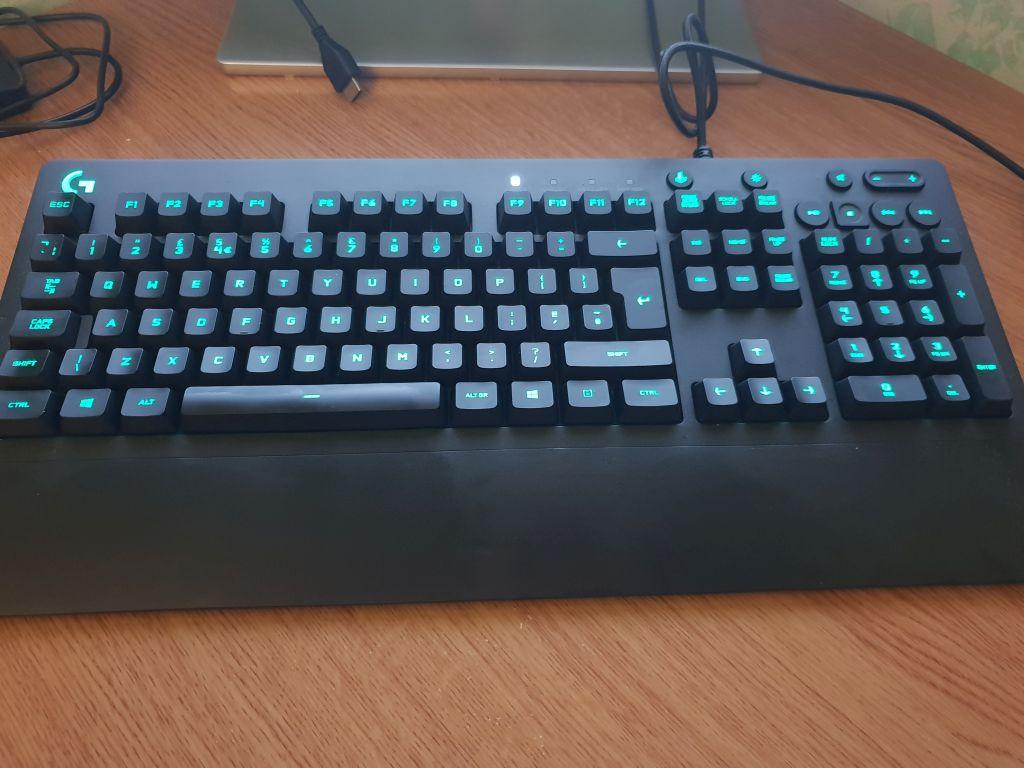
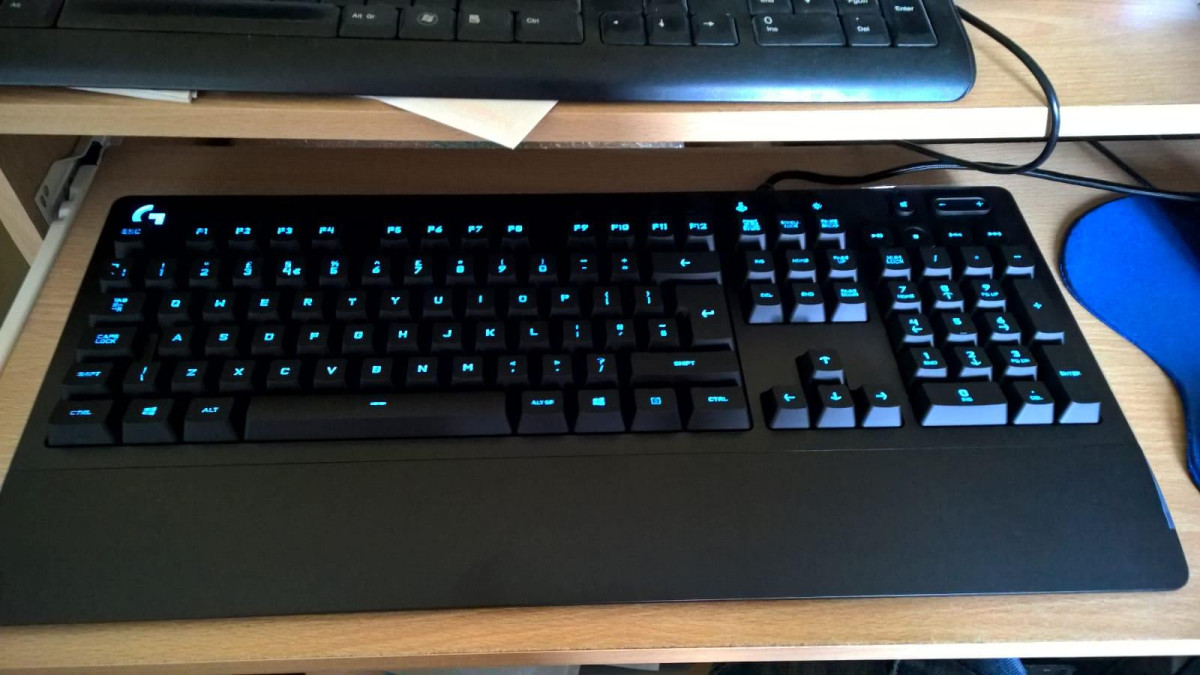
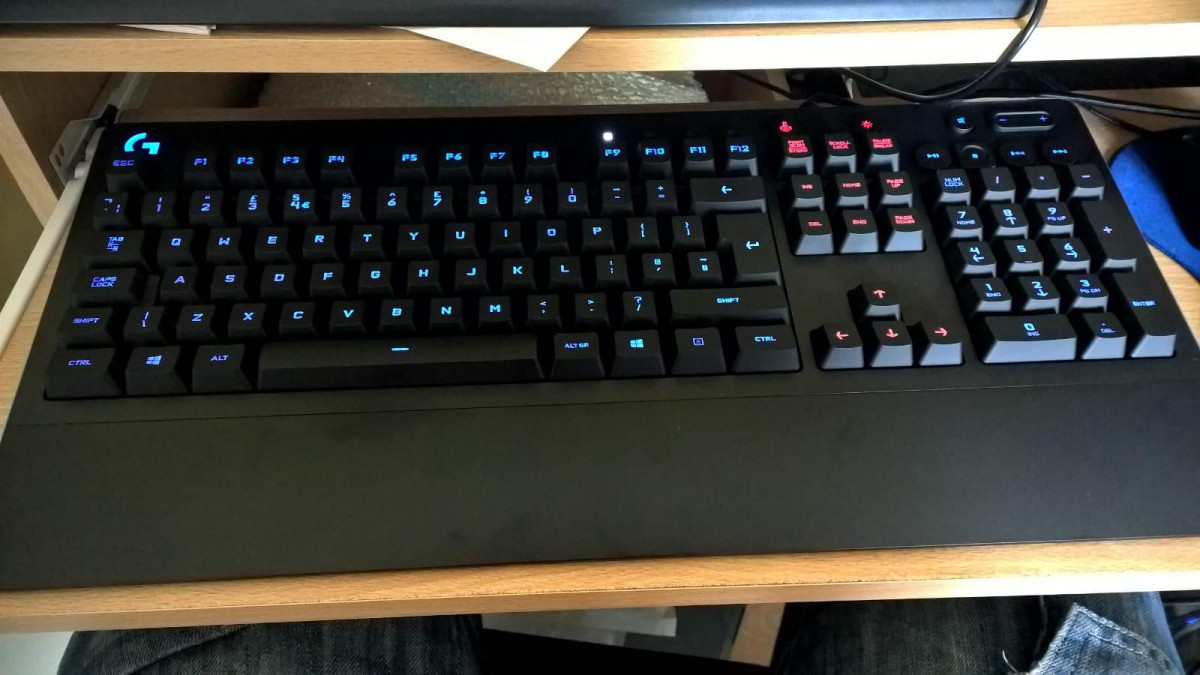
Walk into the gaming keyboard aisle and the loudest voices belong to mechanical switches — clicky, expensive, and marketed as the only serious option for anyone who plays competitively. The Logitech G213 Prodigy quietly disagrees. It's built around a membrane design that Logitech has tuned specifically to behave more like a mechanical board, and it does this while staying priced closer to an office keyboard than a premium gaming rig. For anyone assembling a first gaming setup, upgrading from a keyboard that came bundled with their PC, or simply trying to figure out whether they need to spend triple the money to get a "real" gaming keyboard, the G213 Prodigy sits right at the center of that decision. The question worth answering here isn't whether it's the best keyboard money can buy — it isn't — but whether its particular set of trade-offs make sense for the way you actually play and work.
Design and Build Quality
A Full-Size Footprint With a Built-In Wrist Rest
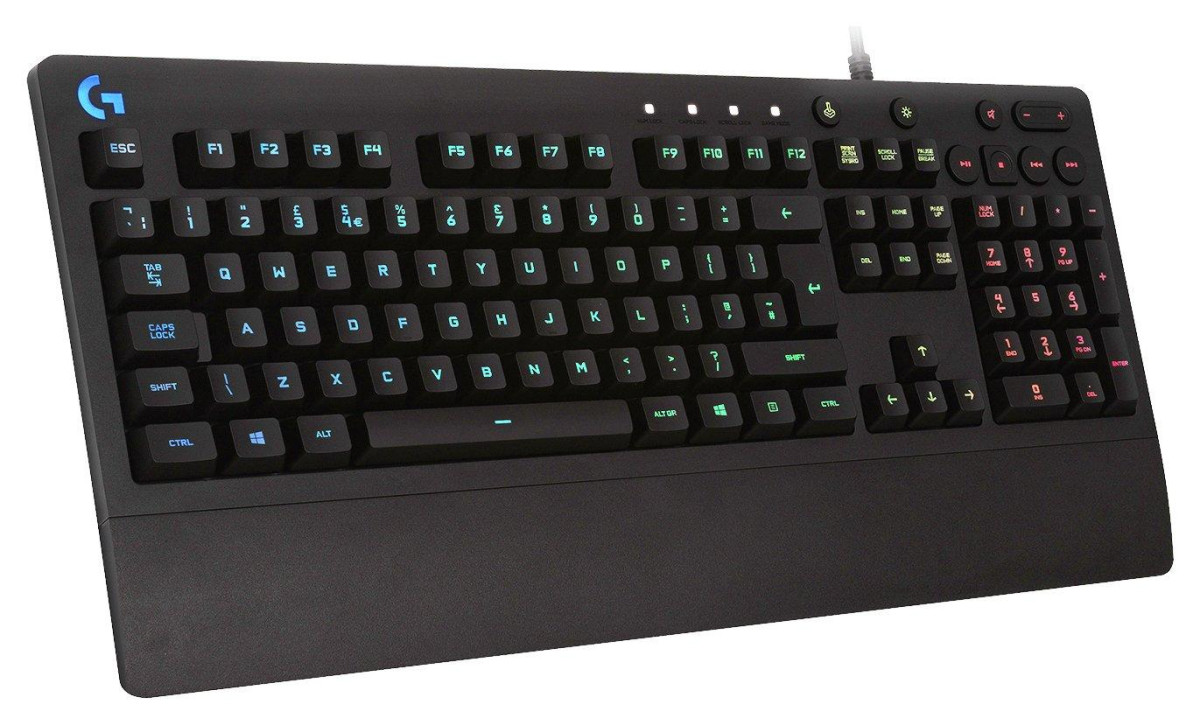
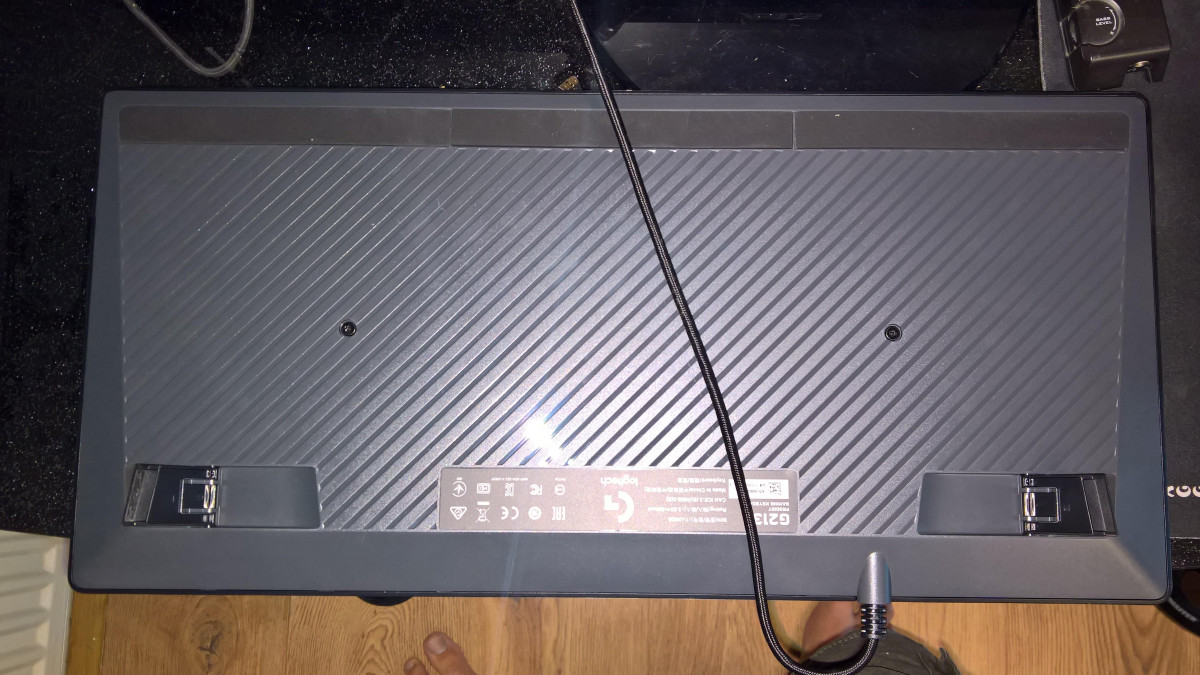
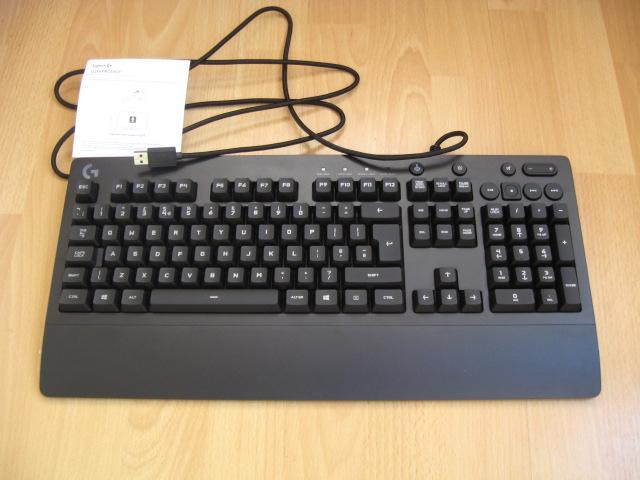
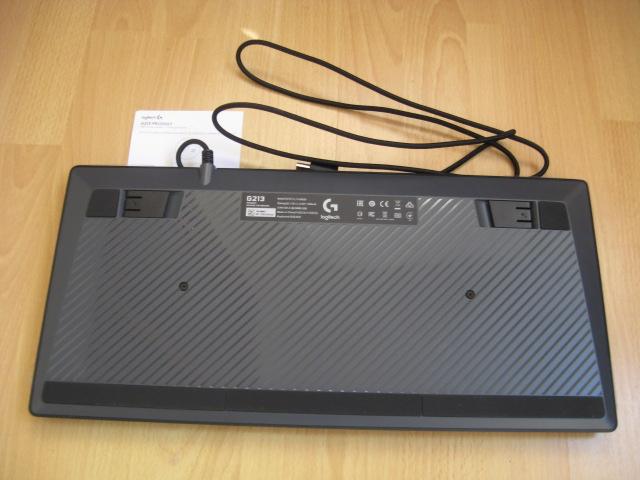
The G213 Prodigy is a full-size board, complete with a number pad, and Logitech has permanently attached a palm rest to the front edge rather than offering it as a removable accessory. That decision defines the keyboard's physical character more than almost anything else about it. Measured edge to edge, the unit runs a little over 45 centimeters wide and close to 22 centimeters deep once the palm rest is factored in — noticeably larger than a typical office keyboard, and larger than most rival gaming boards in its price bracket too. If your desk is tight on space, or you like to keep a mouse mat close to your keyboard's edge, that footprint is worth measuring against your setup before you buy. Two flip-out feet at the back let you tilt the typing angle, though because the palm rest is fixed and non-removable, some hands will find the resting height slightly higher than they're used to until the feet are adjusted to compensate.
The chassis itself is plastic throughout, and that's exactly what you'd expect at this price point. It doesn't try to disguise itself as anything more premium, but it also doesn't feel flimsy in daily use — the deck has enough heft that it stays planted during fast-paced sessions rather than sliding around the desk. Where the design earns genuine praise is in the details that actually affect comfort: the palm rest measurably reduces wrist fatigue during long sessions, and the slightly curved keycap profile lets fingers settle naturally instead of hunting for the right angle. Where it draws fair criticism is that the plastic doesn't feel special to the touch, and a keyboard this size does ask a lot of your desk real estate in return for that comfort.
Typing Feel and Gaming Performance
Mech-Dome Switches: A Membrane Board Dressed Up as Something Faster
Underneath the keycaps, the G213 Prodigy doesn't use true mechanical switches — it uses what Logitech calls Mech-Dome technology, a membrane design tuned specifically to mimic the responsiveness of mechanical keys. In practice, that means a rubber dome sits underneath every key rather than an individual mechanical switch, but the dome has been shaped and weighted to reduce the mushy, uneven feel that gives cheap membrane keyboards a bad reputation. Each key requires roughly 50 grams of pressure to actuate and travels close to a full 4 millimeters before bottoming out — numbers that land squarely in mechanical keyboard territory rather than the shallower, lighter feel of a typical laptop or office keyboard.
Independent testing backs up the idea that this isn't just marketing language: the board runs at a full 1,000Hz polling rate, meaning it checks in with your PC a thousand times per second, and it correctly registers overlapping key presses without dropping inputs — a trait testers describe as being free of "chord splitting." That combination matters more than it sounds. In fast games where you're strafing, crouching, and reloading within the same fraction of a second, a keyboard that drops or delays simultaneous key presses can genuinely cost you the moment. The G213 Prodigy passes that test.
Where opinion genuinely splits is on how the keys feel to the finger rather than how they perform on a benchmark. Reviewers who've spent extended time with the board describe the typing experience in strikingly different terms — some find it a satisfying, confident-feeling board that holds up over 100-hour stretches of gameplay, while others describe a persistent softness or "sponginess" when keys bottom out, and a hollow sound that betrays its membrane origins the moment you compare it directly to a genuine mechanical board. Both descriptions are accurate; they're just describing the same keyboard against different baselines. Coming from a basic office keyboard or a laptop, the G213 Prodigy will feel like a clear step up. Coming from a mechanical board, it will feel like exactly what it is — a very good membrane keyboard, not a mechanical one in disguise.
Anti-Ghosting: The Feature That Actually Matters in a Firefight
The anti-ghosting matrix built into the G213 Prodigy is designed to solve a specific, common problem: on cheap keyboards, pressing several keys at once can cause some of those presses to simply not register, an effect called "ghosting." Gaming inputs frequently demand three or four simultaneous keys — movement, a modifier, and an ability or reload command all at once — so a keyboard that fumbles combinations under pressure becomes a real liability. The G213 Prodigy's matrix is specifically tuned to hold up under that kind of simultaneous, high-speed input, which is one of the clearer, measurable ways this keyboard justifies its "gaming" branding rather than just borrowing the label.
Key Features That Matter Day to Day
Five-Zone RGB Lighting, Not Per-Key
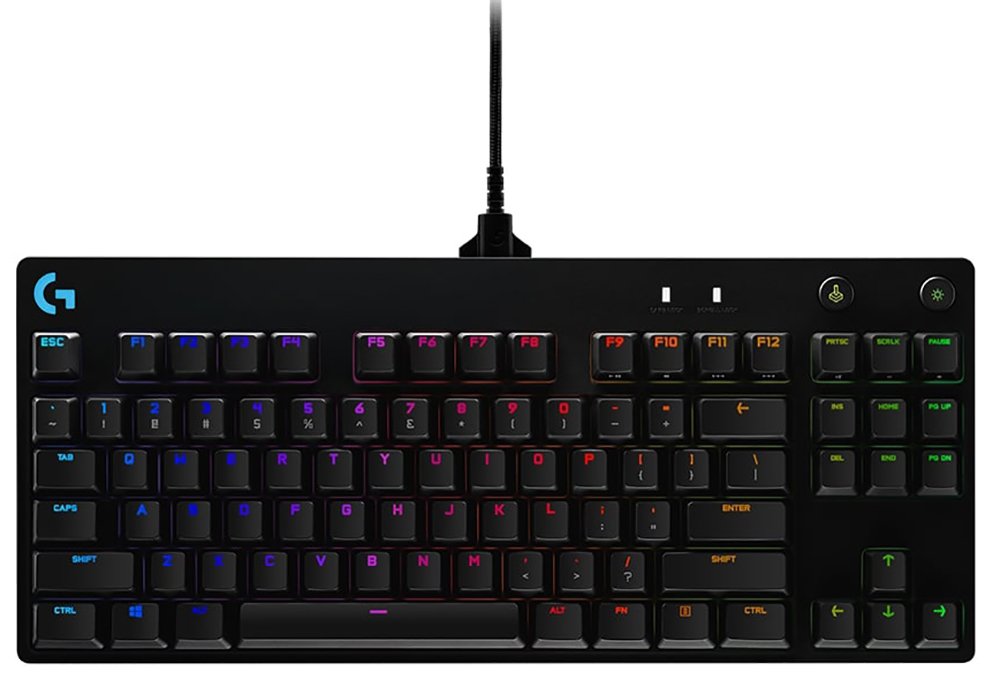
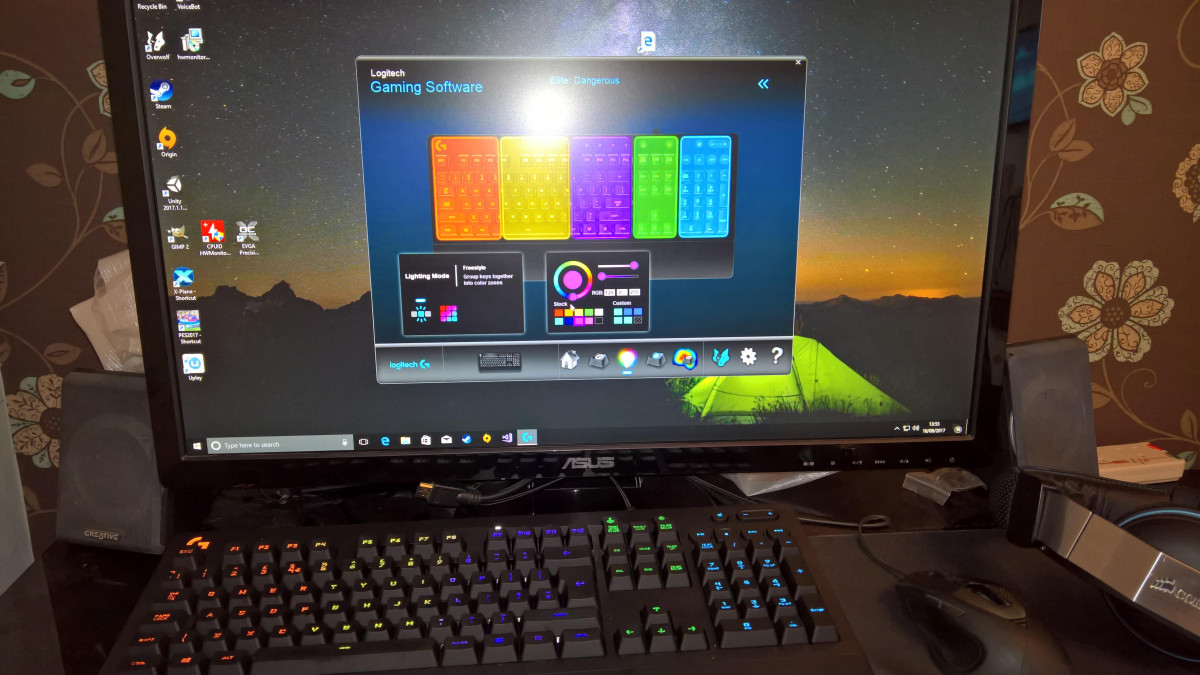
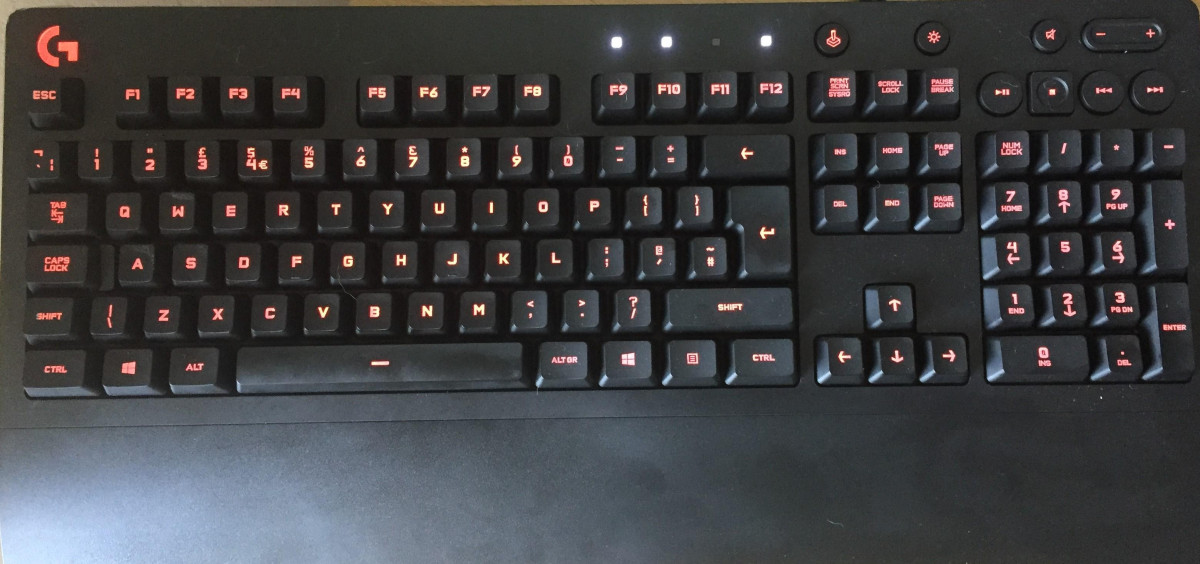
The G213 Prodigy uses Logitech's LIGHTSYNC RGB system, giving you access to a spectrum of roughly 16.8 million colors. It's important to understand exactly what "customizable lighting" means here, though: rather than controlling each individual key's color independently, the board is divided into five separate lighting zones that you color and adjust as blocks. Through Logitech's free G HUB software, those zones can also be set to react automatically to on-screen action across several hundred supported games — lighting that pulses with an explosion or shifts color as your health drops, for example — rather than staying static.
For anyone picturing the kind of per-key rainbow wave effects seen on flagship gaming keyboards, it's worth resetting expectations. The zone-based approach is functional and adds genuine personality to a setup, but reviewers consistently describe the lighting output itself as more subdued than flashier, pricier rivals. If RGB flair is a top priority rather than a nice-to-have, this is one of the clearer places the G213 Prodigy shows where its price point draws the line.
Programmable Keys and Media Controls
A dedicated row of media controls sits in the top-right corner of the board, giving you direct play, pause, mute, skip, and volume-adjustment buttons without needing to alt-tab out of a game — a genuinely convenient feature that's often reserved for pricier keyboards. Beyond that physical row, the G HUB software lets you remap function keys to trigger custom commands or shortcuts, useful for anything from launching a specific application to firing off a macro sequence in a game that supports it. None of this requires special hardware knowledge to set up; the software interface is built for drag-and-drop simplicity rather than scripting.
Spill Resistance You'll Hopefully Never Need to Test
The keyboard's membrane and key structure are built to shrug off liquid spills, and Logitech has tested the design against roughly 60 milliliters of liquid — a bit more than a standard shot glass — without it taking out the board underneath. This is a genuinely practical feature rather than a marketing checkbox: keyboards near a gaming setup inevitably end up within reach of coffee, energy drinks, or a knocked-over glass of water eventually, and a design that's engineered to survive that moment rather than short out is worth having even if you never plan on testing it deliberately.
Connectivity and Compatibility
The G213 Prodigy connects exclusively over a wired USB connection — there's no wireless or Bluetooth version of this particular model, so if a clutter-free desk matters to you, that's worth knowing upfront. The upside of going wired is that there's no battery to charge, no input lag introduced by a wireless connection, and no risk of the keyboard dying mid-session; you plug it in and it works.
Compatibility is broad but not universal. The keyboard is built primarily for Windows 7 and later, and Logitech's own support confirms it also works with Mac desktops. It's compatible with PS5 as well, though it's worth understanding the caveat: not every PlayStation game supports keyboard-and-mouse input, so pairing this with a console is more useful for the specific titles that support it than as a blanket replacement for a controller. One notable omission is that the keyboard doesn't include any USB passthrough ports or a headphone jack — if you were hoping to plug a mouse or headset directly into the keyboard itself to save a USB port on your PC, you'll need to connect those peripherals to your computer directly instead.
Who the G213 Prodigy Is Built For
This keyboard makes the most sense for a specific kind of buyer: someone building their first proper gaming setup on a tight budget, someone replacing an aging office keyboard who wants gaming-relevant features without gaming-tier spending, or a parent picking up a first "real" keyboard for a young gamer without wanting to hand over a top-shelf mechanical board. It's also a sensible pick for anyone who splits time evenly between typing-heavy work and gaming sessions, since the media controls and comfortable palm rest are genuinely useful outside of games too.
It's a poorer fit for competitive players chasing every possible millisecond of advantage, since serious mechanical switches still edge out even well-tuned membrane domes on tactile precision and long-term consistency. It's also not the right choice for anyone who has already used a mechanical keyboard and loved the crisp, spring-loaded feel — going back to a membrane board, however well-tuned, tends to feel like a step down once you know what you're comparing it to. And if desk space is tight, the keyboard's larger-than-average footprint and non-removable palm rest are worth measuring against your setup before ordering.
How the G213 Prodigy Positions Itself in the Market
Shoppers comparing this keyboard tend to weigh it against other budget-to-mid-range gaming boards rather than premium mechanical options, since that's the price bracket it competes in. The table below frames how those categories generally differ, based on how this keyboard's own feature set stacks up against the broader market it sits in.
| Category | Typical Traits | Where the G213 Prodigy Lands |
|---|---|---|
| Basic office/membrane keyboards | Very low cost, no RGB, minimal gaming-specific tuning, prone to input drops under multiple keys | The G213 Prodigy clears this bar comfortably — tuned anti-ghosting and a 1,000Hz polling rate put it well ahead |
| Tuned membrane gaming keyboards (this category) | RGB lighting, media controls, gaming-tuned switches, moderate price, plastic build | This is exactly where the G213 Prodigy sits — strong feature set for the price, membrane feel remains the ceiling |
| Entry-level mechanical keyboards | True mechanical switches, crisper tactile feedback, usually a step up in price, often less RGB polish | Slightly pricier rivals in this bracket offer sharper typing feel; the G213 Prodigy trades that for a lower price and extra comfort features |
| Premium mechanical/wireless keyboards | Per-key RGB, hot-swappable switches, wireless options, aluminum builds | Out of this keyboard's league by design — and by price |
The takeaway is straightforward: the G213 Prodigy isn't trying to out-perform a genuine mechanical keyboard, and it doesn't. What it does is out-feature nearly everything else at its price, packing in spill resistance, a built-in palm rest, zone RGB, and dedicated media keys into a package that regularly undercuts rivals offering fewer of those extras.
Strengths and Weaknesses in Practice
The clearest strength here is value density — very few keyboards at this price point bundle in a tuned membrane switch, five-zone customizable RGB, a built-in palm rest, dedicated media controls, and tested spill resistance all in one package. The anti-ghosting performance and full 1,000Hz polling rate are genuine, measurable wins that hold up under independent testing rather than existing only on a spec sheet, and that gives the keyboard real credibility for fast-paced gaming rather than just casual use.
The honest weaknesses cluster around exactly where you'd expect them to for a membrane board: the typing feel, while tuned to punch above its category, still carries a softness at the bottom of each keystroke that mechanical switches don't have, and that difference becomes obvious the moment you type on both back to back. The RGB lighting, while colorful, is zone-based rather than per-key and comes across as more restrained than flashier rivals. The plastic build is solid rather than premium, and the size — driven largely by that fixed palm rest — asks for more desk space than some buyers will have to spare. None of these are dealbreakers on their own, but together they explain why this keyboard earns consistent praise for value while rarely being singled out as best-in-class on any individual trait.
Final Verdict
The Logitech G213 Prodigy succeeds at a very specific job: making a membrane keyboard feel and perform close enough to mechanical that most gamers won't notice the difference in the middle of a match, while keeping the price low enough that it remains an easy recommendation for anyone building a budget setup. It earns its place through breadth of features rather than excellence in any single category — the anti-ghosting and polling rate genuinely deliver, the palm rest and media controls add daily convenience, and the spill resistance offers real peace of mind.
Buy this if you're setting up a first gaming PC, upgrading from a basic keyboard, or want gaming-relevant features without gaming-tier spending, and you have the desk space to accommodate a full-size board with a built-in wrist rest. Look elsewhere if you've already experienced a mechanical keyboard and know you want that crisper, springier feel, if per-key RGB customization matters to you, or if desk space is genuinely tight. For the buyer it's built for, the G213 Prodigy remains one of the more sensible ways to get a legitimately capable gaming keyboard without stretching the budget to mechanical-switch prices.
What People Say
64 commentsLovely Keyboard, Great design
The Logitech G213 Prodigy is a budget user-friendly gaming keyboard that is suitable for both casual and true gamers. It has a sleek design with a durable and spill-resistant build, making it suitable for use in a variety of environments.
One of the standout features of the G213 Prodigy is its customizable backlighting, which allows users to choose from a range of colors and lighting effects to match their style. The keyboard also has dedicated media keys and a volume dial, making it easy to control media playback without having to minimize your game or other applications. Lovely keyboard, great design
Great keyboard for work and play
Working into the evenings, I wanted a keyboard that was backlit through the symbols on the keys, rather than under them. I took a chance that this wouldn't give me a strobing RGB LED induced headache and found that --fortunately-- the default shift through the colours is slow and non-distracting. Better still, I have found that it is possible to select just a single colour with a keyboard combination (light key and 'o'): just what I needed. The mechanical feel of the keys is great. The support at the front of the keyboard is more for the heel of the hands than the wrists, but is still good.
Mid range keyboard that punches above its weight.
This keyboard looks and feels great. The anti-ghosting makes for both a great typing and gaming experience. The keys are also programmable and you can create profiles, (for different games, programs, etc.) on the f1 - f12 keys.
The keyboard also feature key by key led lighting for that personal touch. Although this can look dull in very bright environments, they are a welcome addition to the overall visual impact.
Contains dedicated media keys which my older (and more expensive) didn't have.
Super responsive and very comfortable
The keyboard is super responsive with great lighting, clean lines and a solid design made to a high quality. Its plug and play for standard functions however you can install the Logitech driver to program keys, change lighting effects, colours, and set up Game Mode.
The keyboard is very comfortable to use and soft to the touch, with the rear grips giving a solid foundation for typing. Overall I love it; it’s a brilliant product perfect for gaming as well as general use, highly recommended!
Great upgrade Keyboard
The Logitech G213 Prodigy Gaming Keyboard is fine looking out of the box, although larger than I expected. It has a wrist rest at the bottom for a little comfort for those long hrs of gaming,the keys are a mix of square and round,spill-proof
The keys light-up and they also lift off ( good upgrade from the standard keyboard that I have always used).Fast for typing and an advantage when gaming, but the keys feel a little squashy if your used to solid keys. Thumbs up from me.
Great affordable keyboard
I got this after dropping tea all over my mechanical keyboard. It was an initially a quick replacement keyboard but I’ve decided I actually prefer this to my previous (blue clicky keys) keyboard!
As a non mechanical keyboard the keys have a nice press to them and not too loud. It has a rest for your palms too which is quite cool. The only thing I’d say is it’s pretty large. Probably not for you if you have an ultra minimalist set up. Otherwise I’d Definately recommend!
Logitech G213 Prodigy Gaming Keyboard
The keyboard is very easy to setup; just USB plug and play; Windows 10 automatically downloaded the drivers it needed. It is very comfortable and ergonomic, which helps users who spend a lot of their time typing to stave off fatigue. The keyboards has the ability to light up in multiple colors and has a specialized gaming mode. It is also spill resistant giving it the ability to last longer than your average keyboard. A solid piece of kit that will last a long time.
Very Stylish
Really nice keyboard, very well designed and very robust. The keys are nice and soft to use and the wrist support is excellent. As an added binus, the color changing lights look cool too, especially in low light.
It's USB so just plug it in and you're away. Someone said in aprevious review that the only way the lights work is to download software from Logitek but, that's incorrect. The keyboard works rioght outmof the box, installs automatically, no downloading.
L.E.D Keyboards are cool.....
There are 5 separate zones each with its own colour or they can be set to animate, there is a software program that you can download from Logitech's website to change the colours or to use one of the pre-set animations for the leds in the keyboard.
I love this keyboard, its not mechanical but it works quick enough for me and I have set the LED colours to match those in my customized computer case and my G300s Mouse (which can also have the LEDs change colour).
An effective keyboard for gamers
This is an effective gaming keyboard, with a sloping wrist rest, clear key presses and illuminated keys. It can also be used as a normal office keyboard, with the facility to turn off the lights.
The keyboard connects via a USB connection and it's easy to understand and set-up, although a basic manual is provided. The keys are also programmable which is useful for short-cuts when gaming.
A recommended product which is robust, looks good and performs well.
Just best for price proper gaming keyboard.
Its Logitech - gaming G range. They make best mouse in the world - g502 Proteus and those 2 match perfectly. Both keyboard and mouse adjustable from same app both same quality. 4 zones for RGB lightning (full spectrum). Keyboard is very compfy for many hours (i use it in my gaming chair on the lap), got essential extra buttons and just feels and looks good. Recomended - plus you wont get anything close in quality unless you spend twice as much minimum.
Flashy Keys At Fingertips!
The light up keys and modern design of this gaming keyboard look great on my desk. It has a sturdy build quality and is described as being spill resistant. Plug and play means you're up and running in seconds. Downloading the optional software from Logitech opens further usability and features. The software allows the user to select various lighting effects and styles. The keys of the keyboard are programmable with more options than can be listed here.
Stylish, comfortable and customizable
Great quality keyboard. Feels well made and the keys are quiet and quite soft to the touch. They're not very deep keys like a mechanical keyboard so they take less effort in pressing them down.
The wrist support is a must-have for any gamer or user who spends a lot of time at the keyboard (this was my reason for changing my previously more expensive keyboard).
You can customize key bindings and lighting effects using Logitec's software.
Brilliant
The keyboard it’s self has a great design and has also a arm rest permanently attached to it. The keyboard sounds like a quiet mechanical keyboard which is very good for a fully membrane keyboard it also has a roatating RGB lighting system which can be altered whithin the Logitech Gaming Softwate. The keys have a nice feel but cannot be replaced. It is a large keyboard so not ideal for a small desk if you need a lot of mouse movement space.
logitech g213 gaming keyboard AMAZING !!!!
picked this up from my local Argos the other day and once I got it home and set up I was over the moon with just how good it was the build quality is extremely high and even though it does not have mechanical key switch's it feels and performs as if it does.
I would highly recommend his keyboard to anyone who wants a great looking and feeling gaming keyboard but doesn't want to spent an arm and a leg to get one. 5* all the way
Good value & Excellent quality
Pros
- Good quality build nice heavy base
- Spill proof
- Funky lights, can select colours for 4 different quarters of kbd and cycle colours with different affects.
- Download application to use macros for games and micro manage kbd.
- Cable is good quality webbing
- Keys very responsive and satisfying click
Cons
- No instructions in box but can access online
- Cannot select colour for individual keys just groups.
Really nice to use...
I already owned a Logitech gaming mouse so getting the keyboard seemed like a logical move. The colour changing keys are nice and not too distracting and the built in hand-rest is very comfortable. The keys are great to use - very responsive - and perfect for everyday office use as well as for gaming (which is the primary reason for the purchase). All in all a great keyboard.
keyboard looks nice and has alot of features but..
the keyboard looks nice and all but the features are lacking in the reactive kind of lights i really wanted! the arm rest on the bottom doesnt really reach or touch my hand as my hand just cant read it if i still wanna use the keys :P
but overall its a great keyboard and i would deffinitly recommend this for first time pc gamers but not if you like mechanical!
Fancy keyboard
I was looking for mechanical keyboard, easy to use and with fancy design. G213 does the job. Very good for gaming, also for typing. For the price, I am happy with this purchase. The only thing is - USB connector sits very loose in the socket. Not sure why, tried various devices and it is just very wobbly and loose. Other than that - no complains.
It's a keyboard and you can type with it.
bought mainly because it supports holding down more than two keys at once, essential for gaming, especially if you want to jump whilst running in FPS games like Fortnite or PUBG.
Got from Argos also because it was cheaper than anywhere else on the high street.
Oh and the LED lighting is good too, if you like that kind of thing.