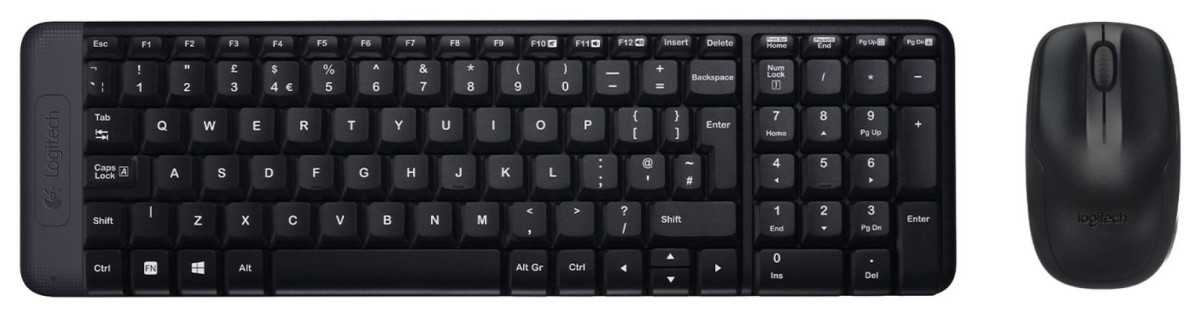
Logitech MK220
Logitech
Small Desk, Full Keyboard: What the MK220 Actually Delivers
If you've ever tried to fit a full-size keyboard onto a cramped desk, propped a laptop on a stand and lost your trackpad in the process, or simply gotten tired of untangling cables every time you rearrange your workspace, the Logitech MK220 Wireless Mouse and Keyboard is aimed squarely at solving that problem. This is not a flagship peripheral loaded with programmable buttons and RGB lighting — it's a no-nonsense, budget-friendly combo built around one core idea: give people a full-function keyboard and mouse that takes up less room and doesn't need constant fussing over cables or batteries. The question worth answering before you buy is whether "compact and simple" also means "capable enough for daily use." Having dug into how this combo is built and how it behaves in real homes and offices, the short answer is yes — with a few caveats that matter depending on how you work.
Design and Build: Compact Without Compromise
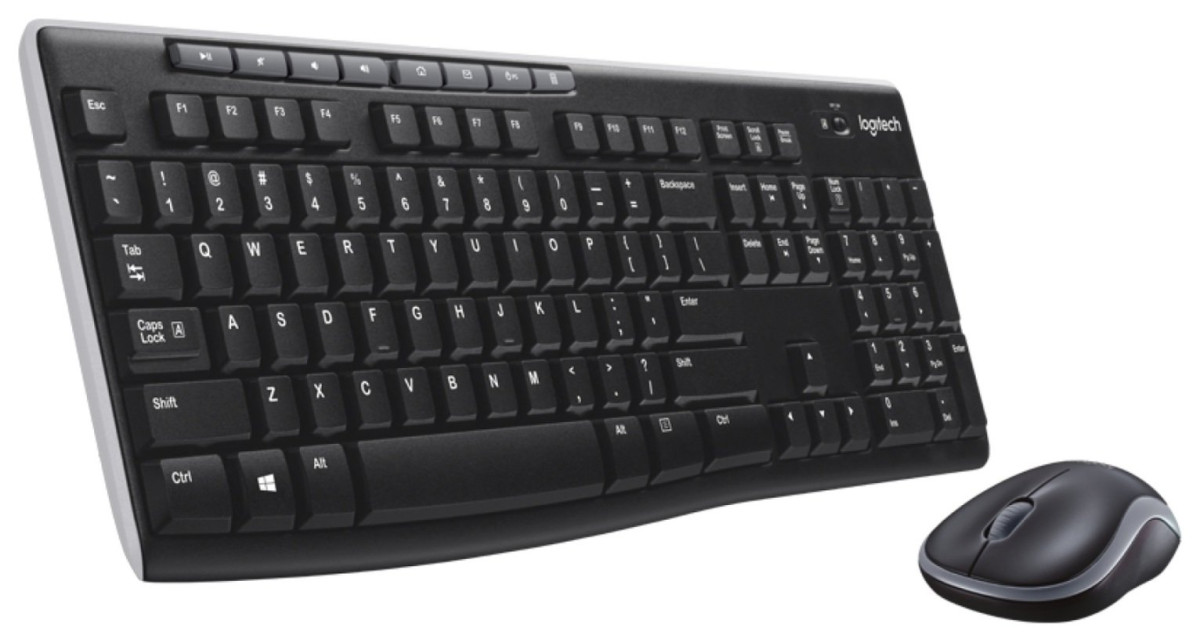
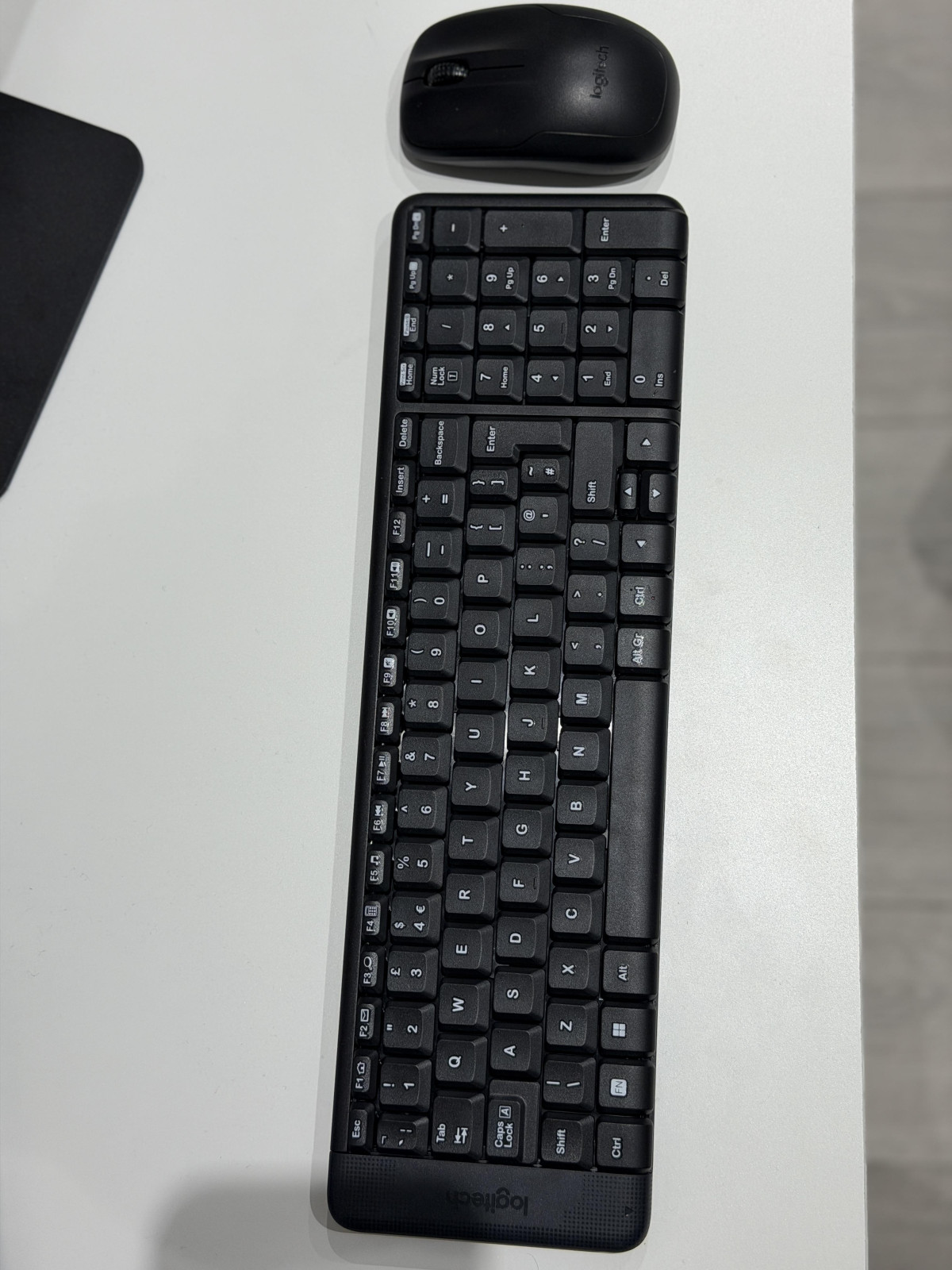
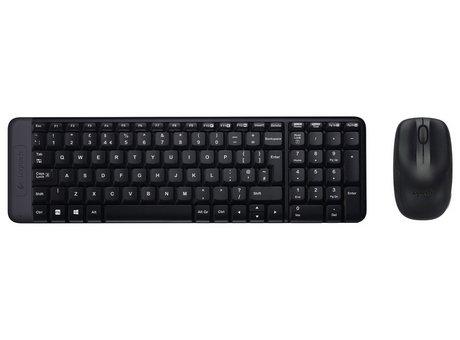
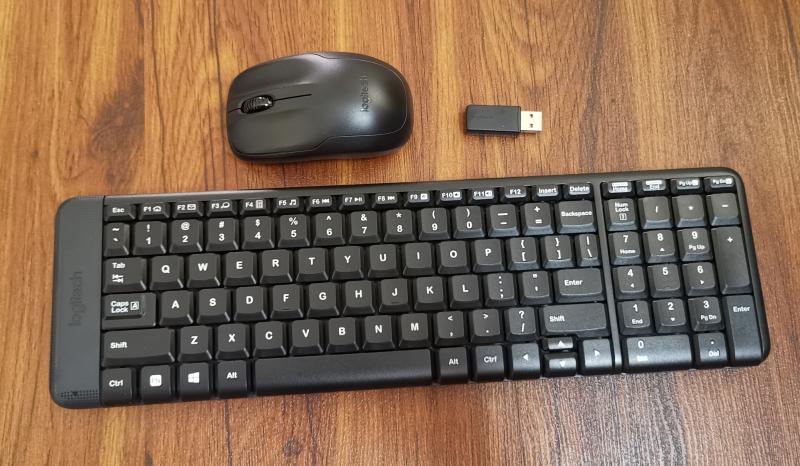
The headline design decision here is size. Logitech has shrunk the keyboard's footprint by roughly a third compared to a standard full-size board, but — and this is the part that actually matters — it hasn't done so by removing keys. You still get a complete set, including a number pad, which is the part most "compact" keyboards sacrifice first. That's a meaningful distinction: plenty of space-saving keyboards ask you to give up dedicated number entry entirely, which is a dealbreaker for anyone doing spreadsheet work, data entry, or accounting. The MK220 keeps that pad intact and instead saves space by tightening the layout and trimming the bezel around the keys, rather than cutting functionality.
The keyboard is finished in black plastic with a low, flat profile. It doesn't have folding feet to angle the typing surface, so what you see is what you get in terms of ergonomics — there's no adjustable tilt here, which is worth knowing if you're used to propping your keyboard up. The keys themselves use a deep-profile design and are engineered to operate quietly, which in practice means you can type in a shared room, on a video call, or late at night without the sharp clatter you get from cheaper membrane boards.
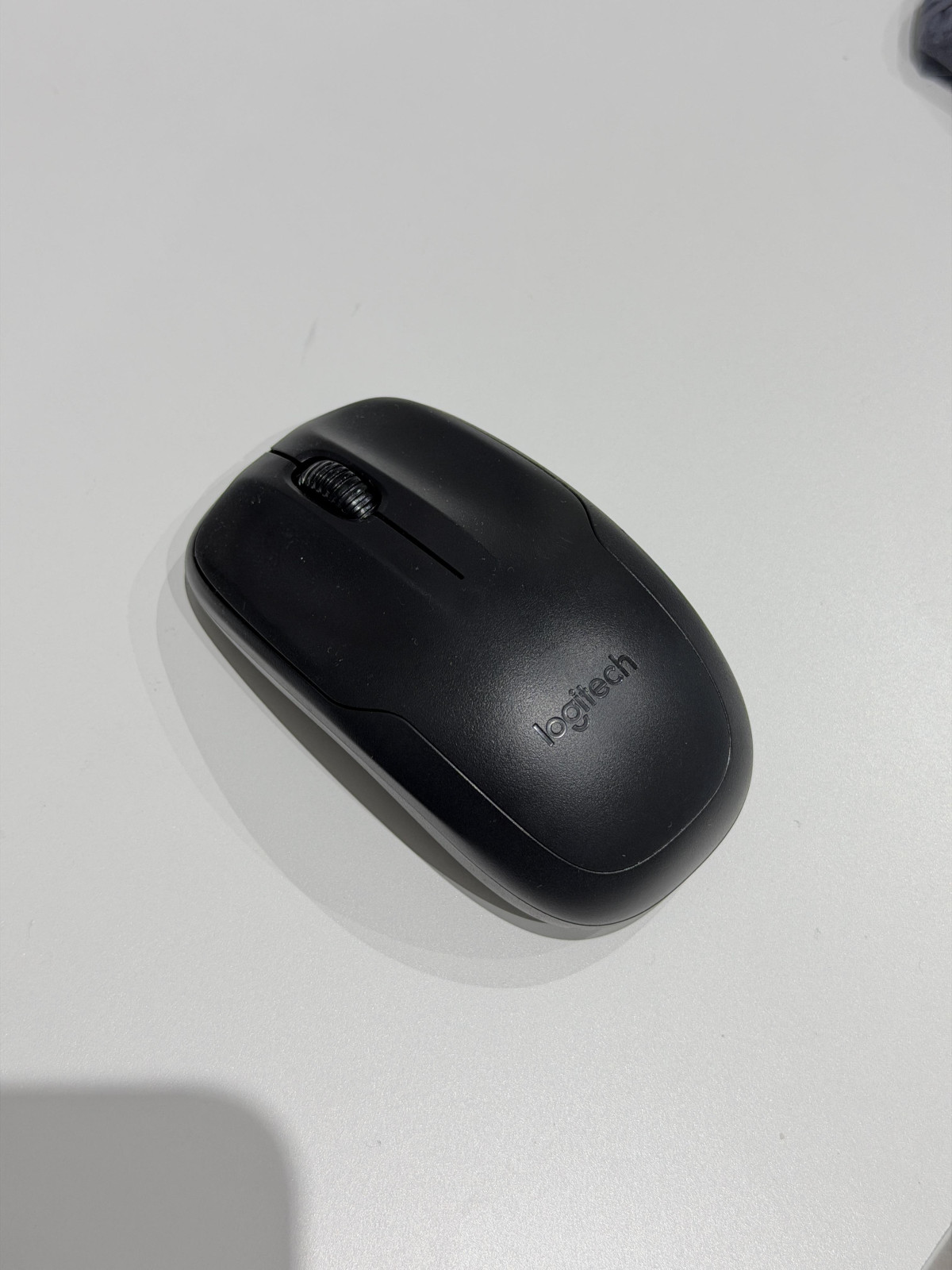
The mouse follows the same philosophy: small, light, and shaped to work equally well in a left or right hand, which is a genuinely useful touch for shared computers or households where more than one person uses the same desk. It pairs an optical sensor with a scroll wheel and the standard click buttons, and it's light enough to toss in a bag without feeling like dead weight.
One structural detail that's easy to overlook but genuinely useful: the keyboard has been engineered to shrug off minor liquid spills up to a modest volume, rather than short-circuiting the moment a splash of coffee gets close. It's not a substitute for care around drinks, but it's a sensible bit of insurance for a keyboard that's likely to live on a kitchen table or a shared desk.
Wireless Performance and Everyday Reliability
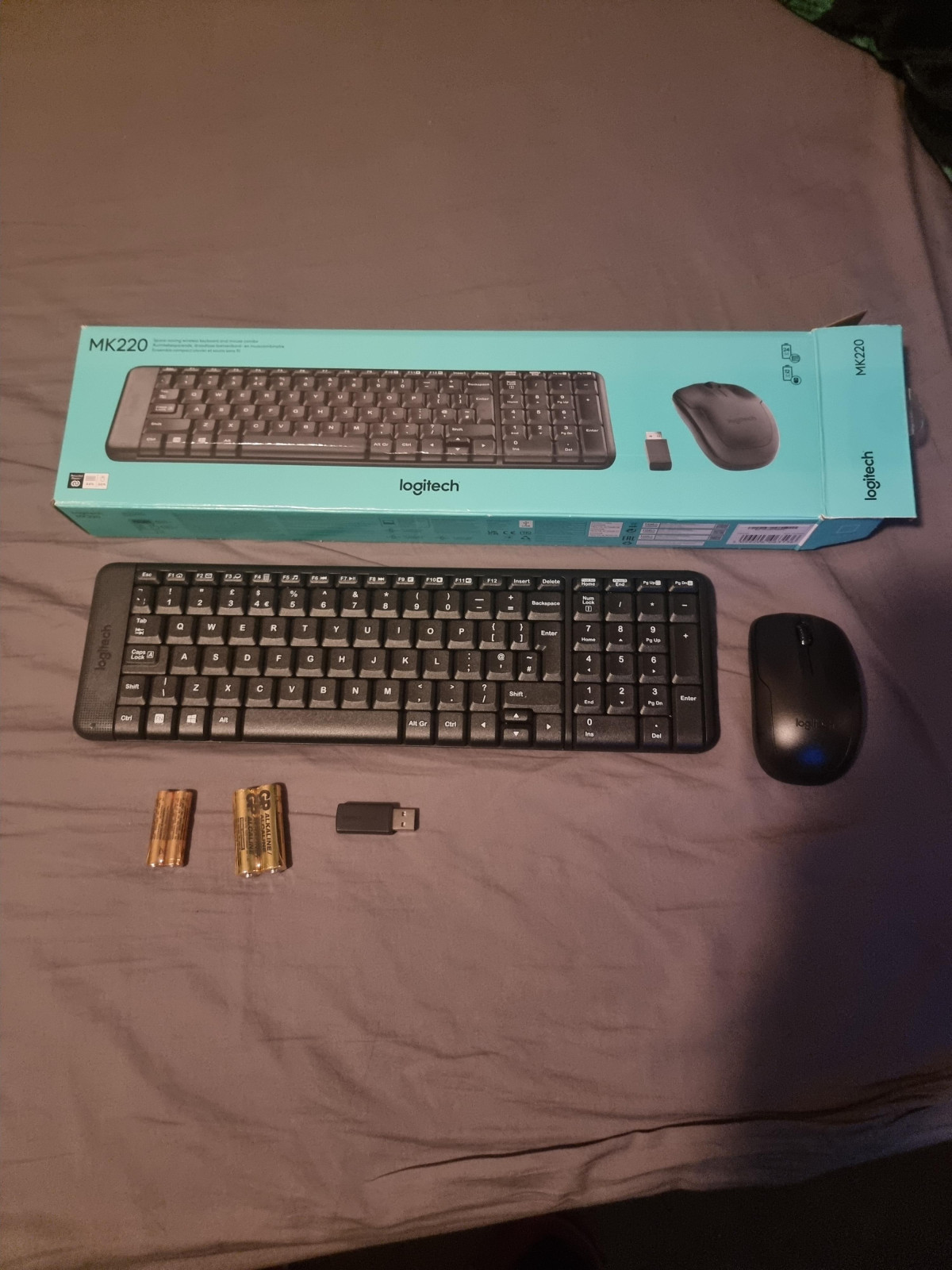
The MK220 uses a small USB wireless receiver rather than Bluetooth, and this decision shapes almost everything about how the combo behaves. On the plus side, this style of connection tends to be dead simple and very stable — there's no pairing menu, no drivers to hunt down, and no software to install. You plug the receiver into a free USB port, and the keyboard and mouse are live within seconds. For anyone who has ever fought with a stubborn Bluetooth pairing screen, this is a genuine relief.
The tradeoff is that this receiver-based connection needs a dedicated USB-A port to work, full stop. There is no way to connect the MK220 without it — it can't be used purely wirelessly over Bluetooth, and it won't pair directly with devices that lack a USB port. That means phones and most tablets are out of the picture, and it also rules out newer laptops that have gone all-in on USB-C only, unless you're prepared to use an adapter.
In terms of range, Logitech specifies operation up to roughly 10 metres, though real-world distance will vary depending on walls, furniture, and other wireless devices nearby — a fairly standard caveat for this class of product. In practical terms, that's more range than almost anyone will use at a desk, but it's a reassuring number if you want to control a media PC from a couch across the room.
Key Features That Matter in Daily Use
Rather than listing spec-sheet bullet points, here's what these features actually translate to when you're using the combo day to day:
Full number pad on a shrunk keyboard — you get fast numeric entry for spreadsheets, invoices, and forms without needing a separate numpad accessory.
Dedicated media control keys — common playback functions are accessible directly from the keyboard, so you're not tabbing out to a media player just to skip a track or adjust volume.
Quiet, deep-profile keys — typing sound is noticeably muted, which matters in open offices, shared living spaces, or if you're often on calls while typing.
Ambidextrous mouse shape — the same mouse works comfortably whether you're left- or right-handed, useful for shared machines or if you switch hands due to fatigue.
Auto-sleep power management — both devices power down automatically when idle, which is the mechanism behind the long battery estimates discussed below.
Spill-resistant keyboard shell — built to tolerate small accidental spills rather than failing immediately.
What you won't find: backlighting, Bluetooth multi-device switching, customisable buttons, or a companion app for remapping keys (Logitech's older configuration software for this line has since been discontinued in favour of newer tools aimed at different product ranges). This is a combo built for reliable basic function, not customisation.
Battery Life: How Often You'll Actually Change Batteries
Battery anxiety is one of the most common frustrations with wireless peripherals, and it's one area where the MK220 is genuinely built to reduce hassle. The keyboard runs on two AAA batteries and is rated for up to 24 months of use before a change is needed — essentially a two-year expectation between battery swaps under normal daily use. The mouse takes two AA batteries and, being used more actively and continuously throughout a session, is rated for a shorter but still solid roughly five months per set. Both batteries are included in the box, so there's no separate purchase needed just to get started.
The reason these numbers work out as well as they do is auto-sleep power management: when you step away from your desk, both devices power down rather than continuing to broadcast a wireless signal. It's a simple approach, but it's the same principle that lets low-power wireless accessories go for months rather than weeks. In practical terms, this means you're realistically only thinking about batteries once or twice a year for the keyboard and a handful of times a year for the mouse — a very different experience from cheaper wireless peripherals that need fresh batteries every few weeks.
The one small downside tied to this power-saving approach: there's no physical on/off switch on either device, and no LED to tell you at a glance whether Caps Lock, Num Lock, or Scroll Lock is active. Status for these depends on your operating system's on-screen notification, so if you've disabled those notifications, you'll need to test a key to check. It's a minor inconvenience rather than a real functional problem, but it's the trade-off Logitech made in exchange for the compact, indicator-free design.
Setup and Compatibility: What Works, What Doesn't
Setup is about as close to effortless as a peripheral gets: plug the USB receiver into a free port, and both the keyboard and mouse are immediately usable — no software install, no drivers, no account creation. That plug-and-play simplicity is a real strength for less technical users, shared family computers, or anyone who just wants to sit down and start working.
Compatibility, however, has some firm boundaries worth knowing before you buy:
| Use case | Compatible? | What to expect |
|---|---|---|
| Windows 10/11 PC or laptop with USB-A port | Yes | Full plug-and-play functionality, all keys work as intended |
| Chromebook / Chrome OS device | Yes | Officially supported, same plug-and-play setup |
| Mac (macOS) | Partially | Works physically, but since it's designed for Windows key layouts, modifier keys (Ctrl, Alt, Windows key) don't map cleanly to Mac equivalents |
| iPad or other tablets | No | Requires a USB-A port for the receiver; not designed for tablet use |
| Smartphones | No | Same USB-A port limitation applies |
| Xbox consoles | No | Wireless receiver protocol isn't compatible with Xbox; console-specific wireless keyboard/mouse solutions would be needed instead |
| USB-C-only laptops | Conditional | Needs a USB-C to USB-A adapter, sold separately |
If you're buying this for a standard Windows desktop, a Windows laptop, or a Chromebook, you're in the combo's intended lane and should expect zero friction. If you're hoping to use it with a Mac as your primary machine, an iPad, a phone, or a games console, it's worth reconsidering — this isn't the product built for those situations.
Who the MK220 Is Really For
This combo makes the most sense for:
- Home or small-office users setting up a basic Windows or Chromebook desktop where reliability and low cost matter more than extra features.
- Anyone working with a laptop docked to a monitor, who wants a proper keyboard and mouse without the desk footprint of a full-size set.
- People who do regular numeric data entry and need a real number pad, not a compressed or missing one.
- Shared or family computers, where the ambidextrous mouse and dead-simple setup reduce friction for multiple users of different ages and technical comfort levels.
- Buyers who are tired of replacing batteries constantly and want a set-and-forget wireless experience.
Who Should Look Elsewhere
This isn't the right choice for:
- Mac-first users who want keys and modifiers that behave natively without mental remapping.
- Gamers or Xbox users looking for a wireless keyboard and mouse solution for console play.
- Tablet and phone users who need a Bluetooth-only connection without a spare USB-A port.
- Anyone who wants backlighting, programmable keys, or a companion customisation app — this combo is intentionally basic.
- Buyers who prioritise adjustable keyboard tilt or ergonomic angling, since the MK220 sits flat with no incline feet.
How It Compares to Other Wireless Combos
Within Logitech's own lineup, and the wireless combo category more broadly, the MK220 sits firmly at the accessible, essentials-first end of the spectrum. Buyers who outgrow what it offers typically move in one of a few directions:
| If you want... | Consider instead |
|---|---|
| Everything the MK220 offers, but in a thinner, more modern-looking design with extra media shortcuts | Logitech's next-tier combo models (positioned by Logitech itself as the step-up option from the MK220) |
| Bluetooth pairing to switch between multiple devices without a USB receiver | A Bluetooth-based combo rather than a USB-receiver model |
| Backlit keys for low-light typing | A combo or standalone keyboard specifically marketed with backlighting |
| Full customisation of keys and buttons via software | A higher-tier combo with active companion app support |
| The absolute lowest price point, accepting shorter battery life | A basic wired keyboard and mouse set |
The MK220's position is clear: it's the value-and-reliability pick, not the feature-rich one. If your needs are genuinely basic — type, click, scroll, don't think about batteries — it's hard to find a more straightforward option at this price. Once you start wanting Bluetooth flexibility, backlighting, or software customisation, that's the signal to look further up Logitech's own range or toward Bluetooth-first alternatives.
Strengths and Weaknesses: The Honest Take
The MK220's biggest strength is how little it asks of you. There's no software, no pairing dance, no cable management, and — thanks to genuinely long battery estimates — very little ongoing maintenance. The full number pad on a shrunk keyboard is a smart piece of design that avoids the most common compromise in this category, and the quiet key action makes it pleasant to use in shared spaces. The ambidextrous mouse and low overall cost make it an easy recommendation for secondary computers, kids' setups, or anyone furnishing a home office on a budget.
The weaknesses are just as clear, though, and they largely stem from decisions made to keep the price low and the design simple. The lack of any on/off switch or status LEDs means you're relying on your operating system to tell you when Caps Lock is active — fine once you know it, mildly annoying the first time you don't. The flat, non-tilting design won't suit everyone's wrist angle. And the strict requirement for a USB-A port, rather than Bluetooth, rules out an increasing number of USB-C-only laptops, tablets, and phones without an adapter. None of these are surprising for a product at this price point, but they're worth knowing rather than discovering after purchase.
Final Verdict: Should You Buy the Logitech MK220?
If you're setting up a straightforward Windows PC, laptop dock, or Chromebook and want a keyboard and mouse that just work — reliably, quietly, and without babysitting batteries every few weeks — the Logitech MK220 is a sensible, low-friction buy. It nails the essentials: a full-function compact keyboard with a real number pad, a comfortable ambidextrous mouse, genuinely long battery life, and setup that takes seconds rather than minutes.
Where it falls short is anywhere outside that core use case — Mac users who want native key behaviour, anyone needing Bluetooth or tablet compatibility, and buyers who want extra features like backlighting or full key customisation. For those needs, it's worth looking at Logitech's higher-tier combos or a Bluetooth-based alternative instead. But for the person who just wants a dependable, space-saving wireless keyboard and mouse for a standard desktop or laptop setup, this is a safe and practical choice.
What People Say
140 commentsNo on/off switch on keyboard or mouse
I ordered the keyboard and mouse when my keyboard stopped working after the batteries had leaked. I bought this set in a hurry not noticing that they do not have on/off switches unlike my previous Logitech set. I wonder if the new set will reduce battery life. I don’t remember replacing the batteries of the originals in 10 years of regular use. The keyboard is smaller and neat with soft travel silent keys. I prefer the audible ‘clack’ of the old one! The mouse is precise. The USB receiver protrudes about 4cm from my laptop unlike the almost flush old one so care is necessary not to catch it and risking damage to the USB port or the receiver.
The new set was just a few pounds less than the direct replacement of the old set. Ah well, I’ll repent at leisure but I still trust Logitech’s products.
Great keyboard but…
Very good keyboard for the price and would recommend, but a few of the keys are shaped differently compared to an average keyboard making it a bit harder to type until you get used to it. Most keyboard have a very similar key ratio. But it’s not a huge deal breaker especially if you want it as your primary keyboard and don’t swap regularly. The key shapes are mainly since the compacted everything squishing the keys on the side.
I do use a mix of keyboard but like with anything you adapt quicker to swapping them learning. Just a few miss types for a while until your used to it again.
But overall very good keyboard and compact. Would recommend especially if you want to use it for a laptop (e.g. surface books).
Compact and Reliable Wireless Combo
The Logitech MK220 Wireless Mouse and Keyboard set is a great choice for those seeking a compact and efficient solution for their computing needs. The keyboard is sleek and space-saving, yet it doesn’t compromise on functionality, offering full-sized keys that are comfortable to type on. The wireless mouse is responsive and fits well in the hand, making it ideal for everyday use. Both devices connect seamlessly via a single USB receiver, ensuring a clutter-free workspace. With long battery life and reliable performance, the MK220 combo is perfect for both home and office use. Highly recommended for anyone looking to streamline their setup!
Yes it IS smaller than average!
Good points. Small, sits neatly in front of monitor. Wireless so no cables. Looks good
Bad points. No Caps lock or Num lock indicator on keyboard. (saves battery) My Windows settings are set for audible sound when changing caps lock or Num lock but rarely works. (May not be keyboard problem?)
Some keys are duplicated eg Print screen and Home. To get Print screen to work you have to press Windows key, Print screen key AND FN key. This took me a long time to find out.
WORST POINT: No on/off button.
Overall I like it. No idea how long the batteries will last. Only used it for about 2 weeks so far.
Great little keyboard
Wanted a full keyboard (with mouse) for using with laptop when working away as I find easier than using laptop keys. This does the job perfectly, feel solid and responsive in use. A full keyboard in a compact design. Easy to add to laptop bag when travelling. The dongle is rather large and unfortunately does not come with cover for the USP plug so open to damage or dirt when travelling, obviously not a problem if using in one set up, but a cap or ability to hide into the keyboard (as some do) when not in use would be handy.
NOT MAC COMPATIBLE
NOTHING TO WARN YOU IN THE ONLINE ARGOS PRODUCT DETAILS OR ON THE BOX BUT FORTUNATELY, BEFORE OPENING IT, I READ THE Q&As WHICH, IN ANSWER TO ANOTHER PURCHASER, SAID THAT THIS WON'T WORK WITH A MACBOOK. THIS SHOULD HAVE BEEN MADE CLEAR AT THE OUTSET WHICH WOULD HAVE SAVED ME THE 30 MILE ROUND TRIP TO COLLECT AND RETURN. BY THE WAY, IT'S RIDICULOUS THAT IN ORDER TO POST THIS REVIEW, I AM OBLIGED TO RATE THINGS LIKE DESIGN WHICH ARE IRRELEVANT. THERE SHOULD BE A ''NOT APPLICABLE '' OPTION.
Great little keyboard and mouse
I bought this as a like for like replacement as the mouse on my last MK220 sadly passed away after thousands of hours of pointing and clicking. Keyboard was still going strong though! I like this keyboard as it has a number pad, connectivity via wireless is good. the action of the keys is pretty satisfying and its all built into a compact body that suits my smallish desk. when this one wears out in 3 or 4 years time I'll get another. For this price its a bargain!
Very solid budget keyboard and mouse
Compared to the price, this is a great little package of mouse and keyboard. The keyboard in particular feels quite good quality for the price, although you can feel the cheapness in the scrollwheel and non-ergonomic design of the mouse.
My only real minor complaint (taking into account the price) would be that the small battery section on the left of the keyboard throws off my muscle memory for where the keys should be. Something easily adapted to!
Not bad for the price but read carefully
It’s a decent enough keyboard, I needed something quick and cheap! Just be aware that the USB dongle is massive compared to others, about the same size as a flash drive.
Also note that it doesn’t have any LED’s to indicate CAPS/NUM lock etc.. doesn’t sound like much but as someone who very often switches between upper and lower, it’s very annoying not to know which mode your in.
Overall it’s okay, I just wish I’d paid a few quid more.
IPAD USAGE WORKS
Bought for use with Ipad (2022) works perfectly, you just have to buy a usb to usb c adaptor. You can buy adaptors where you can charge at the same time but I didnt.
Small enough to put away when not in use, the dongle is big but I think that is good for usage where it is not constantly plugged in, prevents loss :) I would certainly buy again, pretty quiet but not silent, but the keys feel nice tp type on with them being more rounded. 5*
Good wireless mouse shame about the keyboard
I needed a wireless keyboard and mouse for my Mac Mini as not included. Apple sell them but very expensive. I thought Logitech would work. It turned out that my Mac mini late 2014 isn’t compatible with the MK220 keyboard The mouse works. I hope my newer Mac mini 2023 is compatible with both. That remains to be seen. In 40 years of working with many computers I have never experienced this. Disappointed is not sufficient words.
Compact, quiet and fast
This is one of the best buys I have made, it’s fast, compact and quiet to use, the mouse is a tiny bit heavier than others, but it uses larger batteries so it’s going to run for longer. The keyboard and mouse use the same usb dongle, which is a bit larger than others I’ve had, but the mouse is very accurate, It connected with the Pc very easily, I opened the pcs Bluetooth, and the keyboard was there waiting to be accepted.
Decent keyboard and mouse
Mouse takes 2x AA batteries which gives it a fair bit of weight which I really like. The keyboard took some getting used to, but this was due to the change in keyboards for me. It works well and no issues currently. Only downside to the whole thing is the dongle which is massive and can't be left in the laptop whilst moving it in case it gets caught and snaps. Most keyboards (even really cheap ones) have a tiny dongle.
Handy wireless keyboard and mouse combo
Nice size keyboard and functions, compact even with keypad included. Connects well, batteries last a long time, left mouse click can hold on a little after you release and can end up dragging something when you only wanted to click it and move on, quite annoying but you get used to it and compensate - not sure if all wireless devices have this lag, or if I'm working too fast :)
Decent keyboard and excellent mouse
This is a good value wireless solution for my home office setup. The mouse works really well and the keyboard does the job with a numeric pad so alt codes are easy to enter. A big USB dongle for the wireless setup is the only downside. It sticks out a fair bit compared to a more expensive Logitech offering. Always remember to take it out if you are packing the laptop away.
Cheap and Cheerful, But Not for Heavy Use
I bought this as a temporary replacement for my Mac Mini, as I wasn’t ready to commit to the cost of Apple alternatives yet. In hindsight, that was a bit of a mistake—the quality was too low for serious use, and I ended up upgrading almost immediately. That said, for the price, it’s hard to complain if you’re not a heavy user. In short: it’s definitely cheap and cheerful!
Top quality and pefect size
This set is such good value and top quality. I am so pleased with the size. My laptop keyboard stopped working so chose this one. So glad I did. The keyboard is exactly the same size as a standard laptop keyboard so it sits on top of my laptop keyboard perfectly. The mouse is also great and has a good feel. I would happily have paid double, it was a real bargain.
Not recommended
I regret buying this but am unable to return it as the packaging was inadvertently destroyed. The USB dongle is ridiculously oversized, sticking out 1.5" from the side of the laptop and so quite vulnerable when the laptop is moved. The keyboard is too small and sits too high for accurate use. I don't question Logitech's build quality but this is not a great design.
Logitcech MK220 keyboard - not quite as expected
The keyboard is quite narrow and short - like a miniature of a standard size. I guess it was designed primarily to work with laptops rather than desktops. The function keys do not seem to work with my PC either, which is disappointing - the PrintScreen one in particular. No fault of Logitech to be fair - I just think I bought the wrong product for myu needs.
Reliable and good key layout
Compact which suits me on my kitchen table, but makes it slightly easier to hit the wrong key. So good for casual use, but wouldn't recommend as a daily work keyboard. USB transmitter sticks out much further than it's peers, so wouldn't recommend for using with a laptop that you move around a lot. But still a good buy if it suits your needs.