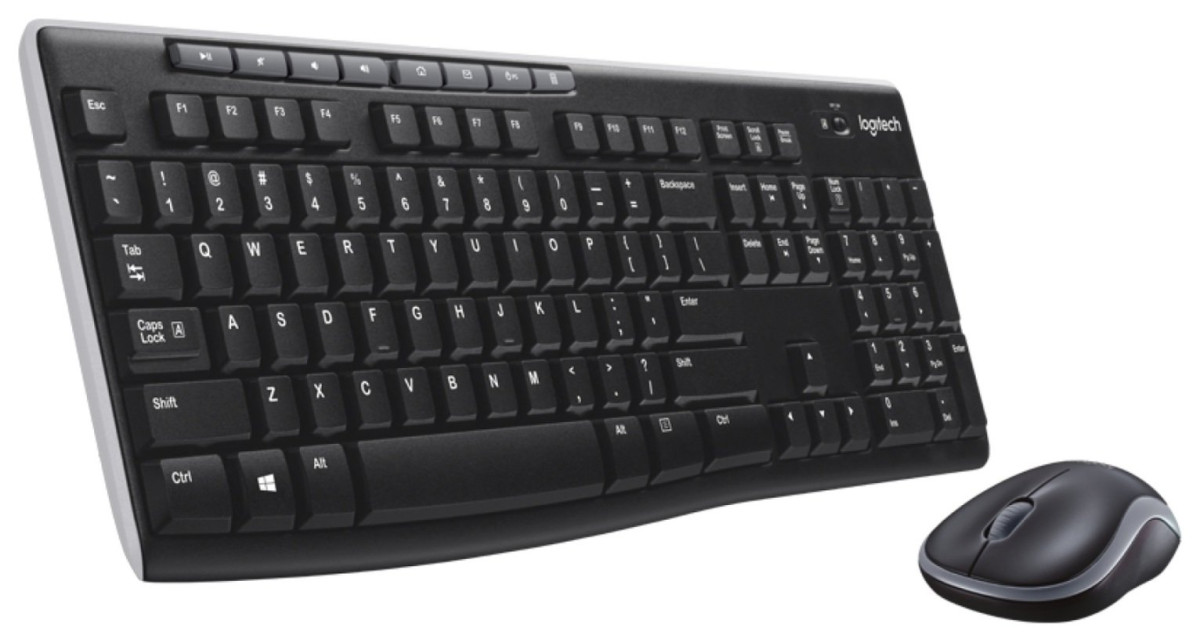
Logitech MK270
Logitech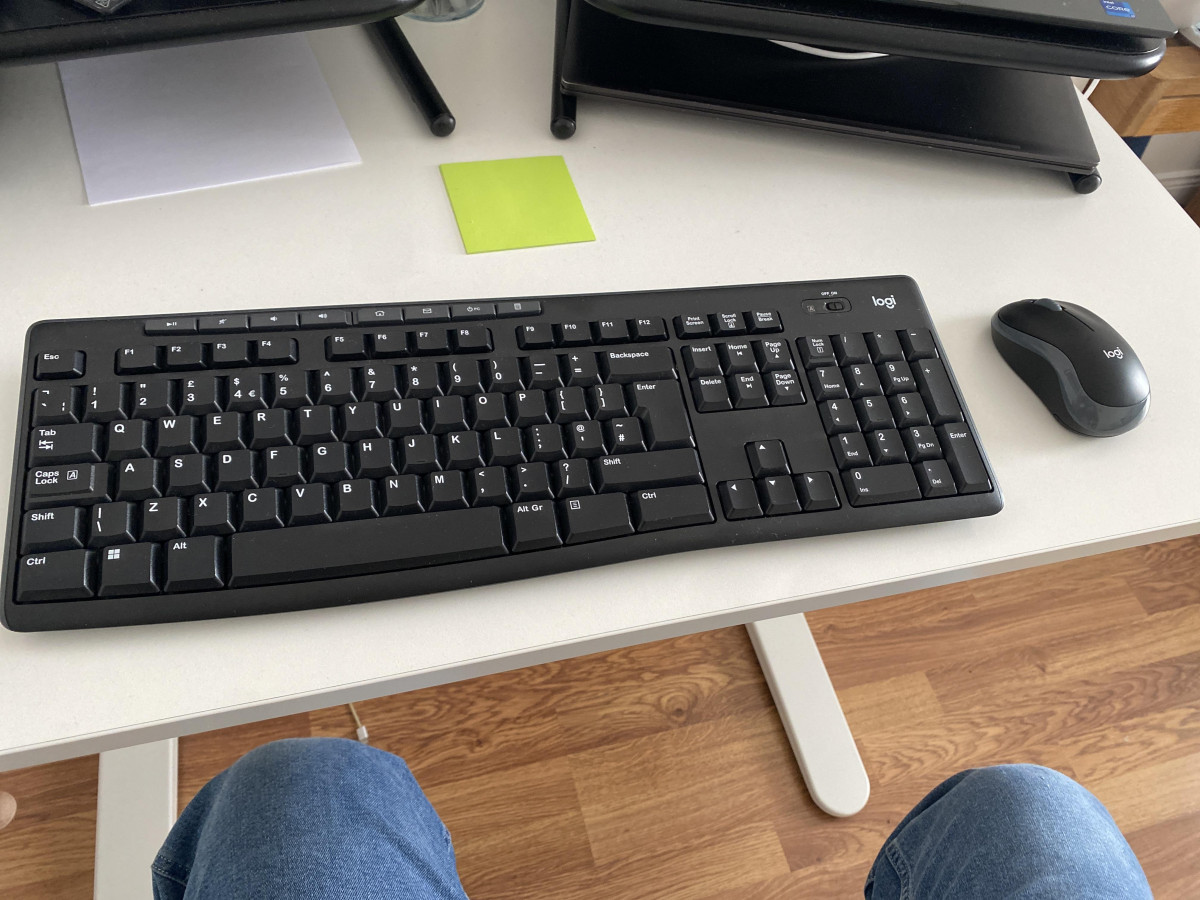
Setting Up a Home Office Without Breaking the Bank
Anyone who has priced out a "proper" desk setup knows how quickly wireless keyboards and mice can eat into a budget. The Logitech MK270 Wireless Mouse and Keyboard exists precisely because most people don't need backlighting, programmable macros, or app-specific gestures — they need a keyboard that types reliably, a mouse that moves where you point it, and a setup that doesn't involve untangling cables behind a desk every morning.
This deskset has become one of the most recognisable names in budget computer peripherals, and after digging into how it performs across everyday home and office use, it's clear why it keeps showing up on so many desks. The question worth answering isn't whether it's flashy — it isn't — but whether it does the fundamentals well enough to earn a spot on your desk.
Design and Build: Function Over Flair
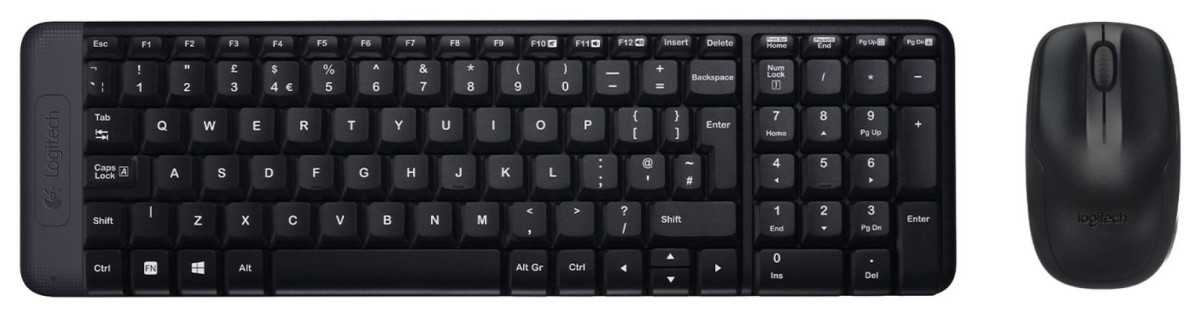
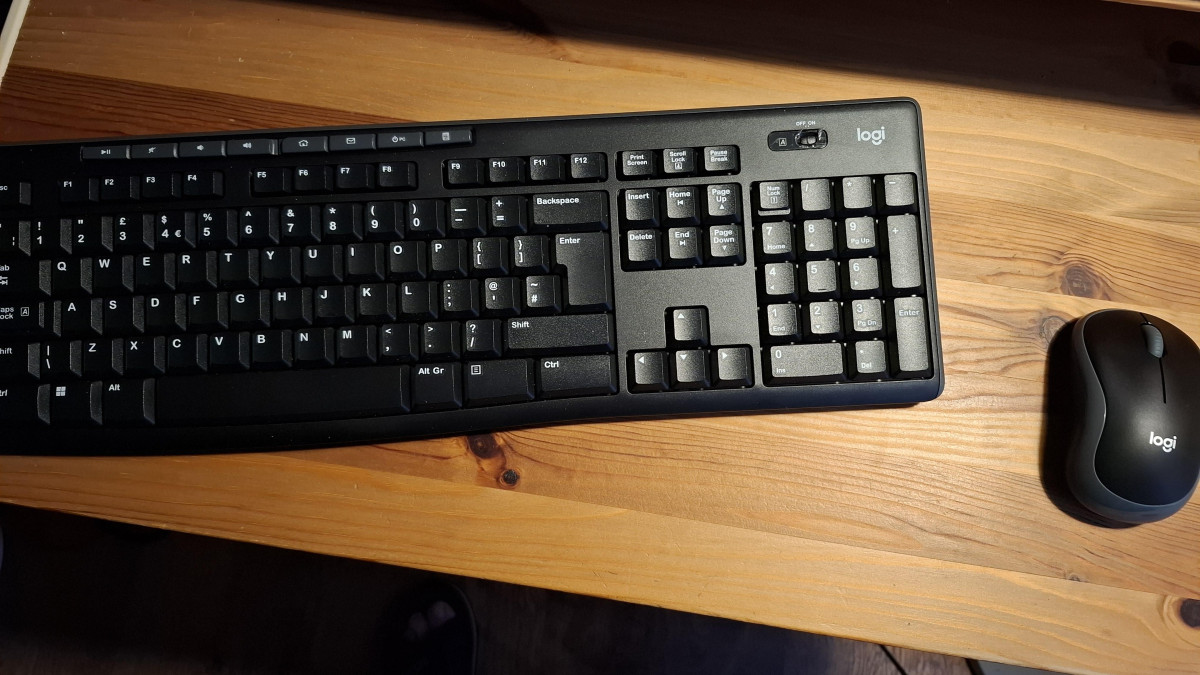
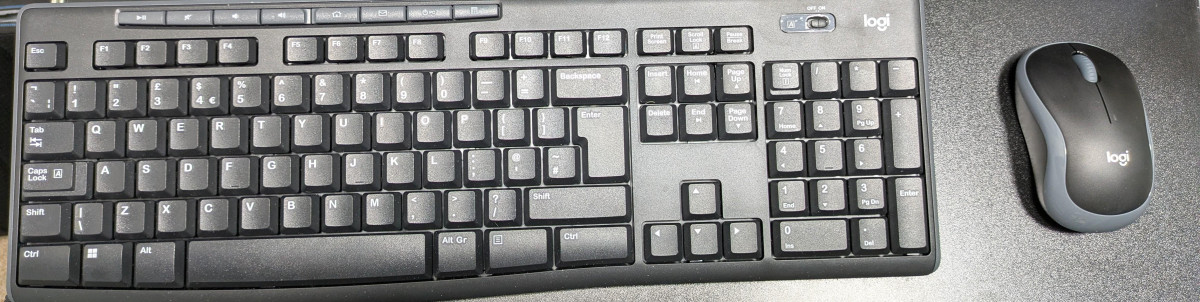
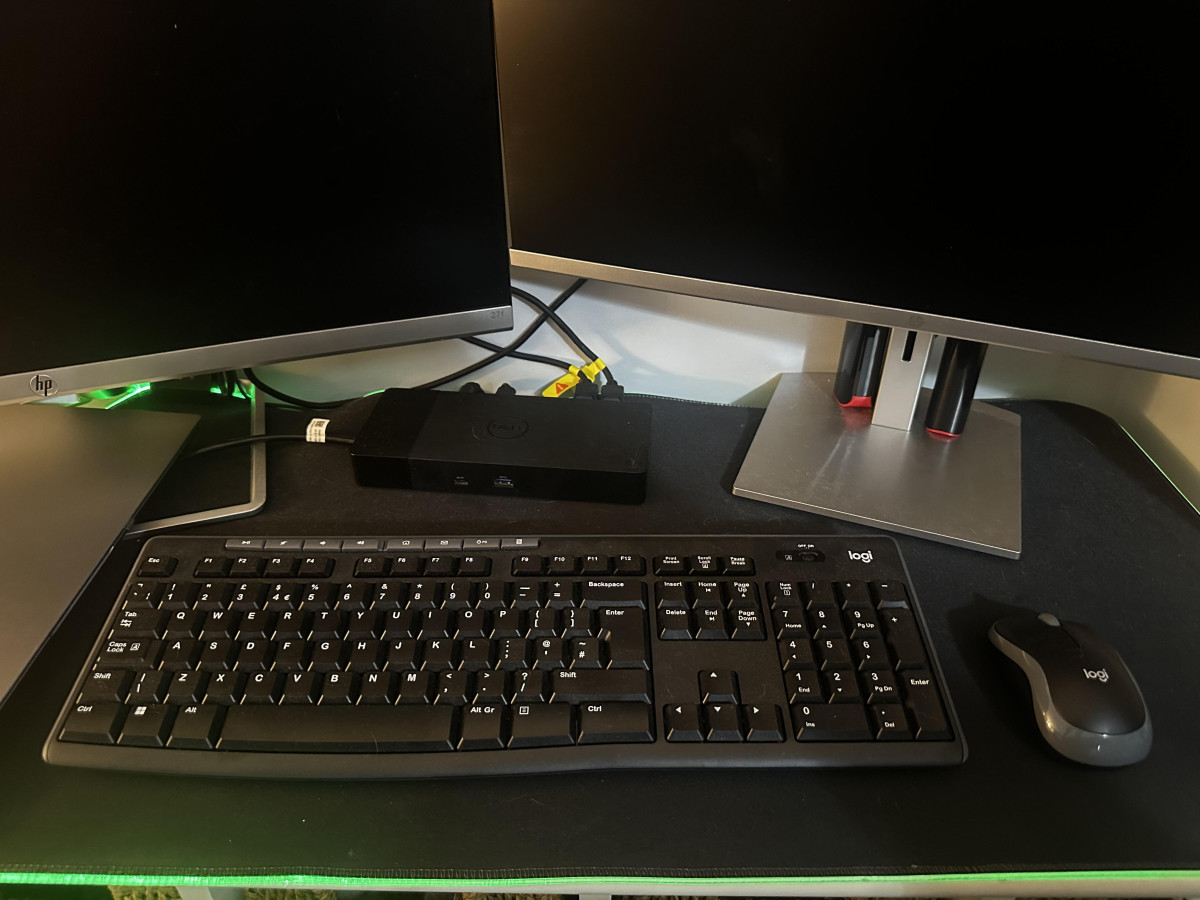
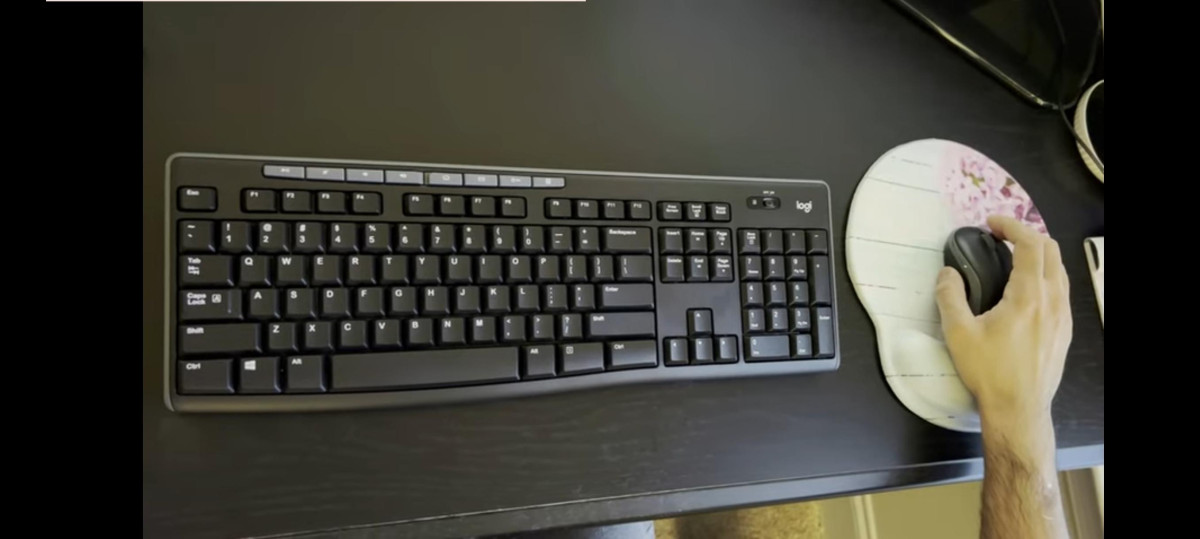
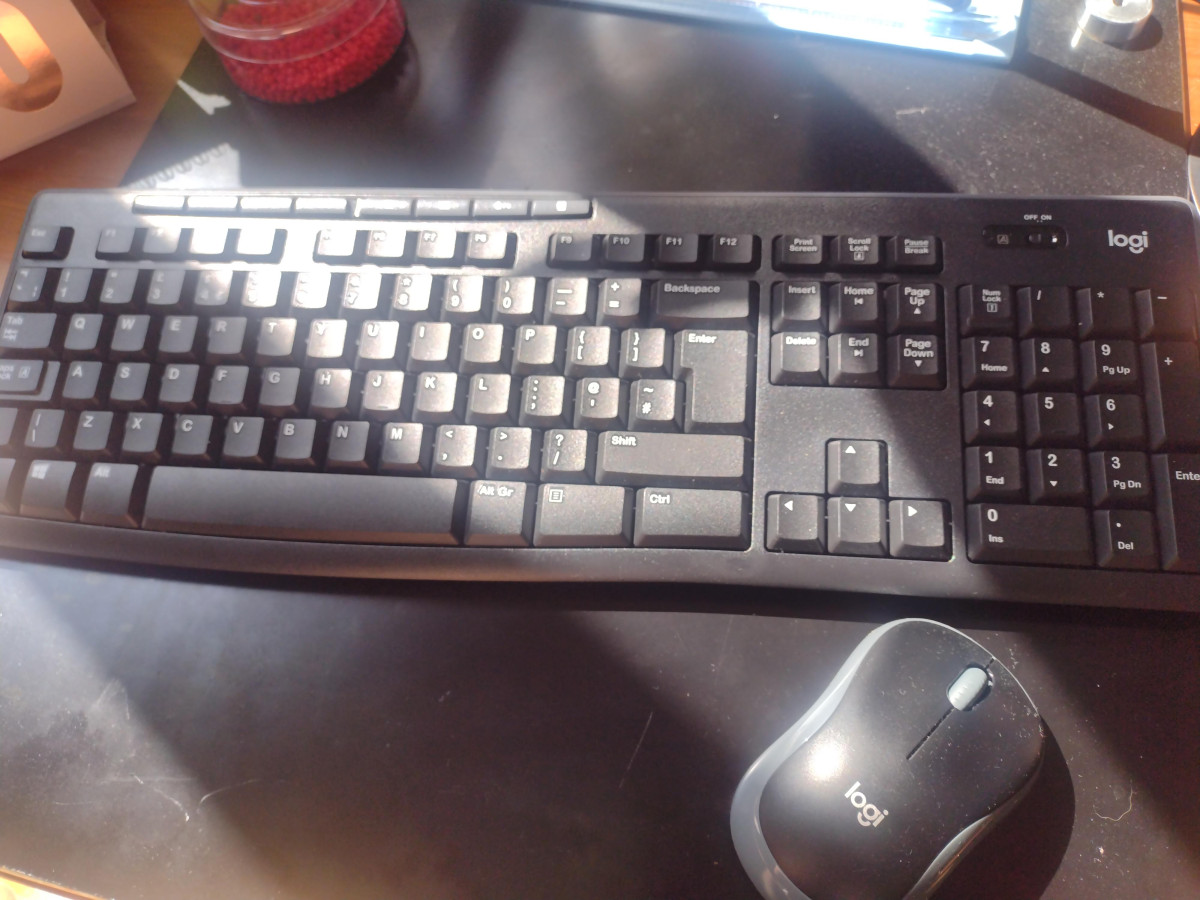
The keyboard follows a full-size layout in matte black plastic, which means you get the complete number pad, arrow cluster, and a row of dedicated keys along the top edge — no cramped, compressed layout to adjust to. The tilt legs on the underside let you angle the keyboard slightly upward, a small detail that makes a real difference during long typing sessions since it brings the keys closer to a natural wrist position instead of forcing you to type on a flat slab.
One practical touch that stands out is the spill-resistant construction. This won't survive a full glass of water, but it's built to shrug off the kind of accidental splash or knocked-over coffee cup that would otherwise fry a cheaper keyboard's circuitry. For a desk that doubles as a coffee station, that's a genuinely useful piece of insurance rather than a marketing checkbox.
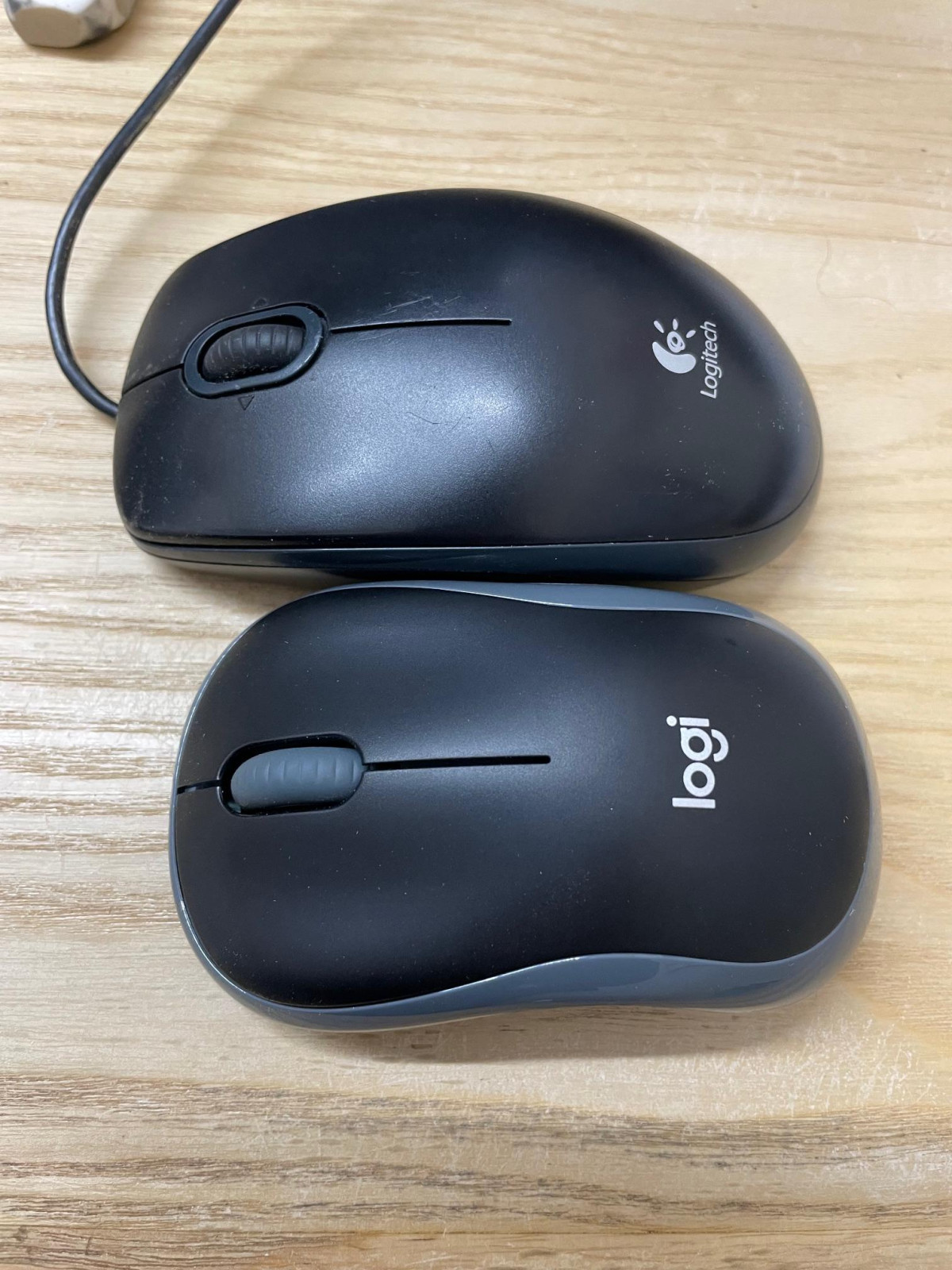
The mouse takes a symmetrical, low-profile shape rather than a sculpted ergonomic curve. That's a deliberate trade-off: because it isn't molded to fit one hand, it works equally well whether you're left- or right-handed, which matters more than people expect in shared households or offices where equipment gets passed around. The compromise is that dedicated ergonomic mice will still feel more contoured and supportive during marathon sessions, so if you have existing wrist strain, this isn't a therapeutic upgrade — it's a neutral, general-purpose shape.
Build quality across both pieces lands exactly where you'd expect for something built to hit an entry-level price point: it's solid enough for daily use without ever feeling premium. The plastic is unmistakably plastic, and neither device has the reassuring heft of higher-end hardware, but nothing about the construction feels flimsy or likely to fail from ordinary use.
Typing Experience and Everyday Performance
This is a membrane keyboard rather than a mechanical one, which is the main thing to understand before buying. Membrane keys work by pressing down on a rubber dome under each key rather than through metal switches, and the practical result is a softer, quieter, slightly "mushier" press compared to mechanical boards. Independent hands-on testing of this keyboard's key feel found a light, easy actuation force with a smooth, well-defined tactile bump partway through each keystroke — meaning your fingers get clear feedback that a key has registered, even without the crisp click of a mechanical switch. Typists coming from mechanical keyboards may notice the softer landing; anyone coming from a laptop keyboard or an older membrane board will likely find it comfortable and unremarkable in the best sense — it disappears into the background of daily typing rather than calling attention to itself.
Where this keyboard actually shines is total travel distance — how far each key moves before it bottoms out. It sits in a middle ground: not as shallow as a laptop chiclet key, not as deep as an old-school desktop board, which in practice reduces finger fatigue over a full workday of emails, documents, and browsing without making the keys feel bouncy or imprecise.
For the mouse, the story is about consistency rather than excitement. It uses an optical sensor tuned for standard desktop navigation rather than high-sensitivity precision work — this is a "point, click, scroll" tool, not a tool built for pixel-level graphic design or twitch gaming reflexes. Within that lane, cursor tracking is smooth across most desk surfaces, and the scroll wheel handles document and webpage navigation without skipping or catching.
Wireless Connectivity: One Receiver, Two Devices
Both the keyboard and mouse connect to your computer through a single nano-sized USB receiver, which is genuinely one of the most convenient aspects of this combo. Instead of burning two USB ports or juggling separate dongles, one tiny receiver — barely larger than the connector itself — handles both devices simultaneously. There's no software to install and no pairing sequence to fumble through: plug it in, and both the keyboard and mouse connect automatically.
The wireless connection is rated for a working range up to 10 metres, roughly the length of a large living room. In real-world terms, that's more range than most people will ever use at a desk, but it becomes genuinely useful if you want to control a presentation from across a room, operate a media PC from the couch, or type from a distance during a video call. It's worth being clear about what this connection is not, though: it's a proprietary 2.4GHz RF link, not Bluetooth. That means it won't pair with tablets or phones that lack a USB-A port, and if you ever misplace the tiny receiver, neither device will reconnect to anything else. Thoughtfully, the keyboard includes a small internal storage compartment specifically for tucking the receiver away during travel or storage, which meaningfully reduces the odds of losing the one part that makes the whole system work.
Battery Life: Built for "Set It and Forget It" Use
The keyboard runs on two AAA batteries and is rated for roughly 24 months of use, while the mouse runs on a single AA battery rated for around 12 months. Neither device is rechargeable, and that's worth sitting with for a moment rather than dismissing as old-fashioned. Rechargeable peripherals need to be plugged in periodically, which reintroduces exactly the cable hassle that wireless setups are meant to eliminate. With disposable batteries rated in months rather than days, you're looking at swapping the mouse battery roughly once a year and the keyboard batteries roughly once every two years — infrequent enough that most owners will forget this is even a maintenance task.
Both devices include physical on/off switches, so leaving them powered down when not in use (say, during travel) stretches that estimate even further. The trade-off is environmental and financial in the long run: disposable batteries need periodic replacing and, unlike a built-in rechargeable cell, that's an ongoing (if infrequent) cost and a small stream of used batteries to dispose of responsibly.
Everyday Features That Matter More Than They Sound
-
Media hotkeys: A row of dedicated keys above the number pad handles volume, playback, and shortcuts to email or a default browser — useful for anyone who listens to music or takes calls while working, without needing to alt-tab to a media player.
-
Caps Lock indicator light: A small but genuinely helpful inclusion — a dedicated light confirms Caps Lock status at a glance, which sounds trivial until you've typed half a paragraph in capitals without noticing.
-
Ambidextrous mouse shape: As covered above, this isn't an afterthought — it's a real usability feature for shared computers or left-handed users who are otherwise underserved by most mouse designs.
-
Manufacturer's 3-year warranty: For a budget-tier product, a 3-year guarantee is a meaningfully long commitment, signalling that the manufacturer expects these units to hold up well beyond a typical warranty window.
Who This Deskset Is For — and Who Should Look Elsewhere
This combo is an easy recommendation for:
- Students and home-office workers who mainly type documents, browse, and handle everyday productivity tasks
- Anyone setting up a second or backup computer where premium peripherals aren't worth the spend
- Left-handed users who want a mouse that doesn't assume right-hand dominance
- People replacing a broken or ageing keyboard-mouse combo who don't want to relearn a new layout
- Presenters or media-PC users who'll benefit from the 10-metre wireless range
It's a poor fit for:
- Gamers who need high-DPI precision, programmable buttons, or near-zero input latency
- Graphic designers or video editors who rely on a precision mouse for detailed cursor work
- Anyone wanting Bluetooth connectivity to pair with tablets, phones, or devices without a USB-A port
- Typists who specifically prefer mechanical key switches and audible, tactile feedback
- Anyone wanting a backlit keyboard for low-light environments, since this one has no illumination at all
How It Stacks Up Against Other Logitech Combos
| Feature | MK270 (this combo) | Logitech MK345 | Logitech MK540 |
|---|---|---|---|
| Keyboard comfort | Standard flat layout with tilt legs | Adds a cushioned palm rest for wrist support | Scooped, contoured keys plus palm rest |
| Mouse shape | Compact, symmetrical, ambidextrous | Contoured, right-hand-optimised | Full-size, more substantial grip |
| Connectivity | 2.4GHz nano receiver only | 2.4GHz nano receiver only | 2.4GHz nano receiver only |
| Typing noise | Standard membrane feedback | Similar membrane feel | Quieter key operation |
| Best suited for | Budget-conscious, general use, shared/ambidextrous use | Users wanting extra wrist support on a similar budget | Users prioritising quiet typing and larger-hand comfort |
| Relative price position | Entry-level | Slightly above entry-level | Mid-range of the wireless combo lineup |
The broader takeaway: all three share the same core wireless technology and battery-powered simplicity, so the decision between them comes down to hand comfort and typing feel rather than any fundamental difference in reliability or features. If your budget is the primary constraint, the MK270 gives up palm-rest comfort and quieter key acoustics in exchange for a lower price — a genuinely reasonable trade for anyone who doesn't type for hours on end.
Buyers who spend most of a working day at the keyboard may find the extra wrist support on the MK345 or MK540 worth the incremental cost, while anyone who wants Bluetooth multi-device pairing or rechargeable batteries will need to look outside the MK-series entirely.
Strengths and Weaknesses, Honestly
Strengths
The MK270's biggest strength is how little friction it introduces into your setup. One receiver, no drivers, near two-year keyboard battery life, and a full-size layout that doesn't force you to relearn where anything is — for the price, that combination of convenience is hard to beat, and it explains why this combo has remained popular for so long. The spill-resistant design and three-year warranty also suggest a level of built-in durability that isn't always obvious from a quick glance at a budget product.
Weaknesses
The honest weaknesses are just as clear. The membrane keys, while comfortable, do feel soft and slightly cheap compared to mechanical or higher-end membrane boards, and neither device will impress anyone looking for a premium unboxing experience. The mouse's simplicity — just two buttons and a scroll wheel, with no side buttons or adjustable sensitivity — will feel limiting to anyone who's grown used to browser back/forward buttons or on-the-fly DPI switching. A small number of owners have also reported occasional wireless connectivity hiccups or shorter-than-expected battery life, which is worth flagging even though it doesn't appear to reflect the majority experience. And because everything runs over a proprietary 2.4GHz link rather than Bluetooth, you're locked out of using this combo with Bluetooth-only tablets or ultra-thin laptops without a spare USB-A port.
Final Verdict
The Logitech MK270 Wireless Mouse and Keyboard succeeds by doing the unglamorous things well: reliable single-receiver wireless, a comfortable full-size typing layout, genuinely long battery life, and an ambidextrous mouse that doesn't assume handedness. It was never designed to compete with premium ergonomic or gaming peripherals, and it doesn't try to.
For students, home-office workers, backup computer setups, or anyone who simply wants a dependable wireless typing and navigation solution without a premium price tag, this is a sound, low-risk purchase. If your priorities include Bluetooth multi-device switching, mechanical key feel, or precision mouse control for creative or competitive work, you'll be better served elsewhere in Logitech's own lineup or by a specialised alternative — but for straightforward daily computing, this deskset earns its place as a dependable, no-fuss recommendation.
What People Say
132 commentsWhat it says on the tin...
Some genius decided to dismantle and thoroughly clean their existing work keyboard (10 years old at least). Then found that the space bar was temperamental. So I pinched an old keyboard of my dad's, which turned out to have a couple of different keys. Played around with the original again before bowing to the inevitable and buying the Logitech MK270 (I'm already using a Logitech brand wireless keyboard and mouse on my personal laptop).
Overall the keyboard is slightly smaller than the one it replaced, but - importantly - the keys are the same size/spacing, so no mis-hitting because my muscle memory for touch typing is about 40 years old by now! It has a good action and the keys clack along nicely while I type. I have medium/large hands (for a woman) and the mouse is a comfortable fit. I like the fact I can switch the mouse and keyboard off and put them in a desk drawer, making my desk look tidier than it actually is!
The only thing I have an issue about is the caps lock. The light for the caps lock isn't on the key itself, it's at the top right-hand corner of the keyboard and is so small, and so insignificant that it's almost impossible for me to tell at a glance if it's on or not, which can be quite frustrating. When on it's not particularly bright at all (reminding me of several former colleagues). Obviously a feature designed by someone who doesn't 'type' for a living, so they don't realise the difference it makes. Anyway, on a world-scale of things, it's pretty small (it's not going to start WWIII, or induce genocide, or throw millions into poverty) so I'll just have to do less haste, more speed...
I'd buy again/recommend if asked, so yes, worth the money.
Keyboard has very minimal range.
Bought this to use so I can quickly swap between my personal laptop and my work laptop, and it worked great initially on my personal laptop. Then tried to use it with my work laptop and it was constantly lagging with input delay of not just fractions of a second, but up to 5 seconds of delay. Changed out the batteries thinking that was the issue, still huge lag. So then I assumed it was an issue with the work laptop itself so I stopped using it with that specific laptop and just used it for my personal laptop. That is until I rearranged my desk so my personal laptop was a bit further away and the input lag came back. I am only talking about 2 feet distance between the keyboard and the receiver, but it seems that extra foot makes the keyboard utterly useless. The mouse seems to work well with any range, on my desk, but the keyboard needs to be within a foot to the USB receiver to be any use. Completely eliminating the whole point of having a wireless setup. DO NOT PURCHASE.
Previous set lasted 12 years
Decided to treat myself to a new keyboard. After 12 years with the same model, I’d worn out some letter marking and stick on letters didn’t last long. Didn’t want a new mouse as I use a Logitech track ball but a combined set was cheaper than keyboard alone. Mouse will suffice as compact travel options.
I like that this keyboard has a Caps lock light and keys are the right balance between light touch and resistance. My only, minor, complaints are one corner slips a little on the desk which I hope may settle with use and the USB receiver does not appear to be unifying as it was on my old model. For now I’ve keyboard and (alternate) mouse connected via separate receivers. I’ve yet to explore if the keyboard will connect to my existing unifying receiver, a bonus should I need a spare USB port but not a major concern.
Excellent Keyboard - did not require the mouse.
This was to replace one I already had for at least the last six years along with a Logitech mouse. As it was the same model I thought I would just have to turn off the old keyboard and turn on the new one using the old USB receiver. But this was not the case - the old receiver would not operate the new keyboard, so I had to use the new USB receiver with the new keyboard and the old USB receiver with the old mouse ( I needed the old mouse as it was a better model than the standard one that comes with this set). No problem really. I'm still extremely happy with the new keyboard, infact it feels better quality than the old one - i.e. typing feels softer and quieter.
Good value wireless keyboard
I bought this to replace an old worn out wired keyboard. I was attracted by good price and the absence of a keyboard wire and that does smarten up my desk slightly but knowing that at some (probably inconvenient) point the keyboard will need the battery replacing is a bit unsatisfactory- there is no power light or low power warning.
The "feel" of the keys for typing is good, and the special function keys at the top of the keyboard work ok, but the media play/pause only works when you have already opened a media player, and the email key takes you to "New"Outlook, whereas I use Classic Outlook.
Does exactly what I wanted it to do.
I had a mouse and keyboard to use with my previous laptop that was running Windows 10. Unless I am travelling, I prefer to use a separate mouse and keyboard. Mice are easier to use when compared to touchpads in my experience. However, when I bought a new laptop running Windows 11, I found the mouse to be very sluggish and the double-click function never worked properly. So, I bought this set and all works perfectly. I would recommend it for the soft touch of the keyboard, and the mouse functions are quite satisfactory. Easy to install and connect to USB. The product is robust too!
Nice comfortable keyboard and snug mouse.
I found this keyboard quite comfortable to use although this might be after replacing one I've had for over 10 years. The command keys are handy for controlling things on my PC like speaker volume, etc. It's dead easy to install as well - just plug the dongle (located in the flap of the box) into your PC USB socket and off you go!
The only thing I would change is the caps lock light needs to be brighter and more prominent whilst both keyboard and mouse also need a small LED to indicate that they are powered on. Otherwise, I'm happy.
Brilliant wireless keyboard/mouse combo
If youre looking for a brilliant wireless keyboard/mouse combination, look no further.
Sleek and egornomical for use with limited desk space, good value for money and great battery life.
The small usb connection can be left in your laptop without the worry of being damaged with a storage space in the mouse base when not in use.
Great additions with the volume control, power button, windows key and additional numeric keypad all at your fingertips.
Don’t spend fortunes when you get the same quality for a fraction of the cost.
A good, reasonably priced wireless option
I purchased these and the keyboard connected wirelessly without a problem, but the mouse didn't. I returned and reordered as other reviews were positive, and the replacement set worked fine from the start. I'm using them with a mini-pc set-up, so it's good that the usb wireless connector is small. The keyboard has full alphanumeric features and is comfortable to use (with raised rear legs). All fine for the reasonable price and level of use that I require them for. Mouse is on the small side.
Best Bang for your money
One of the MK270's most significant advantages is how rarely you have to think about power. The batteries can last absolutely ages and I speaking weeks. The mouse can typically lasts up to 12 months on a single AA battery. Both devices also feature an auto-sleep mode and on/off switches to further conserve energy when not in use. Its a bargain product with The MK270 is often cited as the "best bang for your money" because it delivers a performance that rivals much more expensive models.
A top quality keyboard and mouse for a great price
I've been looking for a decent wireless keyboard and mouse setup for while and most products from Logitech seem to be robust and of a decent quality. When I spotted this board and mouse set for a discounted price I couldn't so no regardless of the spec (basic). However both the mouse and keyboard are excellent quality and work faultlessly. I was concerned about the mouse being very small but even under my massive hand it works perfectly with no wrist ache. A highly recommended setup.
Just what I needed
I needed a basic wireless keyboard and mouse to use when travelling to different venues for my job in my local Health Visiting Team. It allows me to sit comfortably and use a full size keyboard and mouse, what ever Community venue I find myself. It’s light weight and portable. I also use it at home, with my own laptop as well as my work one. As the nano USB connector fits USB ports and slots into the mouse, it’s easy to store, and not loose.
Great budget keyboard
bought this as a replacement for my old one, I love the fact it works off just one dongle for both items ( My old one had one for keyboard and one for the mouse). The keyboard is light with large keys ( great for those with fingers the size of bananas or the elderly who are lacking in sight). The mouse is on the small side but feels smooth to the touch and responsive to movement. All in all a great budget keyboard and mouse set.
Great value keyboard and mouse package
This is a very comfortable keyboard to use. The keys are very responsive with a nice positive feedback when pressed. The dedicated multimedia keys above the function keys are a nice touch as is the calculator button, which I find very useful.
The mouse is a little on the small size but has a nice positive click to the buttons.
Overall I feel that this is a great value package and easy to use and set up.
Works very well
Excellent - both work correctly as soon as dongle is plugged in. This has fixed a problem with my existing laptop where the keyboard has gone awry, with many of the keys giving either the wrong character or none at all. The Logitech keyboard has saved the day so that I can continue to use my laptop without the need for major repair. The keyboard has a nice action and feel to the keys.
Easy to use.
The keyboard and mouse are good quality. Both have an on/off switch so you can turn them off if they aren’t being used for a while. Pairing is very easy, just plug and play with the included USB dongle. The keyboard has two feet on the reverse if you want it at an angle. Both came with batteries included so you can start using them straight away. Very happy with the quality and value.
Fantastic quality as always
I buy many products from Argos and never have a complaint I make. With the service; the products and the pricing. I would definitely continue to buy from Argos for the foreseeable. Yes prices rise but I think the stock of high quality products justifies the pricing structure. The credit options are also very beneficial as well as friendly customer service team. Top respect Argos!
Good quality, easy to use and a good price.
I bought these a few weeks ago, to use with my new laptop, because I find the keyboard and function keys on the laptop too hard to read and too small for my fingers! I am 70 years old! The mouse is also much easier for me than the 'pad'
I am really pleased with the products and can now use my laptop easily and comfortably. They are good quality at a very good price.
Easy to use works great.Very reliable.
I've been using the Logistics MK270 wireless keyboard and mouse combo for a while now,and I'm really happy with it.It has everything I need - simple , reliable and easy to use.battery Life has also been impressive I haven't had change the batteries yet.overall it's a great combo for anyone looking for a solid wireless setup without spending too much.Highly recommend!
Excellent package - bargain price
Needing a good replacement mouse and keyboard for my PC, I have been very happy with this Logitech combo. The keyboard is light and responsive keyboard touch and several useful shortcut keys e.g. power and sound functions. The mouse is very responsive and accurate in pointing. All in all a good package to supplement my new to me Win 11 PC baseunit. Very happy. :)